The average proposal win rate across UK industries is 45%, which means more than half of the proposals you’re creating probably won’t convert. And if you’re spending three to five hours crafting each one, that’s a lot of wasted time on documents that never turn into revenue.
Tighter margins post-Brexit, Making Tax Digital compliance, GDPR requirements—all annoying things to keep in mind while competing in an increasingly global marketplace. You can’t afford to spend whole days tweaking proposal formatting when you could be talking to clients or closing deals.
This guide walks you through everything you need to know about AI proposal generator tools that speed up this process. You’ll learn how they work, why they matter and how to use them to create professional proposals that actually win new business.
What are AI proposal writer tools? (And how do they work?)
An AI proposal generator uses artificial intelligence to automate the creation of business proposals, helping teams produce tailored proposals—whether for a project proposal, service agreement or client pitch—in minutes. The goal is simple: save time while creating high-quality proposals that win business.
These tools use natural language processing and machine learning to understand your project requirements, and automation to pull relevant information from your existing data. The effort of creating customised proposals drops dramatically compared to traditional proposal writing methods.
Modern AI proposal generators handle UK-specific requirements that generic tools often miss: proper VAT calculations and formatting, GDPR-compliant data processing and compliance with the Electronic Communications Act 2000 for valid digital signatures.
There are two main types available: standalone proposal tools that focus purely on document generation, and integrated platforms like Oneflow that combine proposals with contract management and sales quoting software capabilities. Some tools even cater to specific needs like grant proposal creation for academic institutions or organisations applying to funding bodies for research funding.
Why you need an AI business proposal tool
Time is money, and nowhere is this more apparent than in proposal creation. A traditional proposal might take your team three to five hours to produce—multiply that across dozens of proposals each month, and you’re looking at significant resource drain. Think about how many proposals your team creates weekly: five? ten? twenty? Each one represents hours that could be spent on strategic work.
AI proposal generators cut this time dramatically, freeing your team to focus on what humans do best: building relationships and closing deals. For businesses serious about efficiency, this technology is a game-changer that helps you impress clients with faster turnaround times.
Every document maintains your brand voice, writing style and formatting standards without anyone needing to remember style guidelines or hunt through old files. Your proposal-based approach remains consistent, and you can easily adapt ideas from previous successful proposals.
Typos in client names, wrong pricing figures, outdated team bios—these embarrassing mistakes become rare when AI pulls data directly from your CRM and maintains a single source of truth.
GDPR compliance isn’t optional, and automated systems can ensure every proposal meets data protection standards automatically. Post-Brexit administrative requirements mean more documentation—sophisticated proposal generators help handle this without adding headcount.
Choosing tools that store data in UK or EU servers helps you meet regulatory requirements and gives clients confidence that their information stays within appropriate jurisdictions.
Research shows that 66% of CEOs report measurable business benefits from AI solutions, particularly in operational efficiency and customer satisfaction. For every pound spent on AI solutions, businesses see a $4.90 return through productivity gains and business acceleration.
Better close rates and faster responses to prospects give you the full picture of improved performance of sent proposals.
How to use AI for high-quality proposals: step-by-step guide
Creating proposals is simple. Here’s how to do it properly to generate winning proposals.
Step 1: Define your proposal requirements
Start by gathering all the project details. Collect client information while keeping data protection considerations in mind—only request and store what you genuinely need.
Identify the key deliverables. Be specific about services, timelines and measurable outcomes.
Set your timeline and budget parameters, making sure all figures are in GBP (or your prospect’s currency) with appropriate VAT calculations.
Consider any jurisdiction clauses that specify English or Scottish law, and any industry regulations relevant to your client’s sector.
Step 2: Choose your artificial intelligence approach
Specialised proposal software offers significant advantages over generic AI tools like ChatGPT. The main issue with LLMs is security, but they also lack the structure and automation that purpose-built software provides.
Professional proposal platforms understand business context, maintain brand consistency across documents and integrate with your existing systems, while providing security measures.
Look for platforms that offer UK or EU-based servers and provide support during your working hours rather than only covering US time zones.
Oneflow’s combines strong security features with UK and EU data residency, plus AI assist for writing help with AI review that analyses your proposals for compliance and effectiveness.
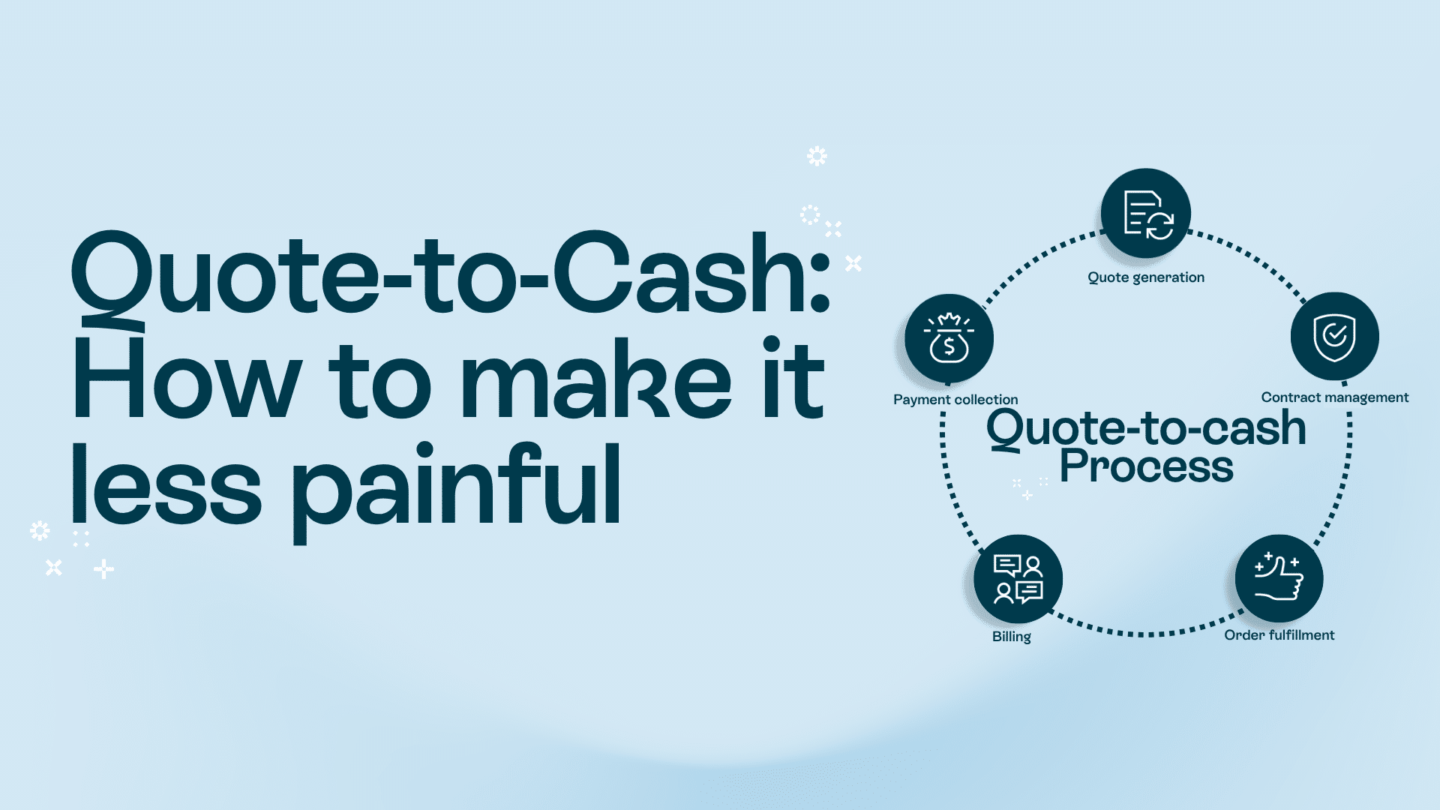
Rather than just generating proposals, it handles the entire quote-to-cash process as one of the best quoting software options available, ensuring contract data becomes the source of truth for your invoicing flows.
Step 3: Input the right prompts
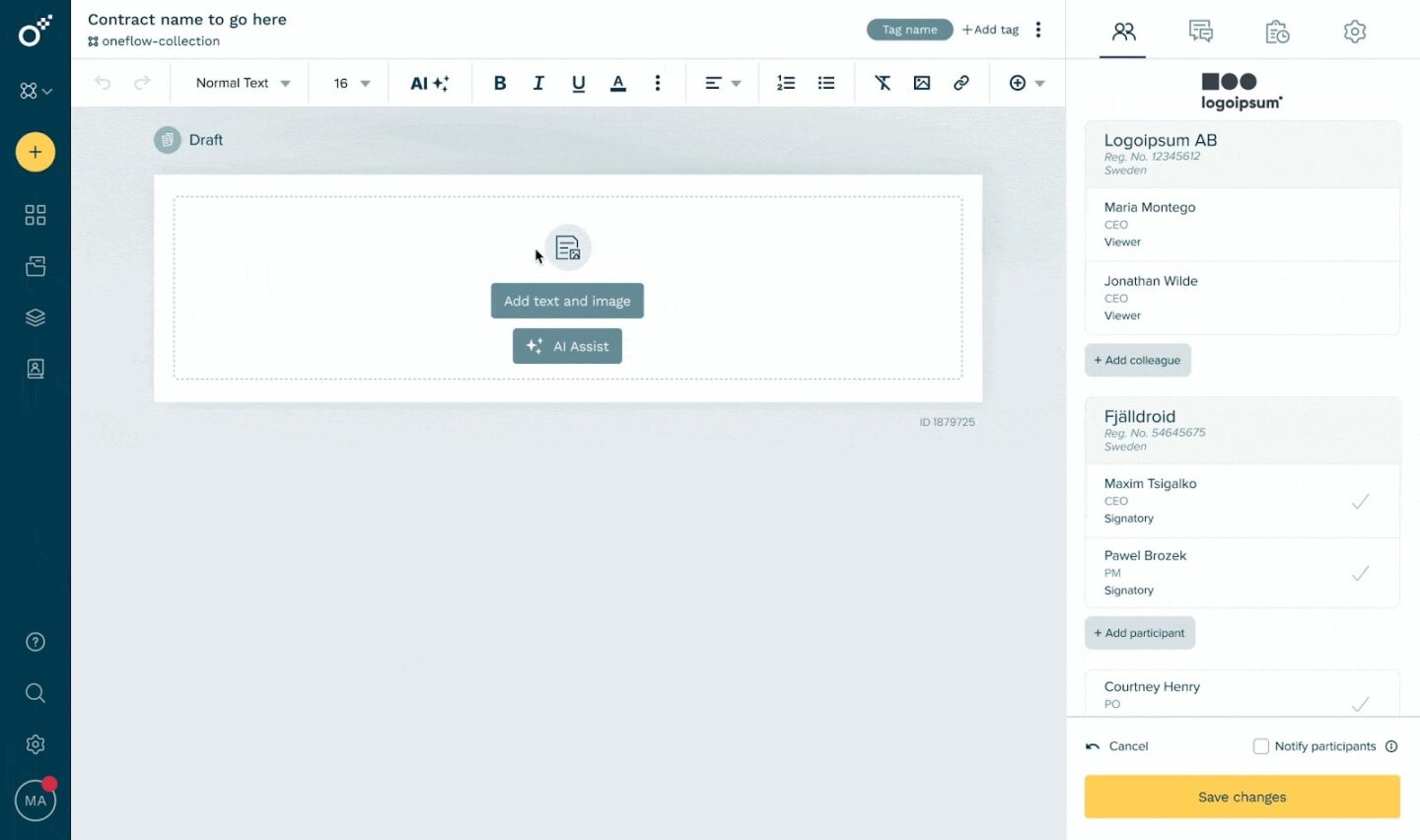
The quality of AI-generated proposals depends heavily on the prompts you provide.
Structure your prompts using this framework:
- Context: explain who the client is, what industry they’re in and what problem they’re facing.
- Objective: what specific section of the proposal are you working on right now?
- Constraints: length requirements, tone preferences and any terminology that must be included or avoided.
- Tone: formal and technical or friendly and conversational.
A good prompt would be: “Create a proposal for a mid-sized Manchester retail company seeking electronic signature implementation. They need to process 200 contracts monthly, integrate with Salesforce and comply with GDPR. Budget range £5,000-£7,500. Professional but approachable tone.”
Common mistakes to avoid:
- Using overly complex language in your prompts.
- Forgetting to specify the target audience.
- Skipping the proofreading step.
- Being too generic.
Step 4: Generate your first draft
Once you’ve input your prompts and requirements, the AI takes over. Oneflow AI works from a proposal template that you can customise for different industries or client types. You can also make your own for later use.
A well-generated proposal includes an executive summary that captures your key value proposition, a detailed scope of work with specific deliverables, a timeline with milestones, pricing breakdown with VAT calculations and terms and conditions.
Step 5: Customise and brand
Generic proposals don’t win business. Your proposal needs to look distinctly like it came from your company and speak specifically to this client’s situation.
Edit, customise with your own logo, brand colours, images, videos and interactive elements to match your corporate identity. Clients expect proposals with modern design that reflect contemporary design style standards.
The good news is that you don’t need advanced design experience to create professional documents. Most platforms let you customise templates with drag-and-drop editors that handle the technical details automatically. Some platforms even let you pull content directly from your website to ensure consistency across all client touchpoints.
Interactive fields let clients select options, configure their preferred package or provide additional information without leaving the document. This modern approach beats static PDFs while maintaining secure document handling throughout the process.
Oneflow’s advantage here is secure automation. Once you’ve connected your CRM, the platform automatically imports relevant client data—no more copy-paste errors or outdated information making it into your proposals.
For teams using HubSpot, the HubSpot e-signature integration makes this process seamless, allowing you to generate and sign electronic contracts without leaving your familiar workflow.
Step 6: Review, refine, approve
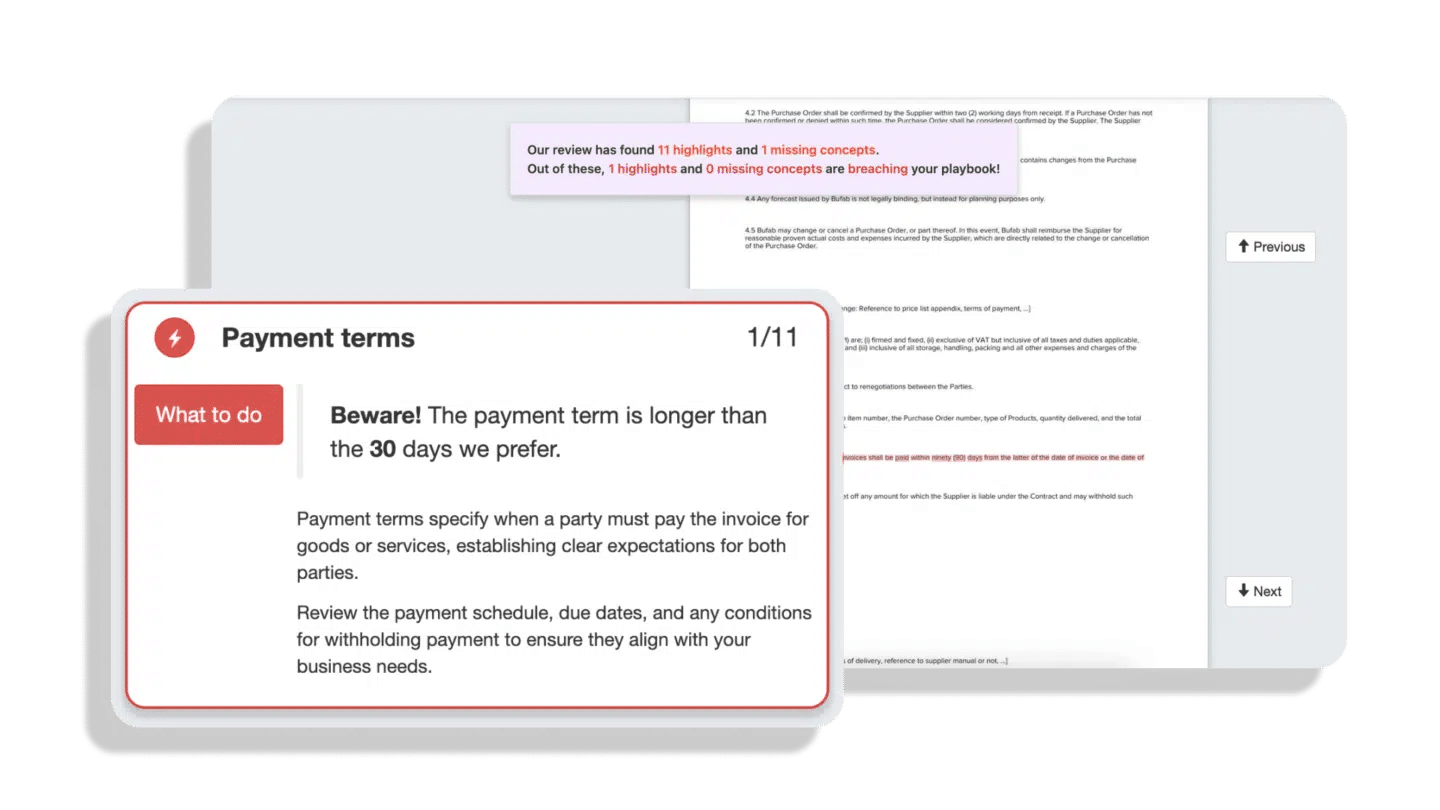
Human oversight remains critical even with AI-generated content. Run through this checklist before sending any proposal.
- Fact-check all claims and figures.
- Verify pricing calculations.
- Confirm timelines are realistic.
- Double-check that you’ve spelled the client’s name correctly throughout.
- Ensure your proposal meets GDPR requirements, includes appropriate data protection clauses and complies with relevant industry regulations.
Oneflow also includes collaboration features that let multiple people review and edit simultaneously, even after sending—invaluable for negotiations. Your sales lead can check client details while your legal team verifies terms without version confusion.
Step 7: From proposal to contract to revenue
Here’s where integrated platforms like Oneflow show their real value: the seamless transition from proposal to signed contract to revenue realisation.
Once your client accepts the proposal, it automatically becomes a contract without recreating anything in a different system. Digital signatures capture agreement instantly, with full legal validity under UK law.
No PDF recreations needed—the same living document that was your proposal becomes your contract. Contract automation tracks changes made during negotiation, creating a complete audit trail for compliance purposes.
Real-time collaboration continues until signature (and beyond). If your client has questions or wants modifications, you can make changes instantly rather than cycling through endless email attachments.
Oneflow makes contract data the source of truth for your invoicing flows, revenue leakage.
This quote-to-cash integration means fewer errors, faster payment processing and complete visibility into your sales-to-revenue pipeline. Your CRM remains the single source of truth while Oneflow handles the document workflow.
Top AI-powered proposal generator tools worth considering
Here’s how other options for improving proposal processes compare:
| Tool | Best for | Key AI features | Starting monthly price | Free trial / Freemium | Capterra rating |
|---|---|---|---|---|---|
| Oneflow | Complete quote-to-cash with contracts | AI Assist, AI Review, automated data sync, dynamic contracts | £15 | Basic free plan + 14 days for premium features | 4.6 |
| Scoro | Professional services firms needing project management + proposals | Insights for report generation, automated quotes from project data | £18.90 | 14-day trial | 4.6 |
| Qwilr | Creative agencies prioritising visual presentation | AI content suggestions, smart templates | $39 | 14-day trial | 4.6 |
| CoWriter | Teams wanting AI writing assistance for various documents | Advanced GPT-powered writing, collaboration features | $19.99 | None | N/A |
| Better Proposals | Freelancers and small agencies | Template-based proposals with tracking analytics | $19 | 14-day trial | 4.8 |
Oneflow stands out for UK teams because it’s not just proposal software—it’s a complete contract management platform with deep CRM integrations. The AI-powered features help ensure compliance and optimise proposal effectiveness.
How to overcome common challenges when drafting AI-generated proposals
Even with powerful AI tools, certain challenges remain. Here’s how to address common pain points.
AI output feels too generic and doesn’t reflect our brand voice
Start by feeding the AI examples of your best past proposals. Most platforms learn from your existing content, so the more you use them, the better they understand your style. Create detailed brand guidelines within your proposal software, specifying preferred phrases, tone preferences and words to avoid.
Customise templates extensively before using AI to fill them. A well-structured template with your brand personality baked in ensures AI-generated content feels authentically yours.
We’re worried about data security and GDPR compliance
Choose platforms that explicitly support GDPR requirements and store data within the UK or EU. Oneflow, for example, provides GDPR-compliant data processing and gives you control over data residency.
Review the platform’s security certifications and data processing agreements before committing. Look for ISO 27001 certification, SOC 2 compliance, and clear documentation about data handling practices.
AI sometimes gets facts wrong or includes outdated information
Never send an AI-generated proposal without human review. Build a checklist of critical information to verify: client names and details, pricing and terms, regulatory requirements and any technical specifications.
Keep your source data current. If your CRM contains outdated information, your AI-generated proposals will too. Regular data hygiene prevents this problem.
Use AI for structure and drafting, but rely on human expertise for accuracy.
Our team resists adopting new technology
Start small with a pilot project. Choose one team member or one type of proposal to test the system before rolling it out company-wide.
Focus on the time savings rather than the technology. When your team sees they can create proposals in 15 minutes instead of three hours, resistance typically melts away.
Provide proper training and support. Many platforms offer comprehensive onboarding to ensure your team feels confident using the new tools.
We need proposals to integrate with our existing workflow
Choose platforms with deep CRM integrations. Oneflow connects with Salesforce, HubSpot, Microsoft Dynamics and other major CRMs, letting you generate proposals directly from your existing sales pipeline.
Look for automation capabilities that fit your process. If your proposals typically need legal review, choose software that supports approval workflows. If you need finance sign-off on pricing, ensure the platform handles multi-level approvals.
Test different approaches and iterate based on results. Pay attention to which proposals win and which don’t (Oneflow has tracking features for engagement and viewing details), then refine your AI prompts and templates accordingly. Most platforms offer analytics showing how clients interact with your proposals—use this data to continuously improve.
Transform your proposals with AI-powered solutions
What once required hours of formatting, writing, and coordination now happens in minutes if you pick the right AI tools.
Choosing software that understands your regulatory environment, supports your workflow and integrates with your existing systems makes all the difference.
Oneflow is a future-proof solution that builds a complete quote-to-cash system, turning proposals into contracts, contracts into invoices, and all that data into insights that help you close more deals.
Try Oneflow and see how AI-powered proposal generation can transform your sales process. In a competitive market where every hour matters and every proposal counts, you can’t afford to keep doing things the old way.
Disclaimer:
All information on this page is derived from publicly available sources such as G2, Capterra, and other software listing sites. Oneflow does not verify the accuracy, completeness, or currentness of this information. Accordingly, Oneflow assumes no responsibility or liability for any inaccuracies, errors, or omissions in the content, nor for any actions taken in reliance on such information. Users are advised to independently verify any information before making decisions based on it.
FAQs
What should UK businesses look for in an AI proposal generator?
Prioritise platforms offering GDPR-compliant data processing, UK or EU data storage, proper VAT calculation support and compliance with UK e-signature legislation (Electronic Communications Act 2000). Support during UK business hours also matters. Oneflow has it all, with a London office and strict regulatory compliance protocols.
How much do AI proposal generators cost in GBP?
Pricing varies significantly based on features and team size. Oneflow pricing starts at £15 per user monthly. Mid-tier business plans cost more. Enterprise solutions require custom pricing. Many platforms, including Oneflow, offer free forever plans with basic features, plus free trials of premium capabilities. Calculate potential ROI by considering time saved—if AI saves three hours per proposal and you create 50 monthly, that’s substantial value even at higher price points.
How do AI proposal generators work?
AI proposal generators use natural language processing to understand your requirements and machine learning to improve output quality over time. You input basic information about your client and project through prompts or forms. The AI then analyses this to generate a structured proposal. Advanced systems like Oneflow pull additional information directly from your CRM, automatically populating client details, pricing and relevant past interactions.
Are AI proposal generators free?
Some AI proposal generators offer free plans with limited features, making them accessible for small businesses and freelancers. Oneflow provides a forever-free plan supporting unlimited PDF contracts, which works well for teams with basic needs. However, most businesses find paid plans necessary to access crucial capabilities like CRM integration, advanced templates, analytics and team collaboration. The investment typically pays for itself quickly through time savings and improved win rates. Consider the free plan as a way to test whether the platform fits your workflow before committing to paid features.
.png?id=40edbc9ee25345a211152388fdcf1fd2)

.png?id=073897979970647cd034d6db96c145de)