If you’re using a contract repository with solid search functions, finding the contract you’re looking for is easy enough. The harder questions come when you need to ensure you have proper audit logs for security and compliance: Who changed a clause and when? Which redlines were accepted, and who resolved the comments? Who approved the final version, and when did each party sign?
Contract storage gives teams a central place to keep agreements and organise them using folders or searchable details such as the counterparty, contract type and date. Contract tracking software can also record edits, redlines, comments, approvals and signing dates. The resulting audit trail shows who took each action and when. Depending on the product, the system may also track notice periods, renewals and other post-signature deadlines.
This guide compares seven contract management platforms for UK teams, focusing on how well each one organises contract data and supports tracking throughout the contract lifecycle.
TL;DR: Top contract tracking software compared
| Tool | Best fit | How it tracks contracts | Main limitation |
|---|---|---|---|
| Oneflow | Cross-functional teams that want to create, negotiate, sign and manage contracts in one platform | Oneflow records edits, comments, approvals and signing events against the same dynamic agreement. After signature, lifecycle rules and reminders track upcoming events. Linked documents connect related agreements, AI Extract structures data from imported contracts and supported CRM integrations can sync mapped fields. | Some reviewers say document and template customisation could be more flexible, with some routine edits requiring more manual steps than expected. |
| Juro | Companies that want to provide controlled contract self-service across the browser and Microsoft Word to business users | AI Extract creates Smartfields for search and reporting. Dashboards, task lists and reminders help stay on top of contract status, renewals and upcoming work, while Word changes sync back to Juro. | Awkward for multiple redlining rounds. Users also mention that document formatting can change during imports. |
| Summize | Lean in-house legal teams handling a high volume of contract requests across the business | Repository extraction supports search, dashboards and portfolio analysis. Calendar-linked milestones trigger reminders, while SIA answers questions using contract data. | Reviewers mention extra manual work when moving existing contracts into the repository. Reported difficulties include separating uploads by contract type and resolving duplicate files manually. |
| Gatekeeper | Procurement teams tracking agreements alongside supplier performance, spend and risk | The repository supports clause and obligation searches. Gatekeeper Agents extract contract data, while renewal and obligation workflows assign actions, send alerts and maintain an audit trail. | Some users found Gatekeeper difficult to customise, particularly when adapting fields for different contract types or configuring more complex workflows. |
| Leah | Large enterprises with complex contract processes across legal, procurement and finance | Uploaded agreements are classified and converted into structured data. Conditional approval paths, automatic escalation, milestone reminders and cognitive search support tracking across the lifecycle. | Customers describe a steep learning curve when using Leah’s advanced features, with workflow and dashboard configuration sometimes requiring support. |
| Docue | Smaller UK teams that need templates, electronic signing and straightforward post-sign tracking | Docue Drive uses folders, permissions, tags and metadata to organise agreements. Email reminders cover important dates, while its AI assistant can summarise stored documents. | Limited signature options and fairly light tracking capabilities without configurable obligation workflows or portfolio-level analytics. |
| OASIS Contract IQ | Organisations converting paper, scanned and digital contract archives into searchable records | Source-linked extraction, portfolio search, reporting and alerts support expiry, renewal and price-review tracking. | More of a database, without drafting and negotiation features. |
What contract tracking software should track
Contract tracking starts with a reliable history of each agreement. A contract management system should keep the following information connected:
- Activity and history: versions, redlines, comments, approvals and signing events, with an audit trail showing who took each action and when.
- Contract documents: the signed agreement and any later documents that change or supplement its terms.
- Status and responsibility: the contract’s current stage, its owner and any outstanding tasks or approvals.
- Dates and commitments: effective and expiry dates, notice periods, renewal windows and obligations that either party must meet.
- Commercial terms: contract value, pricing, payment terms, service levels and any service credits, penalties or incentive payments that apply when agreed performance targets are met or missed.
This information often exists across separate documents and business systems. Once connected in one platform, teams can search and report across the portfolio, while the software uses the same data to send reminders, route approvals and apply role-based access controls.
When a platform extends beyond tracking, it can support the full contract lifecycle management process. A contract record is created when work on the agreement begins and updated as the contract is drafted, negotiated, approved and signed. After signature, that record holds the executed agreement alongside its key dates, obligations and ongoing activity. AI can support different stages by extracting dates and terms from imported agreements, summarising contract content and assisting with AI contract review.
However, even with connected data and automated follow-up, compliance is not automatic. The software can record obligations and escalate issues, but the organisation remains responsible for assigning owners, setting the appropriate rules and acting when a deadline or exception is flagged.
7 contract tracking software tools compared
These requirements provide a useful baseline for choosing a contract automation platform, but they look different in practice from one platform to another. The profiles below explain how each system approaches contract tracking and where its scope or limitations may shape the buying decision.
Oneflow
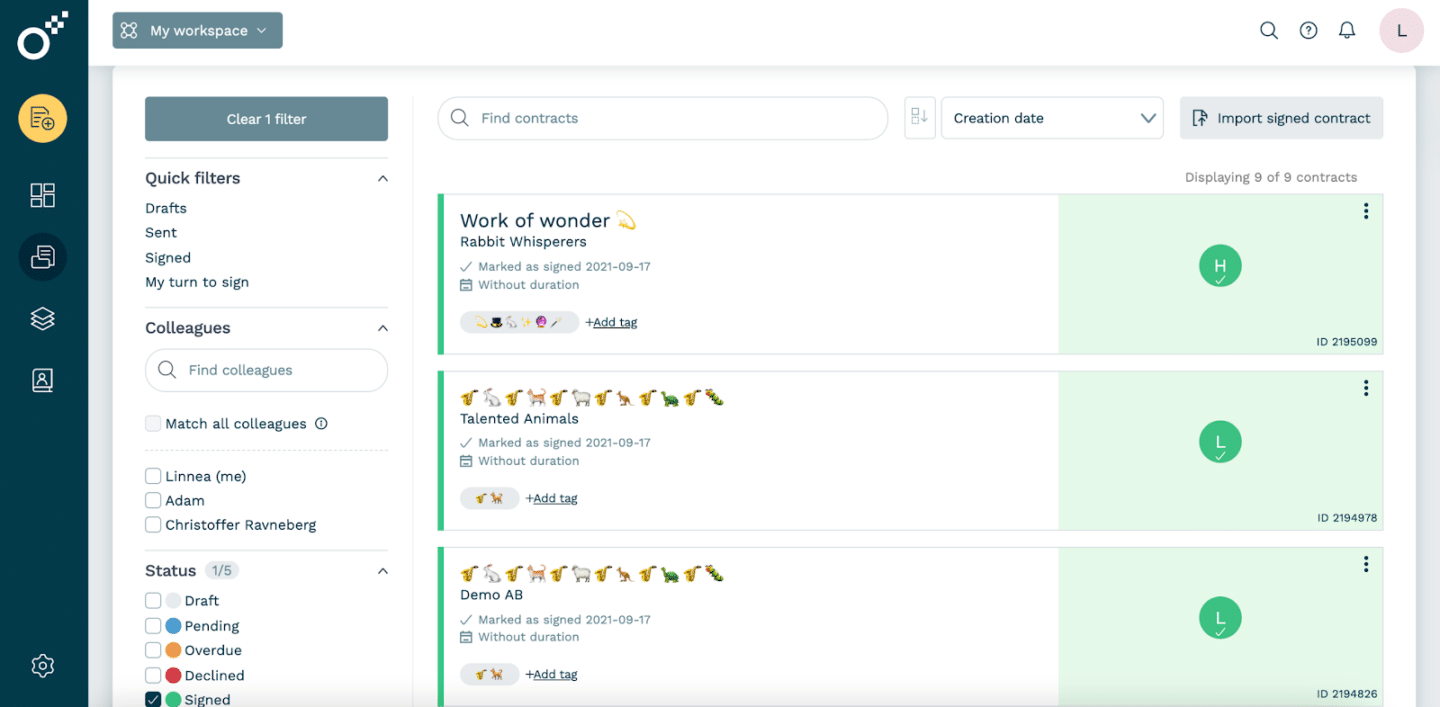
Oneflow is a contract lifecycle management platform with dynamic, browser-based agreements that remain editable after sending during negotiation. All changes stay within the same contract instead of creating another version, a PDF and a separate tracking record. You can manage contracts from creation, through collaboration, negotiation, approvals, and e-signatures, all the way to storage and post-sign management – all in one platform.
Key tracking features:
- Internal approval flows route the contract to designated reviewers before it is sent for signing. The audit trail records contract changes, approval decisions and signing events, including who acted and when.
- Lifecycle settings define whether a contract is open-ended, fixed-term or recurring and store the dates and notice periods that apply. Oneflow tracks when the contract starts, ends, enters a new period or is terminated, while sending internal reminders and showing upcoming events in the calendar.
- Custom reminders, internal notes and document links keep follow-up work and related agreements connected.
- CRM integrations connect contract tracking to the customer or deal record. Teams can follow contract status and activity from the CRM, while mapped fields and product data sync between Oneflow and systems such as Salesforce, HubSpot, Microsoft Dynamics 365 or Pipedrive.
- AI Extract makes imported contracts easier to track by turning participants, duration and signing dates into structured fields used for search and lifecycle reminders. AI Summary provides an overview of an individual agreement, while AI Review and AI Insights identify issues and risks in individual documents and across the workspace.
Mindex previously stored contracts across Word, SharePoint and DocuSign and used a manual list to track signed agreements, due dates and renewals. After centralising its contracts in Oneflow, the company reports 100% contract visibility across its business units, with teams able to easily access the latest version and shared contract data.
Book a demo to see how you can achieve similar results.
Main limitation. Some users noted they would like more flexibility when creating contract templates. They mention needing more templates, greater control over template settings, and more options for adjusting document and form layouts.
Juro
Source: CompareCamp
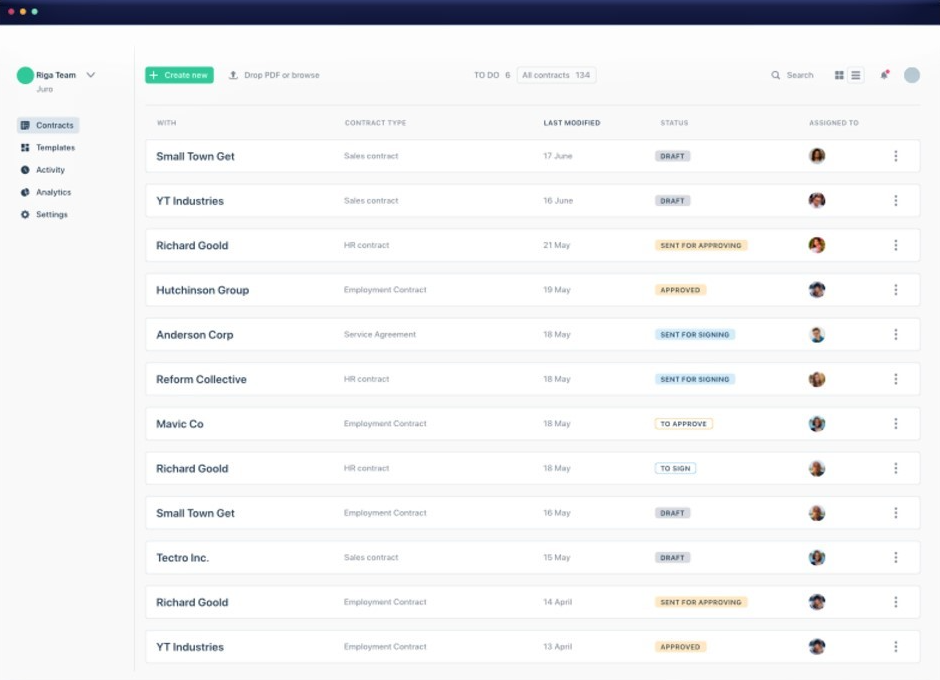
Juro combines browser-based contract creation with a Word add-in, approval workflows, native e-signature and a searchable repository. Business teams can use controlled self-service workflows, while legal manages templates and approval rules to reduce operational risk and support compliance.
Key tracking features
- AI Extract turns uploaded contracts into Smartfields that support repository search, filters and reporting.
- Custom dashboards and a cross-workspace task list show contract status, renewals and upcoming tasks. Reminders can be sent through email, Slack and in-app dashboards.
- Bulk Extract processes multiple contracts at once, while the Word add-in syncs edits, comments and redlines back to Juro.
Main limitation. Juro can be awkward for contracts that pass through several rounds of external redlines. Reviewers mention the lack of a redline-over-redline process and formatting changes when complex Word files are imported, so teams should test whether every negotiation round remains easy to compare and audit.
See also: Juro alternatives.
Summize
Source: Legal.io
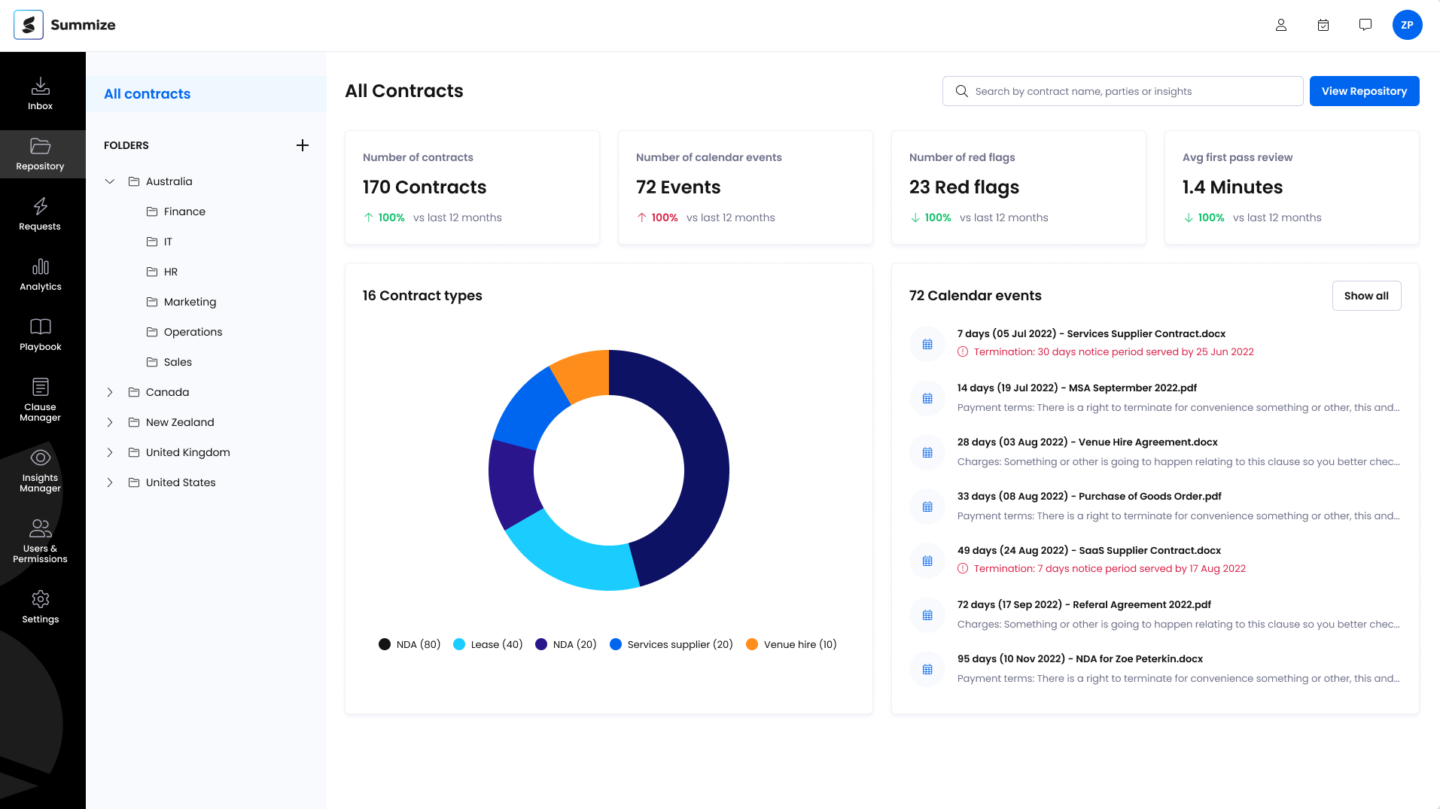
Summize lets employees work with contracts from the tools they already use. They can submit requests, create agreements and check progress in Outlook, Teams, Slack or Salesforce. Legal sets the templates and approval rules, reviews contracts in Microsoft Word and keeps the contracts and their data in Summize’s central repository.
Key tracking features
- The contract repository extracts data points from each agreement, facilitating search, up-to-date dashboards and portfolio analysis.
- Key dates and milestones can sync with calendars and trigger email reminders for renewals or other upcoming events.
- SIA answers questions using pre-signature and post-signature contract data, either inside Summize or through supported integrations.
- If you have integrations set up, when a contract is signed through Docusign or Adobe Acrobat Sign, the final signed copy is automatically saved in Summize.
Main limitation. Users mention a shallow folder hierarchy in the repository, search that can miss documents and bulk-upload limits when files span different contract types. These issues can add manual work when migrating or maintaining a large contract archive.
Gatekeeper
Source: SourceForge
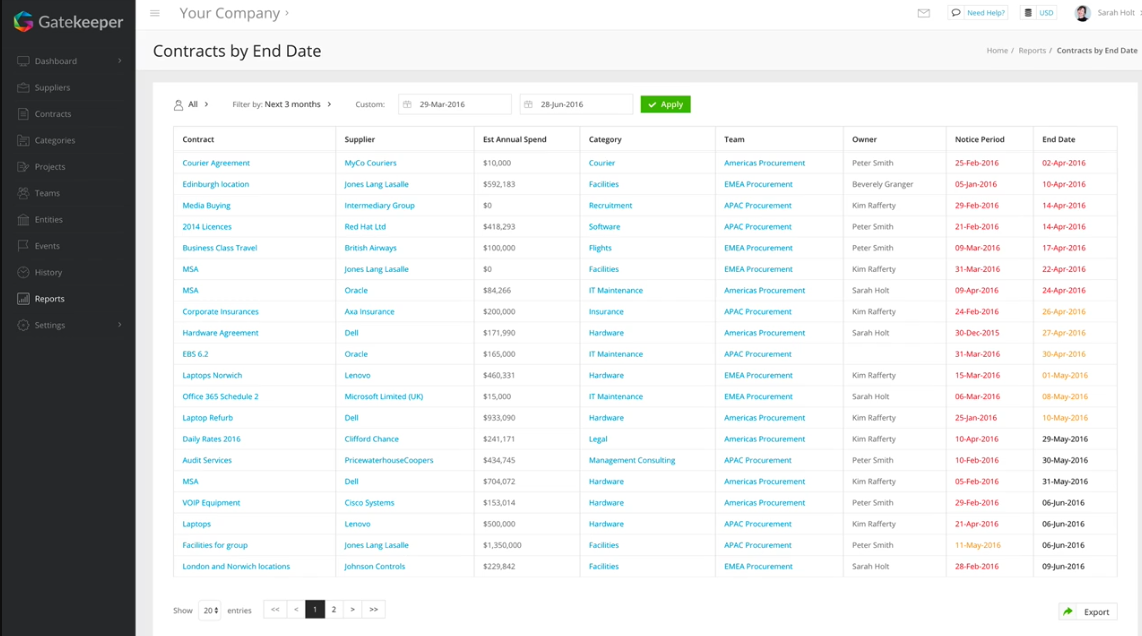
Gatekeeper is a contract lifecycle management tool with supplier management, risk monitoring, and spend tracking features. It helps users with contract requests and drafting, and supports smoother negotiation, approval, e-signature and renewal. Gatekeeper links each agreement to the relevant supplier record, which also holds performance and risk data. Procurement teams can then compare contractual commitments, such as service levels, with the supplier’s actual performance and risk profile when preparing for a review or renewal.
Key tracking features
- The searchable repository lets users find clauses, obligations and renewal dates in their signed agreements.
- Gatekeeper Agents extract metadata and clauses from imported contracts, classify agreements and check their wording against company playbooks.
- Renewal and obligation workflows send alerts before important dates, while configurable processes assign the next action and maintain an audit trail.
Main limitation. Gatekeeper’s flexibility can create administrative overhead. Reviewers describe complex workflows and contract-type fields as difficult to configure, sometimes requiring additional support. Several also find its reporting too basic or inflexible for answering specific questions about the contract portfolio.
Leah
Source: SoftwareReviews
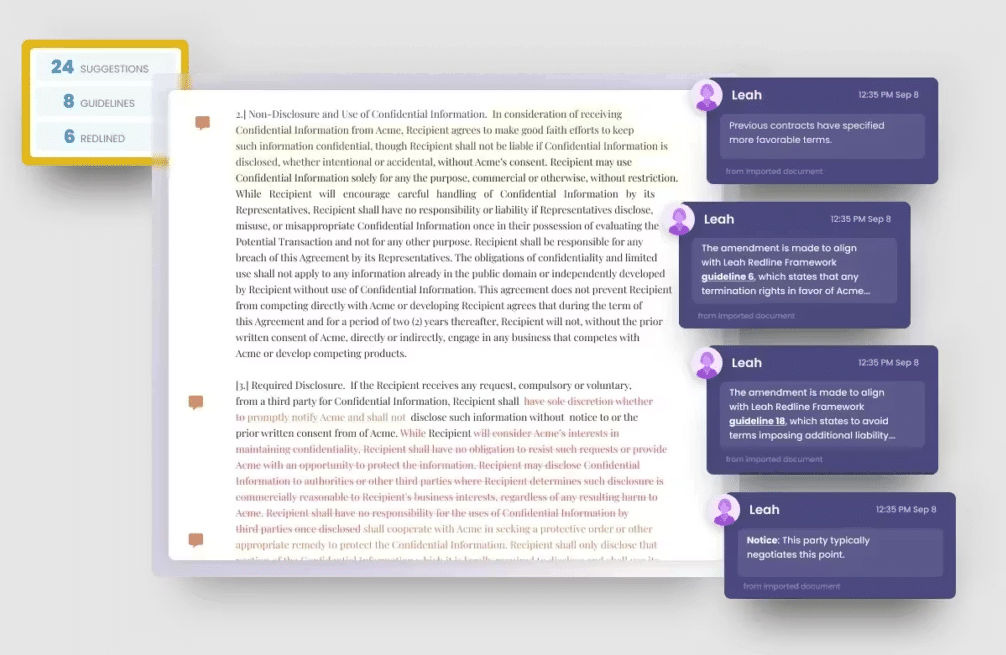
Leah tracks the contract lifecycle from creation to renewal. Teams can create a new contract in Leah using a guided request form or upload an agreement received from another party. The program then helps draft or review it, routes it to the appropriate approvers and sends the approved contract for signature through an integrated e-signature service.
Key tracking features
- Third-party agreements are classified when uploaded, with parties, clauses and obligations extracted into structured contract data.
- Approval paths respond to factors such as contract value, jurisdiction or identified risk, with automatic escalation when a task stalls.
- After signature, renewal dates, notice periods and other milestones trigger reminders in the repository.
- Cognitive search finds information across documents and metadata. Answers link back to their source clauses.
Main limitation. Custom reporting is a recurring weak point in reviews. Users say Leah’s dashboards do not readily support bespoke legal KPIs and that some advanced workflow or dashboard changes require help from its team rather than being fully self-service.
Docue
Source: Docue
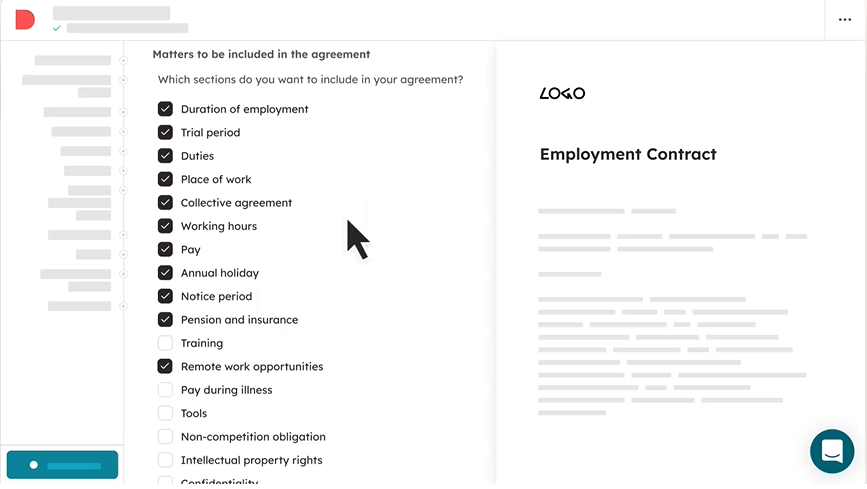
Docue combines contract creation, electronic signing and storage. The platform includes automated contract templates drafted and maintained by UK lawyers, which users can customise instead of drafting each agreement from scratch. Teams can also use their own templates, send documents for signing and store signed or uploaded agreements in Docue Drive.
Key tracking features
- Folders and access permissions control how agreements are organised and who can access them.
- Tags and metadata allow users to search by details such as the party, author or document date.
- Email reminders notify users about contract end dates, trial periods and planned price increases.
- An AI assistant can generate a summary of any document stored in Drive.
Main limitation. Docue Drive covers core repository tasks, but its tracking capabilities are comparatively light: folders, metadata, permissions, search and email reminders, but no configurable obligation workflows or portfolio-level analytics. Docue’s signing options are mainly touchscreen signatures without documented typed or uploaded signature options. Reviewers say the hand-drawn result looks unprofessional.
OASIS Contract IQ
Source: OASIS
OASIS Contract IQ is designed for organisations that need to turn paper-heavy or fragmented contract archives into searchable records. It digitises hard-copy, scanned and electronic agreements, then extracts the dates, figures and clauses needed to monitor renewals, expiries and price-review opportunities. Each extracted data point links back to the relevant source document.
Key tracking features
- The system extracts important dates, figures and clauses from live and legacy contracts.
- Each extracted data point links to the relevant source document, making the information easier to verify.
- Portfolio search and reporting help users find clauses, monitor upcoming expiries and review contract information across the archive.
- Alerts let users know about supplier auto-renewals, customer contract expiries and opportunities to apply price changes.
Main limitation. Contract IQ is delivered as a managed database for live and legacy agreements, not as a self-service workspace for progressing new contracts. It can structure and monitor agreements once they exist, but drafting, negotiation, approval and signing have to take place elsewhere. Contract IQ relies on OASIS to import documents and configure the system. Reviews of OASIS’s wider services repeatedly report slow responses.
Keep contract tracking connected from creation to renewal
Contract tracking can begin after signature. Modern platforms can import a completed agreement and extract dates, parties and terms for search, alerts and reporting. However, the signed document and extracted fields do not include the edits, comments, approval decisions and signing activity that produced the final terms. When those stages take place in separate tools, teams may need to consult several systems to reconstruct the contract’s history.
Oneflow records this activity while the agreement is prepared and signed. Afterwards, the contract remains in the repository with its full audit trail, structured fields, linked documents and lifecycle dates. Those dates support renewal and expiry reminders, while supported CRM integrations can update the relevant customer or deal record with the final contract status and agreed values.
This makes Oneflow the strongest fit for teams that want the contract history, final terms and post-signature dates managed in one platform. Book a Oneflow demo to see how the platform supports contract creation, approval, signing and renewal tracking.
FAQs
What information should a contract tracking system record?
It should store the signed agreement and every later document that changes or supplements it, such as amendments, addenda, statements of work and side letters. It should also record ownership, status, key dates, renewal terms, values and obligations. The same record should preserve versions, redlines, comments, approvals and signatures for audits, with a time-stamped log showing who did what and when.
Is contract tracking software the same as contract lifecycle management?
Not exactly. Contract tracking monitors ownership, status, deadlines and obligations, while contract lifecycle management also covers drafting, approval, signing and renewal.
Can you use Excel to track contracts?
Excel can track a small portfolio of contracts, but someone must manually enter and maintain every date, owner, status and reminder. As the number of contracts and contributors grows, incorrect or overwritten data, duplicate records and missed renewals become more likely. You also won’t be able to track a full contract history and audit logs in a spreadsheet. If you need tighter control over permissions, versions and audit history, you need dedicated contract tracking software.
How does contract tracking software manage renewals and notice periods?
It stores the renewal date and notice deadline, then alerts the assigned owner according to a set schedule.
.png?id=40edbc9ee25345a211152388fdcf1fd2)

.png?id=073897979970647cd034d6db96c145de)