Salesforce contract management has a simple job on paper: help your team create, approve, sign, store and track contracts without losing the deal data sitting in Salesforce.
It’s not always that simple in practice.
A sales rep builds a quote in Salesforce. Legal wants a clause changed. Finance needs payment terms to match the final agreement. RevOps wants clean CRM data. The buyer asks for a small edit after the contract is already sent. Before you know it, the contract is buried in someone’s inbox as a PDF with “final_v4” in the filename.
That’s why you need contract lifecycle management (CLM) software that connects with Salesforce bidirectionally.
This guide compares 11 Salesforce contract management software options for 2026. Some are e-signature tools with a Salesforce connector. Some are proposal platforms. Others are heavy CLM systems aimed mainly at legal. Find an option that works best for you.
What is Salesforce contract management?
Salesforce contract management means creating, reviewing, approving, negotiating, signing, storing and tracking contracts through Salesforce or through a CLM platform connected bidirectionally to Salesforce. Instead of moving contract work into a separate, disconnected process, teams can create, review, approve, negotiate, sign, store and track agreements while keeping Salesforce aligned with the latest contract data.
In practice, that means each team works from the same contract information. Sales reps generate contracts directly inside Salesforce. Legal controls contract templates, clause libraries, approval workflows and risk rules. Finance gets accurate contract data for invoicing and revenue recognition. RevOps sees contract status without chasing reps. Procurement teams can track vendor terms, and HR can manage employee agreements without another disconnected workflow.
Salesforce remains the source of truth for customer relationship data, while the contract management platform handles the agreement lifecycle around it.
That usually includes:
- Contract creation
- Automated contract generation
- Contract drafting
- Contract approvals
- E-signatures
- Contract analysis
- Risk monitoring
- Contract visibility
- Contract status tracking
- Renewal management
- Obligation tracking
- Contract performance analytics
- A centralized contract repository
Does Salesforce have built-in contract management?
Salesforce has contract-related functionality through Revenue Lifecycle Management, which allows you to manage contract records, templates, approvals, version tracking and e-signature integrations.
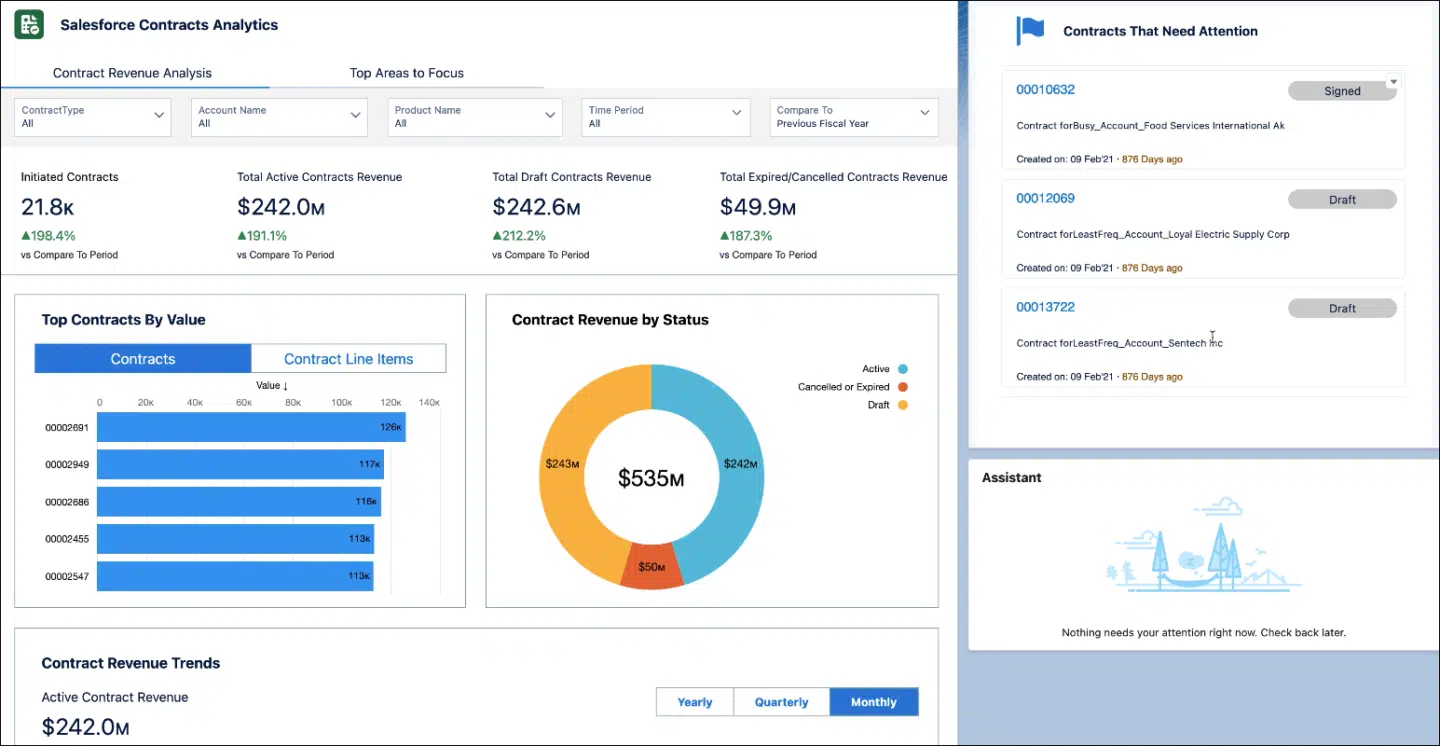
This works well for basic cases, but starts to feel thin when several teams touch the same contract.
Salesforce is excellent at customer relationship management data. But for many teams, it still isn’t the ideal contract workspace for negotiation, live editing, AI review, obligation tracking and portfolio-level contract analysis.
That’s why many companies connect Salesforce to dedicated contract lifecycle management software. Salesforce owns the customer relationship and deal data. The CLM platform manages the contract documents, approval workflows, contract governance, signing and post-sign work.
Why Salesforce contract management matters for quote-to-cash teams
A Q2C process covers the commercial path: quote, proposal, contract, approval, signature, billing data, revenue recognition and renewal. When that path is clear, deals close faster, and finance gets clean data. When the path is broken, contract data stops flowing automatically between teams and systems, and the problems are painfully familiar.
Sales reps copy Salesforce opportunity data into contract documents. Pricing changes create version control issues. Legal reviews contracts outside the CRM. Finance gets incomplete payment terms. RevOps cleans up deal data after the close. Contract status becomes guesswork. Revenue leakage creeps in.
A strong Salesforce contract management platform connects the contract workflow to CRM data.
Contracts should act like an operating system for revenue teams. When the contract stays connected to Salesforce, sales can generate contracts without manual entry, legal can govern templates and approvals, finance receives structured data instead of hunting through PDFs, and RevOps sees contract progress in the system it already trusts.
For more on the revenue workflow around contracts, start with our quote-to-cash software guide. For the quoting step specifically, see Oneflow quoting software.
Salesforce contract management tools compared
Here are our top picks with seamless integrations to the Salesforce CRM.
| Tool | Category | Strongest use case | Main differentiator | Pricing | Capterra rating |
|---|---|---|---|---|---|
| Oneflow | Contract management platform + e-sign | Mid-market and enterprise Q2C teams using Salesforce | Live contracts, two-way CRM sync, AI, approval workflows and post-sign repository | $292/month, billed annually, 5 users included | 4.6 |
| Docusign | E-signature software with CLM and IAM capabilities | High-volume e-signature and enterprise agreement workflows | Mature e-signature adoption and established agreement infrastructure | From $40/user/month for IAM Starter. Salesforce integration only on Enterprise or as an add-on | 4.7 |
| Conga | Enterprise CLM, CPQ and revenue lifecycle management software | Large Salesforce-heavy orgs with complex admin needs | Salesforce-aligned CLM, document automation, CPQ and AI-supported contract analysis | N/A | 4.3 |
| PandaDoc | Proposal management software + e-signature platform | Sales proposals, quotes and buyer-facing sales documents | Fast proposal creation, pricing tables, Deal Rooms and sales document automation | From $49/seat/month (cheaper plans without Salesforce integration) | 4.5 |
| Adobe Acrobat Sign | E-signature software | Adobe-led signing workflows and PDF-based contract execution | PDF-first e-signature workflows with strong document tools, branding and audit trails | From $16.99/license/month | 4.6 |
| Sertifi | E-signature, payment collection and authorization software | Hospitality agreements with payments, deposits or authorizations | Hospitality-focused agreement workflows with embedded payments, ACH, card authorizations and chargeback support | N/A | 4.8 |
| Ironclad | Enterprise CLM platform | Legal-led contract governance and review workflows | No-code workflow automation, legal-first contract governance, Jurist AI and Salesforce-connected contracting | N/A | 4.4 |
| OneSpan Sign | Secure e-signature and digital agreement software | Regulated signing with identity checks and audit requirements | High-security signing with identity verification, audit trails, Salesforce integration and remote notarization options | Volume-based | 4.7 |
| SignNow | E-signature and document workflow software | Straightforward signing, document generation and workflow automation | Cost-conscious e-signature workflows with Salesforce integration, unlimited users and usage-based scaling | From $8/month | 4.6 |
| Yoti eSign | E-signature and identity verification software | Identity-sensitive agreements and regulated signing workflows | Digital signing with Salesforce integration, identity verification, biometric liveness checks and eWitnessing | N/A | 4.8 |
| Smart Contracts BizHub | Salesforce AppExchange CLM software | Teams wanting CLM workflows inside Salesforce | Salesforce-native CLM workflows with approvals, ERP integration, document management and e-signature support | $25/user/month | N/A |
What to look for in a Salesforce CLM solution
Before you pick one from the list above, consider these criteria:
1. Two-way CRM sync
A basic Salesforce integration pulls CRM data into a contract template. Useful. Also incomplete.
A stronger CLM Salesforce integration moves data both ways to accelerate deal cycles. Salesforce opportunity data populates the contract. Contract status, signed dates, product selections, pricing, payment terms and contract details move back into Salesforce.
2. Dynamic contracts, not static PDFs
PDF workflows look tidy until a buyer asks for a change.
A static document gets sent. A term changes. Another file appears. Someone marks it up. Someone else uploads a new copy. A sales rep loses track of the right version. Finance gets the wrong payment terms.
Dynamic contracts work like a shared workspace. The contract stays live. Edits happen inside the document. Counterparties can comment there. Approvals stay attached to the workflow. Salesforce data remains aligned. Using digital contracts helps streamline collaboration, security and speed across these workflows.
3. Quote-to-cash support
Look for software that connects quotes, pricing, contract terms, approvals, signatures and invoicing data. The system should let sales reps generate contracts directly, help legal teams control risk, allow finance teams to trust the data, and give RevOps clean contract progress.
If the tool makes your team rebuild the deal after signature, it’s creating work somewhere else.
4. AI-powered contract analysis
Good AI capabilities can help with contract drafting, summaries, data extraction, risk review, missing clauses and portfolio-level contract analysis. Weak AI gives you generic, untrustworthy suggestions.
5. Advanced approval workflows
A strong contract management system lets you set up configurable approval workflows based on deal value, region, discount level, payment terms, risk or contract type. The right stakeholders get pulled in automatically. Legal has an audit trail. Sales can see where the contract is stuck.
6. Post-sign contract management
After signing, the contract still has work to do. Renewals. Obligations. Payment terms. Compliance checks. Audit trails. Contract performance. Portfolio reporting. Search. Permissions… That’s why you need a CLM platform, not e-signature software.
7. Scalability across departments
Salesforce contract management may start with “sales”, but contracts never stay in one department for long.
The best tools should have your back across the major workflows:
- Quote-to-cash for Sales, Finance and RevOps
- Source-to-pay for Procurement, Legal and Finance
- Hire-to-retire for HR, Legal and Ops
That gives the CLM platform a wider role than a Salesforce add-on. It becomes the place where contract data stays usable and moves the business forward.
The 11 best Salesforce contract management tools in 2026
Let’s explore our top picks in more detail to help you make the best choice.
1. Oneflow
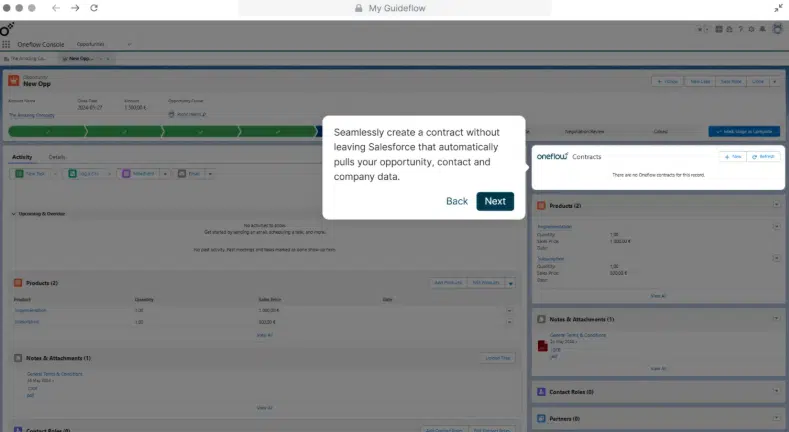
Oneflow is a contract lifecycle management platform that turns contracts into an operating system for the business.
For Salesforce teams, the main value sits in Q2C. A rep can generate a contract inside Salesforce, use CRM data to populate it, collaborate with the buyer in a live document, route approval to the right people, collect signatures, and push contract data back into Salesforce.
The big difference is the document itself.
Oneflow contracts remain live after sending. The rep can update pricing, product selections, payment terms and contract terms without creating another PDF. The buyer sees the latest version. Legal can review inside the workflow.
For finance teams, it reduces invoicing errors and revenue leakage. For RevOps, it keeps deal data cleaner. For legal teams, it supports contract governance, approval workflows, AI review and compliance. For sales reps, it removes the manual work that usually sits between quote and signature.
Oneflow also covers more than sales contracts. The platform supports contract management workflows across procurement, HR, finance, legal and operations. Contracts live in a centralized contract repository with permissions, templates, lifecycle rules, audit trails, AI features and post-sign visibility.
Key features
- Dynamic live contracts that stay editable and interactive across the agreement lifecycle. Sales reps, legal teams, internal approvers and buyers work on the same live document.
- Two-way Salesforce sync, connecting Salesforce opportunity data with contract documents. CRM data can populate contracts. Contract status, engagement, signing progress, and structured contract data can sync back to Salesforce.
- Automated contract generation. Sales reps can generate contracts directly from Salesforce using pre-approved templates. Less manual entry. Fewer errors. Faster contract creation.
- Product and pricing control with product and pricing data inside contracts, keeping quotes, proposals, pricing strategies and contract terms aligned with the CRM.
- AI-powered contract work: writing, extraction, summaries, review and portfolio-level insights depending on the plan. These features help with contract drafting, analysis, compliance checks and risk review.
- Approval workflows. Teams can set up approval workflows before signing. Enterprise users get more control through shared templates, user groups, audit logs, section rules, custom admin roles and AI Review.
- Centralized contract repository with permissions, lifecycle management, retention rules, metadata and search. That makes it easier to manage contracts after signature.
- Post-sign management with lifecycle rules, automated notifications, renewal tracking and contract status visibility after signing.
- Digital signatures. Oneflow includes e-signatures, signing order, eID signature options, reminders, audit trails and digital contract execution.
How Salesforce contract management works with Oneflow CLM
- Generate contracts directly from Salesforce using opportunity data like company details, products, pricing, payment terms and deal data.
- Create contracts from legal-approved templates, with clause libraries, fallback language, approval logic and compliance rules already built in.
- Send buyers a live contract link where they can review, comment, fill in details and sign in the browser.
- Route approvals to legal, finance, sales leadership, procurement, or ops based on deal value, discounting, risk, payment terms or contract type.
- Collect signatures with signing order, e-signatures, eID options, reminders and audit trails.
- Sync contract data and contract status back to Salesforce so finance, RevOps, sales and legal work from clean data.
- Manage renewals, obligations, retention rules, permissions, audit trails and lifecycle notifications in Oneflow’s centralized repository.
Depending on the plan, teams can also use Oneflow AI throughout the process for drafting, extraction, summaries, review and contract analysis.
Key differentiator
Oneflow is the strongest choice for Salesforce teams that need more than signature capture. It gives Q2C teams live contracts, two-way CRM sync, AI review, approval workflows, e-signatures and post-sign contract visibility in one platform.
Book a demo to see how Oneflow works with Salesforce.
2. Docusign
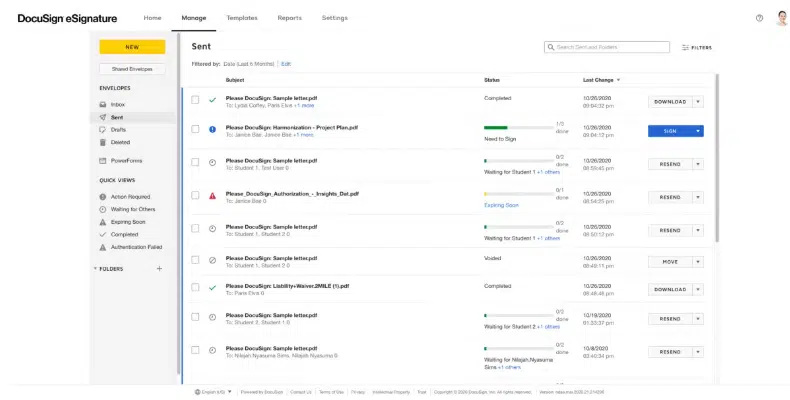
Docusign is the name many buyers think of first when e-signature comes up. Fair enough. The product is mature, widely adopted and connected to Salesforce.
Docusign CLM now sits inside the wider Docusign IAM suite, so it goes beyond basic signing. It supports contract generation, review, negotiation, workflow automation, repository management, analytics and AI-assisted agreement work through Iris AI.
Still, the core Docusign association is e-signature. For simple send-sign-track workflows, it does the job well. For heavier Salesforce contract management, buyers need to check which Docusign product they’re evaluating: eSignature, IAM or enterprise CLM.
The problem starts when contract data needs to keep moving across sales, finance and RevOps after the agreement changes. Docusign CLM can support structured agreement workflows, but teams should validate implementation effort, pricing and how easily contract data moves through their wider business systems.
See also: Docusign alternatives
Category
E-signature software with CLM and IAM capabilities.
Key differentiator
Mature e-signature adoption, enterprise agreement workflows and established signing infrastructure.
3. Conga
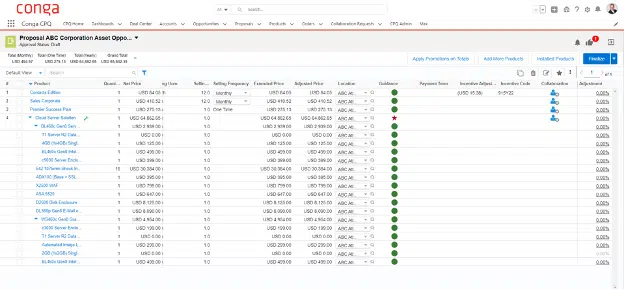
Conga has deep roots in the Salesforce ecosystem. Large organizations use it for CLM, CPQ, document generation, e-signature, reporting and revenue lifecycle workflows.
Its strongest angle is the Salesforce and quote-to-cash connection. Contract creation, document automation, approvals and reporting can sit close to the deal process, which helps teams keep contract data tied to commercial activity.
It can handle complex setups. That is both the appeal and the warning label. Conga usually makes more sense when you have Salesforce admins, technical resources and a tolerance for heavier configuration.
For some enterprise teams, that depth is valuable. For teams that want a cleaner contract management platform with faster adoption and live contract collaboration, it may feel heavier than needed.
Category
Enterprise CLM, CPQ, and revenue lifecycle management software.
Key differentiator
Salesforce-aligned CLM, document automation, CPQ, and AI-supported contract analysis.
4. PandaDoc
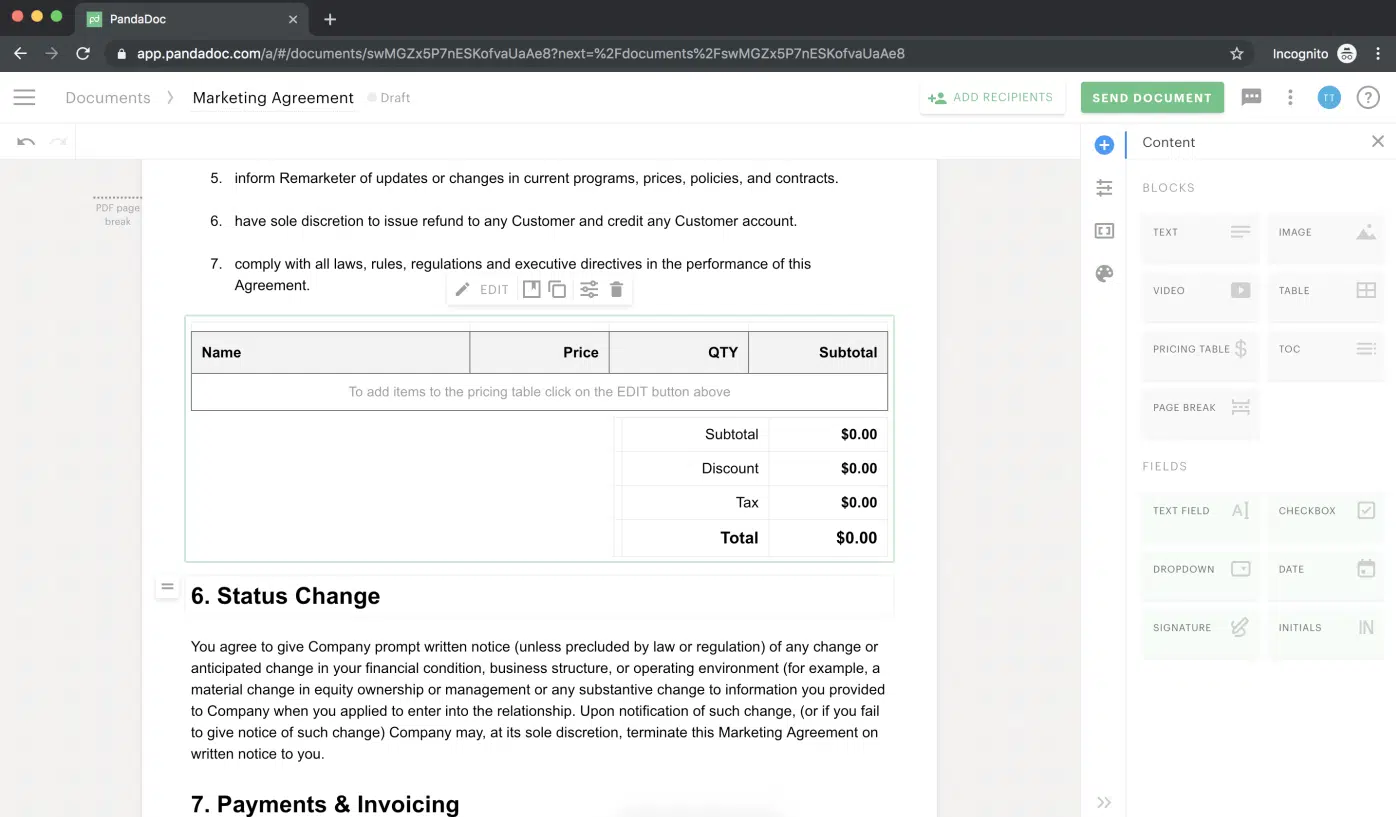
PandaDoc is strong in proposals, quotes and buyer-facing sales documents.
Sales teams use it to create polished proposals, quotes, order forms, and signable documents. The editor is easy to use, and templates are simple to customize. Pricing tables, product catalogs, Deal Rooms, approvals, tracking and built-in e-signatures are central to the product. Payment collection can also be useful.
The gap appears after the signature. PandaDoc includes storage, search, reminders, audit trails and some automation, but it is lighter than full CLM platforms for obligation tracking, renewal governance, supplier workflows and portfolio-level contract intelligence.
See also: PandaDoc alternatives
Category
Proposal management software and e-signature platform.
Key differentiator
Fast proposal creation, pricing tables, Deal Rooms and sales document automation.
5. Adobe Acrobat Sign
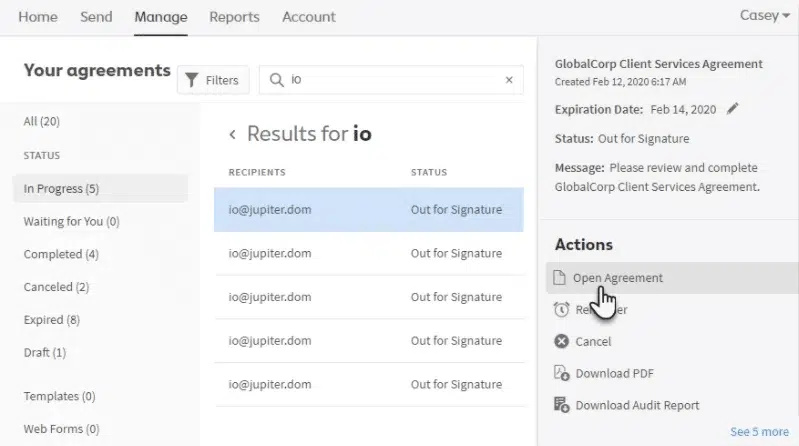
Adobe Acrobat Sign brings Adobe’s PDF and e-signature heritage into contract workflows.
It helps teams prepare, send, sign, track and store agreements from tools like Salesforce, Microsoft Word, Teams and Workday. You get reusable templates, web forms, bulk sending, custom branding, audit trails, real-time signature tracking and admin controls for managing licenses.
Its strength is the document and signing layer rather than full contract lifecycle management. For Salesforce teams, that makes it useful for sending agreements out for signature and keeping signature workflows moving. But if you need deeper contract collaboration, obligation tracking or post-sign contract data tied back to Salesforce records, Adobe may feel too focused on the PDF.
Category
E-signature software.
Key differentiator
PDF-first e-signature workflows with strong document tools, branding, audit trails and broad business app integrations.
6. Sertifi
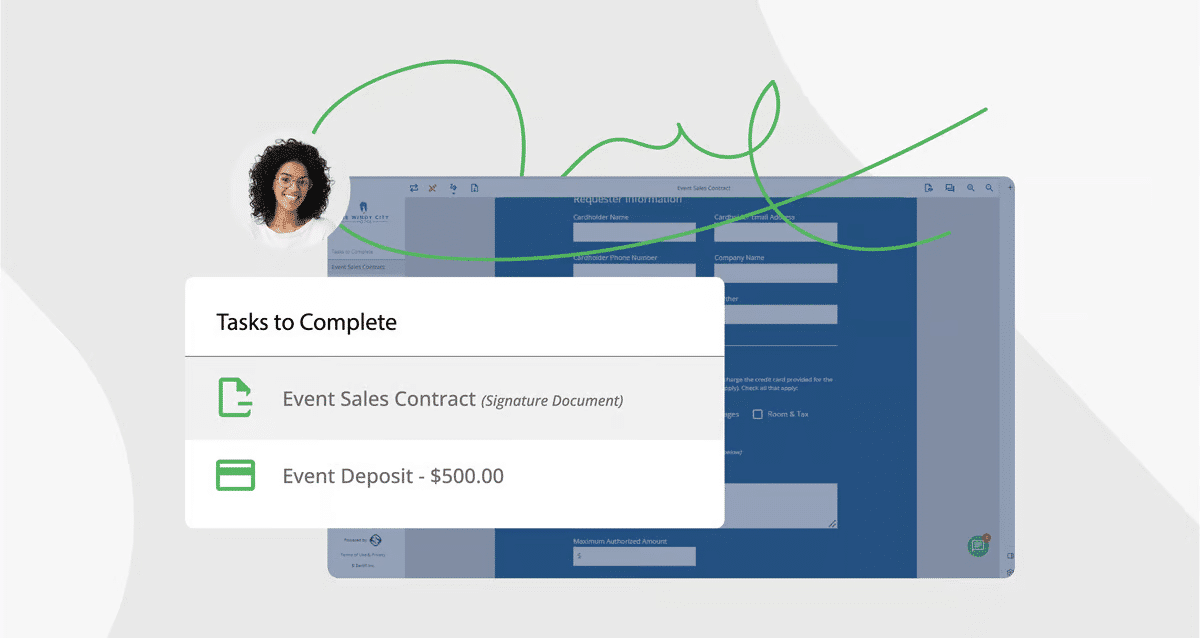
Sertifi has a clear niche: hospitality contracts where signatures, deposits and payment authorizations need to move together.
Hotels, venues, travel companies and event teams use it to send agreements, collect e-signatures, request payments or deposits and manage credit card authorizations in one workflow. In Salesforce, this can help sales teams move faster from opportunity to signed agreement and payment, especially for bookings, group sales and event contracts.
Its fit is narrower outside hospitality-heavy workflows. Sertifi is practical for e-signature, payment collection, ACH, authorizations, fraud checks and chargeback reduction, but it’s not a full CLM platform for complex contract management workflows, collaboration, tracking contract progress, redlining, renewals or obligations across many departments.
Category
E-signature, payment collection and authorization software.
Key differentiator
Hospitality-focused agreement workflows with embedded payments, ACH, card authorizations and chargeback support.
7. Ironclad
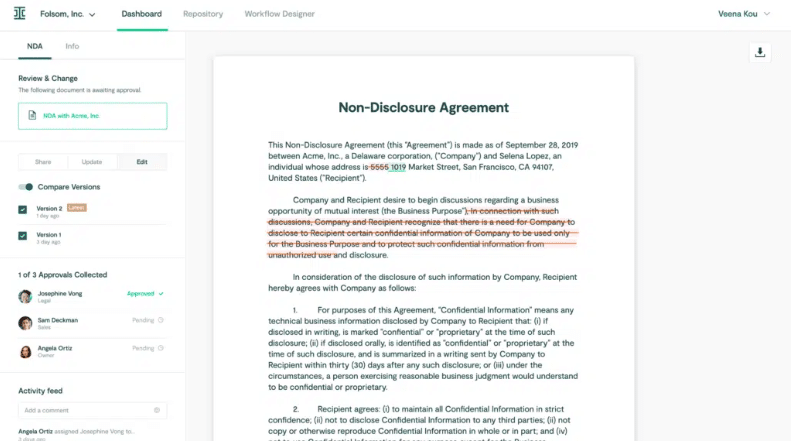
Ironclad is an enterprise CLM platform with workflow and governance features.
Legal teams use it for contract review, risk management, approval routing, repository management and AI-supported legal work. Its no-code Workflow Designer lets teams build conditional approval flows, manage contract requests, and keep appropriate stakeholders updated. Jurist AI supports drafting, review, redlining, research, summarization and risk analysis.
Ironclad also has useful Salesforce depth. Contract workflows can be launched from Salesforce records, contract data can map back to Salesforce opportunities, and multi-org support helps larger companies with multiple Salesforce instances.
The legal-first feel can be an advantage in high-volume contracting environments with legal ops resources. It can also create friction for revenue teams that want fast self-serve contract creation inside Salesforce, especially if they do not have the admin ownership to configure and maintain the platform properly.
Category
Enterprise CLM platform.
Key differentiator
No-code workflow automation, legal-first contract governance, Jurist AI and Salesforce-connected contracting.
8. OneSpan Sign
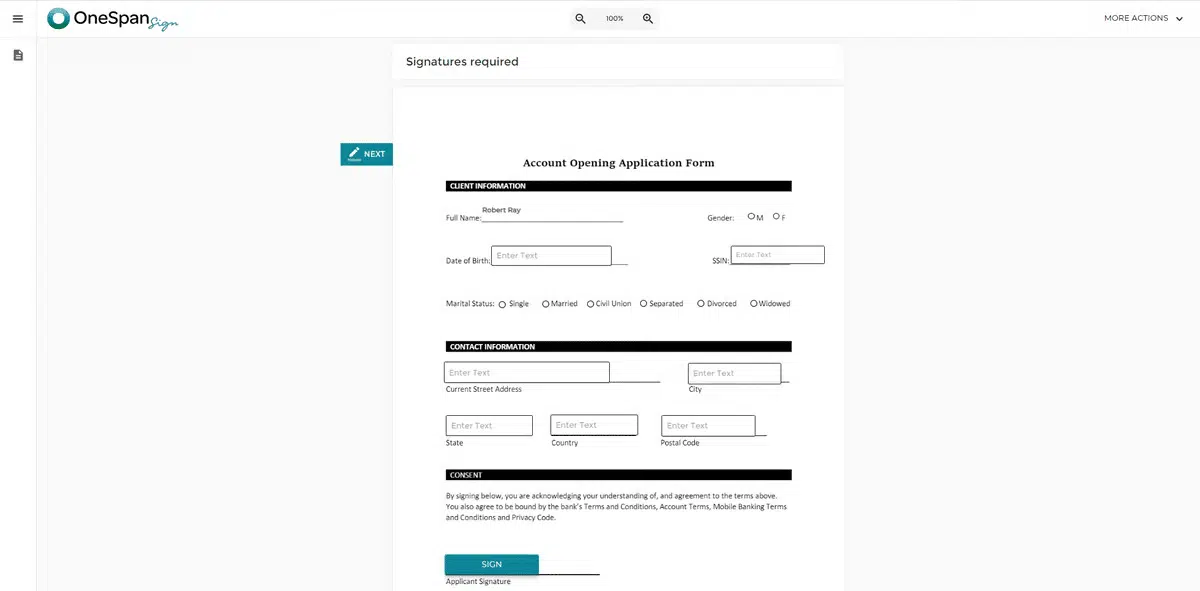
OneSpan Sign focuses on secure e-signature workflows with strong identity assurance.
It lets teams start signing from a Salesforce opportunity, then store completed contracts and audit trails back on the opportunity record. It also supports signer authentication methods like SMS one-time passcodes, government ID verification, biometric checks, KBA and digital certificates, which can matter for managing legal compliance issues in regulated contracts.
It extends beyond basic signing with smart forms, white-labeling, multi-channel notifications and remote online notarization. Still, its main use case is secure agreement execution, not full contract lifecycle management. Teams looking for deep authoring, redlining, obligation tracking or renewal management inside Salesforce may need a broader CLM layer.
Category
Secure e-signature and digital agreement software.
Key differentiator
High-security signing with identity verification, audit trails, Salesforce integration and remote notarization options.
9. SignNow
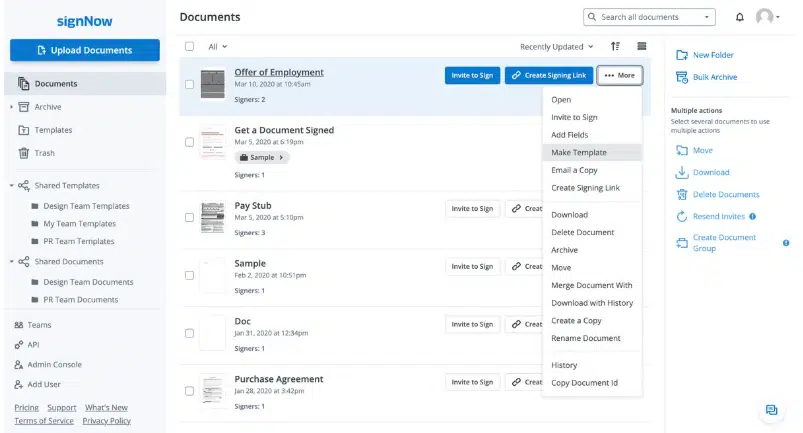
SignNow handles e-signature workflows with templates, fillable fields, signing orders, reminders, completion notifications, document tracking and Salesforce integration.
It lets you pre-fill contracts from Salesforce objects, send them for signature, track status and keep sales documents moving without leaving the CRM. It also supports bulk sending, branded signing experiences, payments, SMS invites, signer authentication, audit trails and unlimited users across plans.
The entry pricing can look attractive, especially for teams that need basic signing at a lower cost. Watch the volume math, though. The site license is priced per signature invite, which may need closer monitoring if a sales team sends contracts at scale.
SignNow works well for straightforward signing, document generation and workflow automation. It’s less suited for teams that need deeper CLM features such as complex redlining, obligation tracking, renewal governance or post-sign contract analytics.
Category
E-signature and document workflow software.
Key differentiator
Cost-conscious e-signature workflows with Salesforce integration, unlimited users and usage-based scaling.
10. Yoti eSign
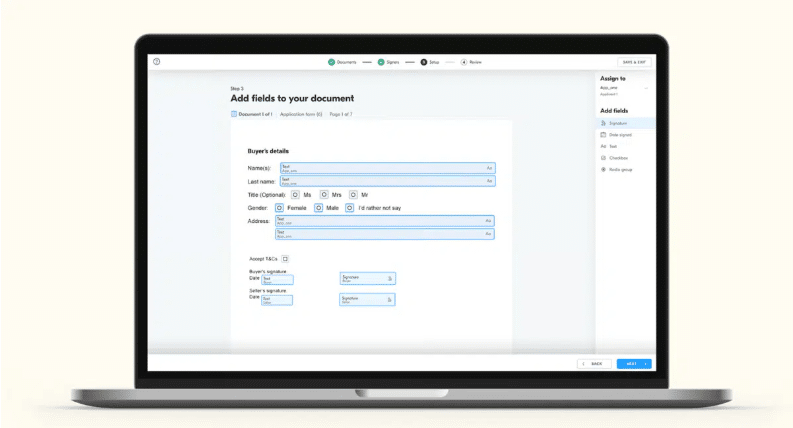
Yoti eSignatures combines digital signing with Yoti’s identity verification technology.
It can help teams send agreements through Yoti’s native Salesforce app, then add extra assurance when the signer’s identity matters. Signers can confirm who they are with an identity document, selfie authentication or the Yoti Digital ID app. Yoti also supports reusable templates, editable fields, automatic reminders, signing order customization, audit trails and eWitnessing for higher-risk agreements.
That makes sense for contracts where fraud prevention, signer verification or regulated onboarding sit close to the signing process. It’s less suited as a full CLM platform for Q2C teams that need advanced redlining, approvals, obligation tracking, renewals or post-sign contract operations inside Salesforce.
Category
E-signature and identity verification software.
Key differentiator
Digital signing with Salesforce integration, identity verification, biometric liveness checks and eWitnessing.
11. Smart Contracts BizHub
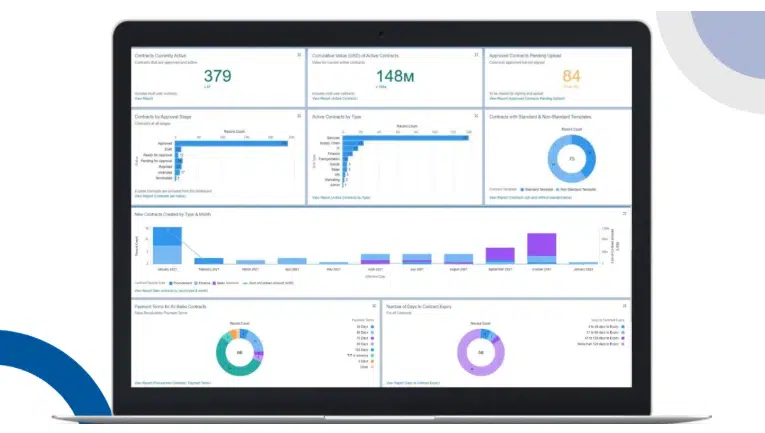
Smart Contracts BizHub is a Salesforce AppExchange CLM app for teams that want contract workflows to stay close to Salesforce.
It supports contract creation, template-based document generation, approvals, centralized document management, compliance workflows, audit trails and e-signature through Docusign or Adobe Sign integrations. It also connects with SAP and other ERP systems through APIs, which can help teams manage contracts alongside PRs, POs, sales orders and master data approvals.
For Salesforce contract management, the appeal is keeping more contract activity inside the Salesforce environment instead of moving between disconnected tools. The AppExchange listing shows a strong rating, but with limited review volume, so buyers should test the approval logic, ERP scenarios, reporting and e-signature routing in a demo before committing.
Category
Salesforce AppExchange CLM software.
Key differentiator
Salesforce-native CLM workflows with approvals, ERP integration, document management and e-signature support.
How to choose the right Salesforce contract management software
If your only issue is getting signatures, an e-signature product may be enough. If your team needs contract creation, approval workflows, pre-approved contract templates, AI review, Salesforce data sync, post-sign tracking and a centralized repository, you need CLM software.
When evaluating a CLM platform, use these questions for reference:
- Can sales reps generate contracts directly inside Salesforce?
- Does contract data sync back to Salesforce?
- What happens when a contract changes after sending?
- Can legal manage templates, clause libraries and approval rules?
- Can finance access structured contract data after signing?
- Does the system support post-sign lifecycle management?
- Can it handle multiple contract types?
- Is there a centralized contract repository?
- Does AI help with contract analysis and risk review?
- Will it reduce manual work across Q2C?
Pick a contract lifecycle management software that boosts your Salesforce workflow
Salesforce contract management now has a bigger job than signature collection. Revenue teams need contract creation, approvals, negotiation, signing, clean contract data, invoicing support, renewals, compliance and contract performance connected to Salesforce.
Oneflow is the strongest fit for that job. It gives Salesforce teams live contracts, two-way CRM sync, AI-powered review, advanced approval workflows, e-signatures and post-sign visibility in one contract management platform.
If you want fewer manual processes, tighter contract governance, less revenue leakage and faster deal cycles, start with Oneflow.
Book a demo to see how it supports Salesforce contract management across your Q2C workflow.
FAQs
What is the difference between contract lifecycle management (CLM) software and e-signature tools?
E-signature is just the signing step.
Contract lifecycle management covers contract creation, drafting, negotiation, approvals, signing, storage, renewal tracking, obligation management, contract analysis, risk management and contract performance.
A tool like SignNow may be enough for basic signing. A contract management platform like Oneflow makes more sense when the full agreement lifecycle needs to stay connected to Salesforce.
How does Salesforce contract management work?
Salesforce contract management connects contract documents and contract workflows to Salesforce CRM data.
A sales rep generates a contract using Salesforce opportunity data. The contract uses approved templates and defined approval workflows. The buyer reviews and signs. Contract status and contract data sync back to Salesforce, giving sales, finance, legal and RevOps cleaner information.
What is CLM Salesforce integration?
A CLM Salesforce integration connects contract lifecycle management software with Salesforce.
The stronger integrations support two-way sync, automated contract generation, contract status updates, approval workflows, e-signatures, post-sign repository management and contract data visibility across teams.
What is the best Salesforce contract management software?
The choice depends on the scope.
For basic e-signature, SignNow or Adobe Acrobat Sign can work. For proposal-heavy teams, PandaDoc is a credible option. For legal-led enterprise CLM, Ironclad or Conga may enter the conversation.
For mid-sized and large revenue teams that need dynamic contracts, two-way Salesforce sync, AI-powered review, approval workflows, e-signatures and post-sign contract management, Oneflow is the strongest option.
.png?id=40edbc9ee25345a211152388fdcf1fd2)

.png?id=073897979970647cd034d6db96c145de)