The error rate in manual data entry and processing in business is a staggering 18%-40%. That means almost one in five documents could contain pricing, date or party detail mistakes that ripple through your entire operation.
The negative effects of errors in manual data entry can be significantly reduced with document workflow automation. Studies show that “automation, when thoughtfully designed and implemented, can significantly enhance documentation quality, reduce operational overhead, and foster cross-functional alignment.”
This article walks you through everything you need to know about automating your document workflows, from understanding document workflow systems to what to consider when selecting a document workflow software for your business.
What is document workflow automation?
Document workflow automation uses software and technology to handle the flow, processing and management of business documents without manual intervention. Instead of routing files for approval by hand, copying data between systems, or tracking document status through email chains, automated systems handle these tasks using predefined rules and intelligent triggers—faster and more accurately.
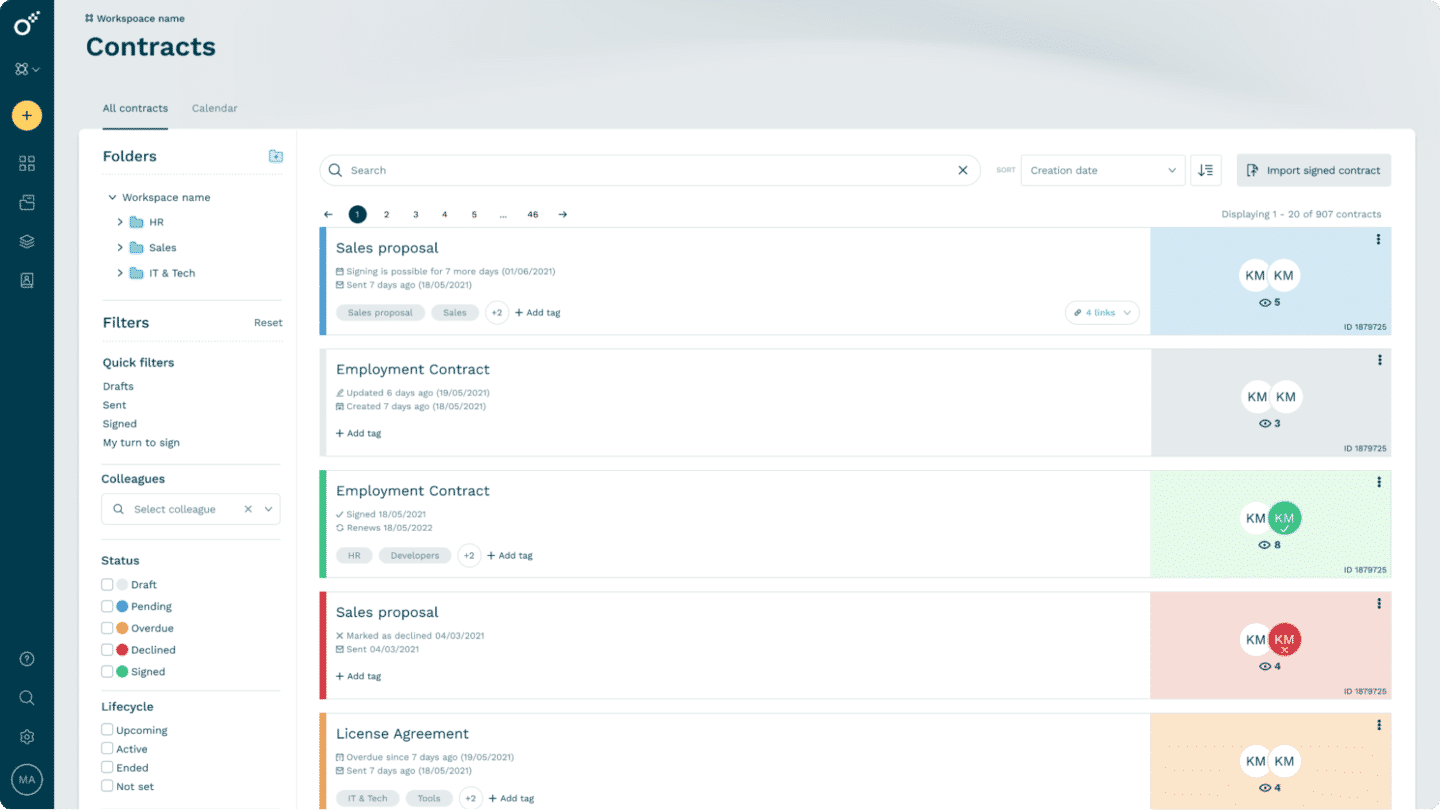
Triggers initiate workflows based on specific events, like receiving a new invoice or completing a contract draft. Routing rules determine where documents flow next and who needs to review, approve or sign them. Approval workflows manage the sign-off process with automated notifications and escalations. Finally, documents are stored and organized in the right location, and connected systems are updated with extracted data.
Modern document workflow software relies on technologies like artificial intelligence for smart document generation, OCR technology for converting scanned images to text, and workflow engines that orchestrate complex processes across multiple systems.
One thing to note, though, is that automating simple invoices with standard formats is not the same as automating complex legal contracts with custom clauses. The complexity and business impact of your documents should guide your document management workflow implementation strategy and the tool you choose.
How document workflow automation works
Let’s illustrate the document management workflow process by mapping the typical journey of a business document through your organization.
First, someone creates or receives a document. This could be drafting a new contract from a template, writing one from scratch with the help of AI, receiving an invoice from a supplier, or uploading a resume through your career page.
Next, the document moves through review and approval stages via automated routing, which sends the file to the right stakeholders based on predefined rules. Within the same platform, stakeholders can add comments, request changes, or approve the document, keeping the process moving without unnecessary handoffs. Some platforms, like Oneflow, even allow contracts to be edited after they’ve been sent, cutting down on the endless back-and-forth and version sprawl that comes with static PDFs or Google Docs attachments.
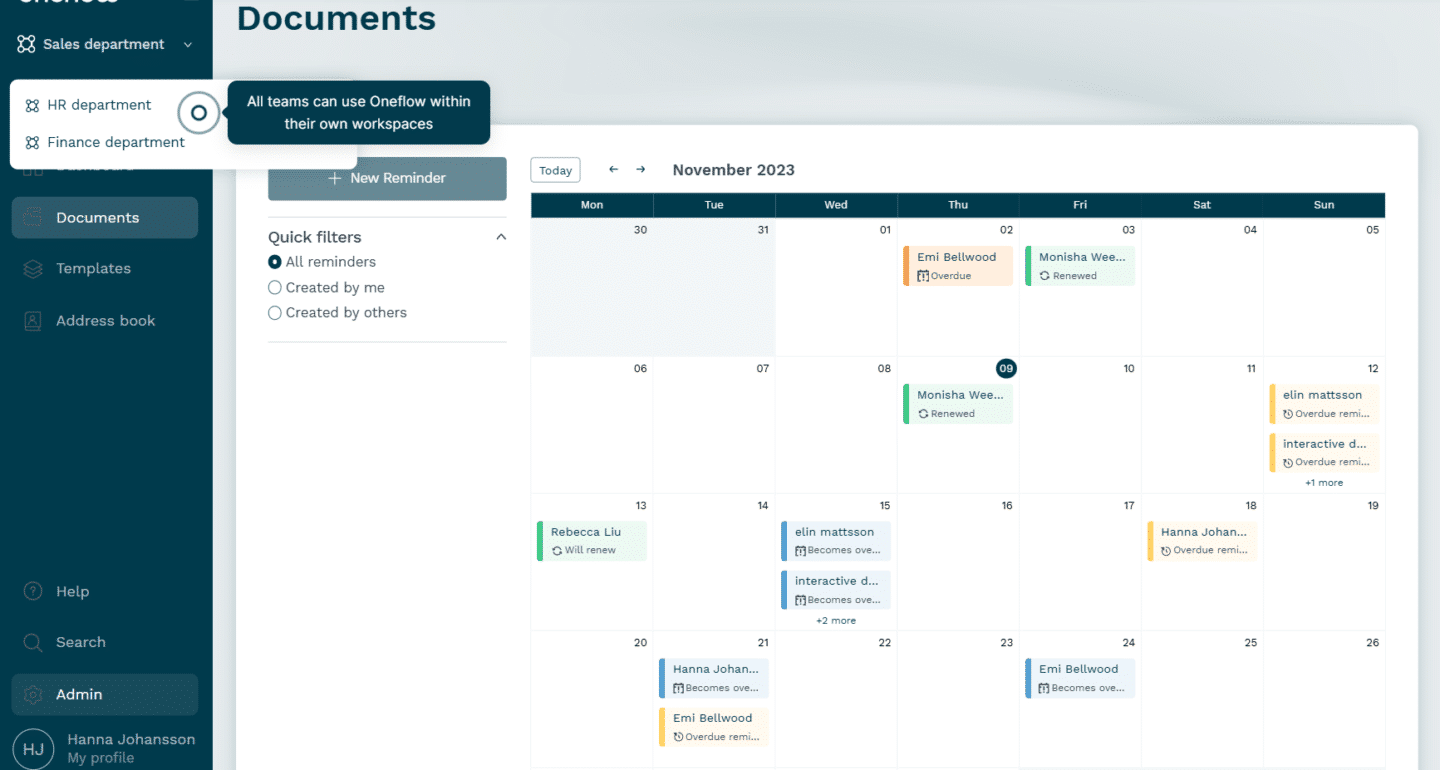
Once approved, the document moves to signing. Electronic signatures eliminate the need for printing, scanning, or physically mailing documents. Signers receive automated notifications with deadlines, and the system sends reminders if action isn’t taken.
Finally, signed documents get archived in a central repository with searchable metadata. The system extracts key information, such as dates, amounts, and parties involved, and automatically updates connected business systems. Your CRM shows the contract is signed, your accounting system is updated with the invoice details, and your HR platform shows the new hire’s essential paperwork is complete.
Without automation, this process might take days or weeks with multiple email threads, version control nightmares, documents getting lost in inboxes or waiting forever to be printed, signed, scanned and sent. With automation, the same workflow can be completed in hours with full visibility and audit trails.
Document workflow automation vs. document management
While often used interchangeably, document workflow automation and document management are two related, but different concepts – here’s the distinction:
| Aspect | Document workflow automation | Document management |
|---|---|---|
| Primary focus | Flow of documents through the business | Storage and retrieval of documents |
| Main function | Automates tasks like routing, approvals, and data extraction | Organizes, stores, and provides access to documents |
| When it activates | During active document processes | Throughout the document’s lifecycle |
| Key capabilities | Triggers, routing rules, smart workflows, notifications | Version control, search, access controls, archiving |
| Business value | Reduces processing time and errors | Eliminates document chaos and improves findability |
| Example use | Automatic routing of invoices through approval steps | Storage of invoices in a searchable archive |
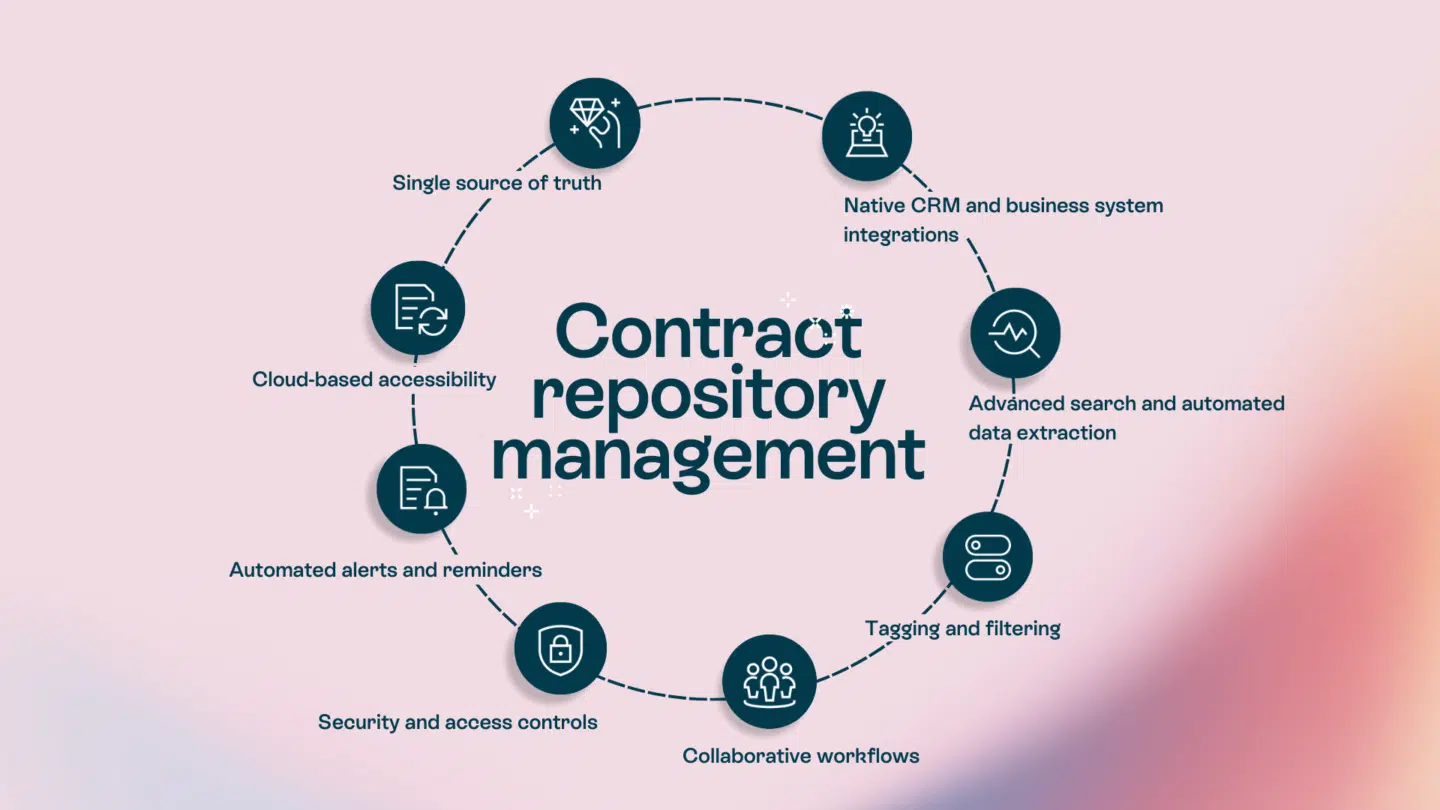
Document management is your filing cabinet. A document management system organizes, stores, and finds files efficiently, providing secure storage for critical documents. Document management workflow is the process that moves documents through the filing system based on your pre-defined rules.
You need document management when you want to centralize storage, maintain version control, and ensure the right people can access relevant documents. You need workflow automation when you want to automate repetitive tasks, reduce manual data entry, and speed up approval processes.
Most businesses need both. A document management system without automation leaves you manually moving files around. Workflow automation without proper management means you’re efficiently processing documents but can’t find them later. Comprehensive contract and document workflow software like Oneflow integrates both capabilities seamlessly while keeping access limited to authorized users for maximum security along the way.
Why you need document workflow automation in 2026
The business case for automating document workflow has never been stronger. Here are just some benefits of implementing document automation:
- Time savings and productivity gains: One of Oneflow’s clients saves at least 10 hours weekly on process automation and mentions that with the digital transformation of their workflows, internal agreements are often signed and finalized in as little as five minutes.
- Error reduction and compliance improvements: Automated invoice workflows can significantly increase straight-through processing rates, allowing most documents to be handled without manual intervention. The same goes for compliance workflows, which also support faster reporting, help organizations stay aligned with industry regulations, and reduce the risk of human error.
- Cost reduction: Document automation tools can reduce the time spent on generating contracts up to 90%. Forrester estimated that the ROI from these tools can reach almost 450% by reducing labor time, cost, errors, and accelerating revenue.
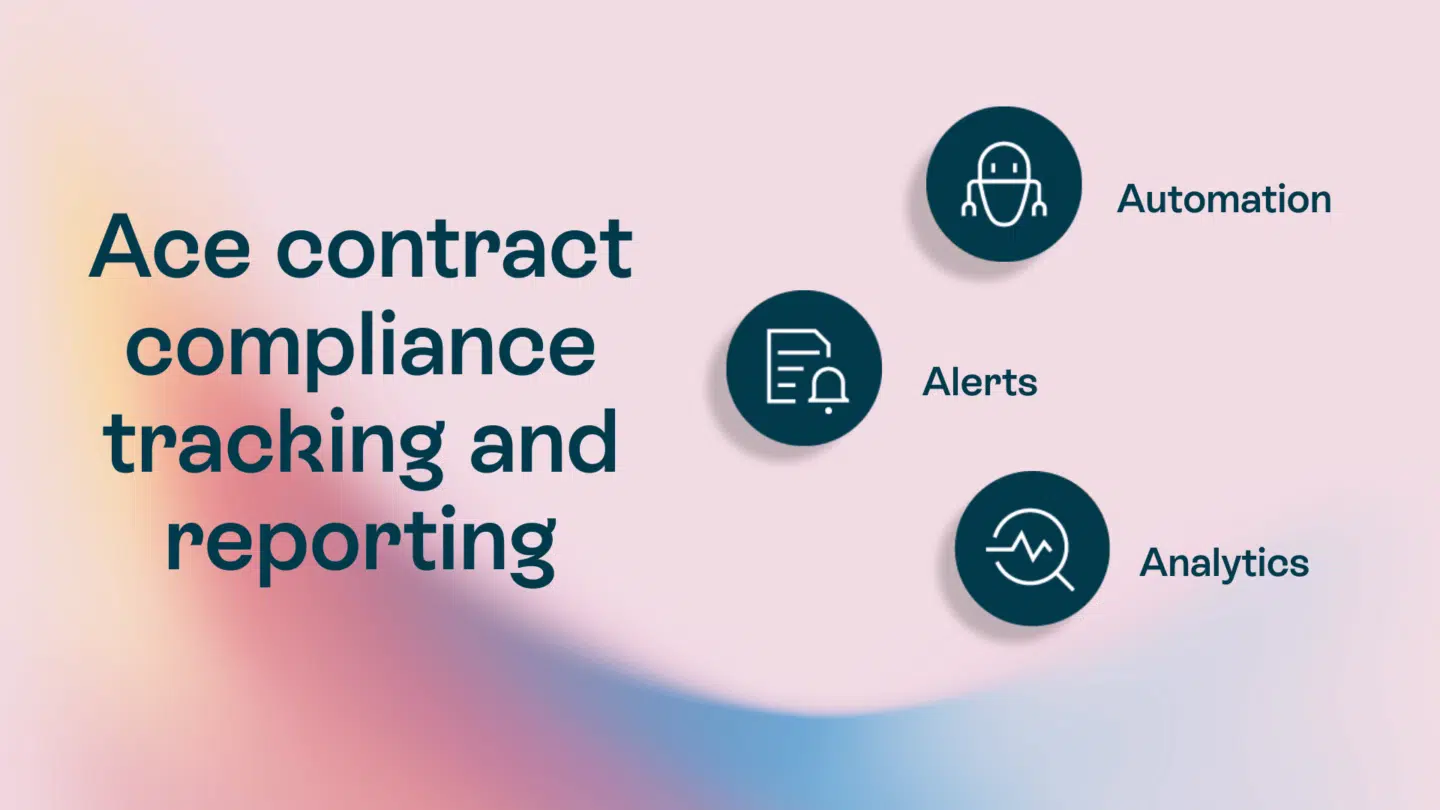
- Improved visibility and audit trails: Full audit trails capture every action, creating the documentation you need for compliance audits and dispute resolution. This transparency is necessary for managing invoices, tracking contract obligations, or responding to regulatory inquiries.
- Enhanced collaboration across distributed teams: Cloud-based workflow platforms let team members review, comment, and approve documents from anywhere. Real-time collaboration features eliminate the version control nightmares that come with emailing attachments back and forth. Tools with integrated commenting let counterparties discuss terms directly in the document rather than through separate email chains.
- Scalability for growing businesses: Company growth multiplies your document volume but doesn’t automatically multiply your capacity to manage documents efficiently. Automated systems handle increased volume without adding headcount, benefiting current and future employees. As McKinsey research notes, AI-driven automation is helping businesses save 5-15% in procurement spend while handling dramatically higher transaction volumes.
- Improved customer experience: Faster processing directly impacts customer satisfaction. When contracts get signed faster, quotes arrive minutes after a request, and customer onboarding takes days instead of months, your customers notice. In competitive markets, this speed becomes a differentiator.
Essential features of document workflow automation software
When evaluating document workflow software, certain capabilities separate powerful platforms from basic tools. Here’s what to look out for:
| Feature | Why it matters |
|---|---|
| Template management | Ensures consistency and speeds up document creation with smart fields that pull data from your systems automatically. |
| Automated routing & approvals | Eliminates manual handoffs and bottlenecks. Conditional logic routes documents based on amount, type, or other criteria. Automated reminders ensure nothing falls through the cracks. |
| CRM & ERP integrations | Maintains data accuracy across systems. When your contract management software integrates with your other systems, customer data flows automatically, making it accessible and accurate everywhere. |
| E-signature capabilities | Enables digital execution without leaving the platform. Digital signatures provide legally binding authentication with various verification methods, from SMS codes to electronic IDs, without exporting or printing. |
| Version control & audit trails | Every edit, comment, and approval gets recorded with timestamps and user information. You can see exactly what changed, when, and by whom. |
| Role-based permissions | Ensures enhanced security and appropriate access by keeping access limited to authorized users only. Granular permissions protect sensitive information while enabling collaboration. |
| Mobile accessibility | Supports remote approvals and reviews regardless of where people are working, and on what devices. |
| Analytics & reporting | Track signing times, approval delays, and processing volumes. Dashboards show key performance indicators like cycle times and completion rates, helping you optimize processes over time. |
| AI-powered automation | Document flow is even faster with intelligent data extraction, smart routing and OCR technology converting scanned documents to searchable text. |
| Low-code/no-code configuration | Empowers business users to create workflows without needing developers to adjust approval rules or create new document types. Visual workflow builders with drag-and-drop interfaces let business users maintain and improve their own processes. |
How Oneflow automates processes
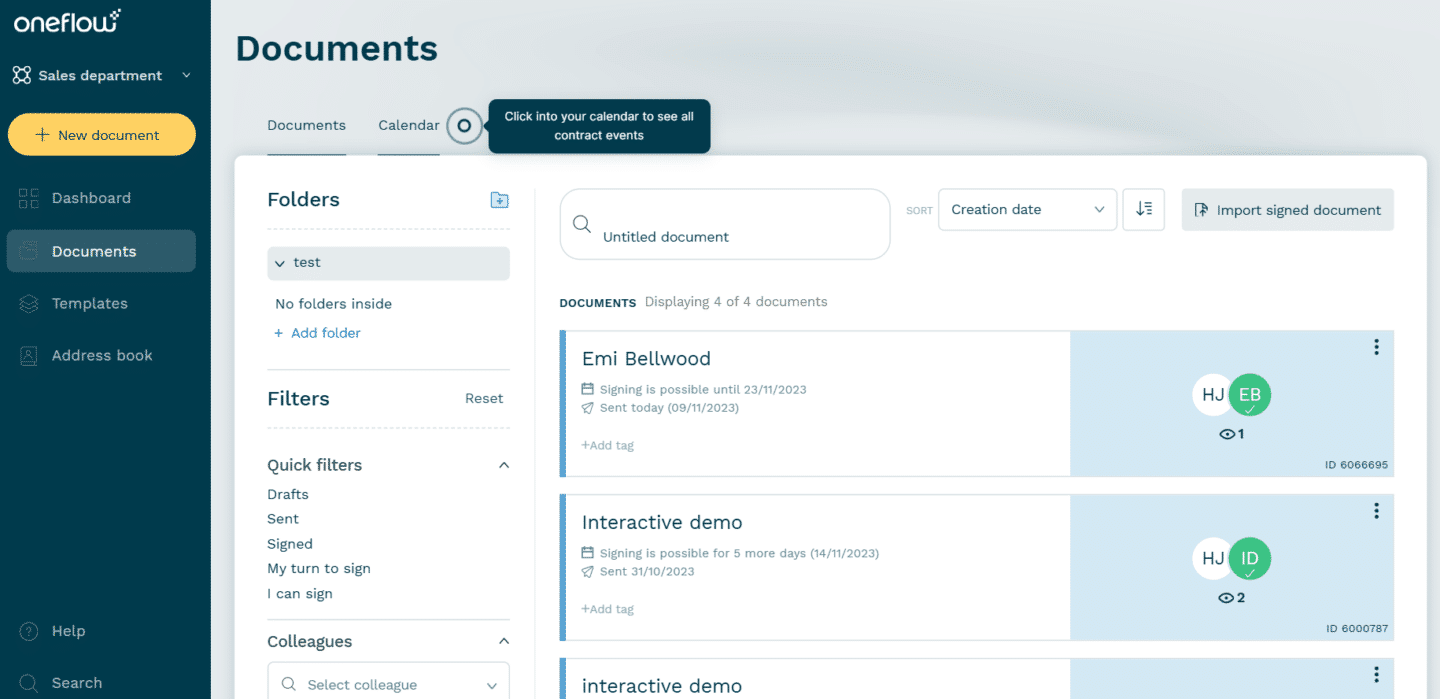
Oneflow provides all these features in a unified platform designed specifically for modern contract and proposal workflows. Here’s what sets it apart:
- Easy workflow implementation: Setting up approval workflows and document routing takes only a few minutes. The intuitive interface lets you configure multi-level approvals with conditional logic using visual tools, no coding required. Teams can create custom workflows that match their exact business processes, making it an effective document workflow solution.
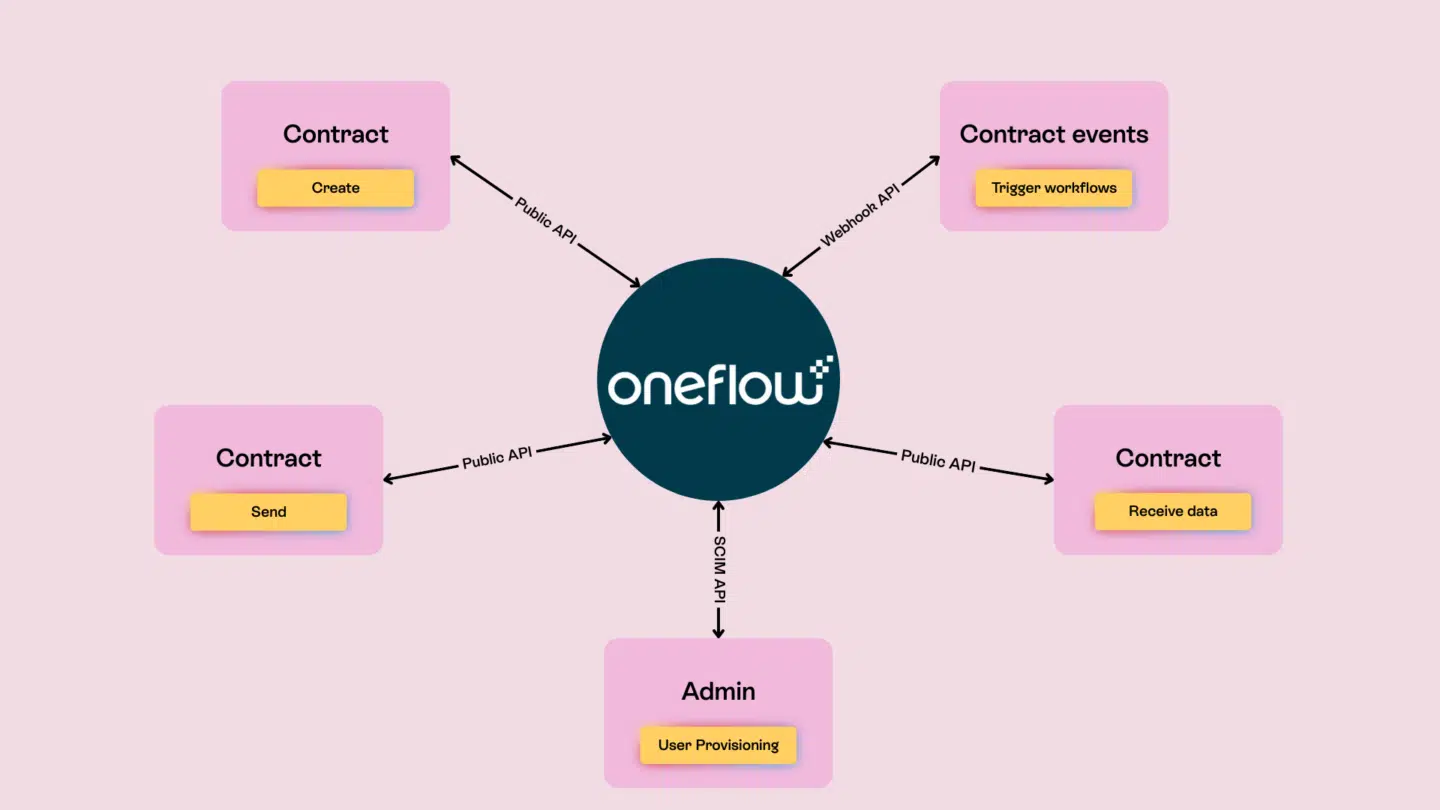
- Deep system integrations: Oneflow offers native integrations with major CRM platforms, including Salesforce, HubSpot, and Microsoft Dynamics. These integrations allow data to flow bidirectionally—information from your CRM automatically populates contracts, and signed contract data syncs back to your CRM. This eliminates manual data entry and keeps your systems as the single source of truth.
- Dynamic, editable contracts: Unlike static PDFs, Oneflow uses HTML-based contracts that remain editable even after sending. This means you can continue negotiating directly in the document and making changes in the platform – without creating multiple versions and files.
- Comprehensive security features: Oneflow includes enterprise-grade security with 256-bit encryption, customizable user permissions, GDPR compliance tools, and multiple authentication options. Every action generates an audit trail showing who accessed, edited, or signed each document. Qualified electronic signatures meet legal requirements in all jurisdictions, ensuring compliance throughout all document cycles.
- AI-enhanced capabilities: Oneflow AI helps you review contracts for compliance issues and identify risks or errors. The platform’s AI can search across your entire contract repository, making it easy to find specific clauses or terms across thousands of documents. This contract automation also helps with intelligent, prompt-based document generation.
- Scalable pricing: Oneflow offers flexible plans. Growing businesses can start small and scale as their needs expand without switching platforms. Transparent pricing based on users rather than documents or transactions makes costs predictable.
- Post-sign management: The platform excels at contract lifecycle management with features for tracking renewal dates, managing amendments, linking related contracts, and extracting metadata. Your contracts become structured, searchable data assets rather than filed-and-forgotten documents.
Whether you’re creating proposals, generating quotes, or managing complex legal agreements, Oneflow provides a single platform that handles the entire document lifecycle. Try Oneflow with a 14-day free trial to see how it transforms your document management workflow.
Transform your document management workflow with automation
Document workflow automation isn’t about replacing people—it’s about freeing them to focus on work that actually requires human judgment. When your team stops copy-pasting and chasing approvals, they can spend time on strategy, relationship building, and problem-solving.
AI-powered systems now handle complex documents with excellent accuracy rates. Low-code platforms let business users build and modify workflows without IT involvement. Cloud tools enable seamless collaboration across distributed teams. And the cost of not automating—in lost time, preventable errors, and missed opportunities—is larger than the investment.
Oneflow makes that implementation straightforward with a platform that combines powerful automation, intelligent features, and an intuitive design. From AI-powered quoting to comprehensive contract management, we help mid-size and large businesses automate their document processes without the complexity or cost of traditional enterprise software.
Ready to give your team back their time? Try Oneflow and see the difference.
FAQs
Which industries benefit most from automating document workflows?
Almost every industry gains from document and contract automation. Financial services use it for loan processing and compliance documentation. Healthcare providers automate patient records and insurance claims while maintaining HIPAA compliance. Legal firms automate contract workflows for client agreements and case management. Manufacturing companies automate procurement documents and quality assurance paperwork. Even small businesses benefit—sales teams automate proposals and quotes, while HR departments streamline employee onboarding.
What are some of the best document workflow automation tools?
Oneflow leads for comprehensive contract and proposal management with its editable HTML contracts, deep CRM integrations, and AI-powered features. Other popular options include DocuSign, PandaDoc or Ironclad. The best choice depends on your specific use case—contract management, general workflow automation, or specialized document processing. Most organizations benefit from platforms that combine these in a unified solution.
How long does it take to implement document workflow automation?
Implementation timelines vary based on complexity, but you can get started fast. For a single, straightforward workflow like invoice approval or standard contract signing, you just need to map the current process, configure the automated workflow, and train users. More complex implementations involving multiple document types, integration with several business systems, and custom approval logic typically take a few weeks. Start small with high-impact workflows.
Can document workflow automation integrate with existing business systems?
Yes, and integration is actually one of the most important capabilities to evaluate. Leading platforms offer native integrations with major CRM systems (Salesforce, HubSpot, Microsoft Dynamics), ERP systems, HR platforms, and more. Your workflow system pulls data from these systems to populate documents and pushes data back after completion. Many platforms also provide APIs for custom integrations with proprietary or niche systems.
Choose workflow software that already integrates with your critical business systems to avoid complex custom development. For example, Oneflow’s HubSpot integration lets you create and manage contracts directly within HubSpot, keeping your CRM as your single source of truth.
.png?id=40edbc9ee25345a211152388fdcf1fd2)

.png?id=073897979970647cd034d6db96c145de)