PandaDoc works well for creating and sending sales documents and captivating proposals, but it falls short when teams need full contract lifecycle management, dynamic post-send editing or deep CRM data sync. This guide covers 20 of the best PandaDoc alternatives with capabilities for combined electronic signature, CLM, CPQ and proposal software categories, detailing who each tool is best suited for and how it compares to PandaDoc.
Quick comparison: PandaDoc vs. top alternatives
| Tool | Best for | Free trial | Key differentiator | AI capabilities | CLM depth |
|---|---|---|---|---|---|
| PandaDoc | Sales proposals & basic e-sign | 14 days | Proposal builder + payments | Basic (content suggestions) | Basic |
| Oneflow | Q2C + full CLM with CRM sync | 14 days | Dynamic live contracts + two-way CRM sync | Yes – drafting, review, risk analysis | Full |
| Docusign CLM | Enterprise contract governance | Demo only | Enterprise approval workflows & clause libraries | Yes – clause extraction & review | Full |
| Docue | Pre-built legal templates | Yes* | Lawyer-drafted agreements | No | Basic |
| GetAccept | Buyer engagement in sales workflows | 14 days | Digital sales rooms with analytics | Yes – deal insights & recommendations | Basic |
| DealHub | CPQ + agreement generation | Demo only | Guided selling with integrated quoting | Yes – pricing intelligence | Mid |
| Proposify | Branded sales proposals | 14 days | Visual proposal design | Limited | Basic |
| Qwilr | Interactive web-based proposals | 14 days | Web-based proposal pages | Limited | Basic |
| Ironclad | Complex approval processes | Demo only | No-code workflow designer | Yes – contract review & renewal insights | Full |
| Juro | Cross-functional agreement management | Demo only | Browser-native contract editor | Yes – metadata extraction & summarization | Full |
| Concord | Mid-market organizations needing a CLM | 14 days | Unlimited users & contracts | Limited | Mid |
| Contractbook | Data-driven contract workflows | 14 days | Structured contract data | Yes – summarization & key term extraction | Mid |
| ContractSafe | Post-sign contract repository | 7 days | AI-assisted contract search | Yes – search & OCR | Basic |
| Conga CPQ | Enterprise revenue lifecycle ops | Demo only | CPQ with contract generation | Yes – pricing optimization | Mid |
| Salesforce CPQ | CRM-based quoting & agreements | 30 days | Native CRM-based pricing logic | Yes – Einstein AI | Mid |
| Oracle CPQ | Complex pricing environments | Demo only | Rule-based configuration engine | Yes – guided selling | Mid |
| SignNow | Low-cost electronic signatures | 7 days | Signature-first workflows | No | Basic |
| Zoho Sign | CRM-integrated e-signature | 14 days | CRM-linked signing workflows | Limited | Basic |
| Signable | eIDAS-compliant e-signature | 14 days | Envelope-based pricing | No | Basic |
| Scrive | ID-verified electronic signatures | 14 days | Integrated signer authentication | Limited | Basic |
| Adobe Sign | Document-based signing workflows | 30 days | Signing of pre-prepared agreements | Limited – AI-assisted review | Basic |
*No information on length available
How we evaluated these PandaDoc alternatives
Each tool in this list was assessed across the following criteria:
- Contract lifecycle coverage: Does the tool handle drafting, negotiation, signing and post-signature management, or just part of the document process?
- AI capabilities: Not just whether AI exists, but what it actually does: clause extraction, risk flagging, drafting assistance or intelligent search.
- CRM integration depth: One-way push vs. deep two-way sync that keeps contract data aligned with your CRM records.
- Ease of use: How quickly non-legal users can create documents and manage documents without IT support, and whether the tool has a steep learning curve.
- Scalability and pricing transparency: Can the tool grow with your team without hidden cost spikes?
User feedback was drawn from popular software review sites. Product details were verified against each vendor’s official website in early 2026.
Why teams look beyond PandaDoc
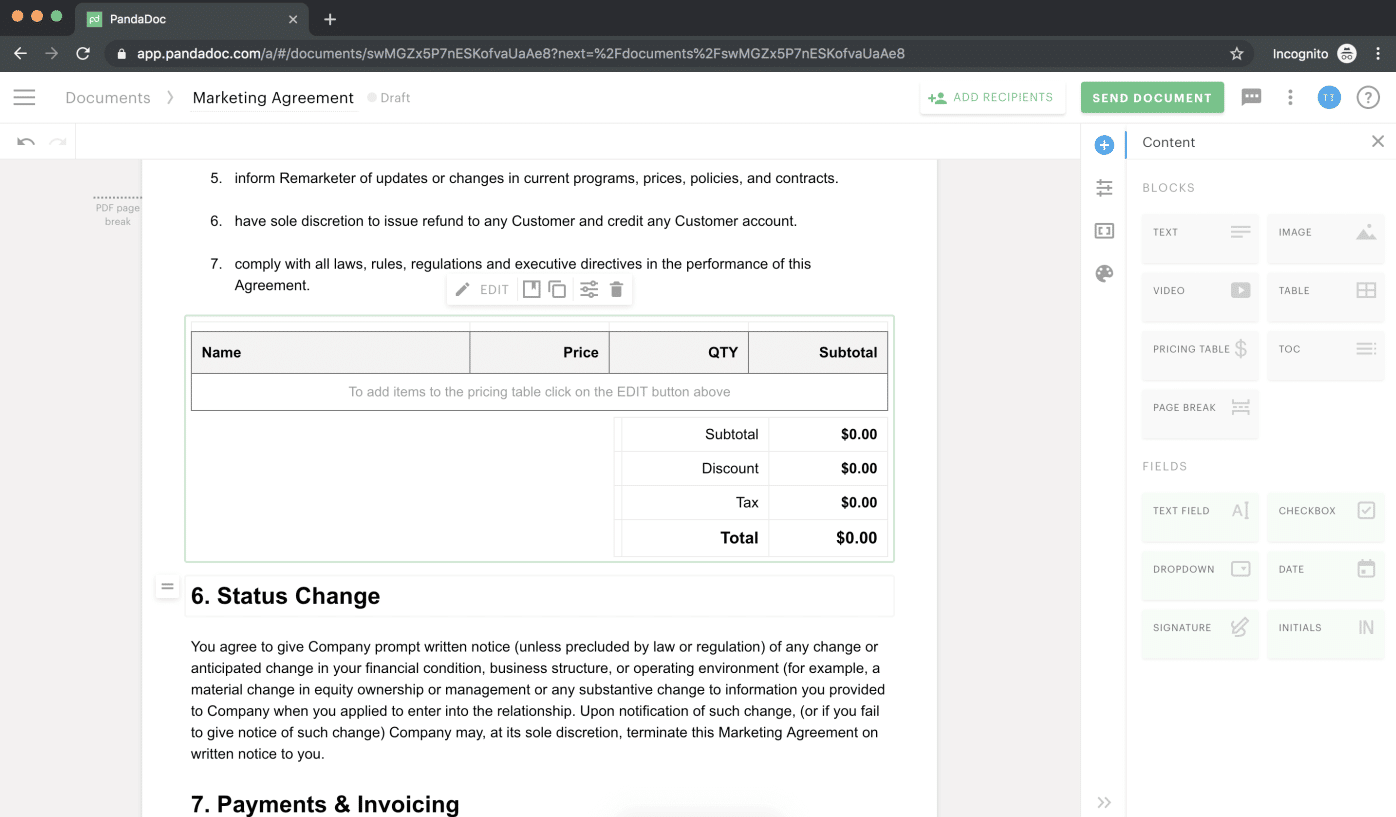
PandaDoc is genuinely useful—the proposal editor is intuitive, the template library is extensive, and the platform integrates with CRMs like Salesforce and HubSpot. For small teams sending a limited number of sales documents each month, it often covers the core needs for proposal creation and e-signature.
As document volume or workflow complexity grows, however, users point to a few recurring challenges. PandaDoc requires an internet connection to function, which can be problematic in environments without consistent access. Some users report editor friction when adjusting layouts or text alignment, along with occasional interface glitches that require page refreshes. Pricing is another commonly cited concern, with advanced automation, reporting and collaboration features available only in more expensive plans. For teams needing broader contract lifecycle management or deeper workflow automation beyond document creation and signing, additional tools may be required.
For a deeper breakdown, check out our PandaDoc review.
Otherwise, let’s dive into the PandaDoc competitors breakdown.
1. Oneflow: Best overall PandaDoc alternative for Q2C and CLM
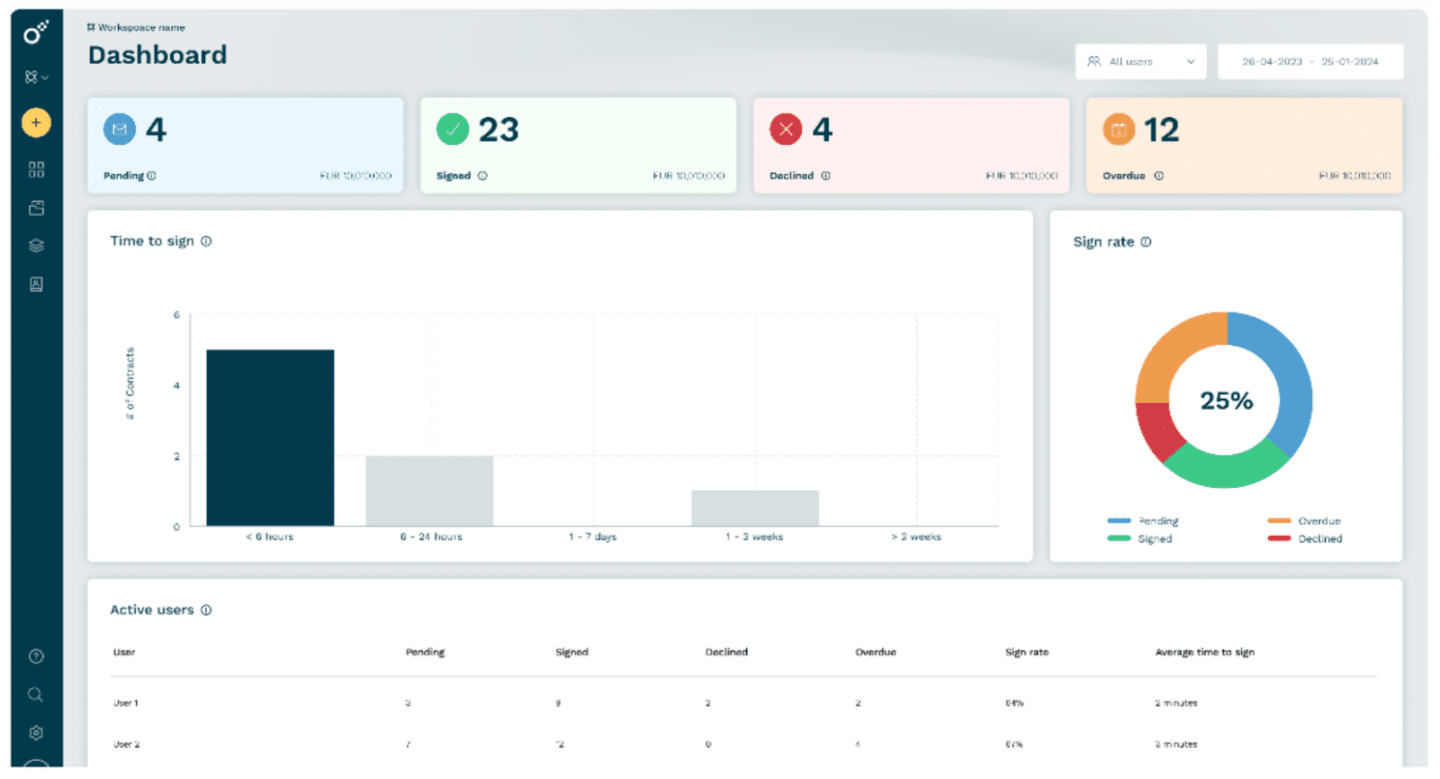
Oneflow is a contract lifecycle management software for revenue teams that want proposals, contracts and approvals to move fast, without the “resend and re-sign” loop, editor friction or add-on surprises.
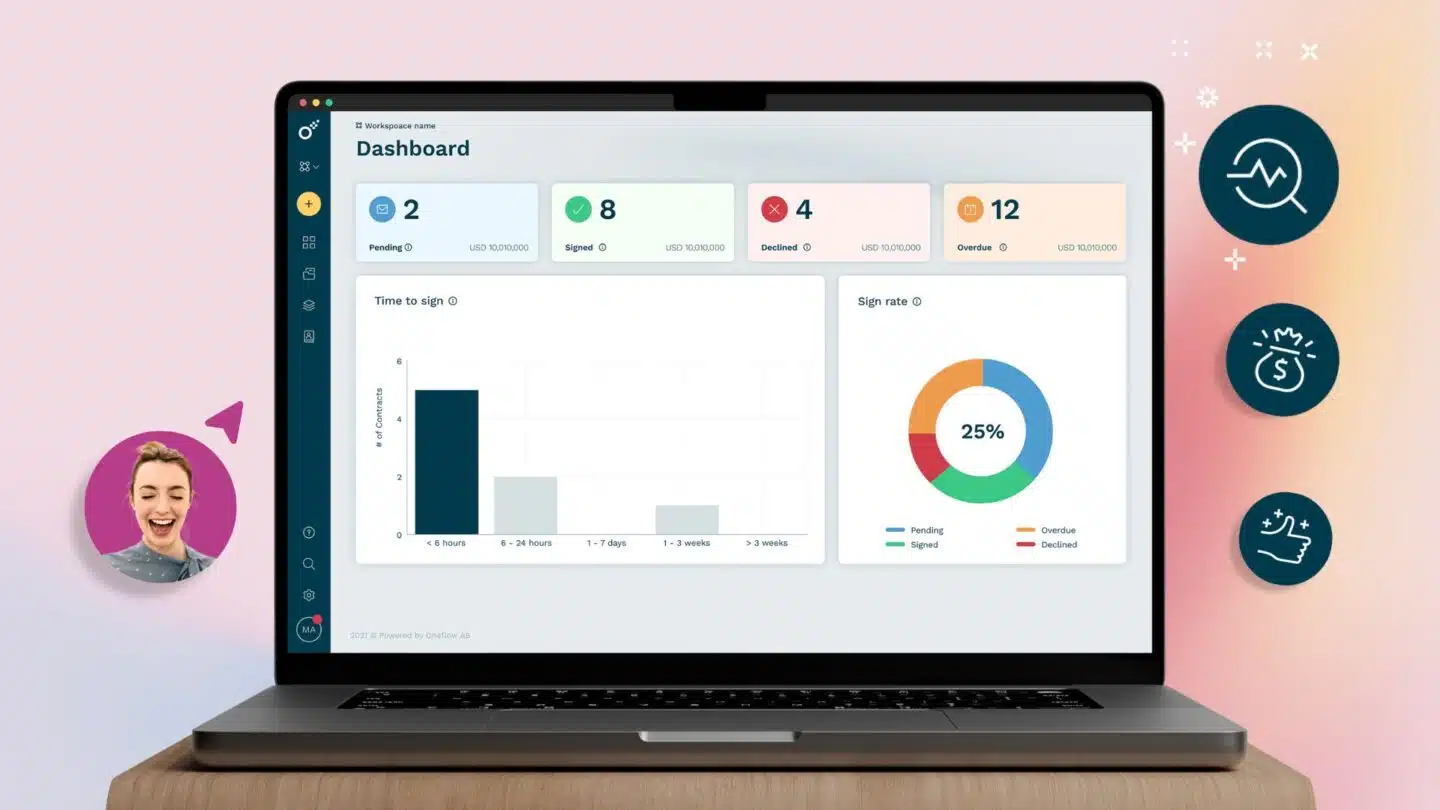
With Oneflow, contracts stay live and collaborative after they’re sent. If pricing changes, terms need adjusting, or legal requests edits mid-negotiation, you can update the agreement and the counterparty sees it immediately, without creating a whole other version to resend for signature. For sales teams, this is a practical fix for a common issue reviewers raise with proposal tools: small changes turning into avoidable back-and-forth.
Oneflow also works as a structured contract repository: signed agreements are stored as searchable digital contracts with full audit trails, making it easier to track versions, key dates and responsibilities after signature.
Key features
- Dynamic contracts with two-way CRM sync and 40+ integrations
- Multiple signing methods
- Real-time collaboration and edit-after-send capabilities
- Customizable, reusable templates for any contract type
- AI-assisted review, risk analysis and contract drafting
- Multi-level approval workflows with full audit trails
- Automated SMS reminders to collect signatures faster
- Searchable contract repository with post-sign tracking and contract linking
- Full audit trails and version history for ongoing visibility and control
Compared to PandaDoc
Oneflow covers everything PandaDoc does on the proposal and e-sign side, then continues through the full contract lifecycle with dynamic editing and structured data output. It’s the better choice wherever you need contracts to be the single source of truth for downstream business processes.
PandaDoc treats contracts as documents to be sent. Oneflow treats them as data sources. When a contract is signed in Oneflow, the structured data—product SKUs, pricing, renewal dates—flows directly back to your CRM. Finance gets accurate invoicing information automatically, which cuts the revenue leakage that comes from manually transferring contract terms. This is the core of what quote-to-cash software should do, and most proposal tools (including PandaDoc) stop short.
Oneflow AI contract management software integrates AI capabilities in the full lifecycle: AI-assisted drafting, clause-level risk analysis, compliance flagging, and intelligent contract review. For anyone evaluating contract and document automation software, it’s one of the few tools where AI is built into the core workflow rather than bolted on as an add-on.
Our platform enables users to electronically sign business documents using multiple methods, including standard electronic signatures, and includes automated SMS reminders for counterparties who haven’t yet signed.
The platform integrates with multiple platforms, including HubSpot, Salesforce, Microsoft Dynamics, Google Drive, Slack and Zapier.
Book a demo to see what Oneflow can do for your contracts.
Main drawback
Teams that only need basic e-sign and aren’t concerned about post-sign data management may find Oneflow’s feature set more than they need.
2. Docusign CLM: Enterprise-grade contract lifecycle management
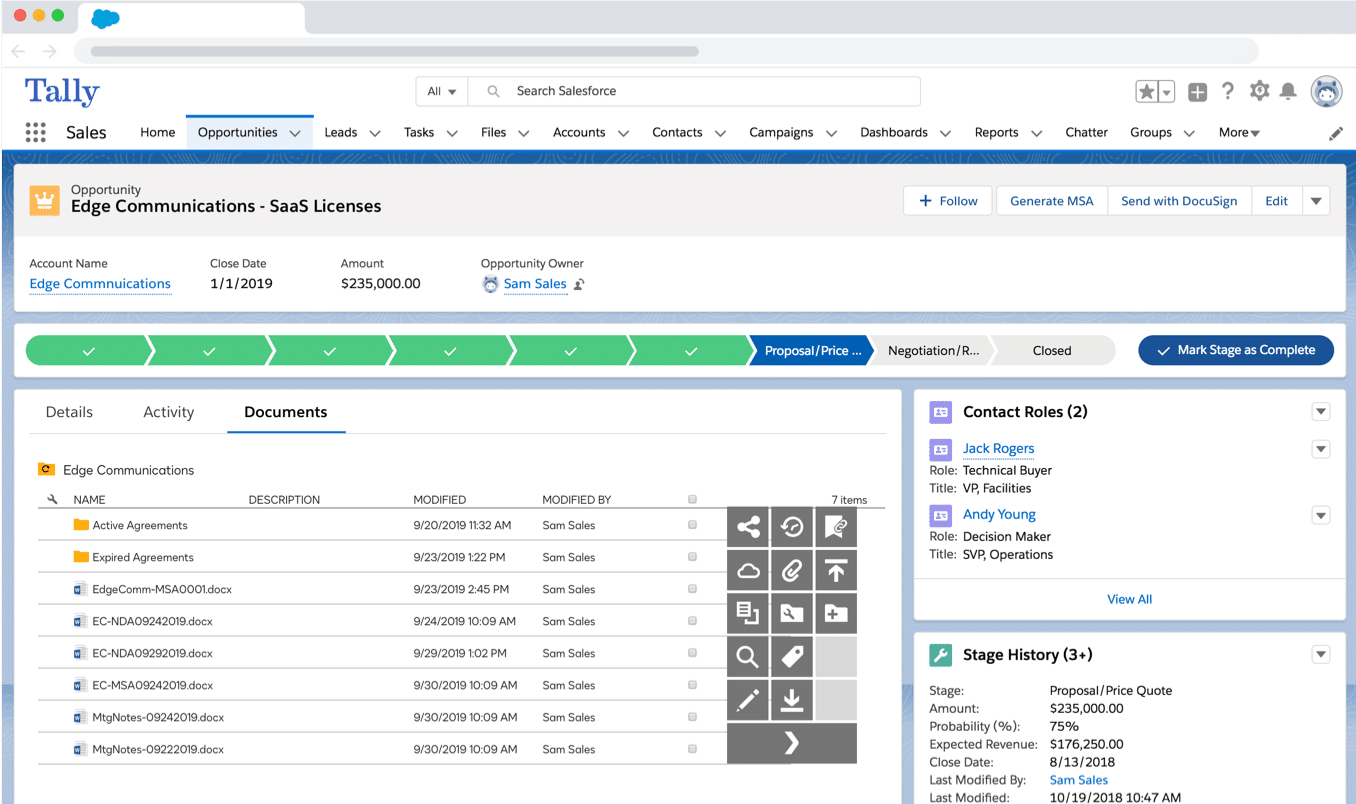
Docusign began as an electronic signature platform, but its CLM product has evolved into a comprehensive enterprise contract lifecycle management solution. Today, Docusign CLM supports automated workflows, clause libraries, approval routing and integrations across CRM, ERP and procurement systems.
Its AI-powered contract intelligence tools can extract key terms, flag non-standard clauses against pre-approved playbooks, and suggest fallback language during negotiation. For legal teams managing large volumes of third-party agreements—such as due diligence or security questionnaires—this helps standardize review and reduce manual effort.
See also: Docusign alternative options
Key features
- End-to-end CLM with automated routing, version control and approval workflows
- AI for clause extraction, risk scoring and negotiation assistance
- Integrations including Salesforce, SAP, Oracle and Microsoft
- Pre-built connectors for source-to-pay and procure-to-pay workflows
- Response workflows for complex legal document processes
Compared to PandaDoc
Docusign CLM is designed for enterprise contract governance across legal, procurement and finance teams, rather than sales-led proposal workflows. Teams that have outgrown document-based tools and need structured approval processes, auditability and lifecycle tracking are more likely to consider this option.
See also: PandaDoc vs Docusign: Document management duel
Main drawback
Docusign CLM is implemented as a separate product from Docusign eSignature. Smaller teams report longer onboarding timelines and a steeper learning curve compared to proposal-focused tools.
See also: Docusign detailed review
3. Docue: Pre-built contract templates for SMBs
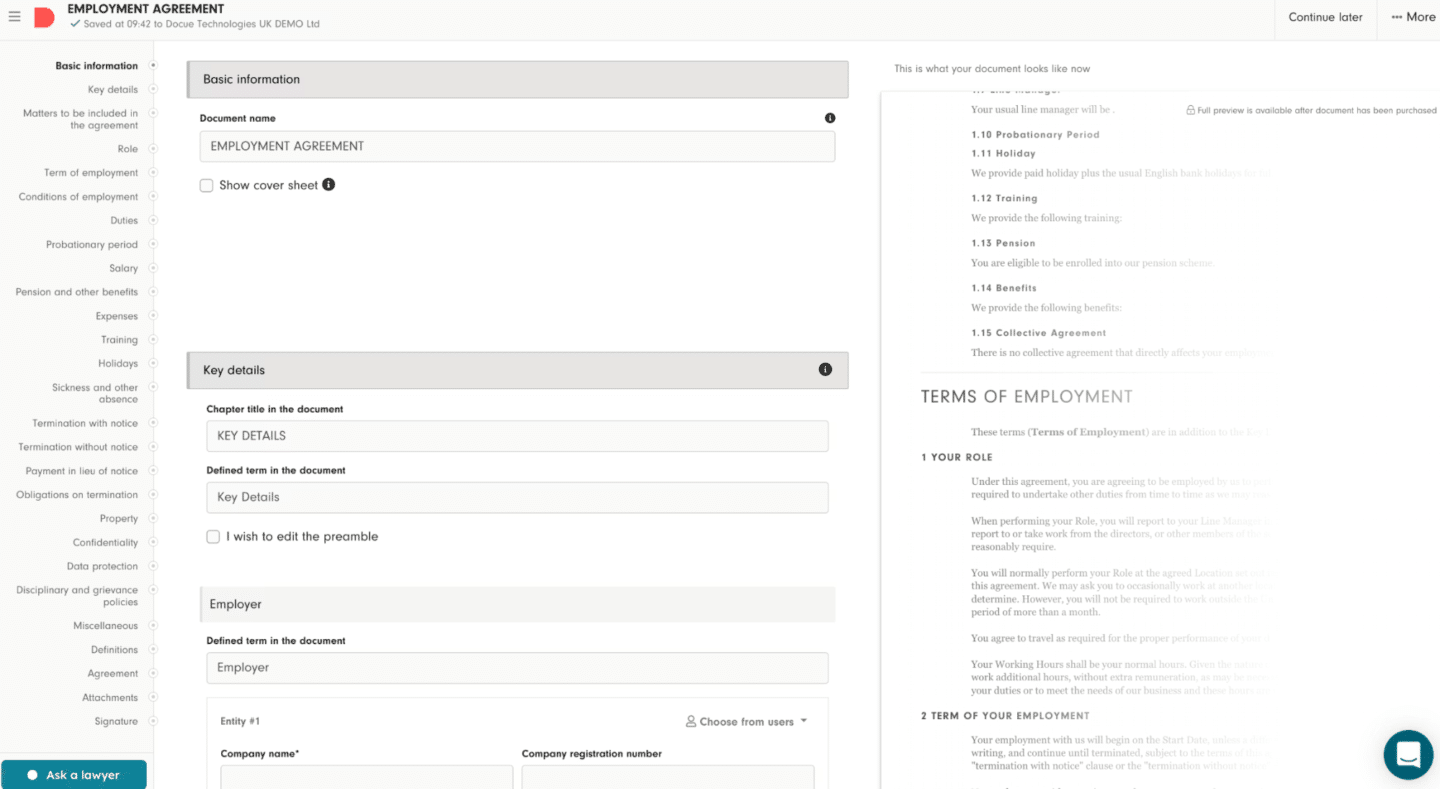
Docue is a Scandinavian contract platform for mid- and small businesses that want ready-to-use agreements without drafting contracts from scratch. Its template library includes lawyer-drafted documents, helping teams create standardized agreements faster.
There’s no steep learning curve: the platform is designed so non-legal teams can create documents, send them and sign contracts without extensive setup.
Key features
- Lawyer-drafted document templates
- Simple e-signature workflow
- Contract storage and tracking
- Team collaboration on contract creation
- Personal plan and business tier options for different team sizes
Compared to PandaDoc
Docue is narrower in scope—it’s primarily a template library with e-signature, not a full document management platform. PandaDoc has more features, but Docue’s legal template quality is an advantage.
Main drawback
Limited geographic focus and minimal integration ecosystem compared to broader platforms.
4. GetAccept: Digital sales rooms
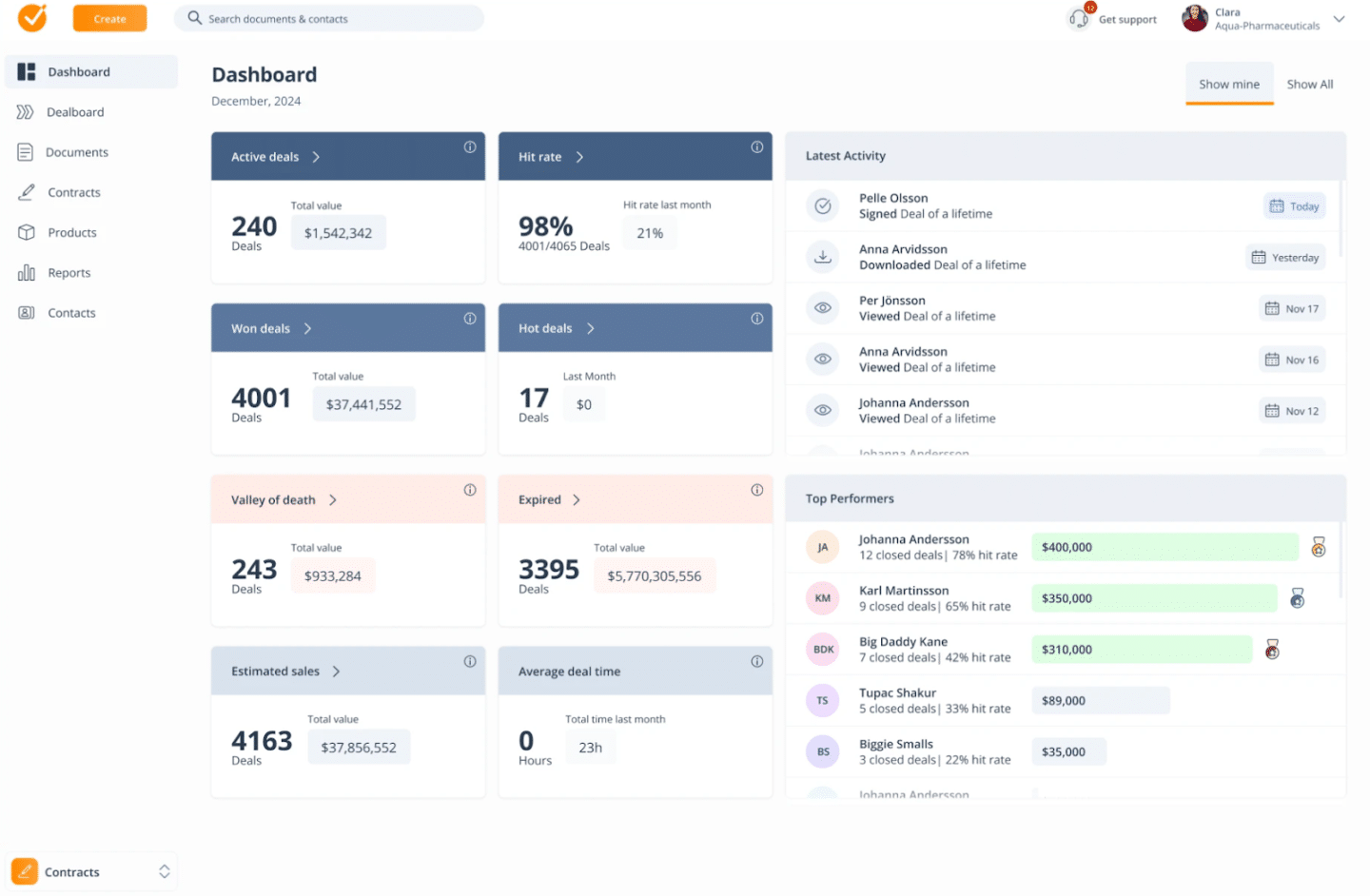
GetAccept is a mix of sales enablement and agreement workflows. Rather than just sending a document, it creates a branded digital sales room (essentially interactive web pages) where buyers can review proposals, ask questions via chat, watch rep-led video walk-throughs, and sign documents electronically.
For complex B2B sales with multiple stakeholders and longer cycles, the buyer engagement analytics are useful. Teams can see which sections buyers spent time on, who forwarded the document internally, and receive AI-generated deal insights based on engagement patterns.
Key features
- Digital sales rooms with integrated chat and video
- AI-powered deal scoring and content recommendations
- E-signature with support for eIDAS-compliant signing workflows
- CRM integrations with Salesforce, HubSpot and Pipedrive
- Proposal templates and your own templates for faster document creation
Compared to PandaDoc
GetAccept and PandaDoc overlap significantly on proposal and e-sign features. GetAccept’s differentiation is the buyer engagement layer (the sales room experience), which PandaDoc doesn’t offer.
Main drawback
Lighter on post-sign contract management, it’s a sales tool more than a CLM tool, so if you need strong repository management and renewal tracking, you may require an additional CLM platform like Oneflow.
5. DealHub: CPQ + contract platform for revenue teams
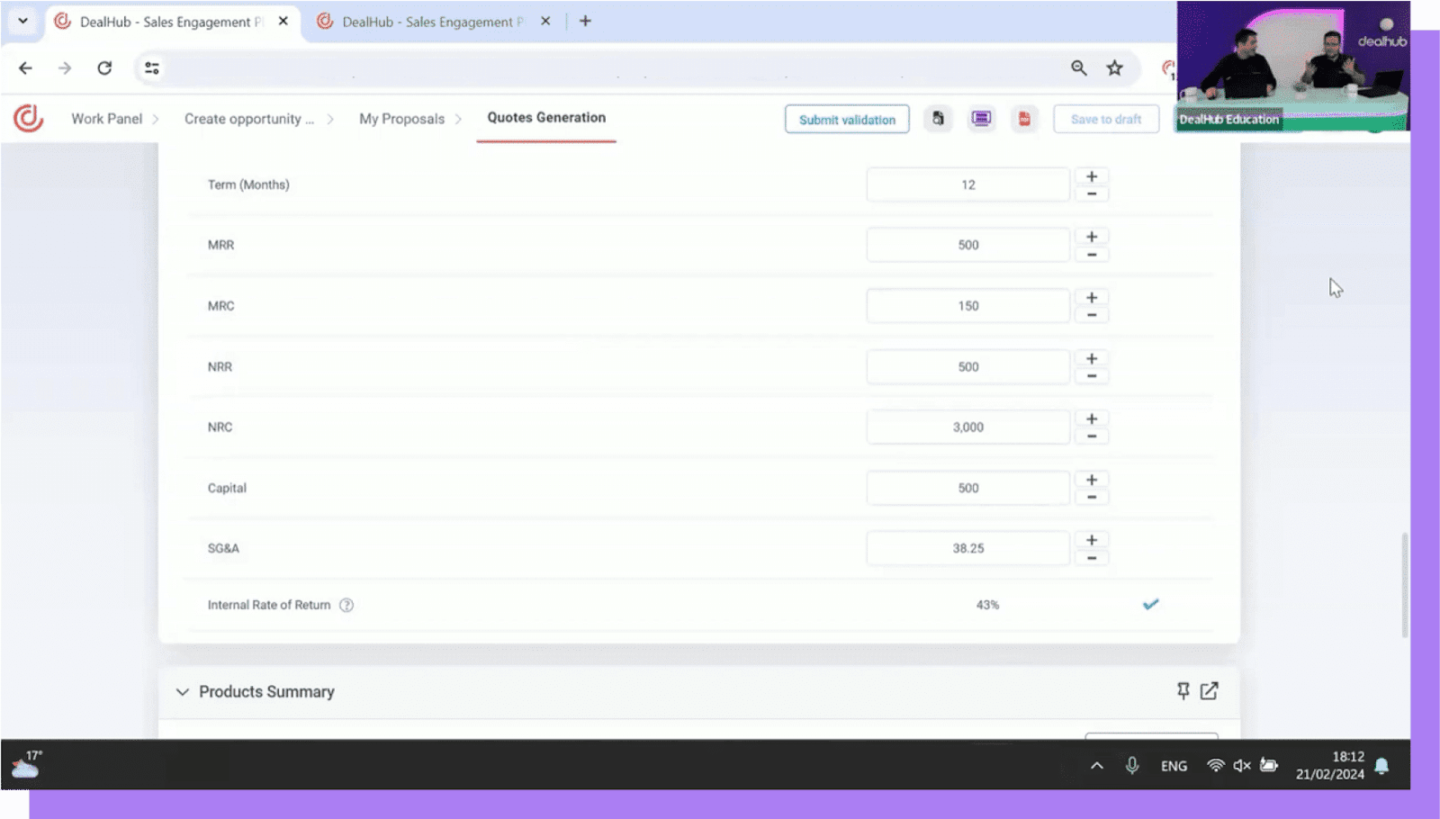
DealHub is a revenue platform that combines CPQ (Configure, Price, Quote) with proposal generation, digital deal rooms, contract generation and subscription management. It can be good for RevOps teams looking to connect pricing, quoting and agreement workflows across the revenue process.
The platform’s guided selling playbooks help reps create complex quotes without needing to memorize pricing rules, which can reduce approval back-and-forth and minimize configuration errors that lead to downstream billing issues.
Key features
- CPQ with guided selling and pricing rule enforcement
- Digital deal rooms with buyer engagement analytics
- Contract generation and e-signature from within the platform
- Subscription management and renewal automation
- Native integrations with Salesforce, HubSpot and Microsoft Dynamics
- Customizable templates for sales documents and contracts
Compared to PandaDoc
PandaDoc includes basic quoting functionality, but DealHub’s CPQ capabilities are better for teams managing complex pricing models, bundled offerings or subscription-based products. Organizations needing conditional pricing logic or multi-product configuration may find it better suited to those requirements.
For a broader look at how quoting tools compare, check out our best quoting software guide.
Main drawback
It requires more implementation effort than some tools on this list and may be better suited to mid-market and enterprise teams. For organizations that need deeper post-sign contract lifecycle management beyond revenue workflows, a dedicated CLM platform may be required.
6. Proposify: Visually rich sales proposals
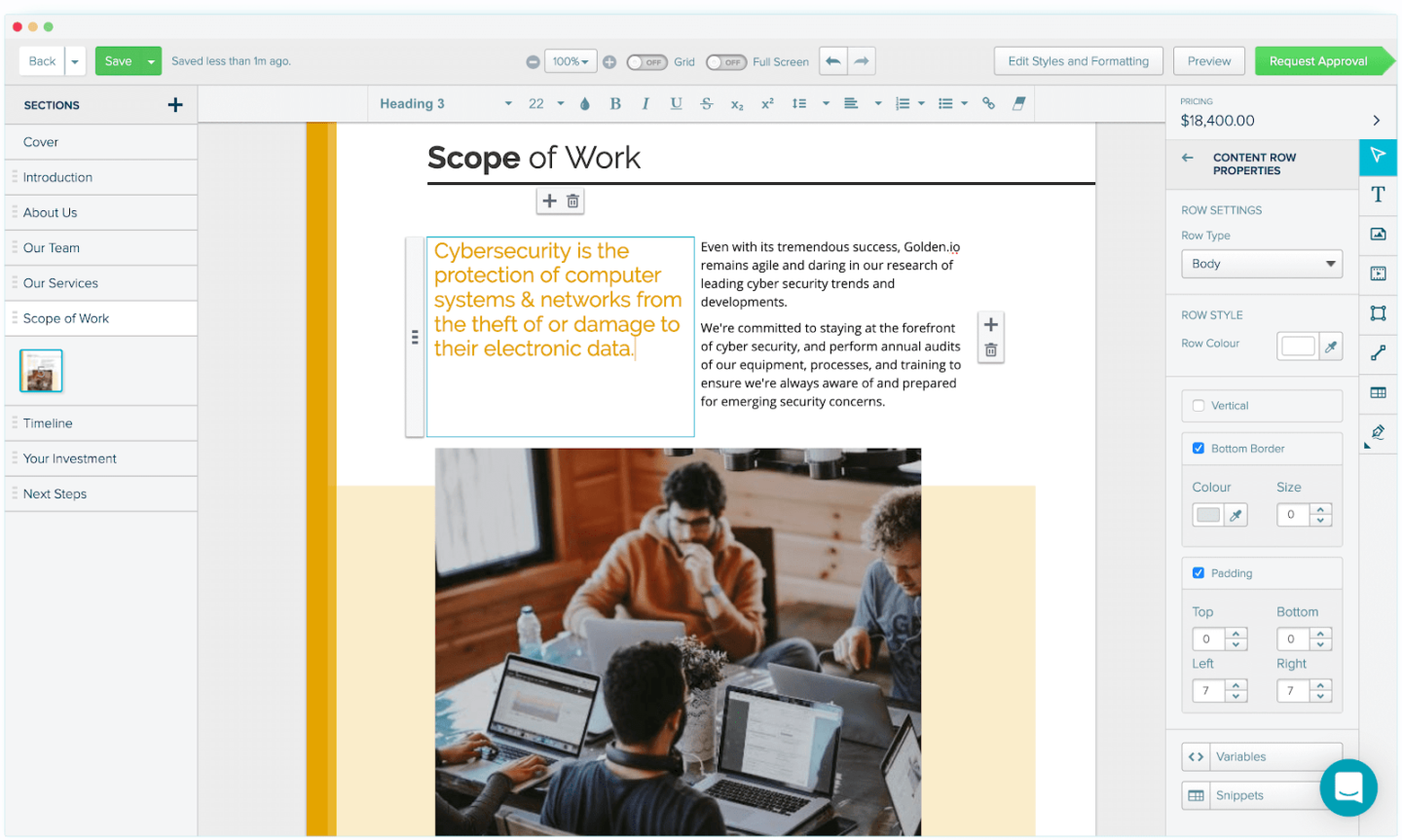
Proposify is a proposal software tool for agencies, consultancies and service businesses that prioritize visual presentation. Users note its design flexibility compared to PandaDoc, with greater control over layout, typography and brand presentation when creating client-facing proposals.
If you’re evaluating the broader category, the guide to the best proposal management software covers what to look for when proposals are central to your sales process.
Key features
- Drag-and-drop proposal editor with advanced design controls
- Proposal templates for different industries
- Proposal analytics showing time spent per section
- Interactive pricing tables that let clients configure their own quotes
- Integrations with Salesforce and HubSpot
Compared to PandaDoc
Proposify offers greater flexibility in proposal layout and visual customization. PandaDoc includes more end-to-end document workflow features, such as payment collection and reporting, but Proposify may appeal to teams focused primarily on creating branded sales proposals rather than managing the full contract lifecycle.
See also: PandaDoc vs Proposify comparison
Main drawback
Limited contract management beyond the proposal stage. There’s no real CLM capability, so once a proposal is signed, it requires a separate platform for contract tracking.
7. Qwilr: Interactive web-based proposals
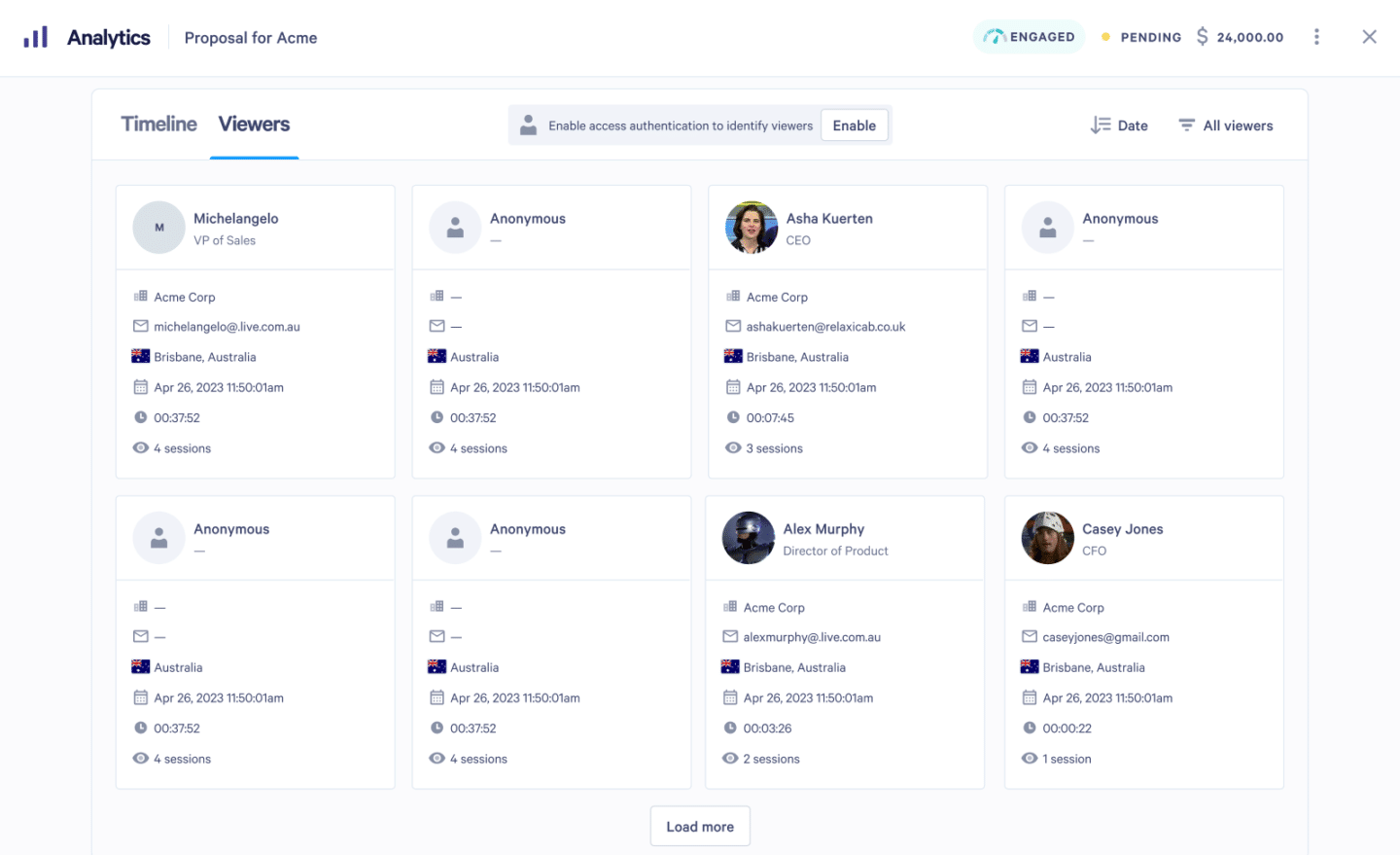
Qwilr takes a different approach to proposals. Instead of sending a PDF or a document, you send a link to web-based proposal pages that can include embedded videos, live pricing calculators and instant acceptance with electronic signatures. The viewing experience is a more interactive alternative to static documents for buyer-facing sales proposals.
Qwilr tracks page-level engagement and notifies reps when a prospect opens the proposal or reaches the pricing section.
Key features
- Web-based interactive proposals with embedded media
- Live pricing calculators with optional client-configurable options
- Engagement analytics and real-time open notifications
- Custom templates for different service lines
- Integrations with Salesforce, HubSpot, Slack and Stripe
Compared to PandaDoc
Qwilr and PandaDoc serve similar audiences but take different approaches. Qwilr’s web format is more engaging for prospects, especially in industries where visual presentation matters. PandaDoc has deeper document management features.
Main drawback
The web-based format isn’t always appropriate—regulated industries and legal teams that need formal PDF records may not accept a web link as a contract artifact. It also offers limited contract lifecycle management functionality.
8. Ironclad: Enterprise contract management for complex approval processes
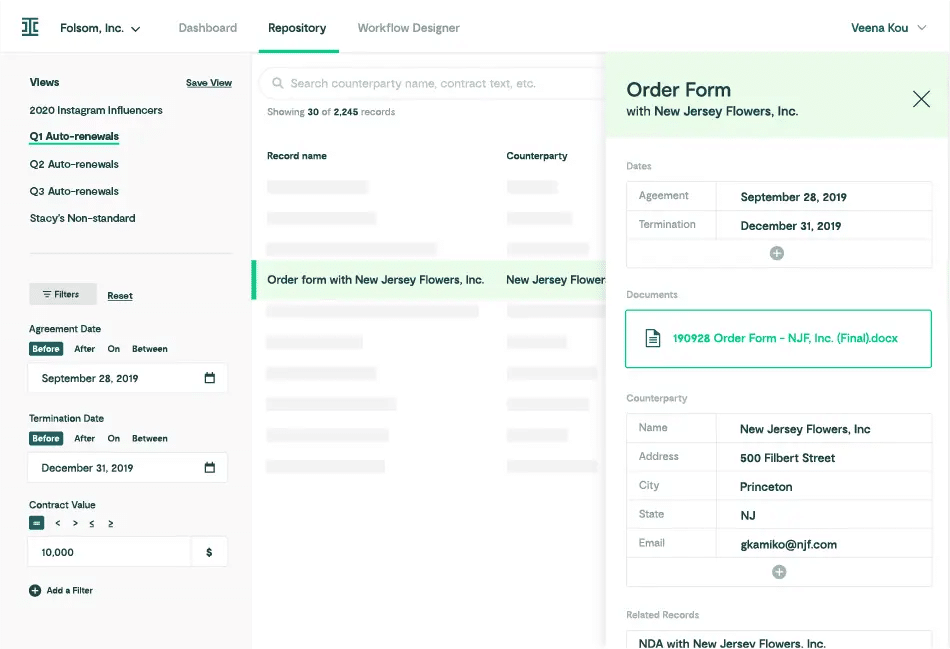
Ironclad is a contract lifecycle management platform used by enterprise legal teams. Its no-code Workflow Designer enables organizations to build complex approval processes, review sequences, and conditional routing without developer support, allowing legal teams to manage contract workflows internally.
It includes a conversational AI interface and an AI-powered renewal dashboard, enabling users to query contract data in plain language and automate renewal tracking across large agreement portfolios.
Key features
- No-code workflow designer for custom contract processes
- AI contract review, clause tagging and summarization
- Response workflows for due diligence questionnaires and security questionnaires
- Centralized searchable repository with advanced filtering
- Native integrations with Salesforce, Workday and ServiceNow
Compared to PandaDoc
These tools are solving fundamentally different problems. Although both handle contracts, PandaDoc is a sales tool; Ironclad is a legal operations platform. Teams needing both may use them alongside each other, or look for a platform such as Oneflow that connects sales and legal contract workflows.
Main drawback
Implementation can take weeks or months at enterprise scale, and onboarding often requires dedicated legal operations resources. Pricing is enterprise-level with no self-serve option, making it less suitable for sales teams generating proposals.
9. Juro: Cross-functional contract collaboration
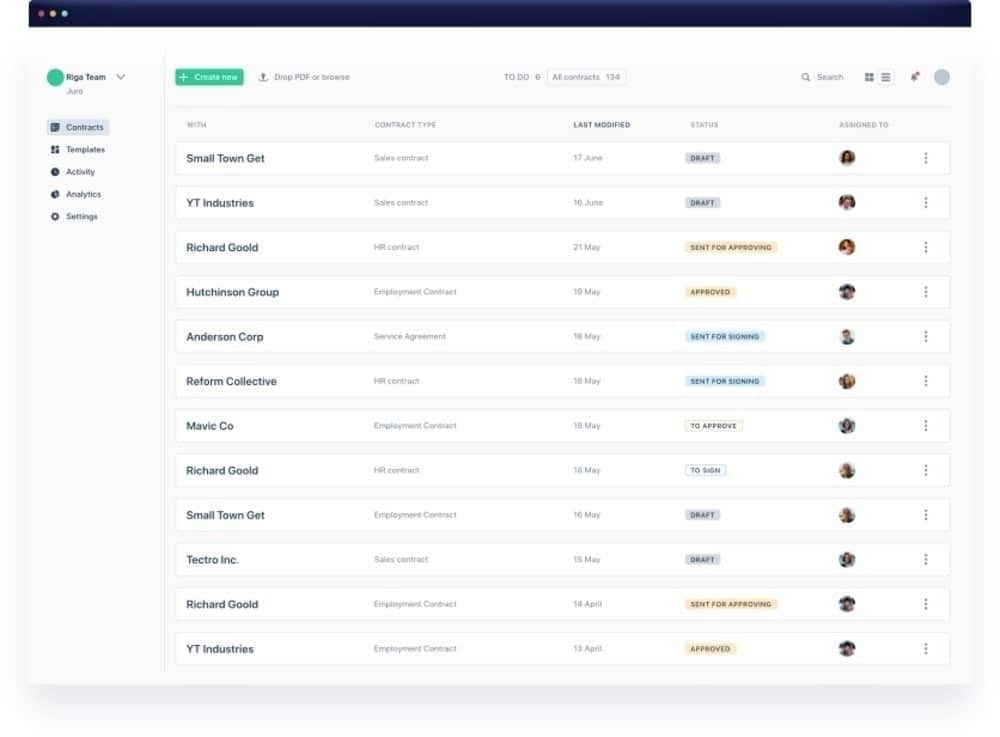
Juro is a contract lifecycle management platform designed for cross-functional teams beyond legal. Its browser-native contract editor enables users to create and manage agreements from pre-approved templates without involving legal in every routine contract. Sales, HR and procurement teams can electronically sign and send legally binding documents without specialist training.
Users frequently highlight Juro’s usability and AI-powered metadata extraction as its key strengths.
Key features
- Browser-native contract editor with real-time collaboration
- AI metadata extraction, summarization and review
- Reusable templates for sales, HR and legal teams
- Automated renewal reminders and contract tracking dashboard
- Document sharing with counterparties for collaborative editing
Compared to PandaDoc
Juro and PandaDoc both support teams that need fast contract turnaround, but Juro offers broader post-sign tracking and legal workflow capabilities. PandaDoc includes more proposal-focused features, such as embedded pricing tables, while Juro is better suited to managing agreements across multiple business functions.
Main drawback
Less suited for visually rich sales proposals. Teams whose primary need is branded proposal design may prefer PandaDoc or Proposify, while those needing deeper contract lifecycle management may require a platform such as Juro or Oneflow.
10. Concord: Mid-market teams needing unlimited documents
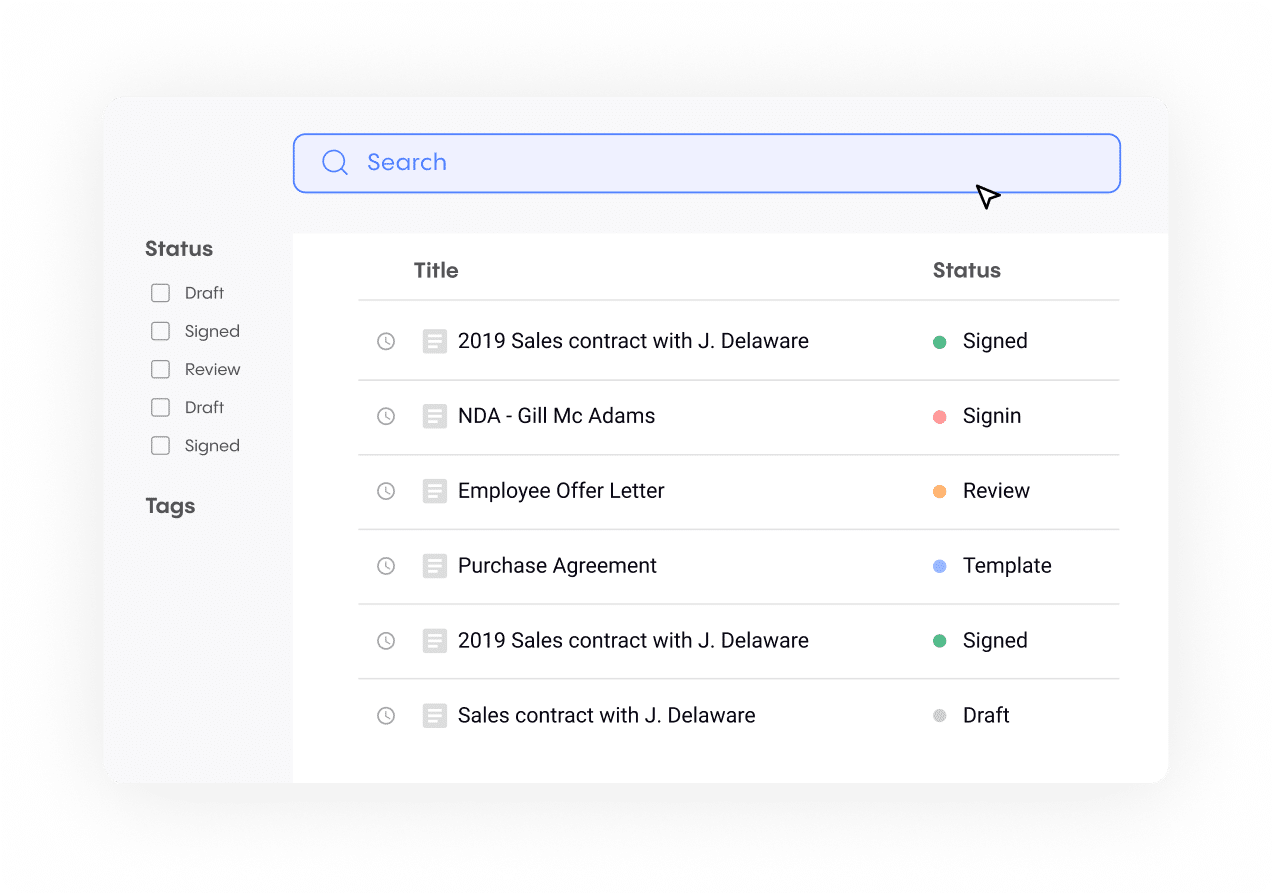
Concord gives you unlimited documents and users on all plans, but restricts some features on lower tiers (including key integrations, approval workflows and bulk send). For mid-market teams frustrated by per-seat or per-contract pricing, that can be a practical advantage, particularly for organizations managing high agreement volumes.
The platform supports core contract lifecycle workflows with real-time collaborative editing, version history, e-signature and audit trails. While not as deep as enterprise CLM platforms, it covers the needs of growing organizations without requiring a complex implementation.
Key features
- Includes unlimited documents and users on all plans
- Real-time collaborative editing with external counterparties
- E-signature with full audit trail and legally binding signatures
- Reusable templates for business documents
- Integrations with Salesforce, Google Drive and Dropbox
Compared to PandaDoc
Concord is more contract-management-focused, while PandaDoc leans toward proposal creation and sales workflows. Teams needing to manage agreements at scale with predictable pricing may find Concord better aligned with those needs.
Main drawback
Fewer advanced automation and AI workflow capabilities than newer CLM platforms. Teams requiring deeper contract lifecycle management or cross-functional contract automation may require something else.
11. Contractbook: Automated contract workflows
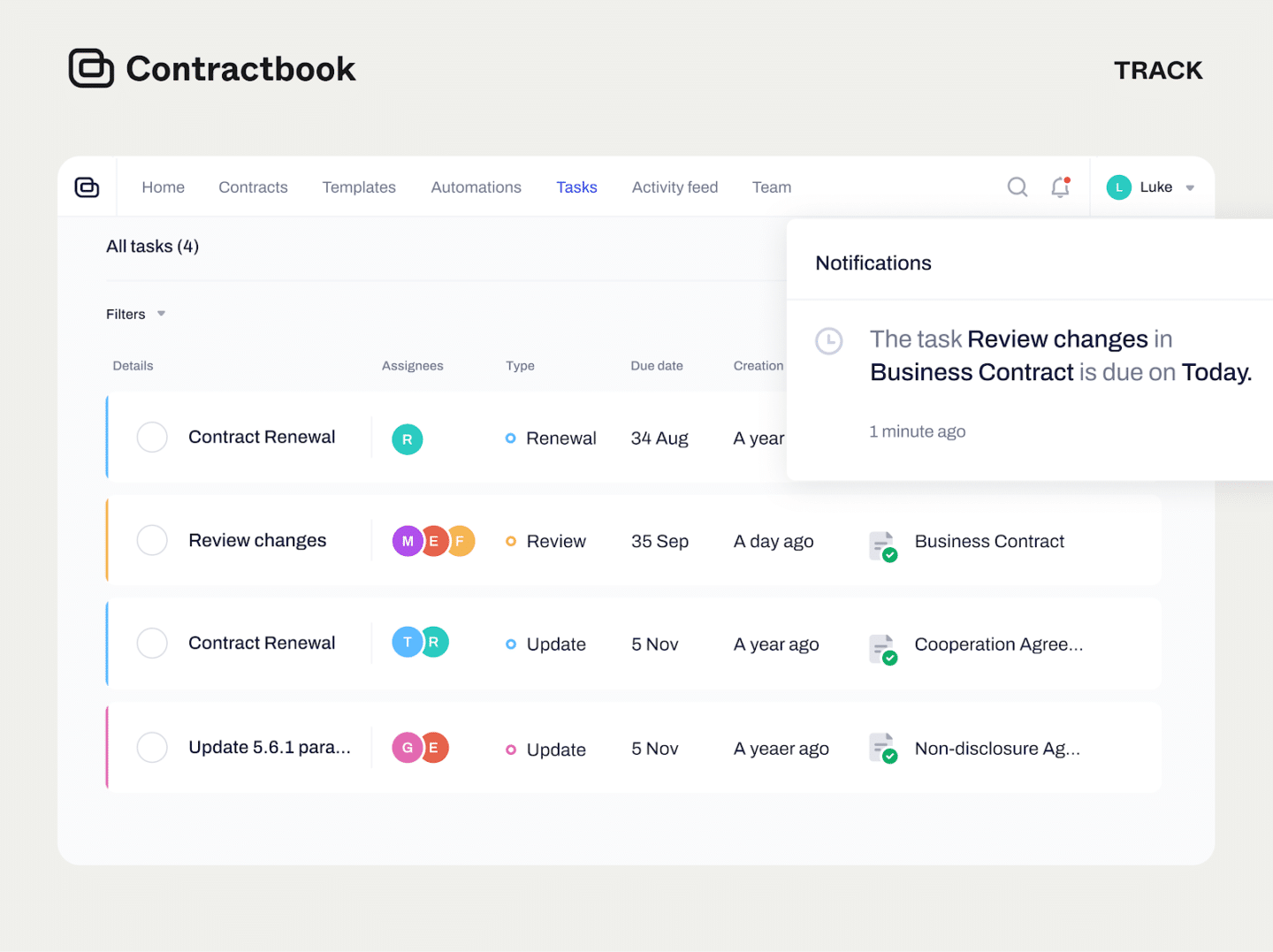
Contractbook approaches contract management from a data-first perspective. Every contract becomes a structured data point—searchable, filterable and connected to workflows that trigger automatically based on contract milestones. This cloud-based solution helps organizations reduce manual tracking by centralizing contract data and automating recurring agreement processes.
Its AI capabilities include contract summarization and key term extraction, which can support approval workflows, renewal reminders and reporting across large agreement portfolios. For procurement and operations teams managing contracts as operational records, this can improve visibility into deadlines and obligations.
Key features
- Contract creation, signing and storage in one platform
- AI-powered contract summary and metadata extraction
- Automated approval workflows with Slack notifications
- Data-driven contract repository with advanced search
- Templates for recurring agreement types
Compared to PandaDoc
Contractbook is focused more on contract operations than proposal creation. It enables teams to sign and manage agreements across their lifecycle, but does not include PandaDoc’s visual proposal builder or embedded payment features.
Main drawback
The template library is smaller than PandaDoc’s, and the proposal design capabilities are basic. It’s better for teams managing contracts as operational records than for sales teams building client-facing proposals.
12. ContractSafe: Contract repository with intelligent search
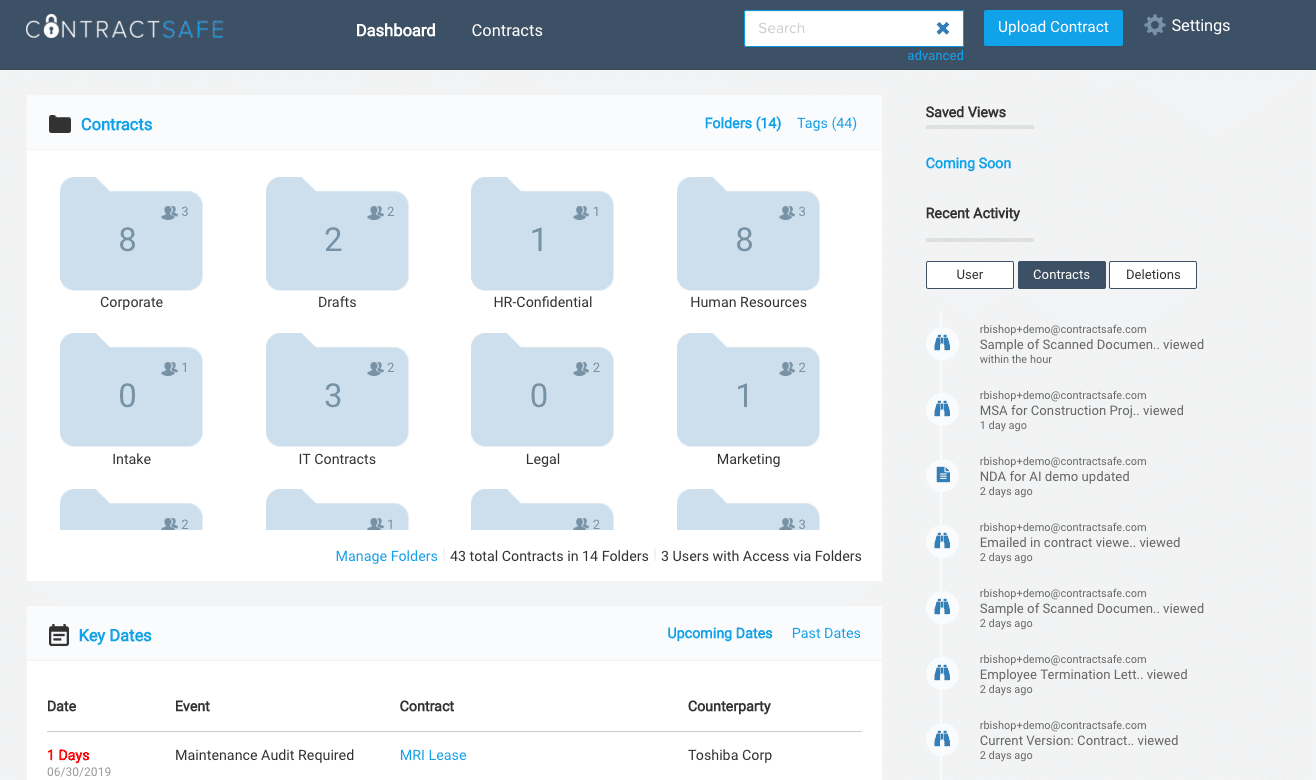
ContractSafe does fewer things than most tools in this list, but specializes in secure storage and search. Its AI-assisted search can locate specific clauses, obligations or dates across many legal documents. Automated alerts ensure renewal or expiration dates don’t slip through the cracks.
ContractSafe helps organize signed contracts scattered across email, shared drives and filing cabinets, turning them into a centralized, searchable repository. This cloud-based solution enables teams to organize contract archives without a complex implementation.
Key features
- AI-assisted full-text search across stored contracts
- Automated alerts for renewals, expirations and key dates
- Role-based access control with secure storage
- Docusign and Adobe Sign integration for incoming signed documents
- Document sharing with internal and external stakeholders
Compared to PandaDoc
ContractSafe doesn’t create or send documents—it stores and organizes them. Teams looking to replace PandaDoc’s document creation and signing workflow may find it limited in the pre-sign functionality.
Main drawback
No e-signature or contract creation capabilities. Organizations needing to draft, negotiate or automate agreements before signing may require a full contract lifecycle management platform.
13. Conga CPQ: Enterprise revenue lifecycle platform
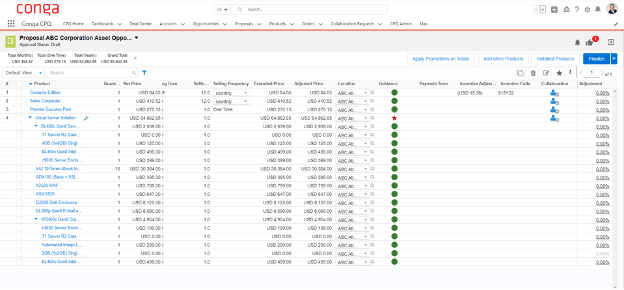
Conga is a revenue lifecycle platform, combining CPQ (Configure, Price, Quote) with document generation, contract creation and subscription management. It’s a unified approach to connecting quoting and agreement workflows with features for product configurations or pricing models.
The platform supports complex product configuration, discount approval workflows, contract generation and e-signature, all connected to CRM and ERP systems. For organizations with large product catalogs or tiered pricing structures, this can improve consistency across sales agreements.
Key features
- CPQ with AI-powered pricing optimization
- Document generation with customizable templates
- Contract generation that integrates natively with Conga CLM for approval workflows, signature and post-signature management
- Integrations with Salesforce, SAP, Oracle and Microsoft
- Tools to create, manage and sign contracts at enterprise scale
Compared to PandaDoc
Conga CPQ is an enterprise platform for complex commercial operations, while PandaDoc serves smaller teams with simpler document needs.
Main drawback
Implementation can be complex and often requires professional services. It may be unnecessary (and expensive) for teams without advanced pricing models or multi-system integration needs.
14. Salesforce CPQ: CRM-integrated quoting and contract generation
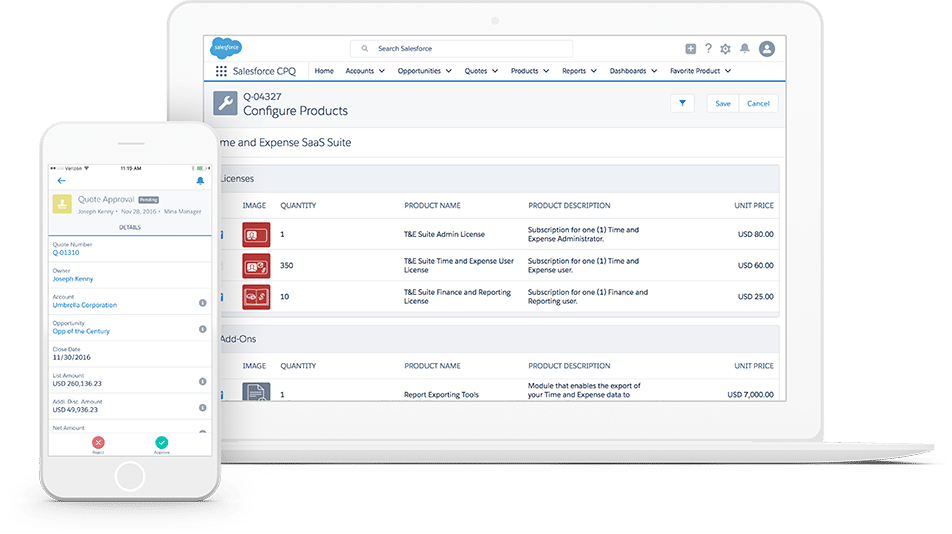
Salesforce CPQ (Salesforce Revenue Cloud) combines quoting, agreement generation and billing within a CRM-based workflow. Because product configuration, pricing logic and contract data are managed within the same system, teams can maintain alignment between sales agreements and customer records.
Salesforce’s Einstein AI can recommend products, flag discount levels that require approval and support deal forecasting based on historical performance.
See also: Salesforce integration for contract management and e-signature
Key features
- Native CRM-based quoting with guided selling playbooks
- Automated contract generation from closed Opportunity data
- Einstein AI for deal scoring and pricing recommendations
- Direct connection to Salesforce Billing for invoice automation
- Document templates for sales agreements
See also: Boost your contract flows with a Salesforce electronic signature
Compared to PandaDoc
PandaDoc integrates with Salesforce as a document workflow layer, while Salesforce CPQ manages pricing and agreement generation directly within the CRM environment.
Main drawback
Heavily tied to the Salesforce ecosystem—if your CRM changes, your CPQ changes with it. Also, the implementation complexity and licensing costs can be substantial.
15. Oracle CPQ: Complex enterprise pricing environments
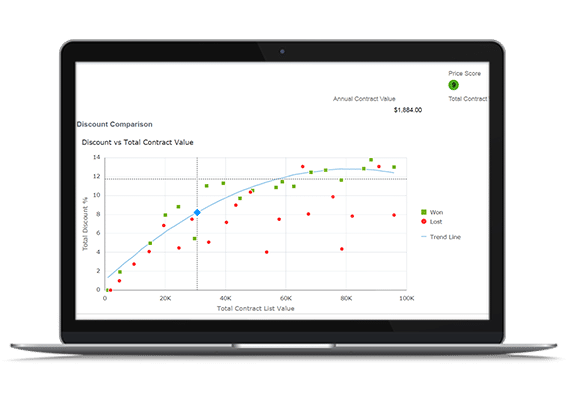
Oracle CPQ is for organizations managing complex pricing and product configuration requirements, such as manufacturers with configurable product catalogs or enterprises operating across multiple currencies and tax regimes. Its rule engine supports conditional pricing logic used to generate multi-tiered sales agreements.
The platform integrates with Oracle ERP and CX to connect quoting workflows with downstream billing and fulfillment processes.
Key features
- Advanced product configuration with rule-based pricing
- AI-guided selling recommendations
- Integration with Oracle ERP and CX
- Global pricing with multi-currency and tax support
- Document creation and sharing of enterprise sales agreements
Compared to PandaDoc
Oracle CPQ operates at a different layer of the revenue process. While PandaDoc focuses on proposal creation and document workflows, Oracle CPQ manages complex pricing and agreement generation within enterprise quote-to-cash operations.
Main drawback
Implementation cycles can be lengthy, with a high total cost of ownership. Typically suitable for large enterprises with dedicated technical resources.
Simpler PandaDoc alternatives for smaller needs
If your priority is simply collecting signatures, a dedicated e-signature solution may be the right fit. The tools below focus on document preparation, secure signing and status tracking, without the broader workflow and lifecycle features found in full CLM platforms.
16. SignNow: Lower-cost e-signature alternative
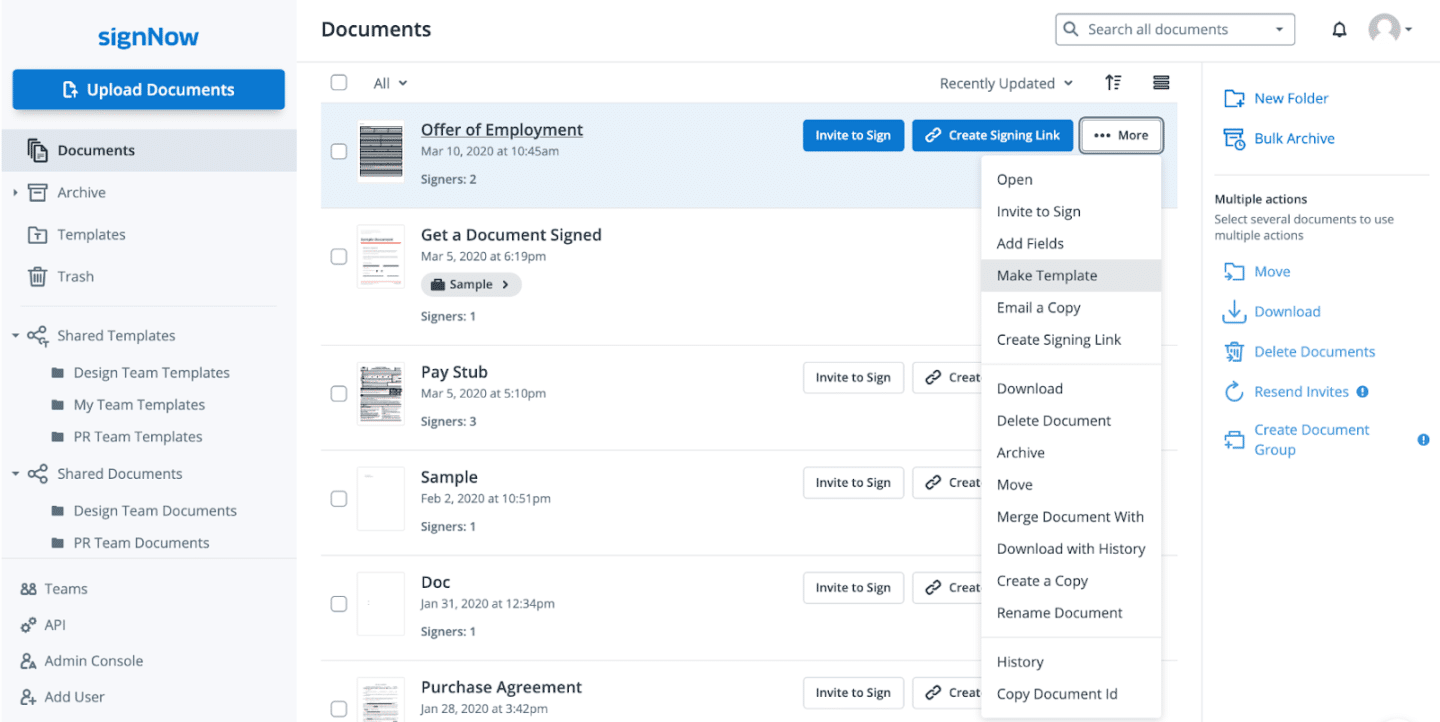
SignNow is a lower-cost electronic signature tool with basic workflow automation. For teams that primarily need to send and sign agreements electronically without the proposal-building features included in PandaDoc, it can work as a simpler alternative.
It includes document templates, bulk sending, role-based signing and encryption.
Key features
- Reusable templates with customizable signing fields and order
- Mobile signing apps for iOS and Android
- In-person signing via kiosk mode
- API access for custom integration
Compared to PandaDoc
SignNow doesn’t include proposal design, document analytics or advanced content management features found in PandaDoc. It focuses primarily on the signing workflow.
Main drawback
Limited contract management beyond the signing workflow. No AI features, minimal CLM depth. If your needs grow, you’ll likely outgrow it.
See also: Docusign vs SignNow comparison
17. Zoho Sign: CRM-integrated e-signature workflows
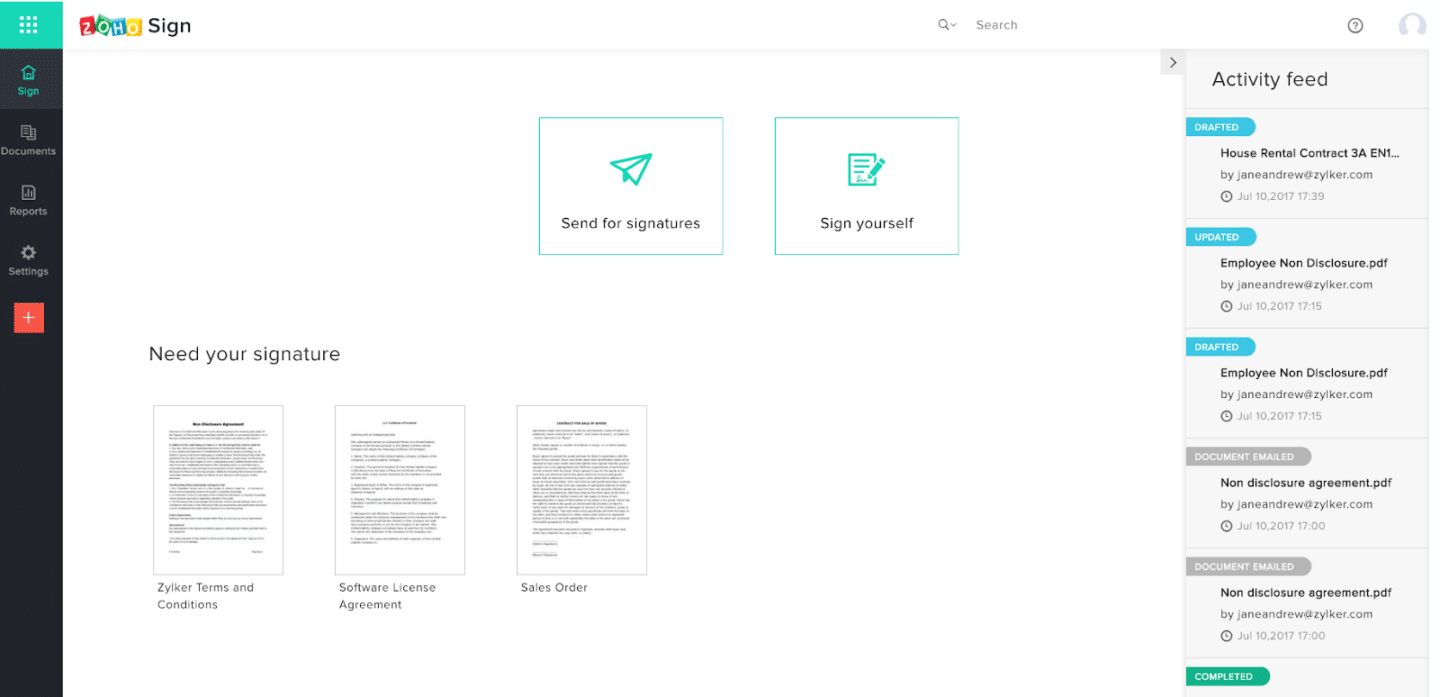
Zoho Sign is an electronic signature tool that integrates agreement workflows directly with CRM-based deal data. Teams can request or send signatures from within sales records, helping keep agreement status aligned with customer information throughout the signing process.
Key features
- Multiple signature types: standard, advanced (eIDAS) and digital signatures via certificate
- CRM-based signature requests from deal records
- Bulk send for high-volume signing workflows
- Customizable templates with custom branding
- Document sending and signing within connected workflows
Compared to PandaDoc
Zoho Sign is more narrowly focused on e-signature, while PandaDoc includes proposal creation and document workflow features.
Main drawback
Limited contract lifecycle management functionality beyond signing. Organizations needing approval workflows, renewal tracking, or post-sign contract automation may require a dedicated CLM platform.
18. Signable: UK-based e-signature with eIDAS support
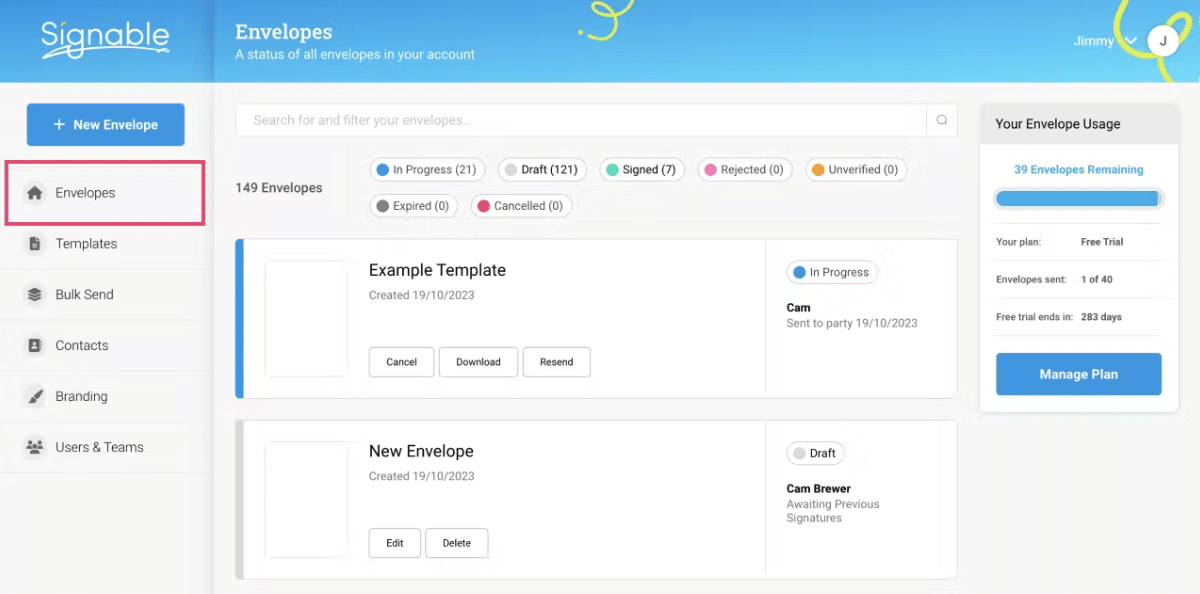
Signable is a UK-based electronic signature provider that supports GDPR-aligned data handling and eIDAS-compliant signing workflows. For organizations that need regionally hosted e-signature tools with auditability, it provides a simplified approach to collecting legally binding electronic signatures.
The platform focuses on document upload, signing order and delivery, with per-envelope pricing rather than per-seat licensing.
Key features
- Support for eIDAS-compliant electronic signatures
- Per-envelope pricing (not per-seat)
- Audit trails with IP addresses and timestamps
- Pre-built templates for common business documents
Compared to PandaDoc
Signable is a basic electronic signature software without the proposal creation, project management or document analytics features PandaDoc offers. Its differentiator is compliance and simplicity, not feature depth.
Main drawback
No AI capabilities, limited integrations and minimal contract lifecycle management functionality.
19. Scrive: European-hosted e-signature and ID verification
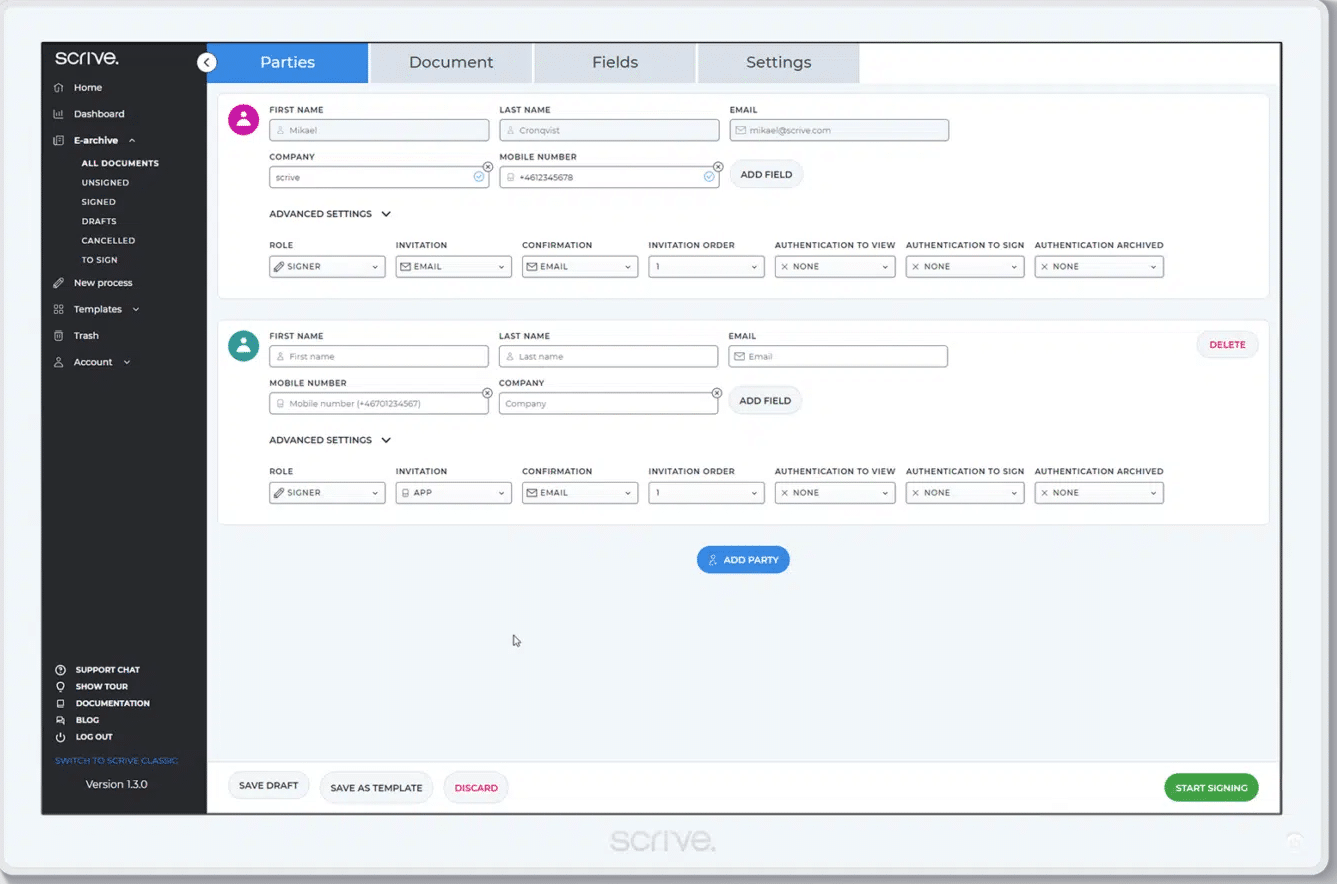
Scrive is a Scandinavian platform focused on electronic signature workflows with regionally hosted infrastructure. It enables organizations in regulated industries such as banking, insurance and healthcare to store and process agreement data within European environments.
The platform supports GDPR-aligned data handling and eIDAS-compliant e-signatures, along with integrated ID verification for agreements that require additional signer authentication.
Key features
- Advanced electronic signatures with identity verification
- Integrated eID methods for signer authentication
- Audit trails with timestamped signing events
- Automated signing reminders and document tracking
- API integrations for workflow automation
Compared to PandaDoc
Scrive focuses on e-signature and signer identity verification, while PandaDoc includes proposal creation and document workflow features.
Main drawback
Limited proposal creation and document management features compared to PandaDoc. Primarily suitable for signing and identity verification rather than full document workflows.
20. Adobe Sign: Document-based signing workflows
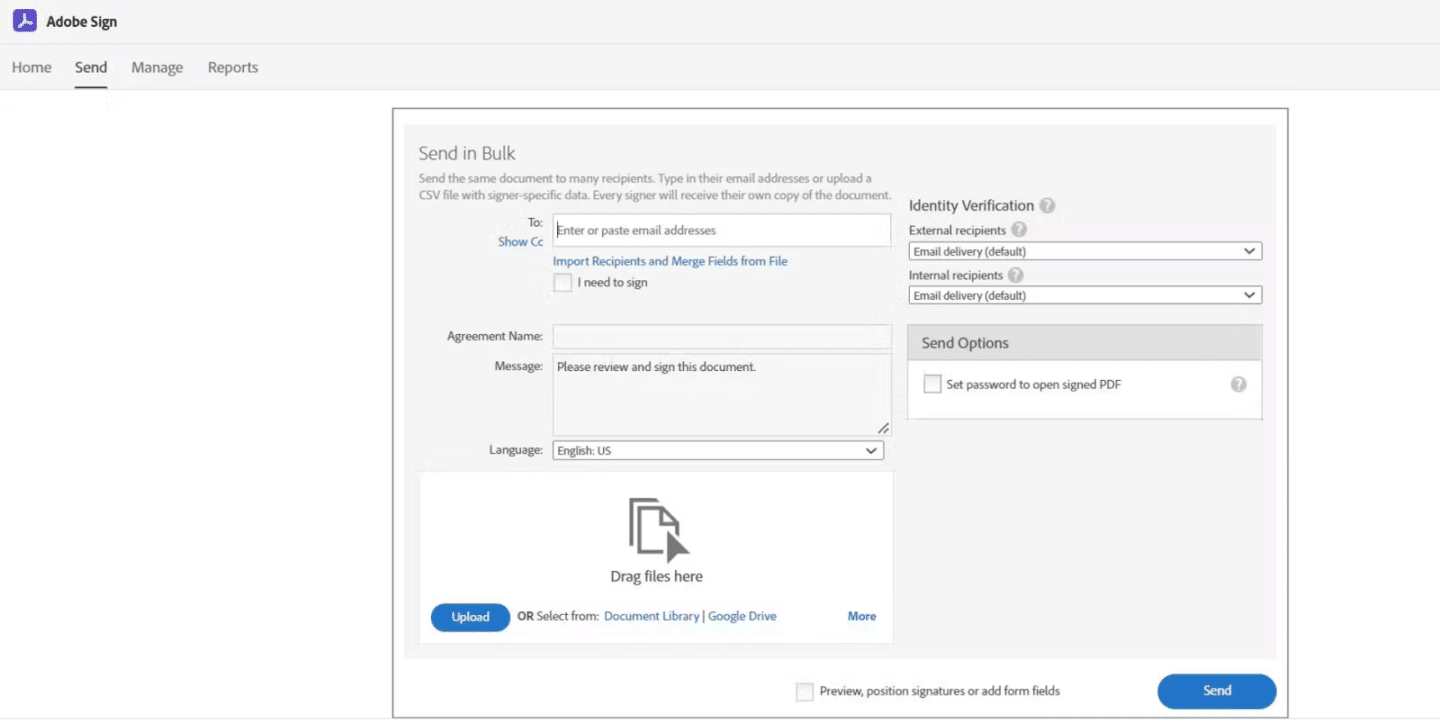
Adobe Sign (or Acrobat Sign) is for teams that need to collect legally binding electronic signatures on pre-prepared agreements in a secure and auditable way. It supports compliance requirements across regulated industries such as healthcare, education and government, where document traceability and approval tracking are essential.
See also: Docusign vs Adobe Sign comparison
Key features
- Real-time document tracking with automated reminders
- Industry-specific compliance configurations
- Native integration with Adobe Acrobat, Creative Cloud and Microsoft 365
- Mobile-friendly with Adobe Scan for in-field document capture
- Ability to upload documents and collect signatures directly from existing files
Compared to PandaDoc
Adobe Sign focuses more narrowly on signing and tracking document-based agreements, while PandaDoc includes proposal-building and quoting functionality. For teams working primarily from finalized contracts rather than interactive sales proposals, Adobe Sign may offer a more streamlined signing experience.
Main drawback
Limited contract drafting and negotiation capabilities. Teams that need to collaborate on contract language before collecting legally binding signatures will find it falls short compared to tools like Oneflow.
Which PandaDoc alternative is right for you?
Most PandaDoc alternatives solve one piece of the process, but not the full lifecycle. If you need contract lifecycle management software that supports real-time collaboration, keeps contracts editable after sending, and syncs structured data back to your CRM, Oneflow is the strongest all-in-one option in this PandaDoc competitors comparison. For teams prioritizing automation in 2026, it’s also one of the most complete choices for AI contract management software and a scalable contract automation platform for sales teams.
FAQs
What is the best PandaDoc alternative for sales teams?
For sales teams that need more than a proposal sender, Oneflow is the strongest PandaDoc alternative. Unlike PandaDoc, where edits after sending often require resending for signature, Oneflow keeps agreements live and editable throughout the deal cycle—so reps can update pricing, scope or terms without restarting the signing process. Combined with two-way CRM sync, it works as a true contract automation platform for sales teams rather than just a document workflow tool.
Are there PandaDoc alternatives with real-time contract editing?
Yes, but not all contract lifecycle management software supports editing after a contract has been sent. Oneflow allows both internal users and counterparties to collaborate on the same live agreement in real time, even during negotiation. This removes one of PandaDoc’s biggest workflow limitations: needing to resend a new version every time a change is made. For teams managing fast-moving deals, this kind of live contract environment significantly reduces delays between negotiation and signature.
Which PandaDoc alternative offers the best value for growing teams?
For teams that expect their contract volume and complexity to grow, Oneflow offers better long-term value than PandaDoc. Instead of paying for add-ons as needs expand, Oneflow combines proposal creation, e-signature and full contract lifecycle management software. That means teams can automate drafting, approval, signing and CRM updates from a single workflow.
Are there PandaDoc alternatives with AI-powered contract automation?
Yes—several platforms now offer AI support, but Oneflow integrates AI directly into the contract lifecycle rather than limiting it to search or clause tagging. Its AI capabilities include drafting assistance, clause-level risk analysis, and compliance checks inside the same workflow used to create and sign contracts. This enables automated document creation and post-signature contract management without relying on separate legal tools.
.png?id=40edbc9ee25345a211152388fdcf1fd2)

.png?id=073897979970647cd034d6db96c145de)