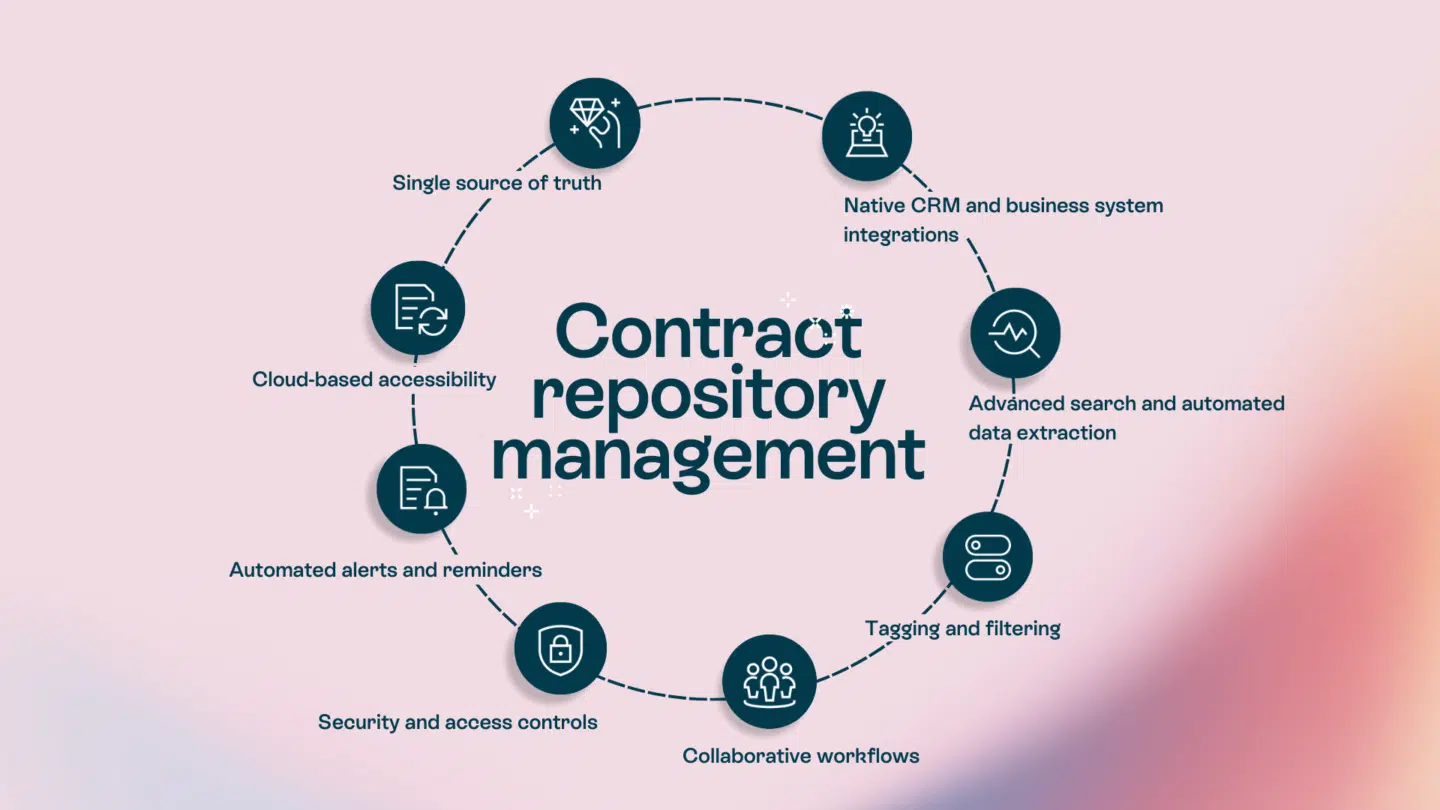
Your sales team just closed a major deal, and the contract’s sitting in your CRM, waiting. Procurement needs supplier and pricing details to set the vendor up correctly before purchasing can begin, but that information lives in the contract. Instead of flowing automatically, the data has to be manually copied between systems. Teams log into multiple tools and re-enter the same information.
The result? Slower vendor onboarding, inconsistent contract data, and delays in getting the agreement into execution.
In this article, we’re going to show you how the contract management API connects systems to create a single source of truth for contract data.
API contracts vs. Contract management API: Understanding the difference
When people search for “contract management API,” they can mean one of two things:
- API contracts: technical specification documents made by developers. They’re like instruction manuals that explain how different software components should work together. If you’re building software, you document your API contract so other developers know how to integrate with your system.
- Contract management APIs: integration tools that connect contract management software with your other business apps. These APIs let your CRM, ERP and other systems automatically create, update, and access contract data.
| API contracts (Technical specs) | Contract management APIs (Integration tools) |
|---|---|
| Documentation for developers | Tools for business users |
| Defines how software components interact | Connects business applications |
| Used during software development | Used for contract lifecycle automation |
| Focus: technical accuracy | Focus: business efficiency |
This article is all about the latter—the integration tools that help businesses automate contract workflows and connect their tech stacks.
Now, let’s talk about what contract management APIs can do for your organization.
What does contract management API do?
Say goodbye to repetitive tasks like exporting PDFs, copying data by hand, and hoping someone remembered to update all the relevant systems.
A contract management API bridges your contract lifecycle management platform and the rest of your business systems. Instead of manually moving contract data from one system to another, the API automatically syncs information. When someone updates a contract in your CRM, the API pushes the changes to your contract management platform. When a contract is signed, the API can send that information back to your CRM and any other connected systems.
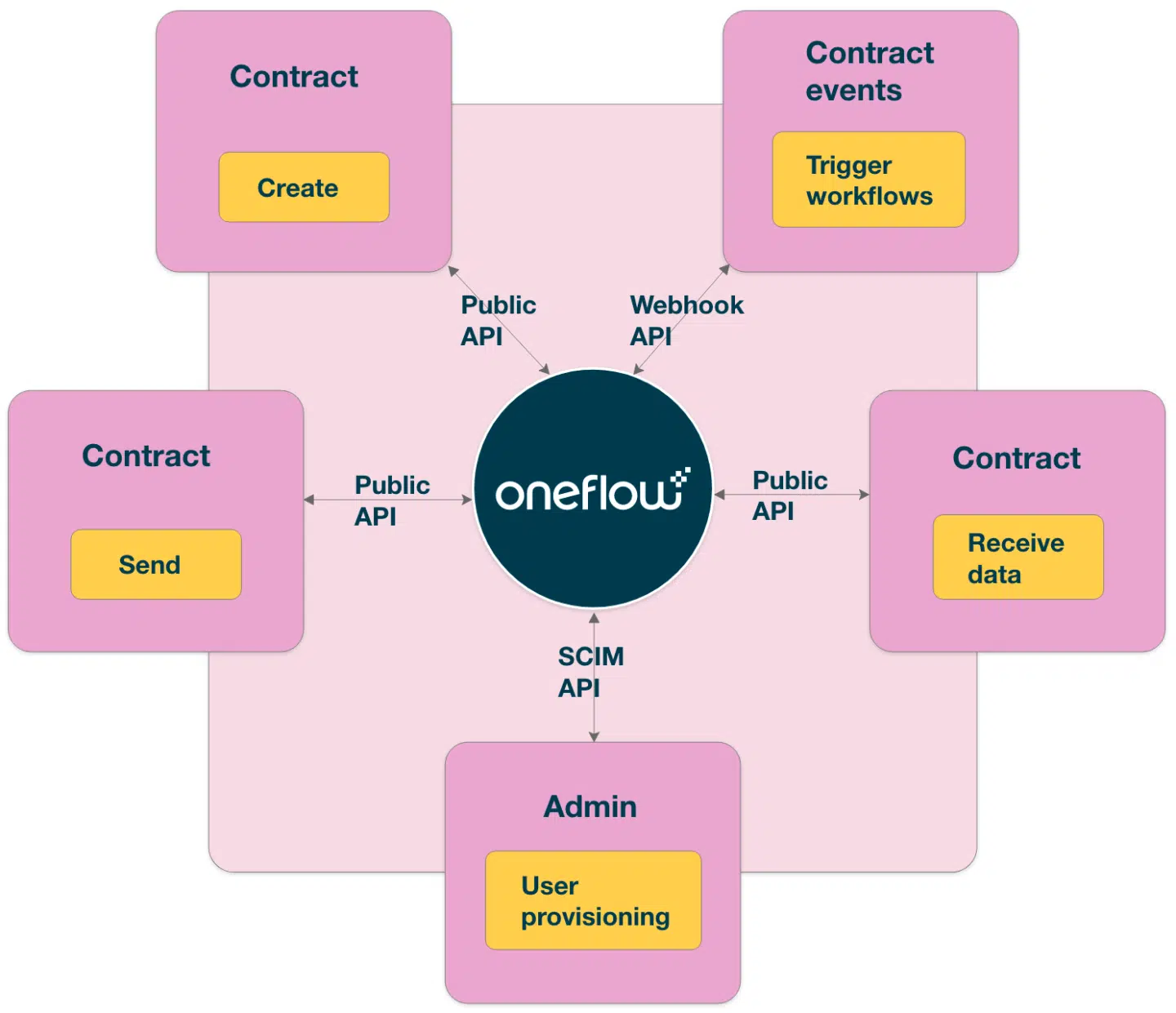
How Oneflow’s API enables dynamic contract workflows
Oneflow’s public API takes a different approach than traditional contract management systems. Instead of locking contract data inside static PDFs, Oneflow treats contracts as living documents with structured data that flows seamlessly between systems.
When you integrate Oneflow with your existing business applications, you get:
- Real-time data sync where changes in one system automatically update everywhere else, such as in your CRM, ERP, and HR system.
- Bi-directional communication capabilities allow information to flow both ways without the need for exports or imports.
- Contract lifecycle automation triggers let you set up workflows that respond to contract events, like sent for review, signed, approaching renewal—the API can trigger actions in other systems.
- Integration with existing tech stacks means you don’t need to replace your current tools. The Oneflow developer platform has comprehensive documentation for building powerful integrations with your specific business applications. Visit the documentation page at developer.oneflow.com to explore API endpoints, refer code examples, and access resources for your engineering team.
Note that Oneflow’s approach to API integration supports both the Public API and SCIM API, giving you flexibility to manage contracts and securely handle user provisioning.
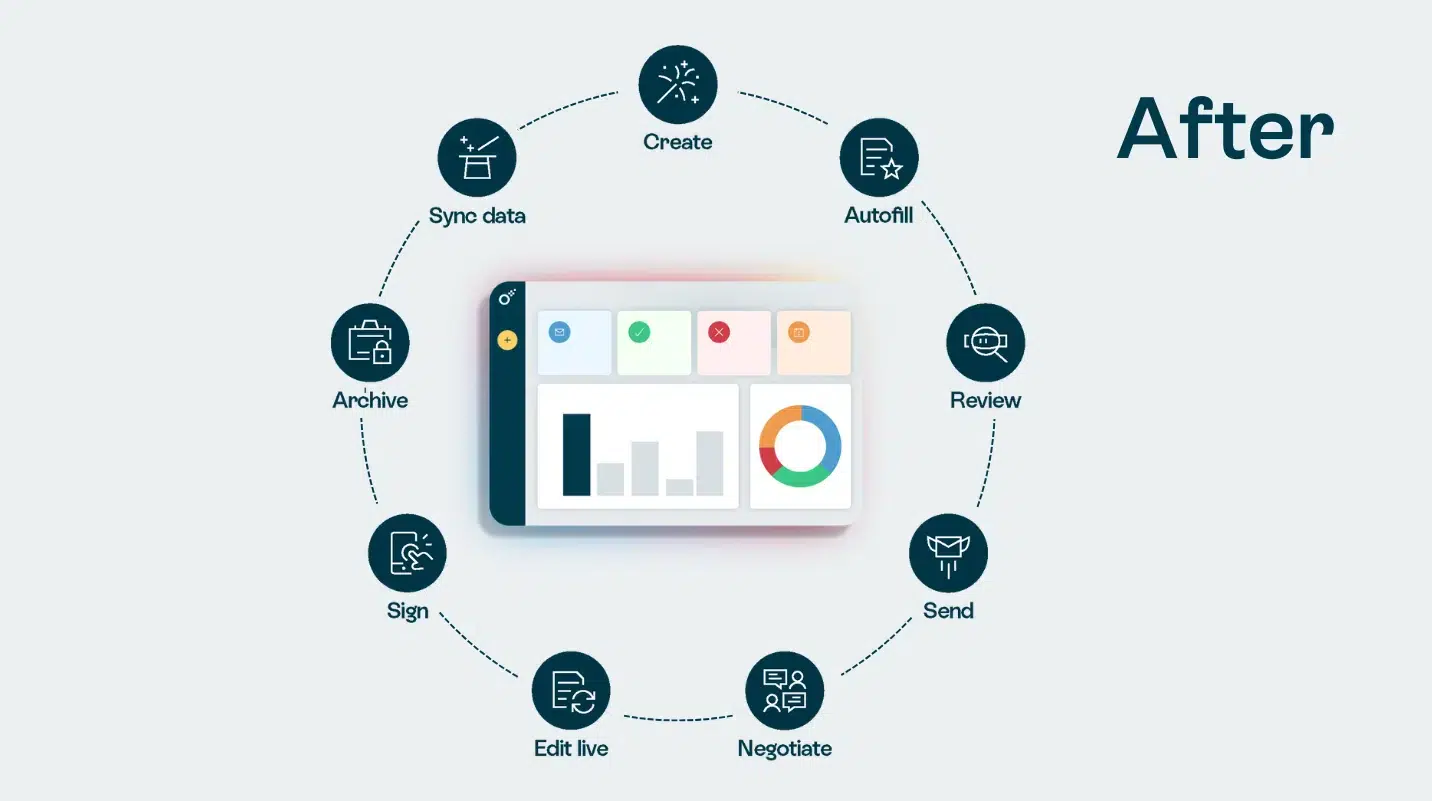
Why you need contract management API integration
The cost of disconnected systems
Every time someone copies contract information from one system to another, there’s a chance for error. Wrong pricing, outdated customer details, missing terms… Poor contract management costs companies up to 9.2-15% of their annual revenue, connected to labor costs.
Version control becomes a nightmare: Which document is the latest version? Did everyone see the final changes? When contracts exist as static files passed through email and stored in various folders, tracking down the current version becomes nearly impossible.
Missed renewal opportunities represent another hidden cost. When contract data sits isolated in one system, your team might not get timely notifications about upcoming (auto-)renewals (and the possibility to negotiate better terms).
Plus, when you manually move data between systems, you lose the complete history of who changed what and when. This makes audits painful and compliance verification difficult.
The modern tech stack reality
According to recent research, the average company uses 112 different software applications. Your sales teams live in your CRM. Legal teams work in specialized contract management platforms. Finance operates in ERP systems. Procurement teams manage sourcing, suppliers, and purchasing through e-procurement and vendor management platforms..
But contracts often touch every part of your organization, which is where this fragmentation of tools creates serious problems.
You need a single source of truth for contract data. When sales closes a deal, finance needs accurate information for invoicing. Procurement and billing needs vendor terms for payment schedules. Operations need delivery timelines for planning. Without integration, each team has its own version of the truth, and those versions quickly diverge.
Quote-to-cash is the perfect example of cross-functional workflows. This process spans from initial quoting software, includes CRM data, goes through contract execution, and final payment in your accounting system. Every step involves different teams and tools. APIs solve this integration complexity by bridging different stages of the process, allowing you to leverage existing systems rather than replacing them.
How contract management APIs work: Technical fundamentals
You don’t need to be a developer to understand how contract management APIs work, but understanding the basics will help you make better integration decisions and collaborate with your engineering team on implementation.
Core API components
Most modern contract management APIs use REST architecture. REST (Representational State Transfer) is a standard approach that makes APIs reliable and predictable. Think of it as a common language for different software systems.
Authentication and authorization ensure that only approved systems and users can access your contract data. APIs typically use OAuth tokens or API keys—essentially digital passwords that identify each connection. When your CRM requests contract information, it presents its credentials, and the API verifies the request before responding.
Endpoints and methods define what actions you can perform. Common methods include:
- GET: Request information from the API (read contract data)
- POST: Send new information to create records (create a new contract)
- PUT: Update existing information (modify contract terms)
- DELETE: Remove records (delete draft contracts)
Each endpoint in the API documentation represents a specific action you can perform. You might have an endpoint to manage contracts, and another to retrieve contract opportunities.
Request and response structures follow predictable patterns. Your system sends a request to a specific endpoint with the necessary parameters. The API processes the request and sends back a response with the requested data or confirmation of the action.
Data formats usually use JSON (JavaScript Object Notation) or XML. JSON is the popular choice because it’s easy for both humans and computers to read. When you request contract data, the API returns it in a structured JSON format that your system can automatically process.
Integration patterns
- Point-to-point integrations connect two systems directly. This works well for simple scenarios, but can become complex as you add more systems.
- Hub-and-spoke architecture uses a central integration platform as a hub, with all your applications as spokes connecting to it, better for integrating many different systems.
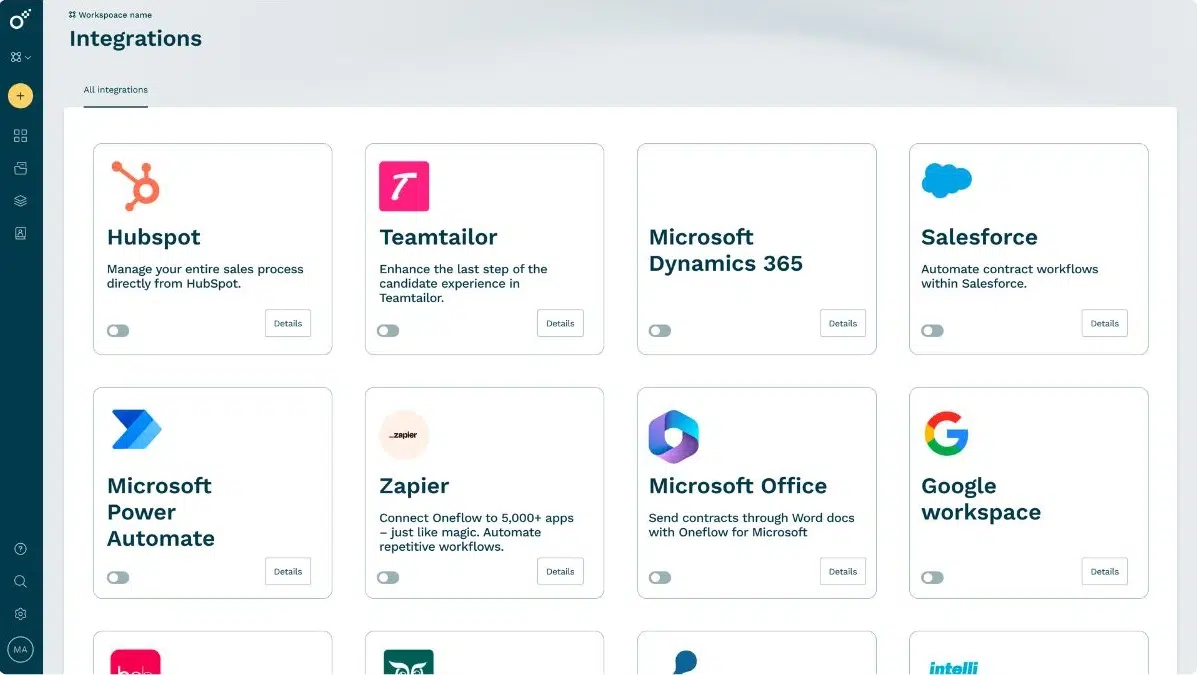
- Workflow automation with solutions, like Zapier, come with pre-built connections between popular business apps. These tools let you create integrations without coding, but they may have limitations compared to custom development.
- Custom versus pre-built integrations each have their place. Pre-built integrations with platforms like HubSpot get you up and running quickly. Custom integrations using Oneflow’s public API give you complete flexibility to match your specific workflows. Most users start with pre-built options and add custom development as their needs grow.
Webhooks and event-driven automation
Webhooks are among the most powerful features of modern contract management APIs. Instead of your systems constantly checking “has anything changed?” the API proactively notifies connected systems when specific events occur.
For example: contract signed → webhook triggers → CRM marks deal as closed → ERP creates customer record → billing system generates first invoice → project management tool creates project → team receives notification.
Key use cases for contract management API integration
CRM integration for sales acceleration
Connecting your CRM to your contract management system speeds up deal closure. Sales reps generate quotes directly from CRM data, ensuring accuracy and eliminating manual effort. When they’re ready to send a contract, it pulls in customer information, pricing terms, and product details straight from the CRM.
Once contracts are signed, the integration automatically updates the CRM with execution status, contract value, and renewal dates. Your sales team gets complete visibility into contract status without switching between applications. They can leverage this data to plan upsells, prepare for renewals, and forecast revenue accurately.
ERP integration for procurement and vendor management
When a vendor contract is signed, the API automatically creates or updates records in your ERP. Contract terms, payment schedules, and pricing information flow directly into your procurement system.
Compliance tracking becomes easier when your ERP can access contract data through the API. You can automatically verify that purchases align with contracted terms and flag exceptions for review. This gives you a better chance of leveraging negotiated discounts and volume commitments.
Financial system integration for revenue operations
When contract values change during negotiation, those updates flow automatically to your financial systems. When contracts are signed, revenue recognition schedules can be created automatically based on contract terms and payment schedules.
Quote-to-cash software integration connects the entire revenue process. From initial proposal through contract execution to final payment, every stage shares accurate data, reducing revenue leakage and billing disputes. The benefits extend to improved cash flow forecasting and more accurate financial reporting.
Business intelligence and reporting
Track contract value across customers, regions, and product lines. Analyze win rates and deal velocity. Monitor contract compliance and renewal rates.
Custom fields in your contract management system can capture specific data points important to your organization. The API makes this data available to other systems for analysis and reporting, enabling better strategic decisions. You can publish regular reports that link performance metrics directly to underlying contract data.
Multi-platform workflow automation
The real power of contract management APIs lies in connecting multiple systems into orchestrated workflows. Consider this example:
Sales qualifies a lead in your CRM → Marketing automation sends personalized content → Sales creates a quote using proposal software → Finance reviews pricing → Legal reviews terms → Contract is generated → Customer signs with electronic signatures → CRM updates deal stage → ERP creates customer account → Billing system schedules invoices → Project management tool creates delivery plan → Team members receive assignments.
Each arrow in that workflow represents an API integration. Without these connections, each step in the agreement requires manual handoffs and data entry.
Get started with contract management API integration
By connecting your systems, you can eliminate much of the manual effort, reduce errors, and streamline your entire quote-to-cash process.
The benefits compound over time. As your team becomes comfortable with integrated workflows, you’ll discover new opportunities to automate and optimize. What starts as basic data sync can evolve into sophisticated workflows that link every aspect of your contract lifecycle to your business operations.
With powerful API capabilities, digital signatures, and deep CRM integration, Oneflow supports dynamic contracts that serve as your single source of truth throughout the quote-to-cash process and power your entire business for future growth, scaling with you and supporting increasingly complex workflows without adding manual overhead.
Try Oneflow to give your team back valuable time.
FAQs
How secure are contract management APIs, and what compliance standards do they meet?
Modern contract management APIs implement multiple security layers to protect your sensitive contract data. Authentication mechanisms like OAuth 2.0 ensure only authorized systems can access the API. All data transmission uses encryption protocols (HTTPS/TLS), and many platforms offer additional features like IP restrictions and rate limiting to prevent unauthorized access.
Contract management platforms like Oneflow meet crucial industry compliance standards, including SOC 2, GDPR, and ISO 27001, and include features like audit trails or access controls.
Can contract management APIs automate the entire quote-to-cash process?
Yes, the API connects your CRM, contract management platform, billing system, and ERP, enabling automated workflows from initial quote through contract execution to final payment.
However, some stages still require human review and decision-making: contract negotiation, legal review, and approval processes. The API handles data sync and workflow triggers, while your team focuses on activities that require judgment and expertise.
What technical resources do I need to implement a contract management API integration?
For pre-built integrations with popular platforms like Salesforce or HubSpot, you might only need a system administrator who can configure the connection through a user interface.
Custom integrations require a developer with API integration experience. Your engineering team needs to understand REST APIs, authentication methods, and the data structures used by both systems. Oneflow provides comprehensive documentation on its website to help with this.
Middleware platforms like Zapier offer a middle ground, where non-technical users create integrations through visual workflows.
How long does it take to integrate a contract management API with existing business systems?
Pre-built integrations with common platforms can be configured and begin to be used in hours or days.
Custom integrations require more time for development and testing. Simple point-to-point integrations might take 2-4 weeks, while complex multi-system integrations with custom workflows can take 3-4 months with discovery, design, development and testing. The timeline depends on factors like data mapping complexity, the number of systems you need to link, custom field requirements, and your internal approval and testing of the contract processes.
.png?id=40edbc9ee25345a211152388fdcf1fd2)

.png?id=073897979970647cd034d6db96c145de)