Writing proposals used to mean weeks of back-and-forth emails, late nights staring at blank documents and the constant worry that you’re missing something important. Sound familiar?
Here’s something that might surprise you: 72% of top performers have used AI for proposal writing in 2024. Join their ranks and start working smarter, not harder.
In this guide, you’ll learn how an AI proposal generator can slash your writing time, which tools deliver results, and how to create professional proposals that impress clients and win deals. We’ll walk through the step-by-step process, compare the best platforms, and share best practices that separate winning proposals from rejected ones.
What is an AI proposal generator? (And how it works)
An AI proposal generator is software that uses artificial intelligence to automate and improve business proposal creation.
These tools work by combining three core technologies. Natural language processing helps them understand what you want to say. Machine learning analyzes proposals to identify patterns and learn from your internal data. Data extraction pulls information from your existing documents and CRM systems to populate proposals automatically.
The result? Instead of starting from scratch every time, you input your project details and client requirements, and the tool helps you generate a structured draft in minutes.
Why businesses are turning to AI for proposals
Business proposals are notoriously time-consuming. Government grant proposals can take 40-80 hours to write, sometimes even 100 hours for funding bodies with complex requirements. Even simpler business proposals can eat up days of valuable time. When you’re juggling multiple proposals for new projects, these hours add up quickly.
AI is a game-changer here. What used to take two weeks can now take hours.
But time savings are only part of the story. Consistency matters too. When multiple team members create proposals, you end up with different design styles, varying brand voices and inconsistent messaging. An AI-powered proposal generator maintains your brand standards across every document, making sure your professional tone stays intact.
Human error tends to creep in when you’re copying client names, updating pricing tables or referencing previous conversations manually. AI proposal generators minimize these mistakes by pulling accurate data directly from your systems. This reduces the struggles of siloed Q2C processes, lengthy research and unnecessary risks.
According to Gartner research, “AI is becoming a ‘must-have’ capability for sales teams, helping them automate repetitive tasks and focus on higher-value activities.” This shift means your team spends less time on document formatting and more time on strategy and relationships.
If you opt for an all-in-one proposal generator that also includes e-signing, dynamic quoting and frictionless handoff capabilities, you can send proposals to dozens of potential clients without hiring additional staff or working weekends, even during busy periods. Watch your win rates improve with these high-quality proposals.
Plus, sync tools help with compliance checking, ensuring your proposals meet industry standards and regulatory requirements. For businesses concerned about data privacy, choosing the right contract management software with proper security measures is critical.
How to use AI to generate proposals: step-by-step
Let’s walk through how to create proposals with AI assistance, using a practical approach that delivers results. We’ll focus on how you can do it with Oneflow, which combines AI writing capabilities with comprehensive contract management to take you from proposal to signed deal and beyond, giving you the full picture of proposal-based workflows.
Step 1: Define your proposal requirements
Collect your client information: company name, industry, key decision makers and any pain points they’ve mentioned. Oneflow has a two-way sync with popular CRMs to make this easier. You can also fall back on past emails or meeting notes. The more context you provide, the better your results will be.
Document the key points of your project details clearly. What service or product are you proposing? What problem does it solve? What makes your approach different from competitors?
Set your timeline and budget parameters upfront. When can you start? How long will the project take? What’s the investment required? Having these numbers ready prevents endless revisions later and keeps your proposal workflows moving efficiently.
Step 2: Choose your AI approach
Using ChatGPT to write proposals from scratch might seem tempting, but specialized proposal management software has significant advantages.
Generic AI tools lack the structure and integrations that make automated proposal creation so efficient. They can help with writing, but you’ll still spend hours on formatting, pricing tables, document management, research, compliance…
Platforms like Oneflow take a different approach. Our AI capabilities include intelligent content writing assistance, automated compliance checking and review to prevent risk.
Here’s what sets integrated AI quoting software apart. You start with modern design templates. Oneflow helps you customize content based on client specifics pulled automatically from your CRM. As you build the proposal, AI Assist suggests improvements to your language, flags potential issues and ensures consistency.
The real advantage shows up after you send proposals. Unlike static PDFs, your proposals remain dynamic and editable. If the client requests changes, you can update pricing or terms instantly without recreating the entire document. Everything stays in sync, and when the client signs, you have a contract ready for execution—no PDF recreation needed. Digital signatures and dynamic contracts are included in Oneflow.
You can check it out for yourself here.
Step 3: Input the right prompts
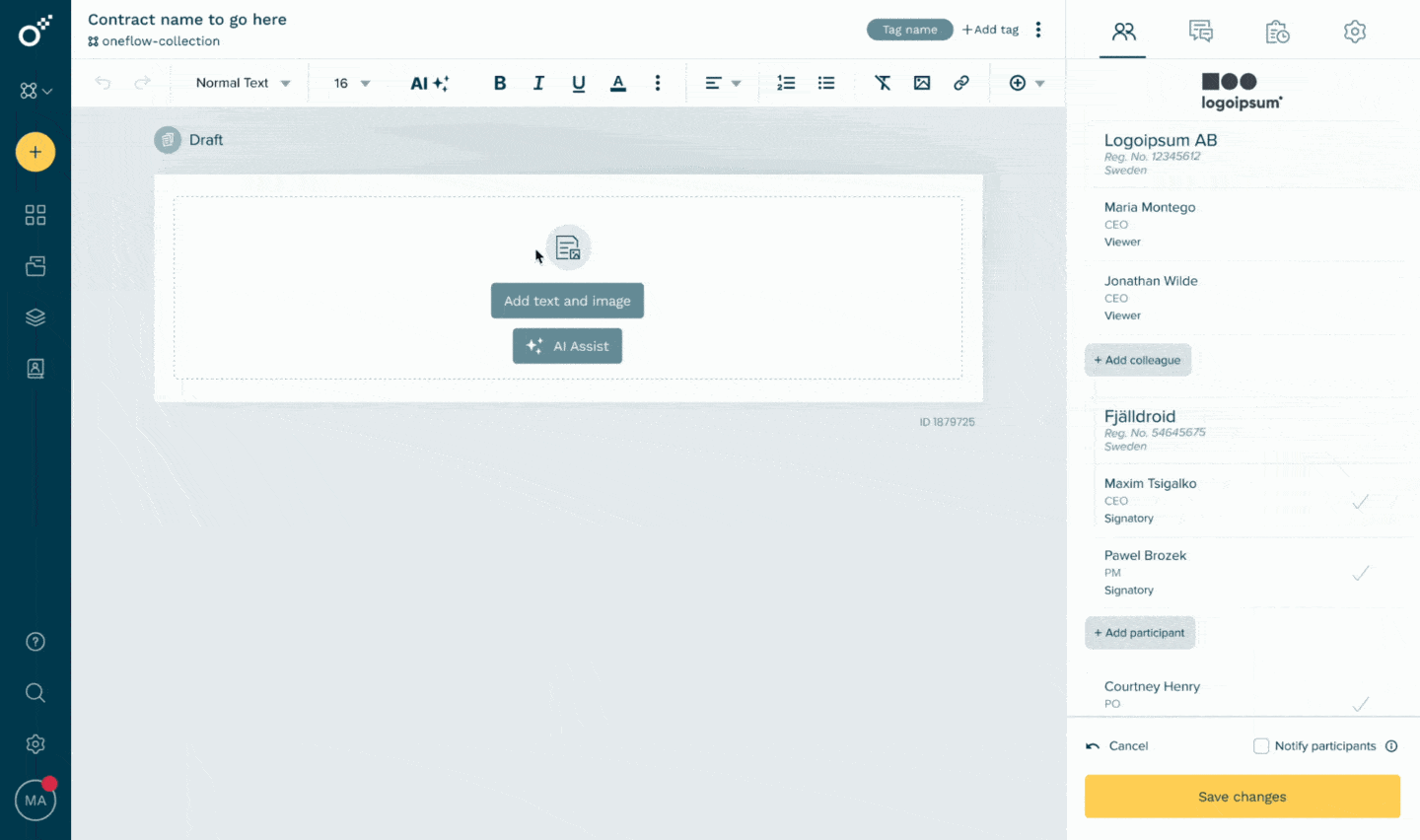
The quality of your AI-generated proposal depends heavily on how you communicate with the tool. Vague inputs produce vague outputs.
Structure your prompts using four key elements:
- Context: explain who the client is, what industry they’re in and what problem they’re facing.
- Objective: what specific section of the proposal are you working on right now?
- Constraints: length requirements, tone preferences and any terminology that must be included or avoided.
- Tone: formal and technical or friendly and conversational.
For example, instead of asking “Write a project proposal,” try: “Create an executive summary for a marketing automation proposal for a mid-size B2B software company. They’re currently using manual processes and losing leads due to slow follow-up. Keep it under 200 words, professional but approachable tone, and emphasize ROI and time savings.”
Common mistakes to avoid:
- Don’t use overly complex language in your prompts.
- Don’t forget to specify your target audience.
- Don’t skip the proofreading step.
Step 4: Generate your first draft
Once you’ve input your requirements, outline and prompts, you’ll have a structured draft that includes your key sections: executive summary, problem statement, proposed solution, pricing, timeline and terms. This works whether you’re creating standard business documents or complex technical proposals.
Review this initial draft carefully. The AI provides a solid framework, but it doesn’t know your client or communication style like you do. Look for areas where you can add personal touches or specific examples. Pay attention to the logical flow and check that all information pulled is accurate.
Step 5: Customize and brand
Now transform that draft into a document that represents your company. Add your own logo, brand colors, etc. Oneflow lets you add videos, images and interactive fields that engage your potential clients.
When your proposal connects directly to Salesforce or HubSpot, client information, pricing details, and project specifics populate automatically and update in case of changes.
You can customize proposal templates for different services, client types or industries to use later. Once you’ve built a template that works, you can generate new customized proposals in minutes.
Step 6: Review, refine, approve
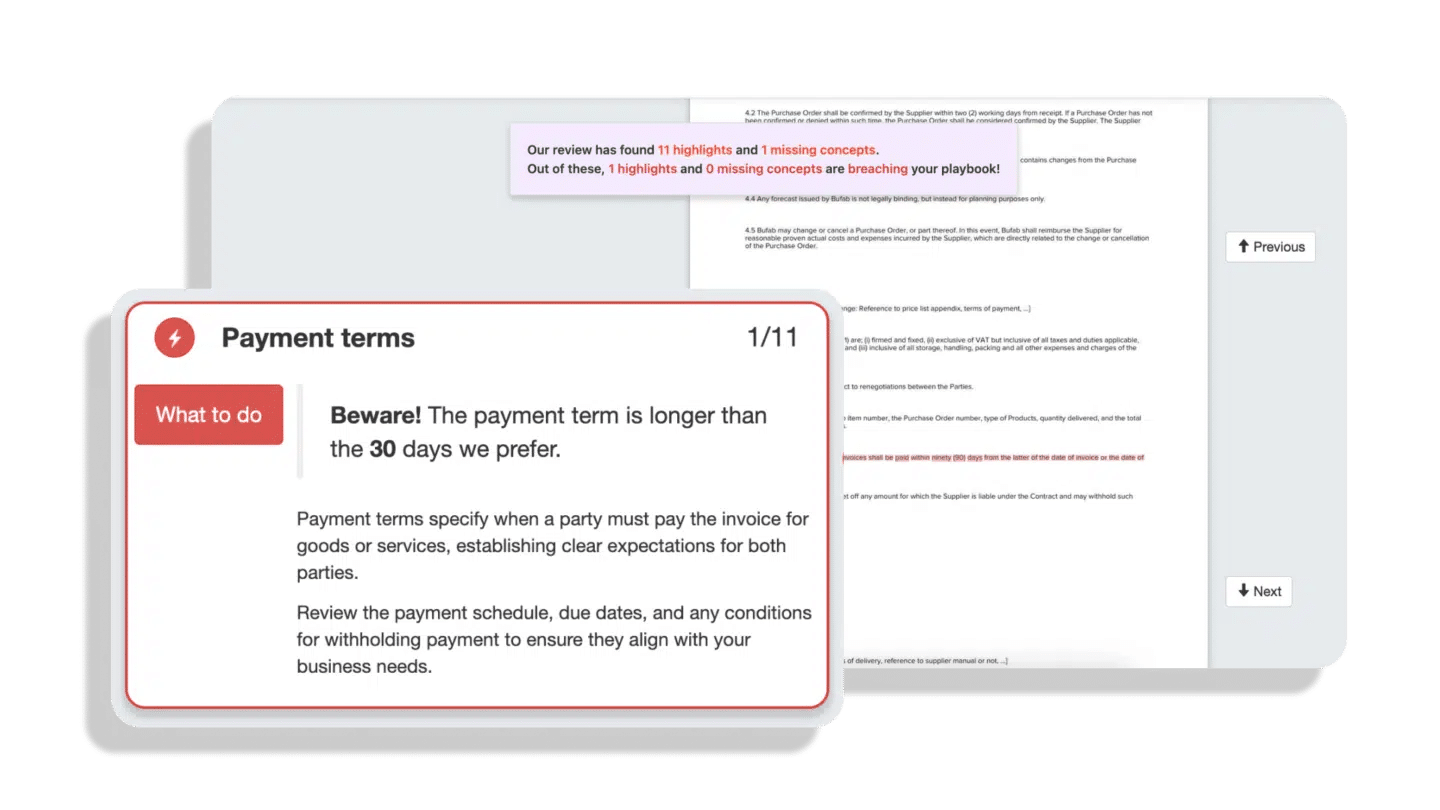
Before you send proposals, run through this checklist:
- Fact-check every claim, statistic and promise.
- Make sure deliverables are realistic and timelines are achievable.
- Verify that pricing aligns with your current offerings.
- Check that your terms and conditions are current and that your proposal meets any industry-specific requirements. Oneflow’s AI can help flag potential compliance issues through its contract review capabilities.
Our team collaboration features make review processes efficient. Multiple stakeholders can comment, suggest edits and approve sections without emailing documents back and forth. Even after you send the proposal, real-time collaboration continues—you can see when clients view it, which sections they spend time on and what questions they have.
Built-in approval workflows ensure the right people sign off before proposals go to clients. Set up multi-level approvals with audit trails.
Step 7: From proposal to contract to revenue
Most proposal tools stop at the signature. Oneflow continues the journey through your entire quote-to-cash process.
When your client approves the proposal, it seamlessly transitions into an executable contract. This eliminates the disconnect between sales proposals and finance systems that causes revenue leakage and invoicing errors.
Electronic signature is built in, making it simple for clients to sign from any device. But unlike basic e-sign tools that lock everything in static PDFs, Oneflow contracts remain live and editable. If a client wants to negotiate pricing or adjust terms, you can make changes instantly without starting over.
The contract data becomes the source of truth for your invoicing flows. When it’s time to bill, your finance team has accurate, structured data already in the system.
This connected workflow delivers the “win-win-win”: sales closes deals faster without pricing control concerns, finance gets accurate invoicing data with reduced revenue leakage, and operations runs a scalable, standardized quote-to-cash process with unified data.
Get in on it here.
Top AI proposal generator tools worth considering
Choosing the right AI proposal generator depends on your specific needs, budget and existing tech stack. Here’s how leading options compare:
| Tool | Best for | Key features | Starting monthly price | Free trial / freemium | G2 rating |
|---|---|---|---|---|---|
| Oneflow | Complete proposal-to-revenue workflow with CRM integration | AI Assist, AI Review, automated data sync, dynamic contracts | $20/user | Basic free plan + 14 days for premium features | 4.4 |
| Proposify | Marketing agencies and consulting firms | Proposal template generator | $29/up to two users | 14-days | 4.6 |
| Responsive | Enterprise RFP responses | AI-powered content suggestions from response library | N/A | Demo only | 4.5 |
| Proposal Genie | Freelancers and small businesses | AI proposal generation from basic inputs, AI feedback and learning | $7.99 | 20 proposals monthly free | 4.0 |
| Better Proposals | Design-focused proposals | Automatic designer | $19/user | 14 days | 4.3 |
How to overcome common challenges when drafting AI-generated proposals
AI makes proposal creation faster only if you know how to use it. Here’s how to overcome common challenges.
AI output feels too generic
Use AI for structure and first drafts, then personalize. Add specific examples from your discovery calls. Reference the client’s pain points. The AI gives you speed, but you provide relevance to win new business. The tool doesn’t know your client or the conversation you had last week.
Data privacy concerns
Don’t settle for ChatGPT for proposals. Never paste highly confidential information into generic AI tools that may use your inputs for training. Choose dedicated platforms with enterprise-grade security measures. Look for features like data encryption, access controls and compliance certifications. Oneflow provides detailed security documentation and control over who can access what information.
AI gets facts wrong
Implement a review checklist before any proposal leaves your organization. Verify all dates, numbers, deliverables and technical specifications. Cross-reference pricing against your current rate sheets. Connect your AI proposal generator to other tools to prevent silos.
Lost brand voice
Build and refine your prompts over time. When the AI produces language that fits your brand perfectly, save that prompt as a template. Create style guidelines that specify tone, preferred terminology and phrases to avoid. Most sophisticated tools learn from your edits and feedback.
AI takes away work from humans
This is a good thing! AI benefits include formatting, document structure, pulling data from your CRM and generating first drafts of standard sections. Let humans handle strategy decisions, relationship nuances, custom problem-solving approaches, and final personalization touches.
Disconnected workflow
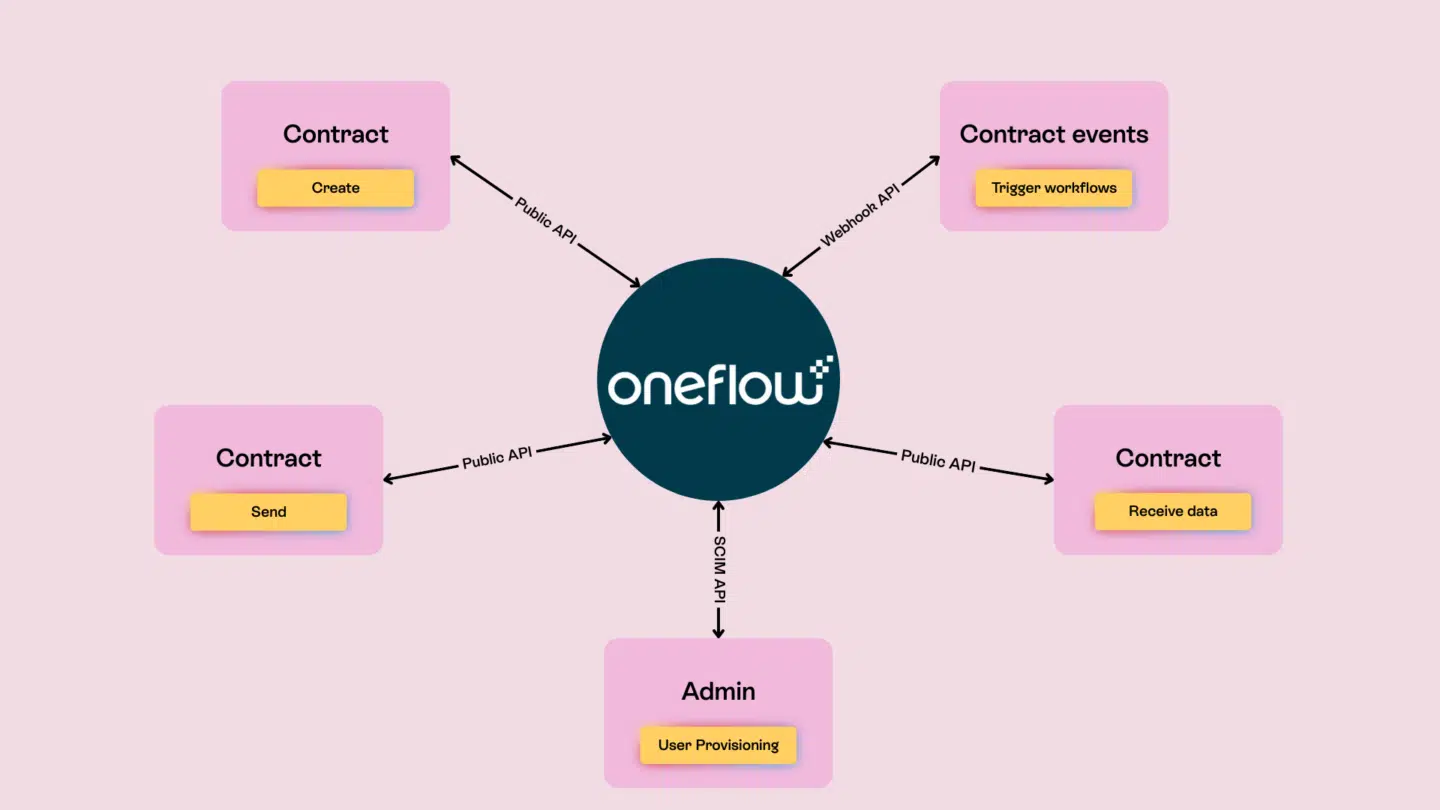
Choose a platform that integrates seamlessly with your existing systems. Oneflow connects with major CRMs, HR and recruitment tools and productivity platforms, automatically pulling client data, opportunity details and product information.
Transform your proposals with AI-powered solutions
Proposals don’t have to be the bottleneck they once were. AI proposal generators have matured from experimental tools to practical solutions that deliver faster turnaround times, fewer errors, consistent branding and better win rates.
The key is choosing a platform that goes beyond simple text generation. You need a complete system that handles proposals, contracts, approvals and signatures while connecting seamlessly to your existing business systems.
Oneflow provides exactly that: a proposal and contract management platform purpose-built for the modern quote-to-cash process. With advanced features like AI-powered writing assistance, compliance checking and dynamic contracts that sync directly with your CRM, you’ll close deals faster while maintaining complete control over pricing, approvals and revenue data. The platform offers comprehensive electronic signature software capabilities that integrate seamlessly into your workflow.
Ready to cut your proposal writing time and win more deals? Try Oneflow today and experience the difference.
FAQs
Can ChatGPT write a business proposal?
ChatGPT can help write business proposal content, but it has significant limitations for serious business use. Apart from huge security concerns it brings, it generates generic text without understanding your specific business context, pricing structures or client relationships. You’ll need to manually add all company branding, format the document properly and ensure accuracy of every detail.
More importantly, ChatGPT can’t integrate with your CRM, manage approvals, track proposal performance or transition smoothly to contracts and signatures. For occasional proposals where you have plenty of time to format and customize, it might work. For businesses that need to send proposals efficiently, manage how many proposals they’re handling, or create multiple proposals for new projects, dedicated proposal software like Oneflow delivers far better results with less effort and helps you save time across your entire workflow.
Is AI-generated content safe for business proposals?
AI-generated content is safe when you follow proper practices and use enterprise-grade proposal platforms with security certifications. Always review AI-generated content before sending—verify facts, check pricing and ensure accuracy of client information.
Tools like Oneflow offer enterprise-grade security and let you control exactly who can access sensitive information.
Can AI proposal generators integrate with my CRM?
The best AI proposal generators integrate directly with major CRM platforms, including Salesforce and HubSpot. These integrations automatically pull client data, opportunity details, product information and pricing into your proposals.
Oneflow has a two-way CRM sync, keeping your system as the single source of truth, eliminating the duplicate data entry and version control nightmares from proposal workflows. When client information changes in your CRM, it updates automatically in your proposals. When a proposal becomes a signed contract, that data flows back to your CRM without manual entry.
What should I look for in an AI proposal generator?
First, integration capabilities with your business systems. Second, customization options like adding your own logo, images, videos and interactive elements while creating tailored proposals for different clients.
Third, collaboration features: can your team review, comment and approve proposals efficiently, even when managing multiple proposals? Fourth, post-send capabilities, like tracking engagement, updates after sending and a smooth transition to contracts. Fifth, pricing and scalability: can you test it first, and can it grow with your business as you create more high-quality proposals?
.png?id=40edbc9ee25345a211152388fdcf1fd2)

.png?id=073897979970647cd034d6db96c145de)