We’ve got news for you — end-to-end contract management for Microsoft Dynamics 365 is finally here! With Oneflow’s plug-and-play integration with Dynamics 365, you can now create, collaborate on, track, sign, and manage your contracts directly in your CRM.
Create and send your contracts from inside Dynamics 365
The days of switching between systems when creating and sending your contracts are over. With Oneflow for Dynamics 365, you only have one workflow from proposal to sign. Create your proposals and contracts from web-based templates and skip all the manual work that comes with Word documents and PDFs. When you’re ready, send the proposal to your prospect with just one click.
Save time with auto-populated data
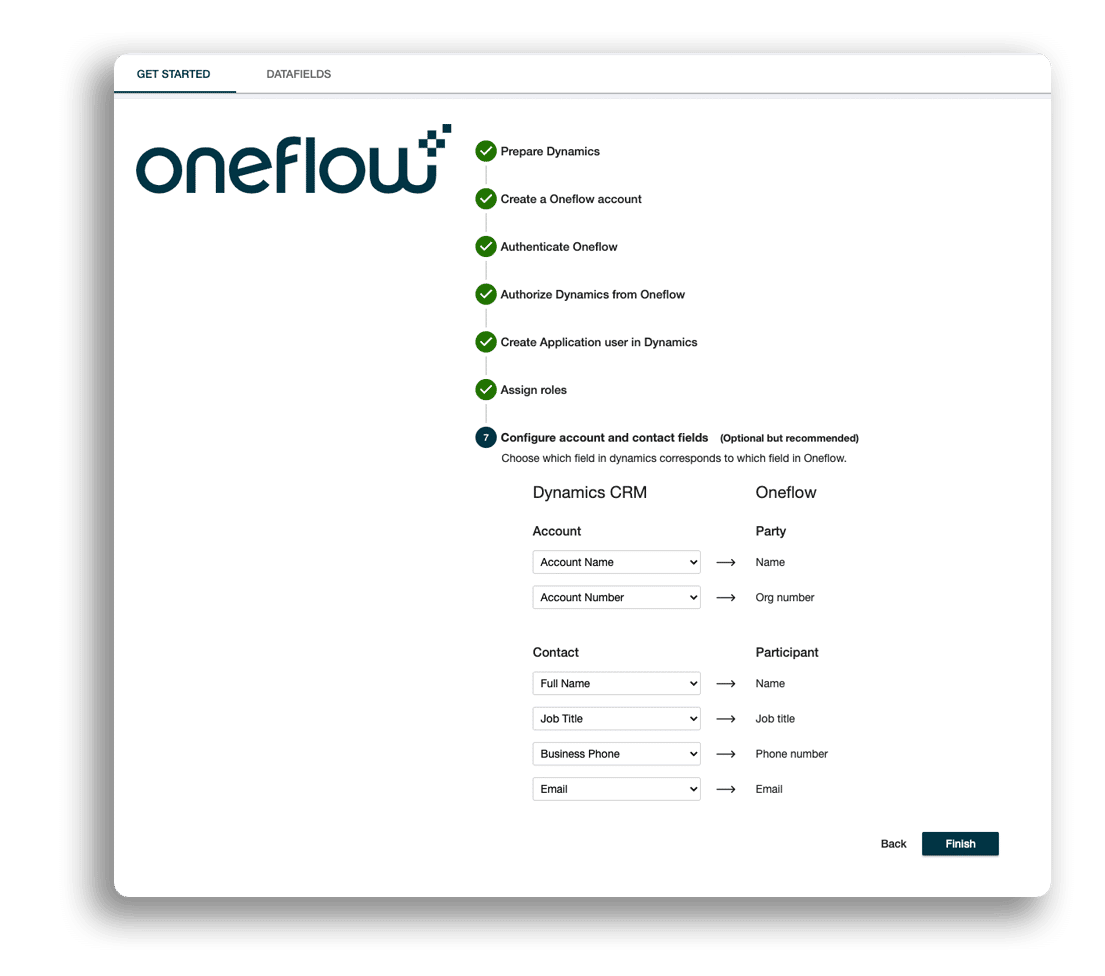
Reduce the risk of errors and save heaps of time with auto-populated contracts. Oneflow contract management for Dynamics 365 pulls data, like account, opportunity, contact, and products associated with an opportunity, directly to your contract, making your contract process much faster. This gives you time for more important stuff, like closing more deals!
Walk the prospect through your offer
Want to boost prospect engagement with your proposal? Attach a screen recording where you go through the most important parts of your offer. You can also add a personalized video greeting for deeper connection with your prospect.
Never miss out on an opportunity
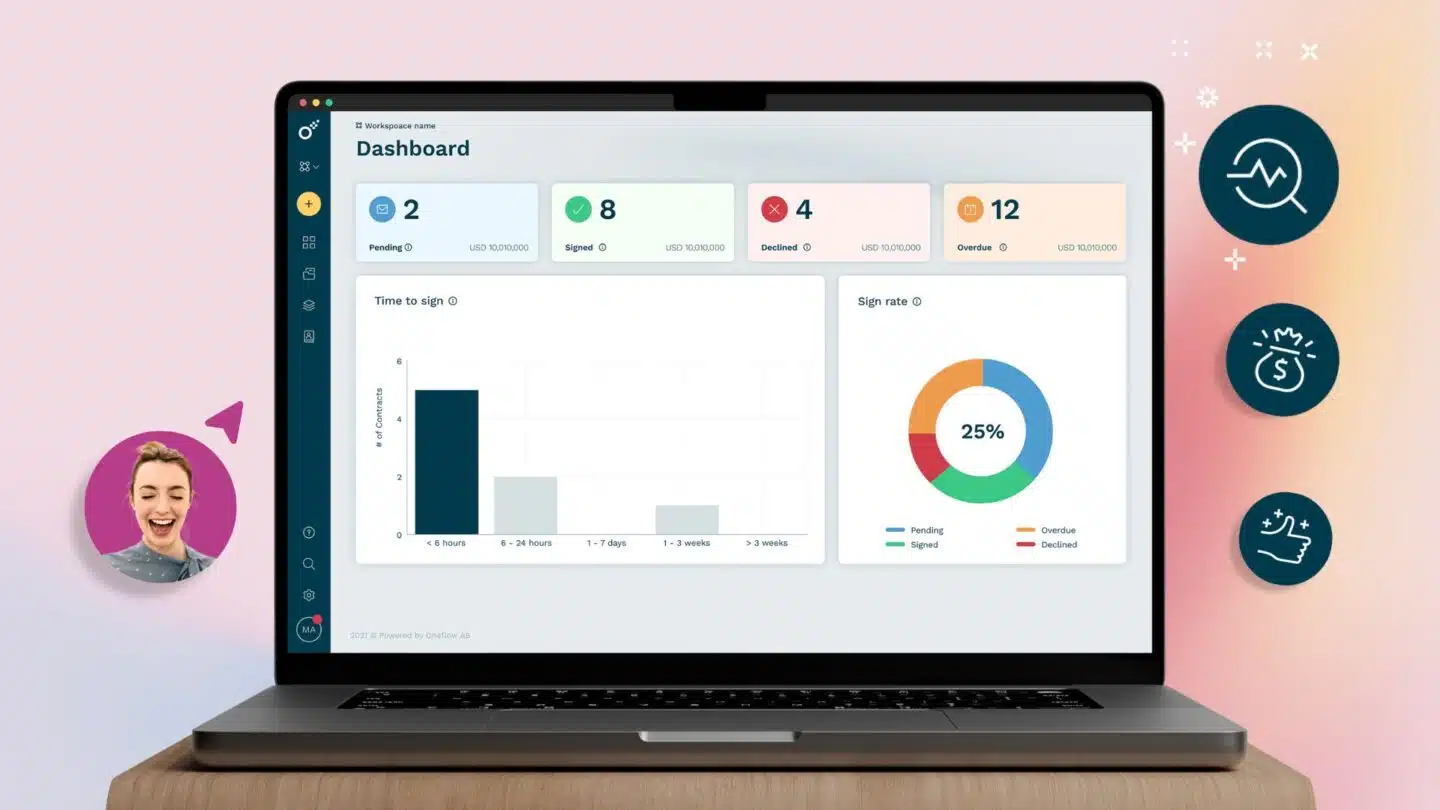
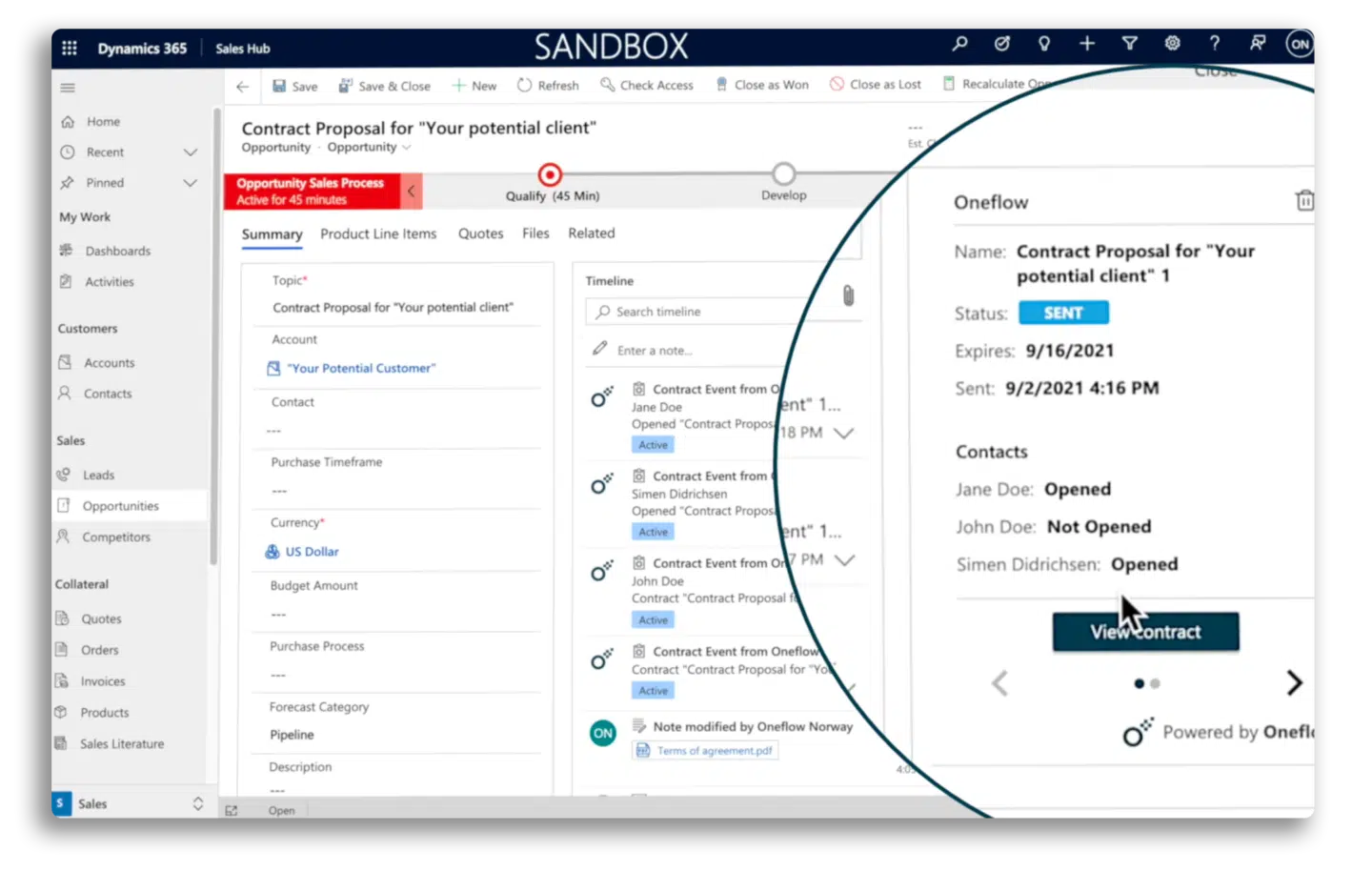
You deserve to have full control over your deals. With Oneflow’s integration, you can closely watch every stage of your opportunity on the Dynamics 365 timeline. No need to be left in the dark and wonder if your prospect has received, opened, signed, or declined your offer anymore. Use these insights to always be one step ahead!
Cut your sales cycle short
Negotiate and collaborate with your prospects and colleagues and edit the proposal in real-time. All changes are made directly in your browser and instantly visible to your prospect, meaning there are no infinite email threads with various versions of your proposal!
Sign with legally binding e-signatures
Let your prospect sign your proposal from any device with legally binding e-signatures. Choose to sign with electronic identification (BankID, FTN, NemID), standard email or SMS verification. It can’t be more secure and flexible than that!
Get started in seconds
Get started with Oneflow contract management for Dynamics 365 in seconds! All you have to do is to sign up with Oneflow and follow this simple how-to-guide.
.png?id=40edbc9ee25345a211152388fdcf1fd2)

.png?id=073897979970647cd034d6db96c145de)