The CRM shows you closed a deal for $100,000. The signed agreement shows $92,000 because of a discount and a different billing contact. Meanwhile, finance is working with the earlier sales data, and customer success is looking at the final PDF.
The contract is signed, but the systems involved no longer agree on the source of truth. CRM contract management keeps customer and contract data from diverging as terms change during negotiation, so the final commercial details remain consistent across sales, finance and post-sign teams.
This guide explains the process and software selection that keep customer relationship data and contractual terms aligned.
What is CRM contract management?
With CRM contract management, users can create a contract in the contract lifecycle management platform or start it from a connected CRM record. Supported customer, product and contract data can then sync between the two systems as the agreement progresses.
The contract platform remains the single source of truth for the agreement. It handles negotiation, approvals, signing and post-sign work such as obligation tracking and renewal management. By comparison, attaching a PDF to a CRM record only stores a copy of the document and doesn’t provide the same controls for managing the contract throughout its lifecycle.
This setup keeps the CRM closely connected to contract management, without making it responsible for the entire contract management process. Sales teams can continue working from the CRM, while legal, finance and other responsible teams manage the agreement in the contract platform. Relevant data and status updates remain aligned across both systems.
CRM vs contract management vs contract lifecycle management software
| System | Primary role | Typical data | Common limitation |
|---|---|---|---|
| CRM | Manage customer relationships, opportunities and pipeline | Accounts, contacts, products, prices, deal stages and forecasts | Limited negotiation, version control, approvals and post-sign controls |
| Basic contract management | Pre-sign actions and signing, limited to no post-sign capabilities | Signed files, dates, owners and contract status | May not cover the complete lifecycle |
| Contract lifecycle management | Manage the entire contract lifecycle, from contract creation, through negotiation, signing, renewal, and obligation management | Templates, clauses, versions, approvals, signatures, contract obligations and analytics | Needs a strong CRM connection to keep commercial systems aligned |
The CRM holds customer and opportunity data, while contract lifecycle management software controls the agreement itself, including preparation, negotiation, approval, signing and post-sign management. Connecting the two lets teams use CRM data to generate contracts and sync final contract data back to the CRM. This reduces manual data entry and helps ensure sales, finance and other teams work with the same final contract data.
How CRM contract management works from opportunity to renewal
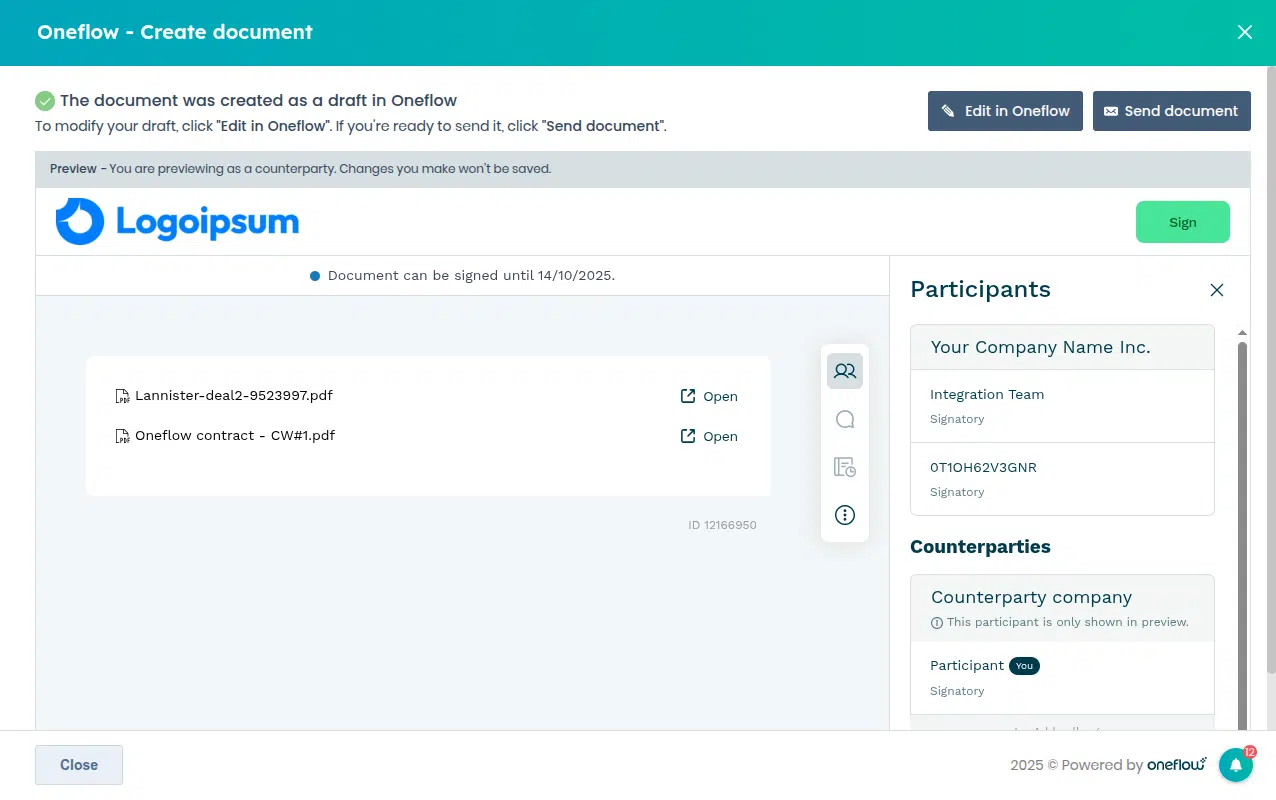
1. A user starts the contract workflow from the CRM or CLM
An authorized user can start the contract workflow once a deal is ready for an agreement. You can select pre-approved templates or use AI-assisted drafting to create contracts.
Oneflow allows you to create an agreement from Salesforce records, including (among others) opportunities and related contacts or accounts. The HubSpot integration works similarly, supporting contract creation from various CRM objects.
This helps sales teams reduce manual processes as contract volume grows. The user creates the contract directly from the CRM, while configured contract workflows automate the following steps.
2. Customer relationship management data populates the contract
The contract management integration populates the contract draft with CRM data: text fields with customer and billing details, product rows with quantities or discounts, etc.
The integrations can populate contracts with supported customer, company and opportunity data, as well as product information. Oneflow’s Salesforce product mapping can transfer details such as product names, prices, quantities and discounts. With HubSpot, mapped CRM fields can populate contract data fields, and line items can be added to Oneflow product tables.
This sync lets teams use customer, opportunity and product data already stored in the CRM when creating a contract in the CLM. Sales teams don’t have to copy names, prices, quantities or other details into the agreement manually. The CRM remains the main source for customer and product information, while the contract platform uses that data to draft the agreement. This saves time and reduces the risk of errors or inconsistencies between the sales record and the contract.
3. Teams and customers negotiate the agreement
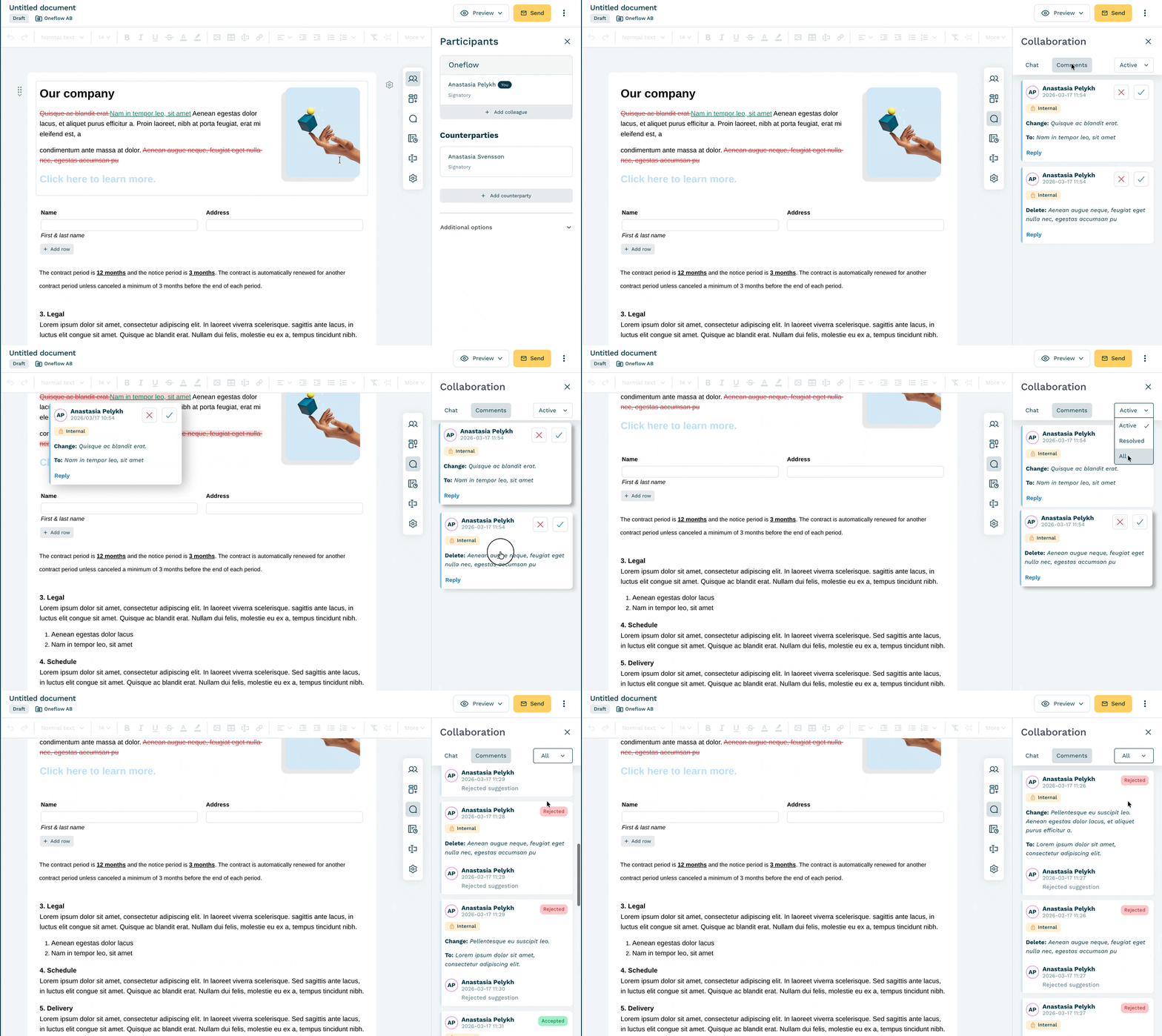
The first version of the contract is subject to change before it gets signed, so you need a CLM to handle comments, text suggestions and return changed contract terms for approval.
When contract negotiation happens through standalone Word documents rather than within a CLM, each party may redline its own copy and return the revised file as an email attachment. Teams then have to keep track of which attachment is current and make sure no changes are missed between versions. With a web-based contract, everyone works on the current version. Comments, suggested changes and the audit trail remain attached to the agreement, reducing the need to manage separate files.
Oneflow’s web-based contracts remain editable after sending. Participants can comment or suggest changes, with the negotiation history tracked automatically.
4. The agreement is approved and signed
Approval workflows should route each contract to the appropriate reviewers based on its terms and any exceptions:
- A larger discount may require special finance approval.
- Unusual language might need additional legal review.
- High contract value may need senior sign-off.
Contract approval routing gives each agreement a clear review path. The route can change based on factors such as contract value, discount level or non-standard terms.
Oneflow lets teams set the sequence for internal approvals and signing. Available signing methods include standard e-signatures and digital signatures.
5. Final contract data supports post-sign work
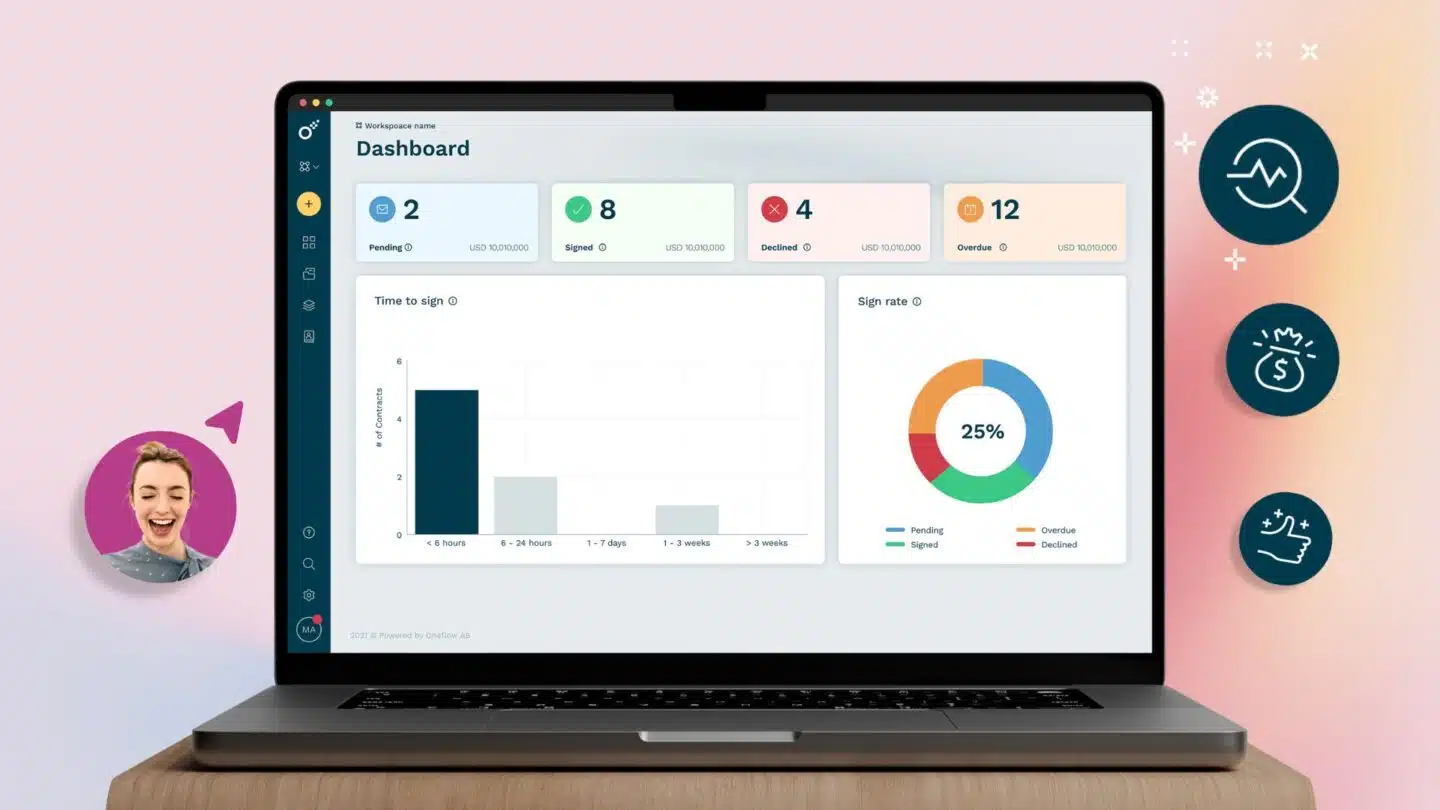
Once an agreement is signed, the contract repository becomes the central place for post-sign management. It retains the signed agreement, tracks milestones, renewal dates, notice periods and obligations and sends notifications when action is required. Oneflow also provides portfolio reporting to help teams monitor contract performance across their agreements.
Depending on the connector and its configuration, selected final contract data can also sync back to the CRM. Oneflow supports this through its HubSpot integration and Salesforce two-way product flows. This keeps prices, quantities, discounts, and other supported commercial details consistent across both systems. Finance can work with confirmed billing information, while customer success and operations can access the dates and commitments they need without searching through contracts manually.
Can your CRM manage contracts on its own?
A CRM may be sufficient for a small team handling a limited number of standard, rarely negotiated sales agreements. Some CRM platforms include features for straightforward sales documents. For example, HubSpot’s quote tools can use CRM data to create standardized quotes, route them for approval, collect e-signatures and payments and track their status. A CRM may also store the signed document with the customer record and use a field or reminder to track its renewal date.
However, managing quotes and storing signed documents isn’t the same as managing the full contract lifecycle. A CRM typically lacks the controls needed for detailed negotiation, version history, legal review, conditional approvals, amendments, obligation tracking, linked agreements and portfolio reporting.
CRM-only contract management is therefore unlikely to meet the needs of most mid-market or larger organizations. A dedicated CLM also becomes necessary for smaller companies when contracts are complex, frequently negotiated or require substantial post-sign management.
When integrated contract management systems are necessary
You need a dedicated contract management system when:
- Contracts regularly go through negotiation and multiple rounds of changes before signing.
- Legal, finance and other teams need to review or approve agreements based on clauses, discounts, contract value or payment terms.
- Different legal entities or regions require their own approved templates.
- Final negotiated product or payment data needs to sync back to the CRM.
- Teams need contract renewal management, obligation tracking or portfolio reporting.
- The business needs a complete audit trail of changes, approvals and signatures.
The need for a dedicated system can depend more on risk and complexity than contract volume. Ten complex contracts across several legal entities may require more control than 50 standard agreements. A CLM is particularly important when compliance requirements call for formal approval processes and an auditable record of contract versions, changes, approvals and signatures.
When CPQ, billing or ERP systems are also required
Depending on your system setup and the complexity of your products, pricing and contracts, contract management software may need to work alongside other business systems. You might need CPQ software to configure product bundles and apply advanced pricing rules, billing software to manage usage-based charges, invoicing or payment collection or an ERP to process orders and maintain financial records.
Contract management software with strong integrations and APIs allows relevant customer, product and final contract data to move between these systems when needed. This keeps each system aligned with the agreement without requiring teams to re-enter the same information manually.
What connected CRM contract management changes for each team
| Team | Before integration | With connected contract management |
|---|---|---|
| Sales | Re-enter data, chase approvals and manually update deal records | Generate contracts from CRM data and monitor progress from the opportunity (what gets signed gets pushed back into the CRM) |
| Legal | Receive incomplete requests and reconcile multiple document versions | Control templates, fallback language, approvals and changes |
| Finance | Receive pricing or billing information that may not match the signed agreement | Work from final commercial terms and structured contract data |
| Customer success and operations | Learn about obligations after handoff or search through PDFs | Receive relevant dates, commitments and renewal information automatically |
| Leadership | See pipeline data without the contractual conditions behind it | Compare CRM forecasts with actual signed terms and contract status |
How to choose CRM contract management software
The best contract management software should support the company’s agreements and work with its existing systems. Review the following areas when comparing platforms:
- Integration depth: Confirm which CRM objects and fields the integration supports in each direction. Review whether the required customer and contract data can move between the systems without creating duplicate records.
- Product and pricing data: Confirm whether the platform can populate contracts using the existing CRM product table. If it can, review which product details transfer and whether negotiated changes to prices, quantities or discounts can sync back to the CRM.
- Contract format: Check if the workflow depends on static PDF or Word files or keeps the agreement editable and structured. Confirm how changes are recorded after the contract has been sent.
- Negotiation: Test comments and suggested edits, and review the audit trail.
- Approvals: Configure rules for contract value, discounts and non-standard terms. Each exception should reach the right person, with decisions recorded.
- E-signature: Review the signing order and available identity confirmation methods.
- Post-sign capabilities: Test key contract milestones, renewal reminders and obligation ownership. Check how the platform connects related agreements and reports on obligations or contract performance across the portfolio.
- Compliance: Review permissions, retention settings and approval controls. Confirm that the platform records missing approvals and other defined compliance exceptions.
- Administration: Ask a business administrator to update and publish a template. Record how much technical help the task requires and how the platform manages published versions.
- Extensibility: Check whether the API and webhooks cover the events and data needed by financial systems. Oneflow provides a public API, custom data fields and webhooks that can support custom integrations.
How Oneflow connects CRM data with complete contract workflows
Oneflow is a complete contract management platform that combines contract workflows with a structured repository. Its integration library includes Salesforce, HubSpot, Microsoft Dynamics 365 and Pipedrive.
Sales teams can follow the deal’s progress without leaving the CRM. Depending on the integration, details from the contract also sync back once they change, reducing manual updates and keeping the CRM record consistent with the latest agreement.
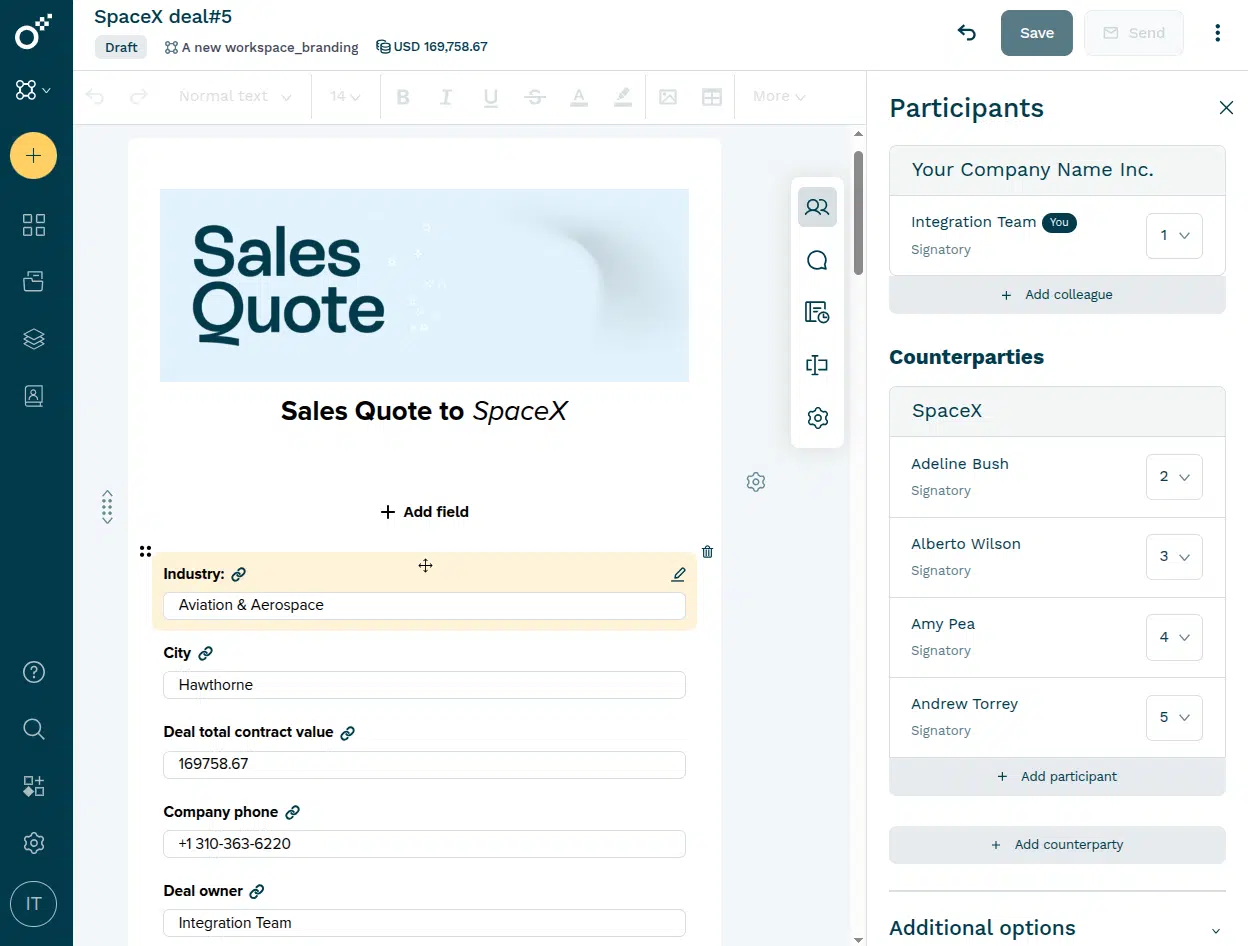
Oneflow’s dynamic web format allows contracts to remain editable after they are sent. Participants can comment or suggest changes, which can then be accepted or rejected. These actions are recorded in the audit trail, keeping the negotiation history linked to the agreement.
After signature, the repository keeps contract data searchable. Teams can track renewal dates and notice periods, receive reminders before action is required and link related agreements, such as a master service agreement and its order forms. Permissions control who can view or manage each contract. This gives teams a structured way to manage agreements after signing, instead of just attaching them as static PDFs to CRM opportunities.
Alongside these lifecycle management features, Oneflow AI helps teams work with the content and data inside their agreements. Its tools support data extraction, drafting and contract analysis before and after signing:
- AI Extract identifies details such as participants, contract duration and the signing date when an agreement is imported.
- AI Summary summarizes the full contract or selected sections.
- Write with AI helps draft, rewrite and translate content.
- AI Review checks individual contracts against configurable playbooks.
- AI Insights applies the same criteria across multiple contracts to provide a portfolio-level view of risks and compliance.
If you want to test it with your own CRM objects and contract fields, book a demo.
Keep your CRM and contracts moving together
Effective CRM contract management keeps the customer record and commercial data aligned with the agreement as terms change. Sales can track contract progress, while finance teams can work with the final commercial terms, key contract milestones and obligations.
Oneflow lets you create contracts in the CLM or from connected CRM records, then negotiate, approve and sign them in one editable format. The contract remains the source of truth throughout its lifecycle, while supported data and status updates sync back to the CRM. Book a demo to learn more about how Oneflow can help you manage your contracts.
FAQs
Can you create and sign contracts directly from a CRM?
Yes, if the CRM has native document features or connects with contract management software, you can draft agreements from the CRM, with automatic data input. Templates and signing methods depend on the connector and plan.
Should signed contracts be stored in the CRM or a contract repository?
Use the contract repository as the authoritative location for the signed agreement and contract lifecycle data. The CRM should retain a linked record and current status, plus the fields needed by revenue teams.
What does two-way CRM sync mean in contract management?
Two-way sync means supported CRM fields can populate a contract and selected contract fields can return to the CRM. The phrase never guarantees that every object or field moves automatically. Teams should confirm mapping limits, sync directions and triggers.
What data should sync between CRM and contract management software?
Sync the data required to prepare the agreement and carry out its signed terms. Common examples include customer details, opportunity identifiers, quantities, prices, contract status, value, billing information and key dates.
.png?id=40edbc9ee25345a211152388fdcf1fd2)

.png?id=073897979970647cd034d6db96c145de)