According to World Commerce & Contracting research, organizations lose an average of 11% of total contract value after the agreement is signed. For an enterprise with roughly $500 million in annual contracted spend, this totals up to $55 million a year.
Only around 2-3% of the value gap is linked to weaknesses in negotiation. Most revenue leakage occurs after signature, when organizations fail to capture what was agreed through missed savings, unauthorized or unrecorded changes, untracked obligations, avoidable renewal costs and price adjustments that aren’t applied.
Contract automation tools help close that revenue gap. In this guide, we’ll take a close look at top software and how each option improves the entire contract lifecycle, to make sure you’re making the most of contract data and profit.
What is contract automation software?
Contract automation is supported by software that helps draft documents and then move them through review, approval, signature and renewal without manual data entry at each step. This reduction of repetitive tasks is a major time-saving for contract managers, legal professionals and business teams.
Compare this to re-entering the same customer names, pricing and payment terms into the CRM, then into a contract and a billing system, then chasing approvals through email threads, and the benefits of contract automation become clear. Not only does this give your team more time to focus on higher-value work, but it also eliminates opportunities for errors at each manual step.
Contract automation vs. CLM vs. CPQ: what’s the difference?
Make sure you know what type of automation you’re paying for.
| Category | What it covers |
|---|---|
| E-signature | Only getting a document signed, no other workflow automation |
| CPQ | Configuring, pricing and quoting before a deal is settled |
| CLM | The full contract lifecycle management end-to-end, covering pre- and post-sign contract processes like storage, renewals, analytics, automated reminders and approvals |
| Contract automation | An umbrella term covering any one of the above, or all three connected—whatever solution helps legal and business teams streamline document-related processes |
Because contract automation has no fixed definition or scope, the only reliable way to compare vendors is to look at whether they solve your existing bottlenecks. These signs mean you will benefit from more complex contract management software rather than a single-purpose tool:
- More than one department needs to access the same contract, and data silos obstruct their processes.
- Renewals, key dates or price increases get missed because nobody is tracking contracts after signature.
- Your team is forced to re-enter the same information into multiple systems.
- Approval processes drag on because they are not properly configured with notifications, status and ownership at different stages of review and signing.
- Growing contract volumes make it impossible for you to keep track of all client and vendor data, nor the revenue linked to it.
Contract automation tools compared
We put together a list of eight comprehensive contract automation tools for different business needs: some cater to sales contract management or faster contract creation; others support cross-departmental CLM.
| Tool | Key features | Capterra rating | Price for automation features |
|---|---|---|---|
| Oneflow | Two-way CRM sync, dynamic contracts, configurable approvals, e-signature, AI assistance and post-signature lifecycle management | 4.6 | From $58/user/month, billed annually, five-user minimum |
| PandaDoc | Document and proposal builder, CRM integrations, approval workflows, e-signature and payment collection | 4.5 | $49/user/month, billed annually |
| Conga Contracts | Contract generation, CRM and ERP data sync, configurable approvals, AI-assisted review and centralized repository | 4.3 | Not published |
| Docusign CLM | Agreement preparation, e-signature, workflow automation, AI-assisted review and central repository | 4.5 | From $45/user/month, billed annually |
| Ironclad | No-code workflow design, Jurist AI, configurable approvals, business-system integrations and repository search | 4.4 | Not published |
| Juro | Browser-based contract editor, no-code workflows, AI review, e-signature and AI-powered repository search | 4.8 | Not published |
| Icertis | AI-assisted drafting and review, enterprise integrations, configurable workflows, obligation management and portfolio analytics | 4.3 | Not published |
| Sirion | Purpose-built AI agents, contract extraction, redlining, repository search, obligation tracking and invoice reconciliation | N/A | Not published |
Let’s compare these contract management software options in more detail to help you make an informed business decision.
Oneflow
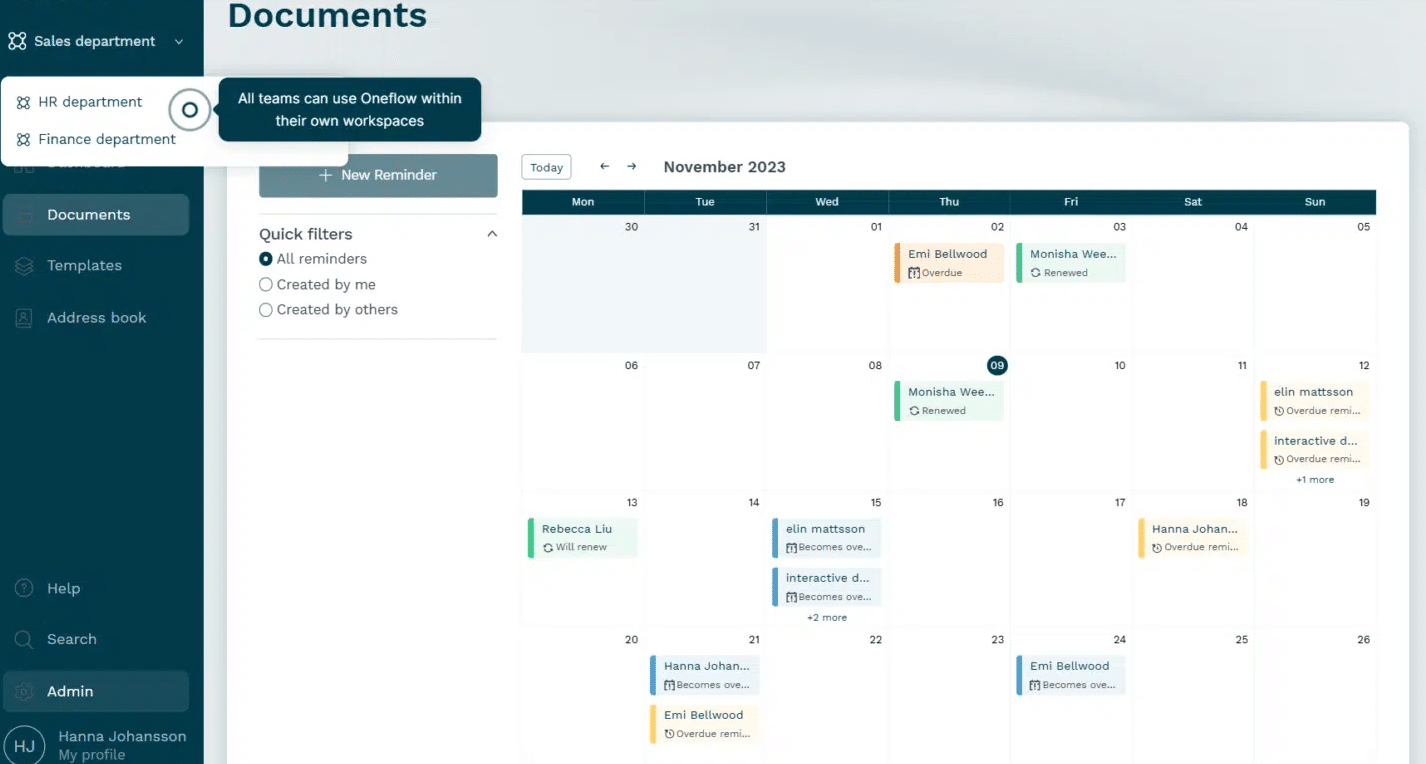
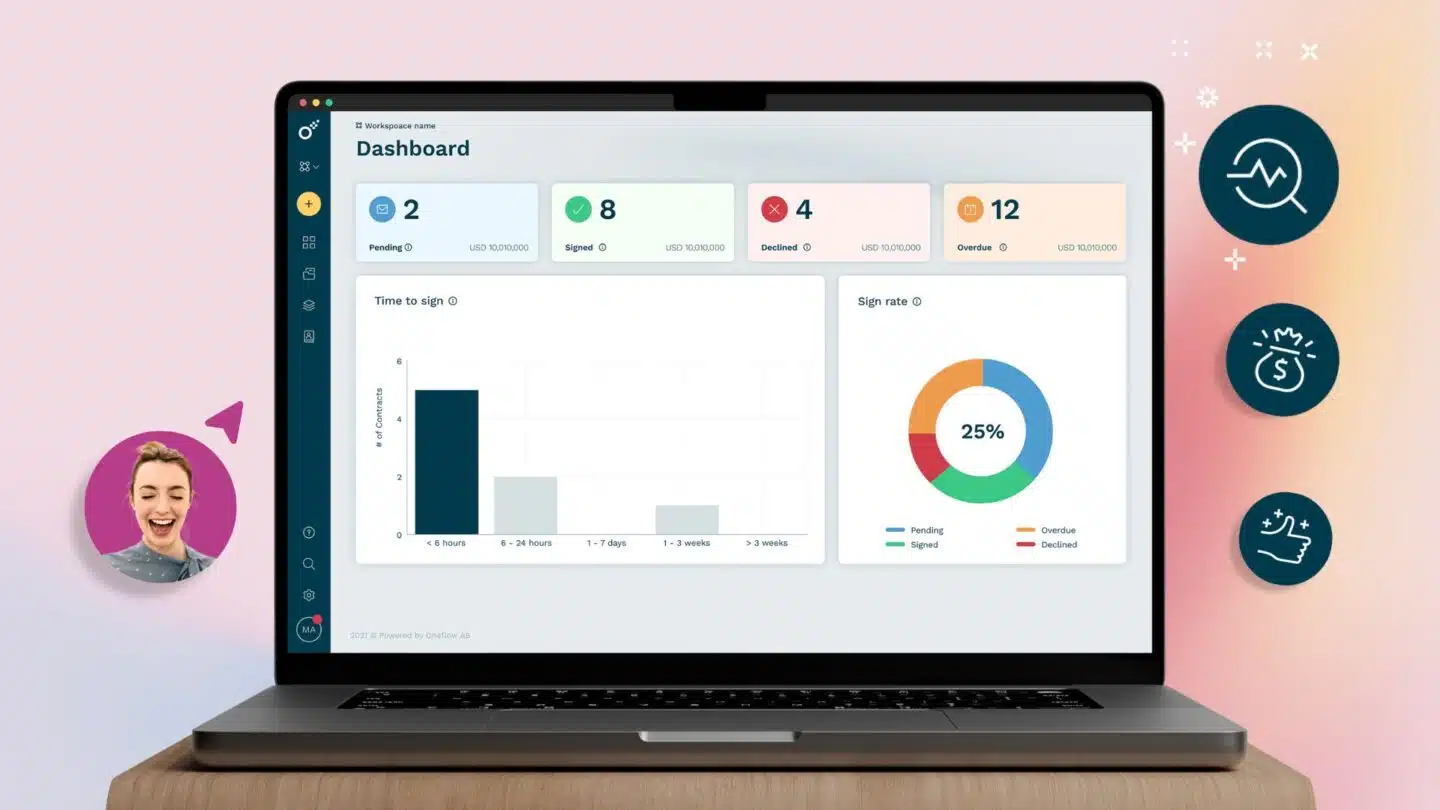
Oneflow’s main premise is that contract data should never be locked in a PDF—or worse, a filing cabinet. It helps you implement contract automation where business documents stay editable and connected, syncing bidirectionally with Salesforce, HubSpot, Microsoft Dynamics and Pipedrive. As a result, the contract or sales agreement becomes the source of truth for customer data and payment terms.
Key features:
- Contract creation and data sync: Create agreements from contract templates which get populated with customer, product, pricing and other commercial data. Two-way integrations with Salesforce, HubSpot, Microsoft Dynamics 365 and Pipedrive keep contract and CRM data aligned without repeated manual entry.
- Collaboration and negotiation: Your dynamic contracts remain editable after they’re sent, allowing internal teams and counterparties to comment, revise terms and work in the same live document instead of exchanging multiple PDF versions.
- Approvals and signing: Configurable approval workflows route contracts to the right people. Permissions, reminders, native e-signatures and a complete audit trail help move agreements forward while giving you control over changes and decisions.
- Post-signature management: Signed agreements enter a structured, centralized repository where teams can search contract data, monitor status and use rules and reminders to manage renewals, terminations and other important dates.
- AI assistance: AI Review can check contracts against configurable criteria, while AI Extract, AI Summary and Write with AI help teams capture metadata, understand agreements and prepare content faster.
One customer reclaimed roughly four hours a week after implementing Oneflow contract processes.
Price: Start with the 14-day free trial. Then switch to the Business plan for $58/month/user for teams of at least five users, billed annually. This covers approvals, lifecycle management, e-signature, AI Extract, AI Summary and Write with AI. Enterprise is quoted individually, with extended features.
Book a demo to see it in action.
PandaDoc
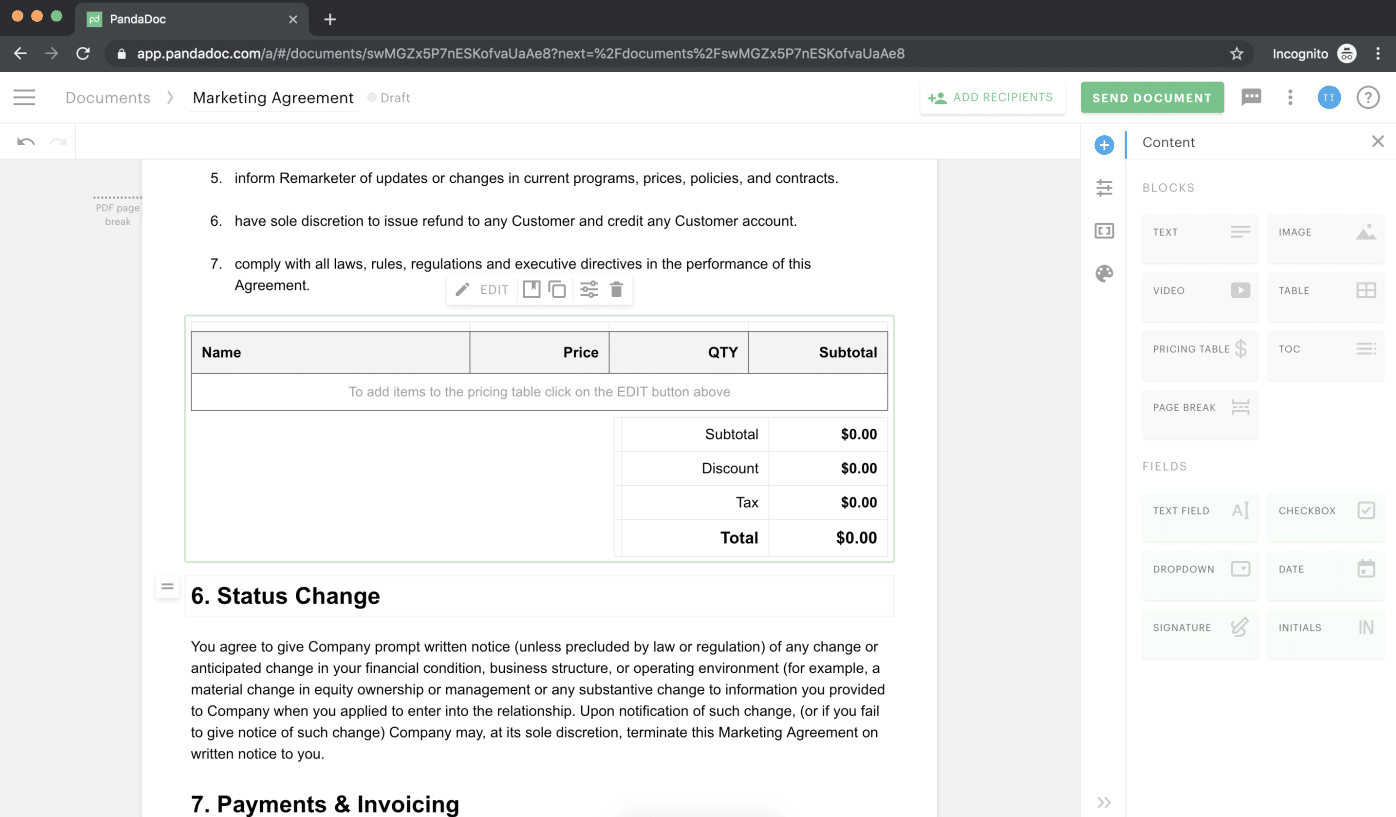
PandaDoc began as a proposal and e-signature tool and has grown into a broader documents platform. It’s closer to proposal software than to enterprise CLM, making it a common choice for smaller sales teams that want templates, e-signature and quoting without a lengthy rollout.
Key features:
- Contract creation and data sync: Teams can build contracts, proposals and quotes using a drag-and-drop editor, reusable templates, a content library, pricing tables and a product catalog. CRM integrations with HubSpot and Salesforce can populate documents with sales data.
- Collaboration and negotiation: Inline comments, suggested edits, redlining and deal rooms allow teams and recipients to review documents and discuss changes within the platform.
- Approvals and signing: Approval workflows, signing orders, reminders and unlimited e-signatures help route and complete agreements. Teams can also collect payments directly.
- Post-signature management: PandaDoc provides document storage, search, filters, audit trails, expiration tracking and real-time notifications.
Price: If you only need e-sign capabilities, there is a free plan you can use (limited to 60 documents/year). Starter is $19/user/month billed annually, but more comprehensive contract automation features (document generation, CRM integrations and approval workflows) are available on Business, which is $49/user/month.
See also: PandaDoc alternatives.
Conga
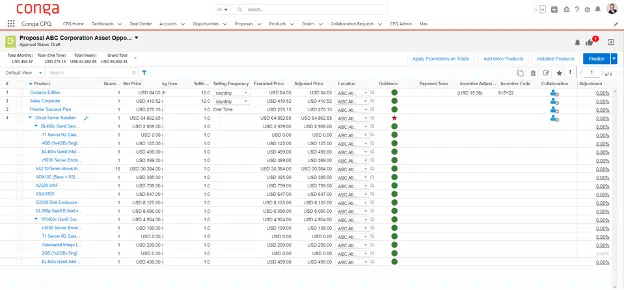
Conga is an enterprise contract lifecycle management platform for teams with complex, high-volume agreement workflows. It connects with CRM and ERP systems and supports contract creation, negotiation, approvals, signing and post-signature management. Its quoting, pricing, billing and document automation capabilities are part of other Conga products, so note that you may need several modules to cover the full scope of your commercial workflow.
Key features:
- Contract creation and data sync: You can generate contracts using self-service intake, pre-approved templates, clause libraries and dynamic automation rules. Conga can pull data from CRM and ERP systems, while Composer supports document generation from multiple data sources.
- Collaboration and negotiation: Version control, redlining and collaboration tools help teams manage contract changes. AI-assisted analysis flags risky language, answers compliance questions and suggests revisions.
- Approvals and signing: Configurable workflows route contracts to the appropriate reviewers based on your business rules. Conga Sign adds authentication and legally compliant e-signatures to the workflow.
- Post-signature management: A centralized repository, smart search, reporting, and stakeholder access make contracts easier to locate, monitor and track progress, deadlines and renewals.
Price: Not listed. Third-party data shows an average contract value of $16,800.
Docusign CLM
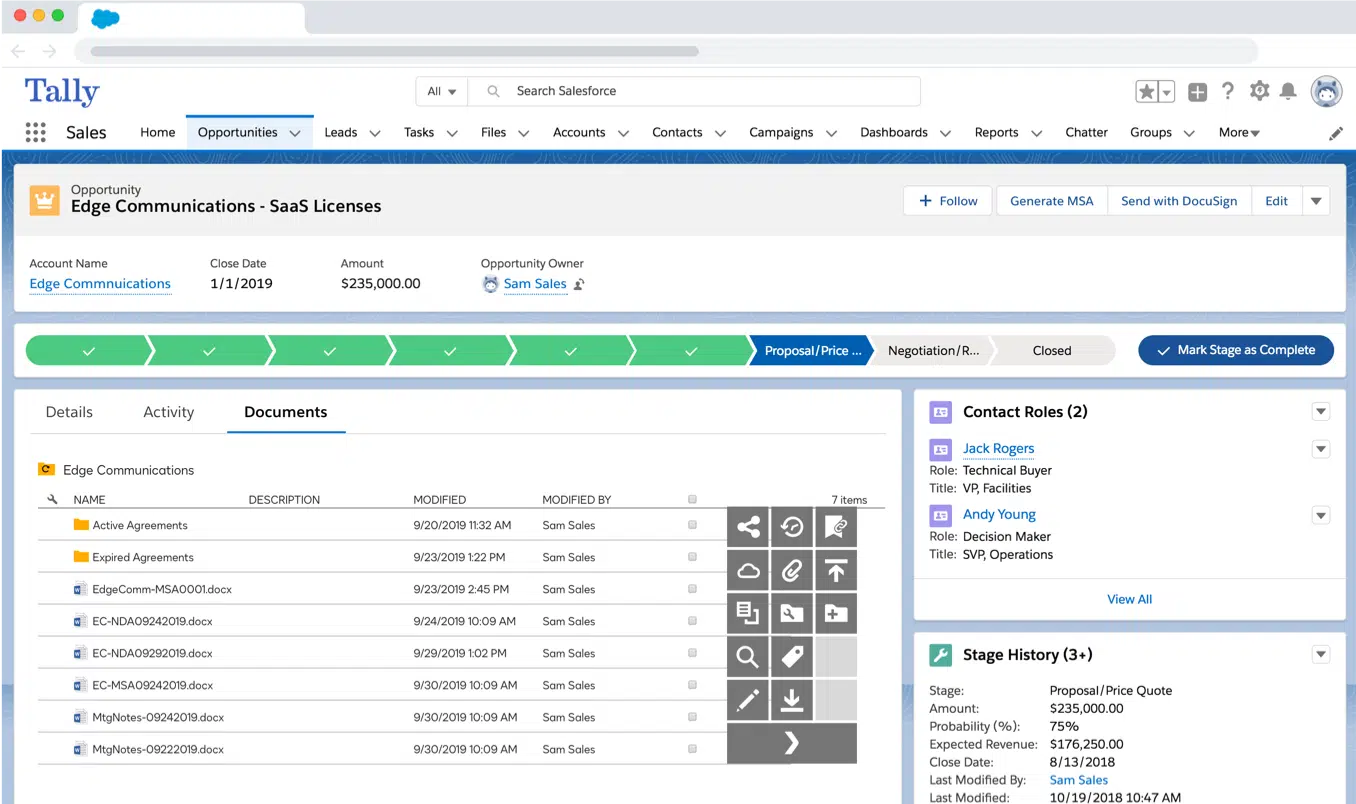
Docusign helps with document preparation, negotiation, approvals, e-signature and post-signature management. Its Intelligent Agreement Management (IAM) plans combine Docusign’s signing capabilities with AI analysis, workflow automation and a central agreement repository. However, some advanced contract review, intake and administration features are limited to the Enterprise plan.
Key features:
- Contract creation and data sync: You can prepare agreements using automated templates, Web Forms and document generation tools. Agreement Desk centralizes contract requests; integrations and APIs connect Docusign with systems such as Salesforce, SAP, Microsoft and ServiceNow.
- Collaboration and negotiation: Team members can collaborate on agreements and use AI-Assisted Review to check and redline contract language.
- Approvals and signing: Workflow Builder includes no-code automation for reviews, approvals, document generation and routing. Docusign supports e-signatures, identity verification and delivery through email, SMS and WhatsApp.
- Post-signature management: Agreement Manager stores documents in a central repository, where Iris is used for search, data extraction and contract analysis. There are also dashboards and automated alerts for tracking agreement data and upcoming actions.
Price: IAM plans start at $45 per user per month when billed annually. Workflow limits, Agreement Desk access, AI-Assisted Review, SSO and advanced administration vary by tier, so check whether the standard IAM plans cover your needs or whether you’ll need Enterprise.
See also: Docusign alternatives.
Ironclad
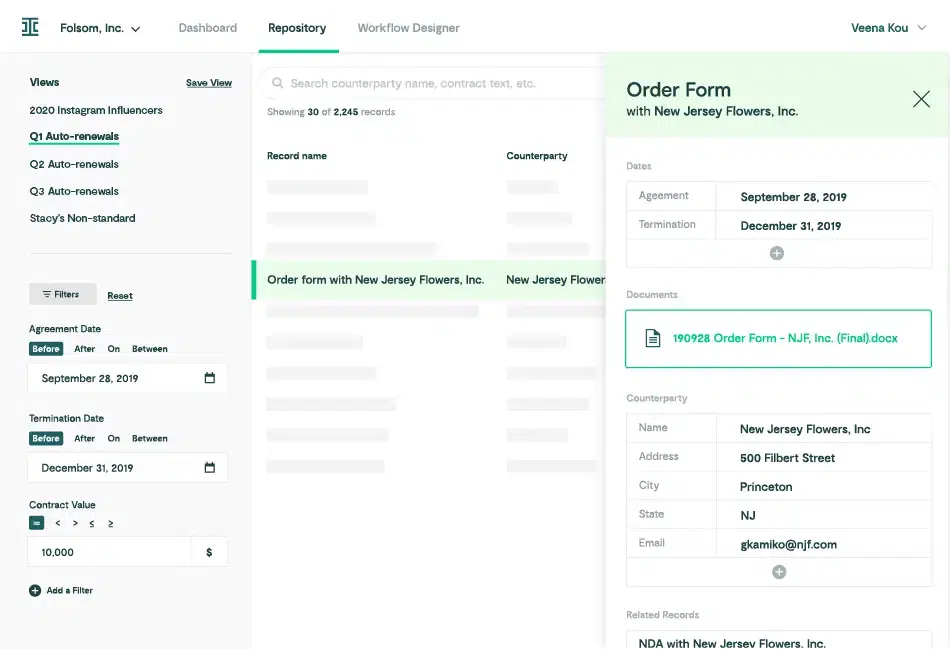
Ironclad is an enterprise contract lifecycle management platform for organizations with complex, cross-functional agreement workflows. Its no-code Workflow Designer lets legal ops configure intake, routing and approval rules. Multiple integrations allow sales, procurement and other teams to connect systems such as Salesforce, Slack and Microsoft Word. The platform covers the contract lifecycle from creation and negotiation through signing, storage and renewal management.
Key features:
- Contract creation and data sync: Teams can create contracts using templates, self-service intake and configurable workflows. Native integrations, iPaaS connections and an API connect Ironclad with your business systems.
- Collaboration and negotiation: Multiple editors can collaborate and redline contracts in Ironclad or Microsoft Word (after connecting the two). Jurist supports drafting, summarization, risk analysis and redlining based on company playbooks, pre-approved clause standards and previous negotiations.
- Approvals and signing: Workflow Designer automates conditional approvals, reminders and routing according to business rules. Ironclad Signature supports standard contract execution.
- Post-signature management: The repository centralizes executed contracts and contract data. Smart Import extracts information from legacy agreements. There’s also the Ironclad Assistant, which supports natural-language search for clauses, terms, obligations and renewal dates.
Price: Not listed. Third-party data suggests $39,998 as the average annual spend.
See also: Ironclad alternatives.
Juro
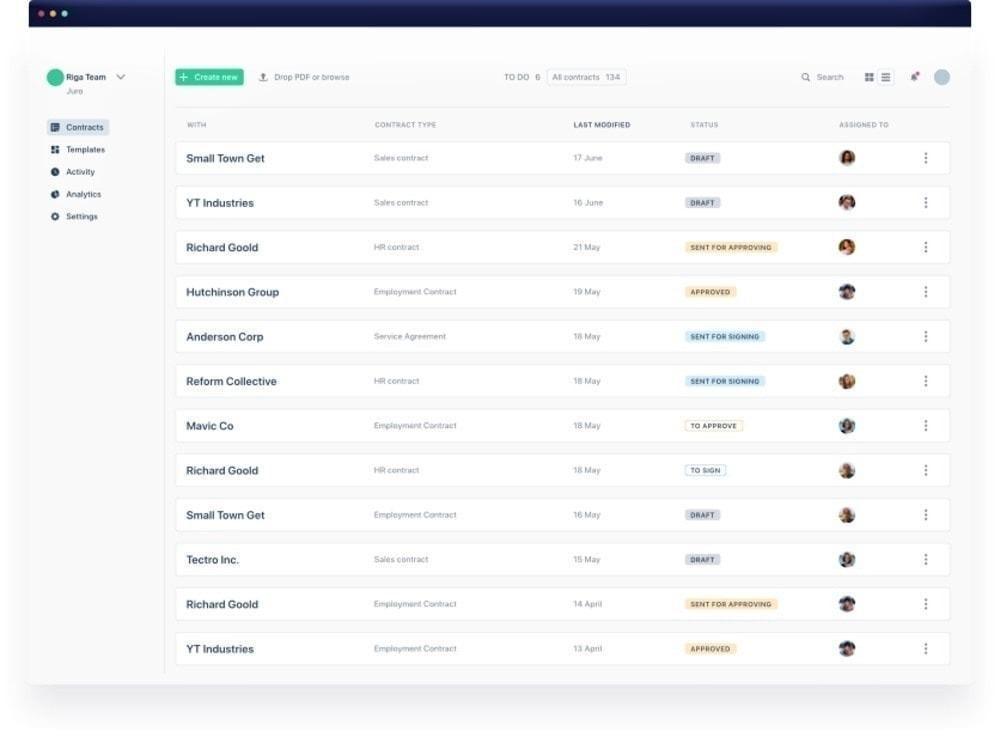
Juro is an AI-native contract lifecycle management platform that helps businesses and legal teams automate contracting while maintaining control over templates, review rules and approvals. The browser-based platform includes features for contract creation, negotiation, signing and post-signature management. The Word integration lets you work inside the familiar document editor, too.
Key features:
- Contract creation and data sync: The platform has no-code workflows, conditional logic and integrations for creating agreements from legal-approved templates or generating them from data in Salesforce, HubSpot and Slack.
- Collaboration and negotiation: Team members can comment, manage versions and negotiate contracts in Juro or Word. AI Review checks and redlines contracts according to your playbooks, while the AI Assistant helps draft, edit, summarize and check clauses.
- Approvals and signing: Automated workflows route contracts to the appropriate reviewers and approvers based on your defined conditions. Juro also supports integrated electronic signing and signature reminders.
- Post-signature management: The repository stores contracts and uses AI Extract to capture key data from them. You can also ask questions about agreements in plain language, and get answers with source citations. Other features include date tracking and renewal reminders.
Price: Not listed. Third-party data mentions an average annual contract value of $31,164.
Icertis
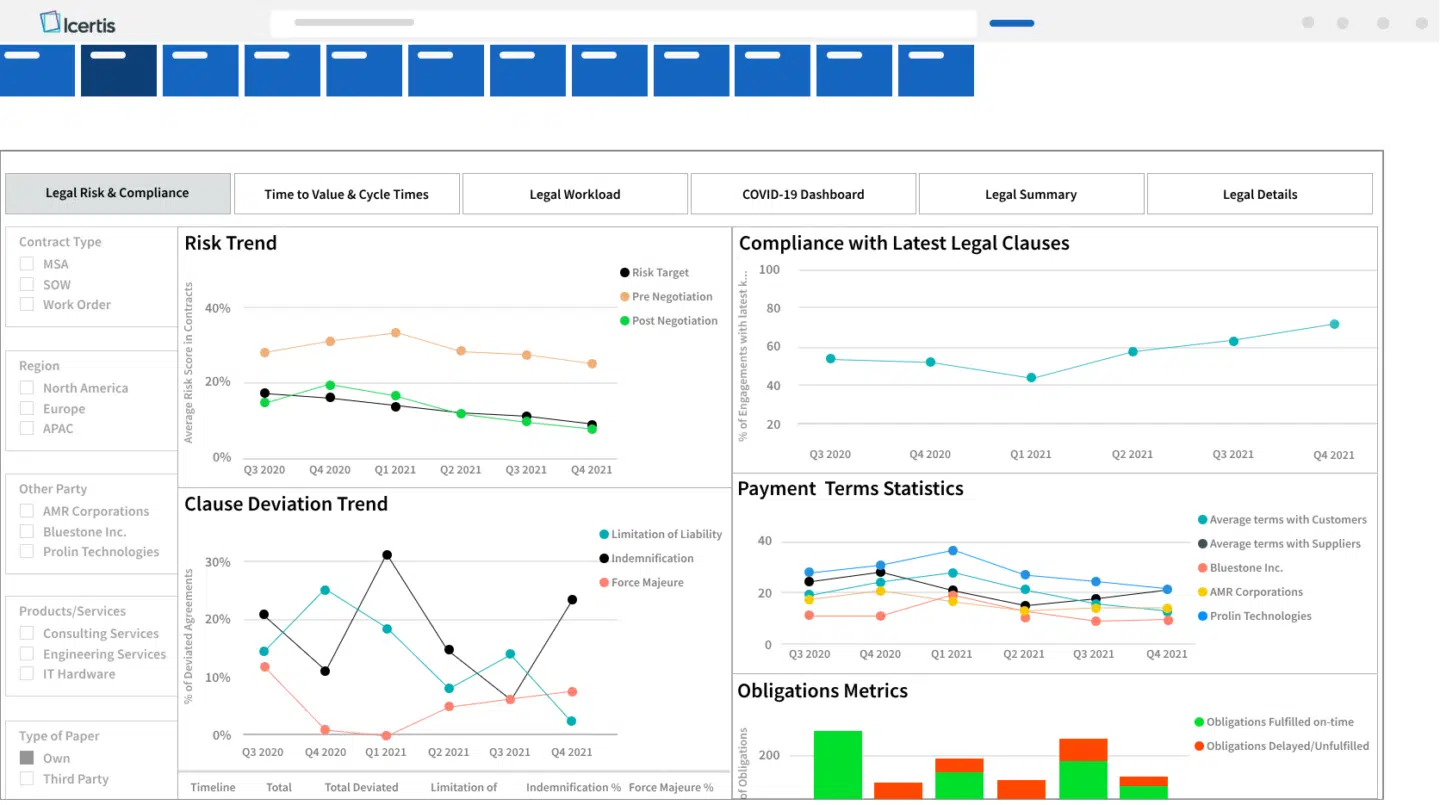
Icertis is an AI contract intelligence platform for large enterprises that manage complex contracting processes in many departments, systems and regions. It includes pre-signature features, contract lifecycle management and portfolio analytics.
Key features:
- Contract creation and data sync: Vera Engage helps with contract drafting, redlining and negotiation using uploaded company playbooks and legal standards. Enterprise integrations connect contract data with SAP, Microsoft, Salesforce and Workday. You can also connect it to AI tools such as ChatGPT, Claude, Copilot and Joule.
- Collaboration and negotiation: After you set the appropriate playbooks, AI agents use this criteria to review and redline contracts, identify deviations and apply approved fallback positions. Every AI decision is logged and traceable.
- Workflow and compliance management: Configurable workflows route contracts, enforce internal standards and maintain audit-ready records.
- Post-signature management: Icertis centralizes contracts, converts unstructured documents into structured records and tracks obligations and fulfillment. Vera Analytics and Vera Copilot provide natural-language search, summaries, risk analysis and insights into obligations, performance and revenue opportunities.
Price: Not listed.
Sirion
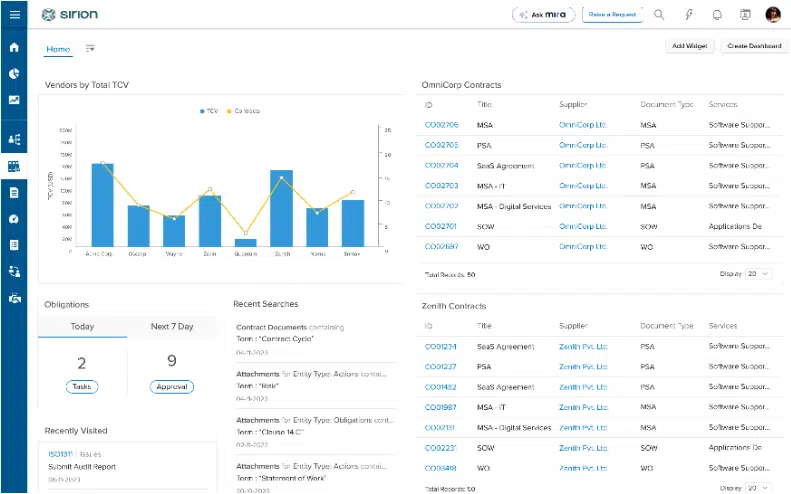
Sirion is an enterprise-tier contract lifecycle management solution that simplifies contract creation, negotiation, storage and post-signature performance management. It has purpose-built agents for contracting tasks, supported by a multi-model framework which combines large language models with smaller, specialized models.
Key features:
- Contract creation and data sync: AskSirion generates first drafts based on your templates and playbooks. The Extraction Agent imports contracts from different sources, removes duplicates and converts document content into structured data.
- Review and negotiation: The Issue Detection Agent identifies risks in clauses based on your criteria. The Redline Agent proposes policy-backed revisions and explains each change. You can work in Microsoft Word and connect contracts with CRM, ERP and other systems.
- Repository search and analysis: All agreements, amendments and performance data get linked into a structured hierarchy. AskSirion lets you search individual contracts or the full portfolio using natural language, giving you answers with source links.
- Post-signature management: The Obligations Agent tracks commitments, deadlines and compliance requirements, sending alerts when obligations are at risk of getting missed. The Invoice Agent checks invoices against purchase orders, contract terms and performance data for potential mismatches and spend leakage.
Price: Not listed.
How to choose the right automated contract tool for your workflow
When choosing a solution from the list above, compare:
- Integration depth: does data flow both ways between the contract and your CRM, ERP or HRIS, or does it get exported once and never updated?
- Template and clause libraries: can non-legal staff self-serve on routine paperwork using pre-approved templates and clauses, without waiting on legal for every non-disclosure agreement or similar?
- AI-assisted drafting and review: does it draft, flag risk and suggest redlines against your own playbook or only search text?
- Approval workflow logic: can you easily set up routing based on deal size, contract type or region using conditional logic?
- E-signature: native, or dependent on a separate tool and a second bill?
- Renewal and obligation tracking: especially with growing contract volumes, notifications about key dates are obligatory for teams that want to reap significant benefits of well-negotiated renewals.
- Analytics and reporting: do you have access to details like cycle time, frequent bottlenecks, contract revenue and other data that helps you create better proposals in the future?
- Implementation time: weeks or months? This determines how soon you will benefit from the new streamlined process.
If the list above looks too daunting, focus on your pain points—where you currently lose the most time and money:
- Quote-to-cash (sales, finance and RevOps). The failure point is usually the handoff between systems and missing integration between the CRM, the contract and the billing platform, with each step introducing customer data mismatches and revenue recognition risk. If this is your issue, weigh two-way CRM sync and quote-to-cash coverage over everything else.
- Source-to-pay (procurement, legal and finance). Here the priorities are renewal terms, obligations and supplier risk, which need to stay visible after signature. If this is the main pain point, weigh procurement-focused platforms more heavily than the sales-first tools.
- Hire-to-retire (HR, legal and ops). In this case, template libraries and integration with your ATS and HRIS matter most. Offer letters and amendments rarely carry the risk profile of an eight-figure supplier agreement so a lighter compliance layer may fit your needs. Our guide on HR contract management goes into this in more depth.
Let your contracts do the work
The right contract automation software streamlines your previously manual contract management tasks, helping you save time and improve accuracy. A simple e-signature platform may be enough if signing is the only bottleneck you face. Larger teams may need a more configurable CLM platform with automated contract review that helps ensure compliance and apply consistent processes. If deals slow down because CRM data, contract terms and post-signature information don’t stay connected, prioritize strong integrations and lifecycle management.
Oneflow is a strong option that combines contract creation, collaboration, approvals, e-signature and post-signature management, while syncing contract data with major CRMs bidirectionally. This reduces manual re-entry and helps each team work from the same commercial information.
Narrow your shortlist to the tools that match your main workflow, then test them using a real contract and your existing CRM data. If connected quote-to-cash processes are your priority, book a Oneflow demo.
FAQs
How much does contract automation software typically cost?
It depends on scale. Lightweight e-signature and templating tools start around $19 per user per month; you can even find free e-sign solutions. Full CLM platforms mostly don’t publish pricing at all; third-party data shows deployment costs between roughly $25,000 and $150,000 a year. Oneflow gives you multiple contract workflow automation features for a transparent price: $58/user/month, billed annually, for teams starting with five users. You can also try it for free for 14 days.
How long does it take to implement automated workflows for contracts?
Browser-native or CRM-connected tools can be implemented in a few weeks. With mid-market CLM, the timeframe extends to 10-12 weeks. Enterprise platforms with heavy customization, multiple integrations, and a legacy contract library to migrate typically take six to twelve months.
What is the best AI-powered contract tool?
There isn’t one, because each tool solves slightly different bottlenecks. Some draft and redline best, some extract data particularly well, some excel at risk scoring, etc. The most useful test is with your own paperwork: run the same NDA or vendor agreement through the option you’re considering, then compare the output against a review your team has already done. In Oneflow, AI Review checks contracts against your playbook and flags missing clauses, AI Insights analyzes the whole portfolio, and AI Extract turns imported agreements into usable data.
Can contract automation fully replace manual contract review?
Not for anything high-stakes. Automation handles routine, template-based agreements well: NDAs, standard vendor contracts and offer letters. It can populate data fields faster and flag risky clauses based on your uploaded sources. However, non-standard deals, heavily negotiated enterprise contracts and anything with legal exposure still need a qualified person reviewing the contract language and terms, even when AI drafts and reviews the first pass.
.png?id=40edbc9ee25345a211152388fdcf1fd2)

.png?id=073897979970647cd034d6db96c145de)