A sales contract affects revenue recognition. A procurement agreement shapes spend control and supplier risk. An employment contract touches HR, compliance, and operations. And across all of these workflows, the same problem keeps showing up: contract data is often trapped in static documents, disconnected from the systems where teams actually work.
That is why contract lifecycle management software has become a serious enterprise priority. Deloitte’s 2026 agreement management research found that organizations using automated workflows and AI in their contract management process report average efficiency gains of 36%, cost avoidance of 36%, cost savings of 29%, and agreement accuracy improvements of 72%. But the same research also points to the operational challenge behind those gains: 65% organizations use four or more tools across the agreement process.
Ironclad is what many teams opt for in this situation, as it promises more structure around contract creation, collaboration, approvals, repository management and AI-assisted review. It speaks to several enterprise functions from legal operations and general counsel to procurement, IT and sales, and promises to streamline contracts end-to-end.
But buying CLM is not just about finding a platform with a long feature list. It is about deciding how your company wants contract work to happen. Should contracts mainly move through legal review, approvals and governance workflows? Or should they carry usable data across sales, finance, procurement, HR and operations, so every team can act on the same contract information without re-entering or losing it along the way?
In this guide, we’ll look at Ironclad’s features, pricing expectations, pros and cons, user feedback and best-fit use cases. More importantly, we’ll examine where it works well, where teams may run into friction, and whether it is the right choice for companies that want contract management to support their whole business, not just the contract process itself.
What is Ironclad CLM?
Ironclad is an enterprise contract lifecycle management platform covering the full contract journey: create, review, sign, store, analyze and fulfill. It started as a legal ops tool and evolved into a no-code workflow designer, a centralized repository, and an AI layer that the company has invested heavily in since 2023.
Current positioning spans Legal Operations, General Counsel, Procurement, Sales, and IT. In practice, it skews toward organizations that have the internal capacity to configure and maintain a platform this flexible.
Key features of Ironclad contract lifecycle management
Workflow designer
Workflow Designer is a no-code tool for creating and managing contract workflows. You can generate contracts from templates, tag required fields for requesters, configure approvers and signers, and apply conditional clauses or routing rules based on contract inputs.
Ironclad also lets you launch contracts from tools such as Salesforce, Coupa and Microsoft Word, so teams can start contract workflows from systems they already use. Template, approval and AI playbook updates can be pushed into workflows as requirements change.
Contract repository
There’s a centralized contract repository for storing agreements and related contract data. Its features include bulk upload, OCR-supported importing, metadata tagging, contract search, filtering, version history, and access to contract records, comments and related documents.
Smart Import and AI-supported metadata extraction for legacy contracts help teams bring existing agreements into the platform and make them searchable.
Ironclad AI capabilities
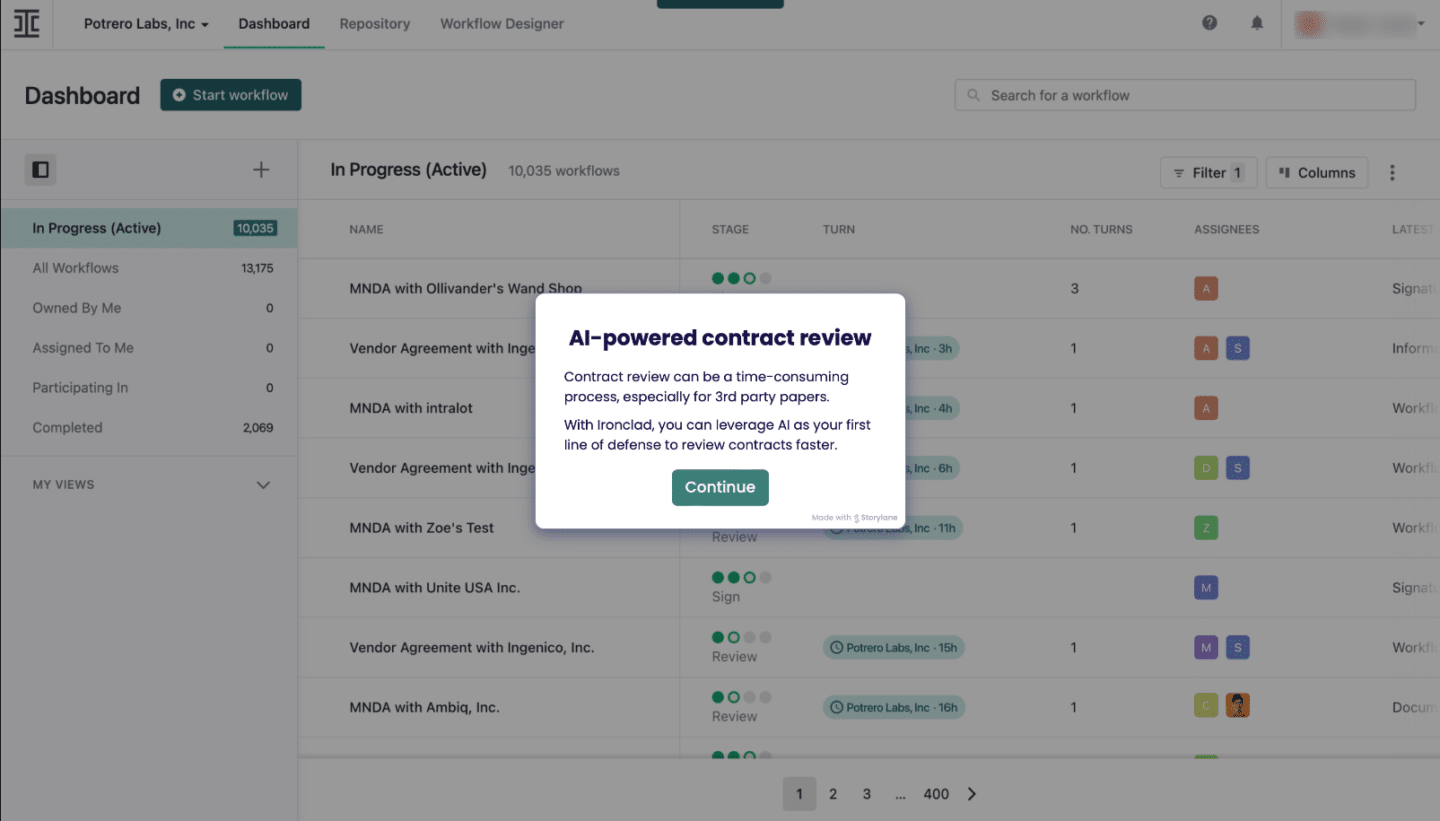
Ironclad’s AI suite includes Ironclad Assistant, Ironclad Agents and Jurist. Assistant is for everyday contract questions, such as finding terms, renewal dates, non-standard clauses or contract insights using natural-language queries. Agents automate approvals, reminders and routing based on business rules. Jurist is Ironclad’s AI contract partner for commercial legal work.
Jurist supports drafting, summarizing, risk analysis, and can redline contracts against company playbooks and fallback positions. Jurist is built on top of its CLM infrastructure and works with a native .docx interface. It also includes a Redlining Agent with Playbooks, which lets teams upload a company playbook and apply predefined positions and fallbacks during contract review.
Ironclad also supports review and editing in Microsoft Word, allowing legal teams to work in a familiar document environment while keeping review activity connected to the contract workflow.
Integrations
Ironclad offers native integrations, iPaaS integrations and a public API. Its listed integrations include tools across CRM, document editing, document management, e-signature, collaboration, procurement, business intelligence, compliance and automation categories.
Examples listed by Ironclad include Salesforce, HubSpot, Coupa, Microsoft Word, Slack, Microsoft Teams, Google Drive, Dropbox, Box, DocuSign, Adobe Acrobat Sign, Dropbox Sign, MuleSoft, Tray, Zapier, Zip, Ramp, OneTrust, Vanta and Fivetran.
The Salesforce integration is Ironclad’s most praised capability in user reviews. Contracts executed can be initiated directly from CRM records, contract data maps back to Salesforce opportunities automatically, and multi-org support means it works for enterprise structures with multiple Salesforce instances. HubSpot is supported as a native integration via Matic.
E-signature
Ironclad has a native eSignature option. It supports different signing methods, including Ironclad eSignature, click-based acceptance and third-party e-signature tools. Contracts can be sent for signature by email, direct link or embedded signing flow.
The platform also supports clickwrap for high-volume, low-risk agreements where users accept terms through a click-based experience on web or mobile. For teams already using external signing tools, Ironclad lists integrations with Adobe Acrobat Sign, Docusign and Dropbox Sign.
Fulfillment and obligation management
Ironclad includes post-signature fulfillment capabilities for tracking obligations, renewals, deadlines, approvals and supplier or customer commitments. The platform provides unified obligation views and automated alerts for key dates.
It has integrations that connect contract data with source-to-pay, CRM and invoicing systems, including use cases such as sending obligation data to invoicing systems for pre-payment validation.
Analytics and reporting
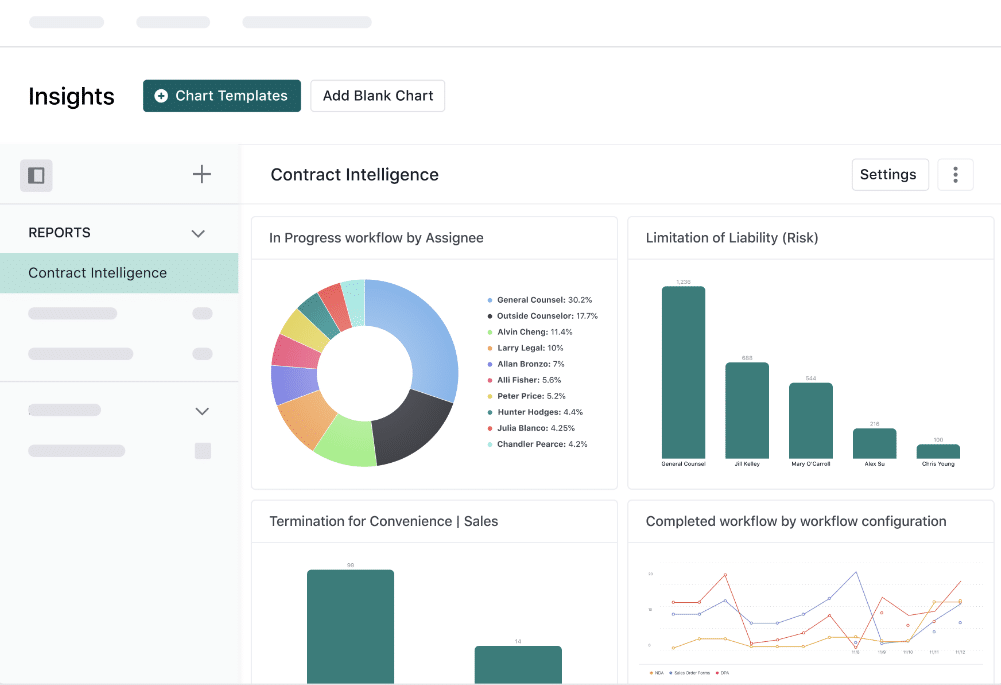
There are analytics for contract data, workflow status, approval bottlenecks, workloads, contract trends and business insights. Teams can use ready-made charts or create custom views, filter by contract details, share insights across departments, and export results as images, PDFs or spreadsheets.
You can also run AI on legacy contracts to extract metadata and identify patterns such as spending trends, usage, risk factors, underutilized licenses, overspending and renewal opportunities.
Ironclad pricing: what to expect
Ironclad doesn’t show public pricing. We evaluated third-party purchase data, user-reported figures and analyst benchmarking.
Vendr’s 2026 pricing data shows that Ironclad pricing varies widely based on contract volume, user count, feature scope and implementation complexity.
Typical ranges include:
- Smaller/mid-market deployments: Buyers with 500–2,000 contracts annually and 10–30 users commonly receive first-year core platform quotes of $40,000–$80,000.
- Mid-market buyers with moderate contract volume: Annual pricing falls between $50,000 and $120,000.
- Large enterprise deployments: Buyers with 1,000+ employees, 5,000+ contracts annually, 50+ users and advanced AI or analytics requirements commonly see annual platform quotes of $200,000+.
- Implementation fees for enterprise deployments: These often range from $50,000 to $100,000+.
- Total first-year enterprise cost: Large deployments often exceed $250,000 and may reach $400,000.
Some things to factor in beyond the base subscription:
- Implementation costs are easy to underestimate. In Ironclad’s own guide to CLM total cost of ownership, the company notes that implementation expenses can exceed initial estimates by 50–100%. The same article says a typical enterprise might spend $50,000–$150,000 on initial training across user groups, while system integrations may require specialized consultants at $200–$400 per hour.
- Multi-year commitments and competitive leverage can affect Ironclad pricing. According to Vendr’s pricing data, buyers committing to two- or three-year terms secure 15–25% lower annual pricing than single-year buyers, while teams actively evaluating alternatives often receive 20–30% discounts from initial quotes. Timing may also help: Vendr says deals closed in Q4, aligned with Ironclad’s January fiscal year-end, often yield 10–20% better pricing because of quarter-end and year-end sales pressure.
What users say: a summary of Ironclad contract management reviews
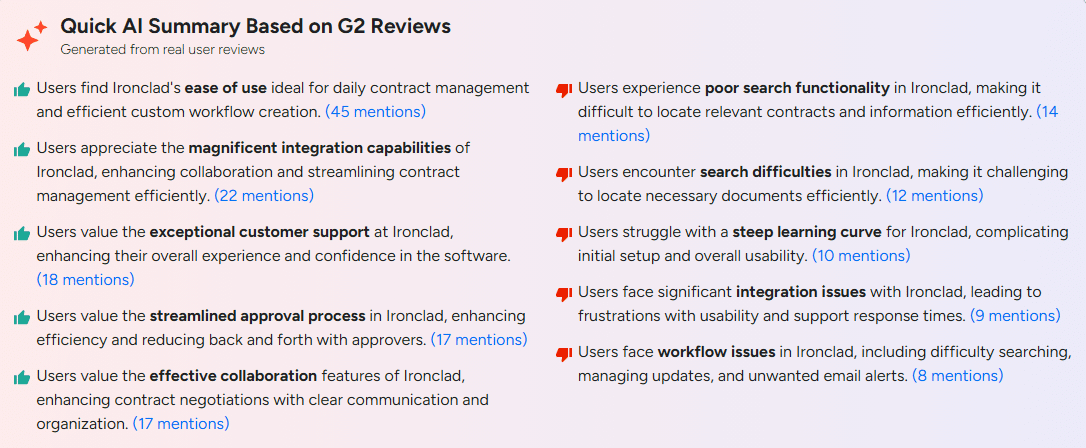
Ironclad has strong review scores across major software review sites: 4.4 across G2, Software Advice and Capterra. User feedback is broadly positive on workflow automation, approval tracking, collaboration, Salesforce integration and contract visibility. Recurring criticisms appear around search, document editing, setup complexity, learning curve and the practical performance of some AI-related features.
What Ironclad reviews praise consistently
- Workflow visibility and approval tracking. G2 reviewers frequently highlight the ability to see where a contract sits, who has it, and what is blocking progress.
- Salesforce and Slack workflows. Users say Salesforce and Slack integrations are useful for keeping contract activity connected to the tools teams already use. Gartner’s product information also describes Salesforce support for multi-org setups, two-way data sync and easier setup.
- Collaboration, version history and audit trail. Reviews mention collaboration, comments, redlines, negotiation history and audit trails as useful for keeping contract work in one place.
- Jurist and AI-assisted review. Some praise Jurist for reviewing higher-risk clauses and helping legal teams focus more time on complex issues. However, feedback on Ironclad’s broader AI capabilities is mixed.
- Renewal tracking. One G2 reviewer specifically praises the Renewals Dashboard for tracking opt-out dates and helping avoid costly auto-renewals.
Common complaints across user feedback
- Search can be difficult. G2 and Software Advice reviewers mention poor search functionality and problems finding older contracts when metadata or tags are inconsistent.
- Document editing can be clunky. Users report friction with PDF-to-Word workflows, locked PDFs, Word document formatting and browser-based editing on larger contracts.
- Setup can feel open-ended. A Software Advice reviewer described Ironclad as “choose your own adventure,” noting that it can be daunting without a full-time admin. Other reviews mention that complex workflows can be challenging for non-programmers.
- AI feedback is mixed. Some reviews and Gartner comments praise Jurist and AI-assisted review, but Reddit practitioner discussions include criticism of Smart Import and AI redlining accuracy.
- Learning curve. Several reviews say Ironclad becomes easier once users are familiar with it, but the initial learning curve can be noticeable for teams new to CLM systems.
- Legal intake limitations. A Reddit commenter says Ironclad intake/workflow is focused on contracting tasks and does not replace a broader legal front door for matters, projects or general legal requests.
Who Ironclad is built for—and where it falls short
Ironclad works well when:
- You have a legal operations function, General Counsel, procurement or contracting team that needs centralized control over contract workflows, templates, approvals, permissions, review processes and risk management.
- Your sales or procurement teams need to launch contract workflows from systems such as Salesforce, Coupa, Zip or Microsoft Word while keeping contract review, approval, signature and repository activity inside a dedicated CLM platform.
- You have the budget and internal ownership to configure and maintain the platform properly.
- You want AI-assisted contract review, redlining, risk analysis and contract search built into the CLM environment.
Where it creates friction:
- Ironclad is designed as a dedicated CLM hub. That can be a strength for teams that want centralized governance, but it may feel heavier for organizations that want contracts to live primarily inside their CRM, ERP, HRIS or finance system. Ironclad supports integrations and data sync, but teams should validate whether the specific contract data they need flows both ways, in real time, and at the level of detail required by Sales, Finance, Procurement, HR and RevOps.
- The most advanced AI review experience is legal-oriented. Jurist is built for in-house counsel and commercial legal work, including drafting, redlining, playbook-based review and risk analysis. Ironclad Assistant is more useful for business users who need to search the repository, ask contract questions or pull out key terms. It may fall short when non-legal teams expect it to handle legal redlining, negotiation guidance, fallback clause recommendations or risk analysis without counsel involved.
- The platform’s flexibility requires administration. Reviews praise Ironclad’s workflow visibility and configurability, but they also flag setup complexity, search issues when metadata is inconsistent, document editing friction, and a learning curve for teams new to CLM.
For companies that want contract management to operate as a cross-functional business layer deeply embedded into quote-to-cash, source-to-pay, and hire-to-retire workflows, the key evaluation question is whether Ironclad fits how their teams actually work. Buyers should validate whether contract data can move between Ironclad and the systems used by sales, finance, procurement, HR and operations at the right depth, speed and level of accuracy.
Ironclad alternatives worth evaluating
If Ironclad’s pricing structure or implementation requirements don’t fit your situation, several platforms approach contract lifecycle management from a different direction. Here’s a practical guide to the top options:
- Oneflow is best suited for companies that want contracts to operate as a connected business workflow rather than as static documents managed in a separate repository. Its live, dynamic contracts stay connected to the systems you already use.
For sales-led teams, the key difference is that Oneflow keeps the CRM at the center. Contracts can be generated from CRM data, updated through two-way sync, and connected to downstream finance processes such as invoicing and revenue recognition. Oneflow has CRM integrations with Salesforce, HubSpot, Microsoft Dynamics and Pipedrive, as a way to reduce manual handoffs between sales, legal and finance.
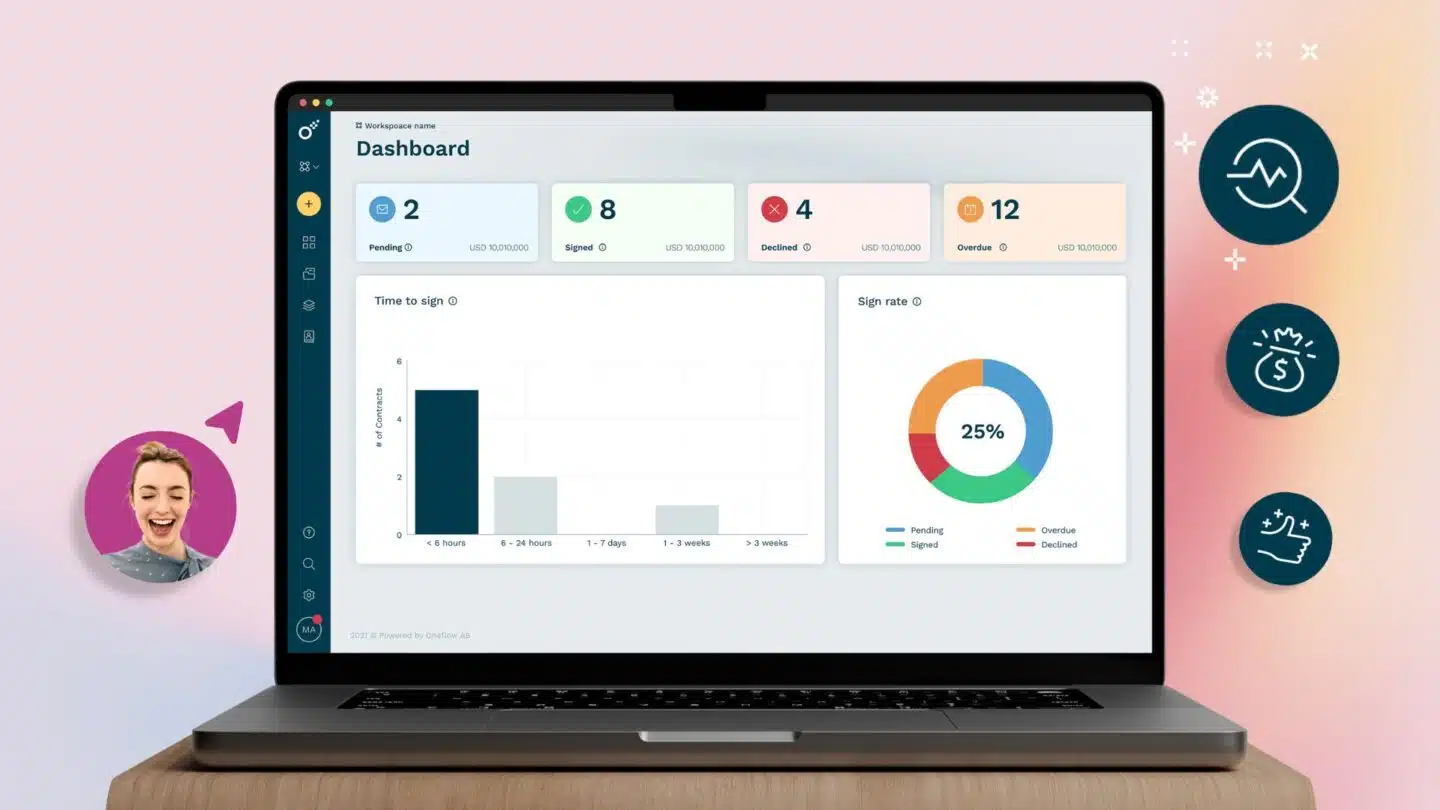
Oneflow also includes contract creation, real-time collaboration, approval workflows, signing, renewal management, obligation tracking, AI-supported review and portfolio-level analytics. It’s a stronger fit when the goal is not only to manage contracts centrally, but to keep contract data active across quote-to-cash, source-to-pay, and hire-to-retire. - Juro can be a good fit for fast-growing teams that want browser-based contract creation, approval, signing and management without a heavy enterprise CLM rollout. It’s a better fit for teams prioritizing self-serve contracting, ease of use, and faster deployment over highly complex enterprise workflow customization.
- Docusign CLM is a strong tool for teams that need to send, sign and track documents, with templates, reminders, audit trails, mobile signing and reporting. Its Intelligent Agreement Management platform adds broader lifecycle features, including workspaces, AI-assisted review, obligation tracking, workflow automation and contract insights, but note that Docusign eSignature and IAM are separate products. See Docusign alternatives for a broader comparison.
- LinkSquares is strongest as a contract repository and post-signature intelligence platform. It’s often considered by legal teams that need to search, analyze and report on existing agreements, especially when they already have many signed contracts. It may be a better fit than Ironclad when the immediate priority is contract visibility, metadata extraction, and post-execution analysis rather than building a full pre-signature workflow engine.
- Agiloft is a configurable no-code CLM platform often evaluated by teams with complex workflow requirements. It gives buyers a high degree of flexibility across workflow design, approvals, repository structure and contract processes. The tradeoff is that configurability still requires planning and implementation effort. Agiloft may be worth evaluating if your team wants deep customization and is prepared to invest time in configuration.
- Icertis is generally positioned for large enterprises with complex, global contract management needs. It’s most relevant for organizations managing high contract volumes, multiple business units, complex obligations and enterprise-wide governance requirements.
- SpotDraft is commonly evaluated by legal and business teams looking to streamline intake, contract workflows, approvals and routine contract operations. It may be a fit for teams that want to reduce manual legal intake work and speed up standard agreements. It’s worth considering when the primary pain point is legal workflow efficiency rather than a broad enterprise CLM transformation.
For a fuller breakdown, see the guide to the best contract lifecycle management software.
Ironclad vs. Oneflow
The comparison between Ironclad and Oneflow comes down to a simple question: where should contracts live in the business?
Ironclad is built around the CLM as the contracting hub. That works well when legal or procurement needs tight control over workflows, templates, approvals, signatures, risk review and repository management. Its strength is governed contracting: structured processes, configurable workflows, and legal AI through Jurist for drafting, redlining and risk analysis.
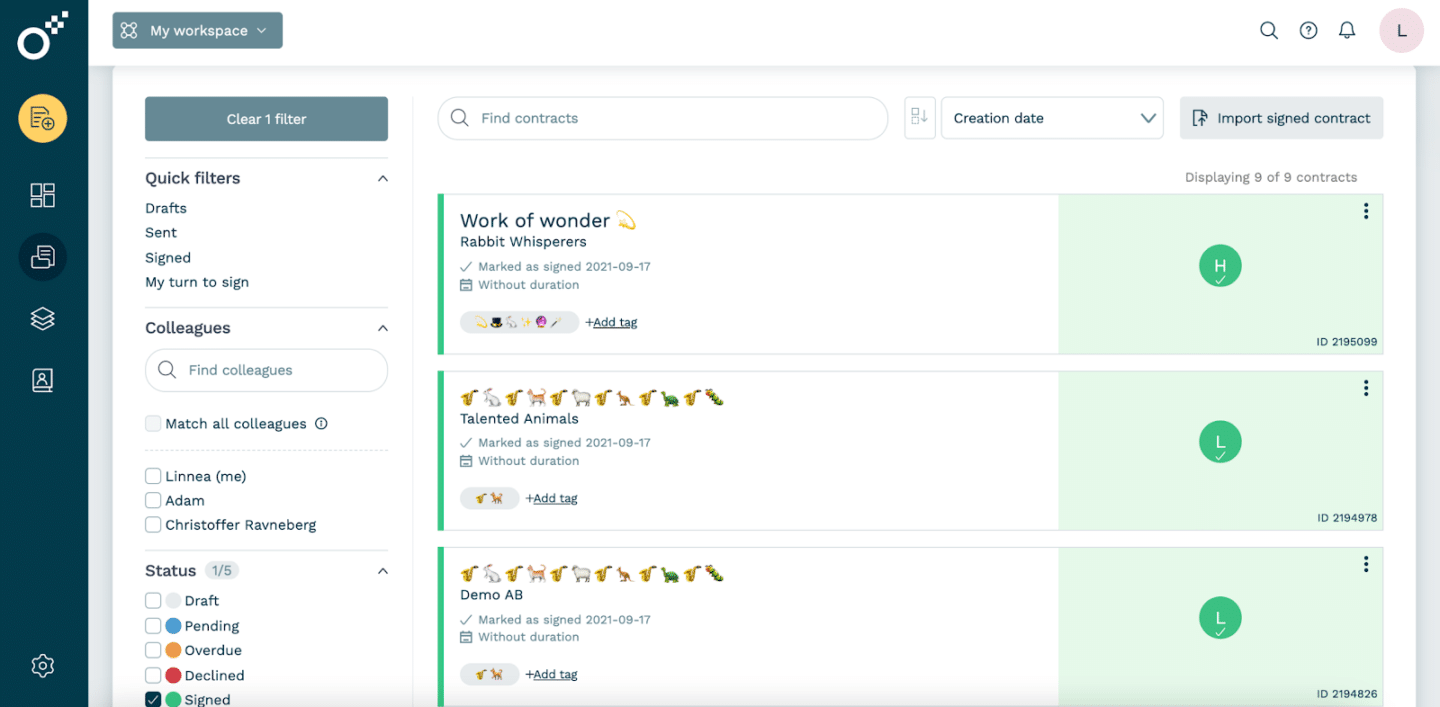
Oneflow starts from a different premise: contracts should not sit apart from the business systems that create and use them. Instead, they should become part of the company’s operating model—the way sales, finance, procurement, HR and operations create agreements, exchange data, trigger next steps and keep contract information accurate across the business.
With Oneflow, sales teams can generate contracts directly from live CRM data, collaborate with counterparties in real time, negotiate inside the contract, and keep deal data synced with Salesforce, HubSpot, Microsoft Dynamics or Pipedrive. Product, pricing, counterparty and commercial terms stay connected throughout the process, which reduces the manual handoffs that often appear between sales, legal, finance and RevOps.
Oneflow also extends beyond sales. It supports source-to-pay workflows for procurement and finance, and hire-to-retire workflows for HR and operations. That means vendor agreements, employee contracts, amendments, renewals, obligations and approvals can all live in one connected contract environment instead of being scattered across email, shared drives, spreadsheets and disconnected tools.
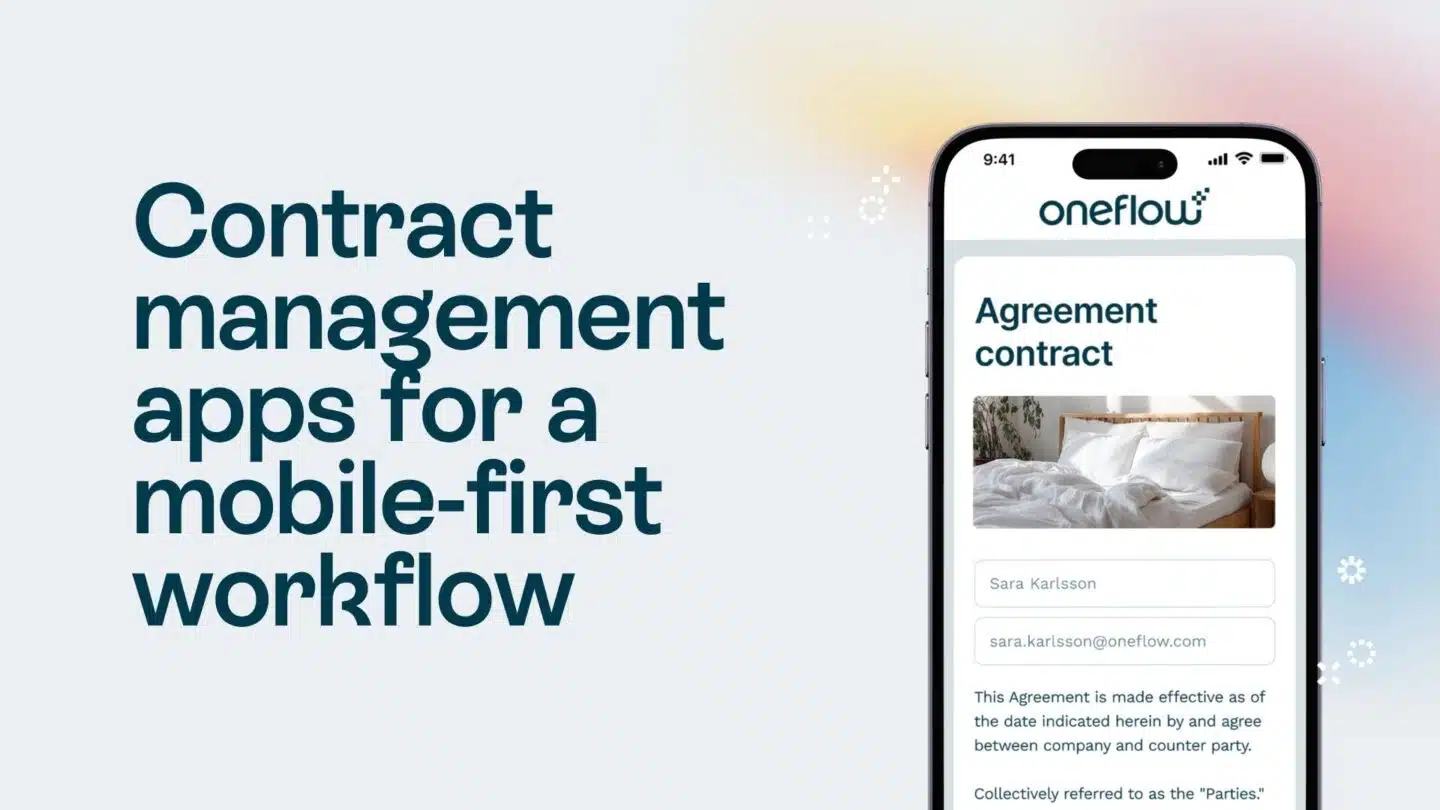
The contract experience is different, too. Oneflow uses dynamic contracts that stay editable after sending, so teams do not have to download a document, edit it in Word, re-upload it, resend it, and reconcile versions every time a term changes. Users can collaborate in real time, manage approvals, sign electronically, track changes, monitor renewals, follow obligations, and analyze contract performance from the same platform.
That is where Oneflow becomes a stronger fit than Ironclad: not for companies that simply want more legal control, but for companies that want contracts to move with the business. If the real problem is disconnected contract data across sales, finance, HR, procurement, and operations, Oneflow is the more relevant option. It keeps the systems teams already use at the center while making contracts active, structured, and usable before and after signature.
In short: choose Ironclad if you want a governed CLM hub for complex legal workflows. Choose Oneflow if you want contract management embedded across quote-to-cash, source-to-pay, and hire-to-retire, with live contract data flowing through the business instead of getting trapped in static files.
Want to see how that works with your current process? Book a demo with Oneflow.
Final verdict: Is Ironclad right for your business?
Ironclad is a strong CLM platform for teams that want contracting to run through a centralized, governed workflow hub. Its strengths are configurable workflows, Salesforce-connected contracting, repository management, audit trails, version control, e-signature, post-signature fulfillment and Jurist for legal AI-assisted drafting, redlining and risk analysis.
But Ironclad works best when you have the budget, implementation time, admin ownership, and legal operations maturity to support it. Reviews point to recurring friction around setup complexity, search quality, document editing, learning curve and mixed AI performance outside Jurist.
If your priority is keeping contract data connected across Sales, Finance, HR, Procurement, Legal and Ops, Oneflow is the better fit. It uses live, dynamic contracts that connect to quote-to-cash, source-to-pay and hire-to-retire workflows, with CRM-connected contract creation, real-time collaboration, e-signing, renewals, obligations and analytics in one platform. The user-friendly interface is designed for self-serve adoption across business teams—new users can get productive without extensive training.
Book a demo to see what comprehensive contract management can do for you.
FAQs
How much does Ironclad CLM cost?
Ironclad does not publish standard pricing. Vendr data suggests core platform quotes commonly start around $40,000–$80,000 for buyers with 500–2,000 contracts and 10–30 users, while larger enterprise deployments can exceed $200,000 annually. First-year costs can rise further with implementation, advanced AI, analytics, integrations, training and renewals.
What are the main complaints about Ironclad?
Users commonly mention setup complexity, search issues when metadata is inconsistent, document editing friction with Word or PDFs, a learning curve for new users and mixed feedback on AI features such as Smart Import or redlining. Ironclad is powerful, but it usually needs clear workflow ownership and ongoing admin support.
How does Ironclad compare to Docusign CLM?
Ironclad is a dedicated CLM platform with deeper workflow automation, repository management, approval routing and legal AI through Jurist. Docusign is stronger as an e-signature tool, with broader lifecycle features available through Intelligent Agreement Management, which is separate from Docusign eSignature. The key limitation is that Docusign’s core experience is still built around static documents and signing workflows.
How long does it take to implement Ironclad?
Implementation depends on workflow complexity, integrations, legacy migration, training and the number of teams involved. G2 lists Ironclad’s average implementation time at around four months, so teams should plan for setup, testing, user training and ongoing administration.
.png?id=40edbc9ee25345a211152388fdcf1fd2)

.png?id=073897979970647cd034d6db96c145de)