World Commerce & Contracting research puts the average annual loss from poor contract management at close to 9% of business value. Best performers lose around 3%; worst performers lose 15% or more.
The structural cause is almost always the same. Sales teams work in spreadsheets. Procurement manages supplier and licensing agreements over email. HR stores employment contracts in shared drives. Finance reconciles signed terms manually, often after the invoice has already gone out wrong. Legal gets called in late, acts as the bottleneck, and the whole thing slows down while the business case for fixing it sits in someone’s inbox.
Contract lifecycle management (CLM) helps to organize the entire contract process and connect it to the systems and people that depend on it.
But choosing the wrong tool for your business can make the problem worse. There’s a big difference between an e-signature tool, a proposal platform, a legal-heavy CLM and a contract management platform that integrates with how your business runs. It’s important to understand the difference so you can choose the best tool for your needs.
Who this article is for
This guide is written for buyers at mid-size to enterprise organizations evaluating contract lifecycle management platforms; whether that means replacing a legacy system, getting off email-based contract chaos or making a serious first investment in structured contract management.
It’s especially relevant for sales and RevOps teams that need CRM-connected contracts and faster deal cycles, finance teams dealing with invoice mismatches and manual reconciliation, legal and business teams that want governance without a six-month implementation project, HR teams managing offer letters through to offboarding documents, and procurement teams that need real visibility into vendor agreements and expiration dates.
If you send a handful of simple contracts per month, some of these platforms on this list would be overkill. But if contracts affect revenue, hiring, compliance or cash flow at any real scale, the cost of picking the wrong system is significantly higher than the software itself.
What kind of tool do you actually need?
Before you look at a single demo, check which category of tool you’re actually shopping for.
E-signature tools
E-signature tools get documents signed. What they don’t do is treat contracts as living data. Once the PDF is signed, the information inside it doesn’t automatically flow into your CRM, ERP, billing system or HR platform.
Best for simple, high-volume signing. They can’t handle full contract lifecycle management, post-sign tracking or any workflow that involves more than one department.
For more context, see Oneflow’s guides to electronic signatures and digital signatures.
Proposal and CPQ tools
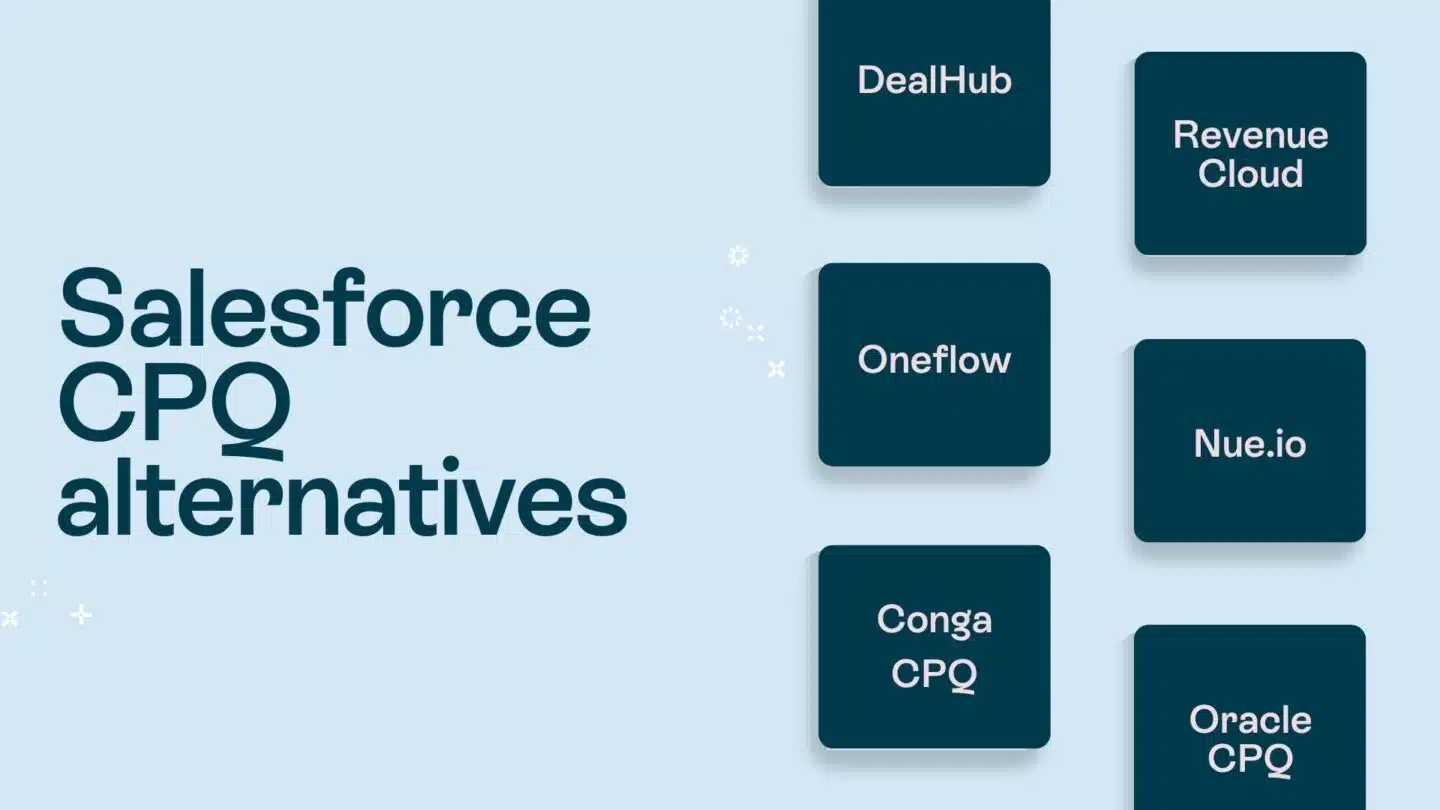
Proposal tools like PandaDoc, DealHub and Conga help sales teams build better-looking proposals and quotes faster; many proposal tools include e-signature functionality as well. The limitation is that they tend to stop caring about the contract the moment it’s signed. Some require a separate product catalog maintained outside the CRM, which creates data drift the moment a deal changes.
Best for front-end sales documentation. Not ideal for post-sign visibility, complex workflows across business units or procurement and HR use cases.
Related resources: quoting software, best quoting software and AI proposal generator.
Legal-heavy CLM tools
Ironclad, Icertis and Agiloft are built around legal workflow automation, with clause libraries, redlining, approval routing, audit trails and compliance reporting. What they often don’t have is fast adoption. For sales, finance or HR teams who want contract workflows embedded in the tools they already use every day, legal-first CLMs can feel like a foreign system.
Best for legal-led enterprise contract operations with dedicated implementation resources. Not ideal for organizations that want cross-functional adoption without a long runway.
Horizontal contract management system
A contract management system doesn’t just store contracts or route them for signature; it makes contract data available, accurate and actionable across the entire business. In-house legal teams get control. Sales gets speed. Finance gets clean data. HR gets structured workflows.
Oneflow fits here. It supports quote-to-cash, source-to-pay and hire-to-retire workflows through a single platform with dynamic contracts, e-signatures, AI features, CRM integrations, approval workflows and post-sign management.
Best for organizations that want intelligent contract management across multiple departments without duct-taping four separate tools together.
For a broader look at the category, see contract management software.
How we evaluated these contract lifecycle management software solutions
We looked at each platform against a consistent set of criteria:
- Full lifecycle coverage from contract drafting through signing, storage and renewals
- Integration depth with CRM and other business systems
- What the AI actually does
- Ease of use for non-legal users
- Post-sign capabilities beyond just storage
- Approval workflow sophistication
- Repository quality and searchability
- Pricing transparency
- Implementation complexity
- User opinions on software review sites
Comparison table: best CLM software for your business case
| Tool | Best for | Standout strength | Capterra rating | Starting price |
|---|---|---|---|---|
| Oneflow | Mid-size and enterprise teams that need CRM-connected, cross-functional contract management | Dynamic contracts, two-way CRM sync, AI and post-sign management | 4.6 | 14-day trial; Business from $292/month, billed annually, with 5 users included |
| Docusign CLM | Large organizations that need enterprise agreement workflows, e-signature and compliance controls | E-signature infrastructure, governance and enterprise integrations | 4.5 | IAM plans from $40/user/month; enterprise CLM custom pricing |
| PandaDoc | Sales teams focused on proposals, quotes and buyer-facing documents | Fast proposal creation, pricing tables and sales document automation | 4.5 | Free plan available; paid plans from $19/user/month |
| Ironclad | Legal teams managing high-volume workflows and complex approvals | Legal workflow automation, AI review and no-code approval routing | 4.4 | Custom |
| ContractSafe | Teams moving from shared drives to a searchable contract management system | OCR search, reminders, AI assistance and fast onboarding | 4.9 | From $450/month |
| Agiloft | Enterprises with complex, highly customized contract workflows | No-code configurability and deep workflow control | 4.8 | Custom |
| Juro | Legal, HR, sales and ops teams that want modern browser-based collaboration | Clean UX, in-browser editing, AI review and contract collaboration | 4.8 | Custom |
| Conga Contracts | Salesforce-led or revenue operations teams connecting CLM to quote-to-cash workflows | Salesforce alignment, document automation, CPQ and AI contract analysis | 4.3 | Custom |
| Contractbook | SMBs and mid-market teams that need structured contract data and automation | AI import, smart templates and no-code contract workflows | 4.7 | Custom |
| SAP Ariba Contracts | SAP-heavy procurement organizations managing supplier agreements and spend compliance | Native SAP source-to-pay alignment and supplier contract management | 3.9 | Custom |
1. Oneflow
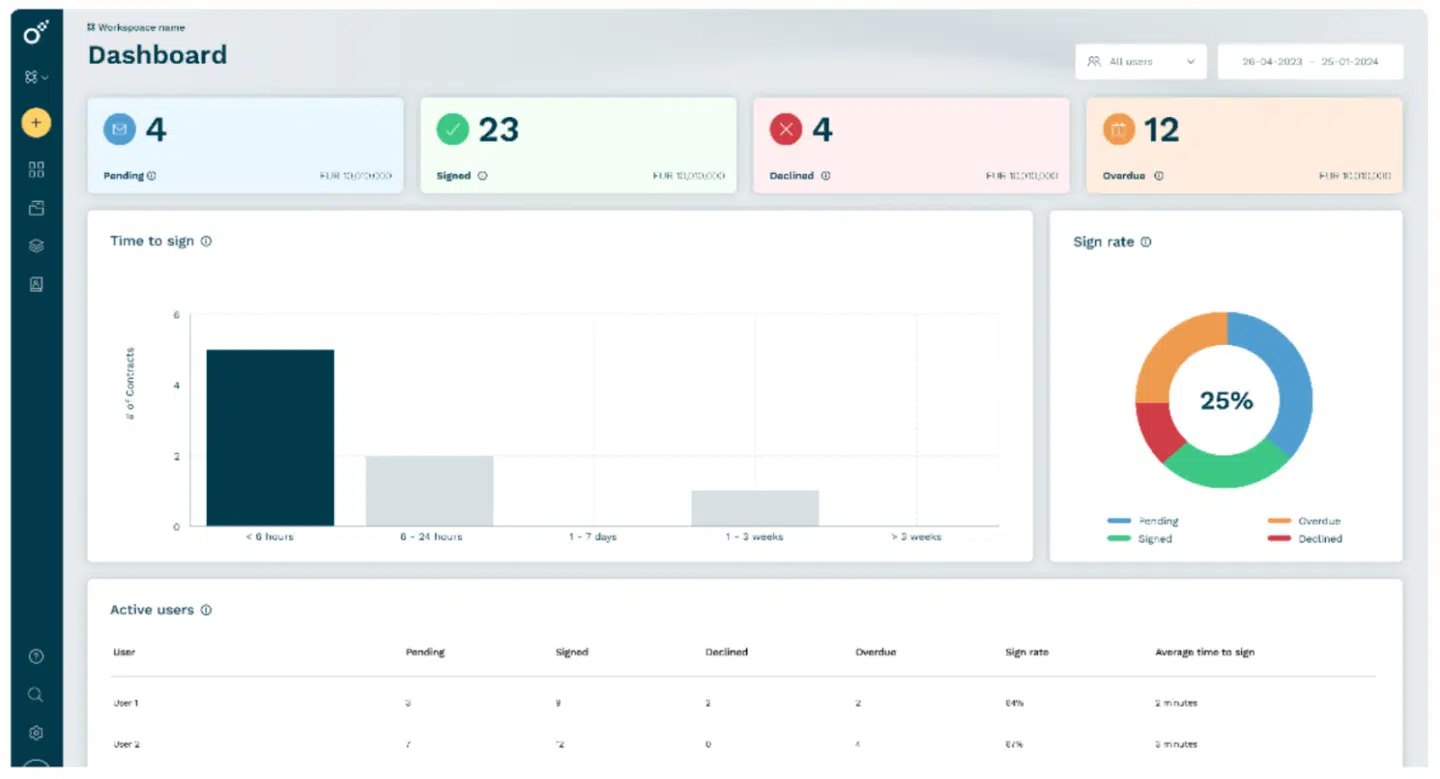
Oneflow is an enterprise contract management platform built around the idea that contracts should live inside the workflows that depend on them, not sit in a repository that business teams only visit when something goes wrong.
Most CLM solutions treat contracts as documents. Oneflow treats them as operational data.
Sales teams create contracts directly from the CRM. Finance receives structured contract data that supports accurate invoicing and revenue recognition without manual reconciliation. HR manages the full employee document lifecycle in one place. Legal gets genuine visibility and the ability to automate workflows without becoming the gatekeeper for every standard agreement.
The technical differentiator is Oneflow’s dynamic contract format. Unlike static Microsoft Word exports or PDFs, Oneflow contracts stay live and editable throughout the process. Edit-after-send means teams can update terms during negotiation without generating a new file every time something changes. Two-way CRM sync means that when a deal updates in Salesforce, HubSpot, Microsoft Dynamics or Pipedrive, the contract can reflect it. When terms shift during negotiation, the CRM stays aligned. Finance stops chasing sales for the “final-final” version.
Oneflow’s value is not limited to sales proposals or quoting. It gives the organization one contract platform that connects the teams, systems and data involved before and after signing. Sales can generate agreements from CRM data. Finance can receive structured terms for invoicing, renewals and revenue processes. HR can manage employee documents and amendments in the same environment. Legal can standardize templates, approvals and risk controls without manually handling every routine contract.
This is what intelligent contract management looks like in practice: fewer handoffs, reduced contract cycle time, and contract data that actually flows to the systems using it.
Key features
- Dynamic contracts that remain editable throughout the workflow
- Edit-after-send for faster negotiation without version proliferation
- Two-way CRM integrations with Salesforce, HubSpot, Microsoft Dynamics 365 and Pipedrive
- Centralized repository with workspaces, folders, tags, permissions, templates and lifecycle rules
- Electronic signatures, including eID options, signing order and audit trails
- Approval workflows before signing
- Inline comments for real-time collaboration
- Lifecycle management rules and automated notifications
- Webhooks and API support
- AI features, including Write with AI, AI Extract, AI Summary, AI Review and AI Insights
- Post-sign management for renewals, obligations, metadata and portfolio visibility
- Integrations with Teamtailor, HiBob, Slack, Zapier, Google Workspace and Microsoft Power Automate
Pricing
Oneflow offers a 14-day trial with no credit card required.
The Business plan starts at $292 per month, billed annually, with 5 users included. It covers multiple workspaces, workspace branding, approvals, signing order, inline comments, lifecycle management, data retention, webhooks and Oneflow AI features, including Write with AI, AI Extract and AI Summary.
The Enterprise plan is custom-priced and adds SSO, SCIM API, shared templates, user groups, AI Review, AI Insights, section rules, account audit log and custom admin roles.
Who should use Oneflow
Mid-size to enterprise organizations where contracts touch multiple departments. Particularly strong for sales and RevOps teams building a quote-to-cash process, finance teams that need clean contract data for invoicing and recognition, HR teams managing employee documents from offer to offboard, legal and business users who need governance without slowing everyone else down and any company that wants to use Salesforce, HubSpot, Microsoft Dynamics or Pipedrive as the CRM source of truth.
Who should not use Oneflow
If you only send a handful of simple PDFs for signature each month and have no interest in CRM sync, lifecycle rules, approval workflows or post-sign visibility, a basic e-signature tool will do the job.
Limitations
Getting full value from CRM sync, templates, approval workflows, AI features and lifecycle management requires onboarding. Some of the more advanced AI and enterprise governance capabilities are only available on the enterprise plan. Native ERP integrations require more configuration than the CRM connections.
Quick verdict
Oneflow is the strongest option on this list for organizations that want contract lifecycle management running inside business operations rather than beside them. The combination of dynamic contracts, two-way CRM sync, proposal capabilities and post-sign visibility sets it clearly apart from static PDF platforms and pure e-signature tools.
Book a demo to see how Oneflow connects to your CRM, finance, HR and operations workflows.
2. Docusign CLM
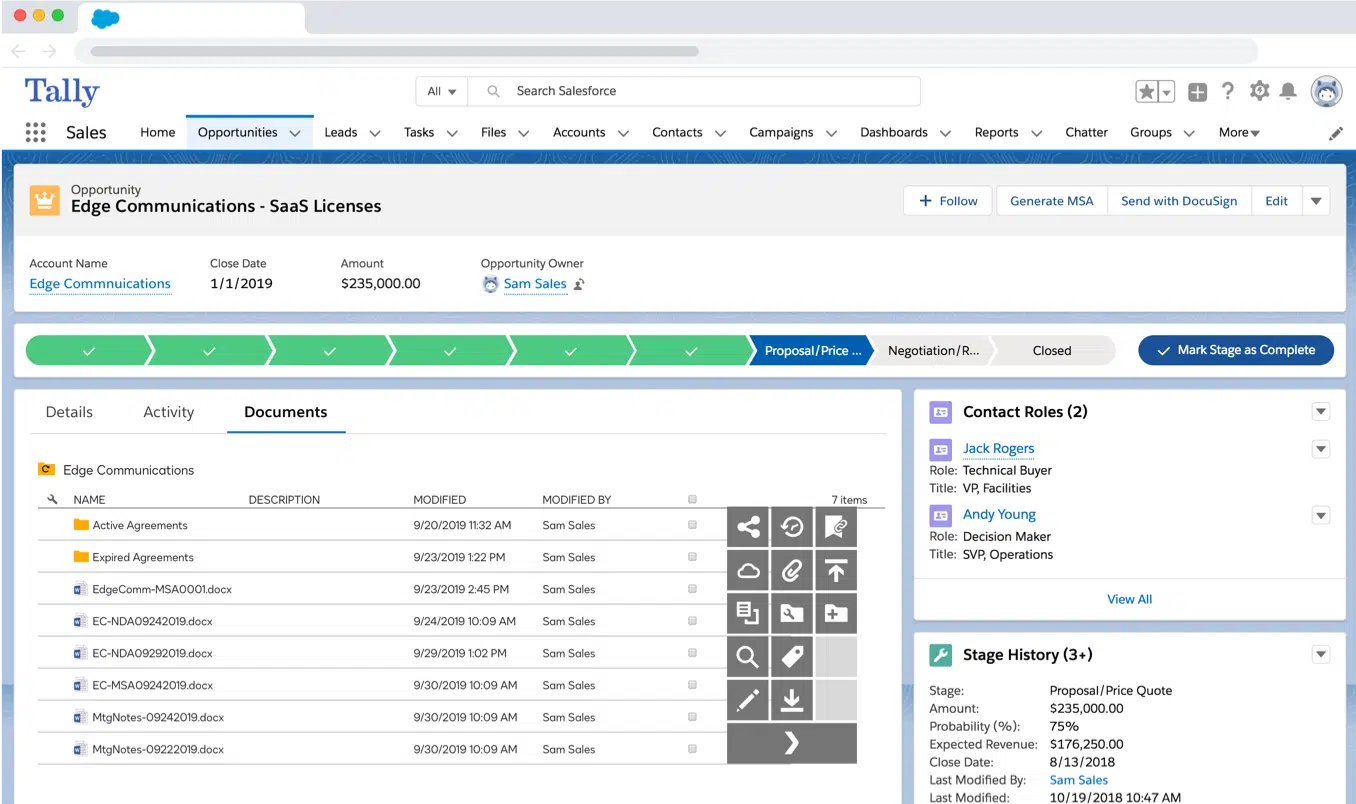
Docusign CLM is an enterprise contract management platform within the wider Docusign IAM suite. It extends beyond e-signature into contract generation, review, negotiation, workflow automation, repository management and analytics.
The platform is built for larger teams that need structured agreement workflows, compliance controls and enterprise integrations. Iris AI supports term extraction, agreement analysis, summarisation and AI-assisted review, while workflow tools help route contracts through approval chains. Docusign CLM also integrates with systems such as Salesforce, SAP Ariba and Coupa, which makes it relevant for legal, sales and procurement teams managing complex agreement processes.
See Docusign alternatives for more similar options.
Key features
- E-signatures with identity verification options
- Contract templates and clause libraries
- Approval workflows and routing
- Central contract repository
- Audit trails and compliance tracking
- Iris AI for extraction, analysis, summarisation and assisted review
- Integrations with Salesforce, SAP Ariba, Coupa and other enterprise systems
Pricing
Docusign publishes UK IAM pricing from $40/user/month for IAM Starter, $45/user/month for IAM Standard and $75/user/month for IAM Professional, all billed annually. Enterprise CLM is custom quoted.
Who should use Docusign CLM
Large organizations that need enterprise agreement workflows, e-signature, approval routing, repository management, compliance controls and integrations with procurement or enterprise systems.
Who should not use Docusign CLM
Teams that want a lighter CLM with faster adoption for quick contract creation, live contract editing and contract data flowing across business workflows without a heavier enterprise rollout.
Limitations
Implementation can take time. Advanced features may require training and configuration. Pricing can rise quickly for smaller teams or complex enterprise use cases.
Quick verdict
Docusign CLM is a credible enterprise option for structured agreement management, especially where governance and compliance are priorities. However, buyers should validate implementation effort, pricing and how easily contract data moves across their wider business systems before committing.
3. PandaDoc
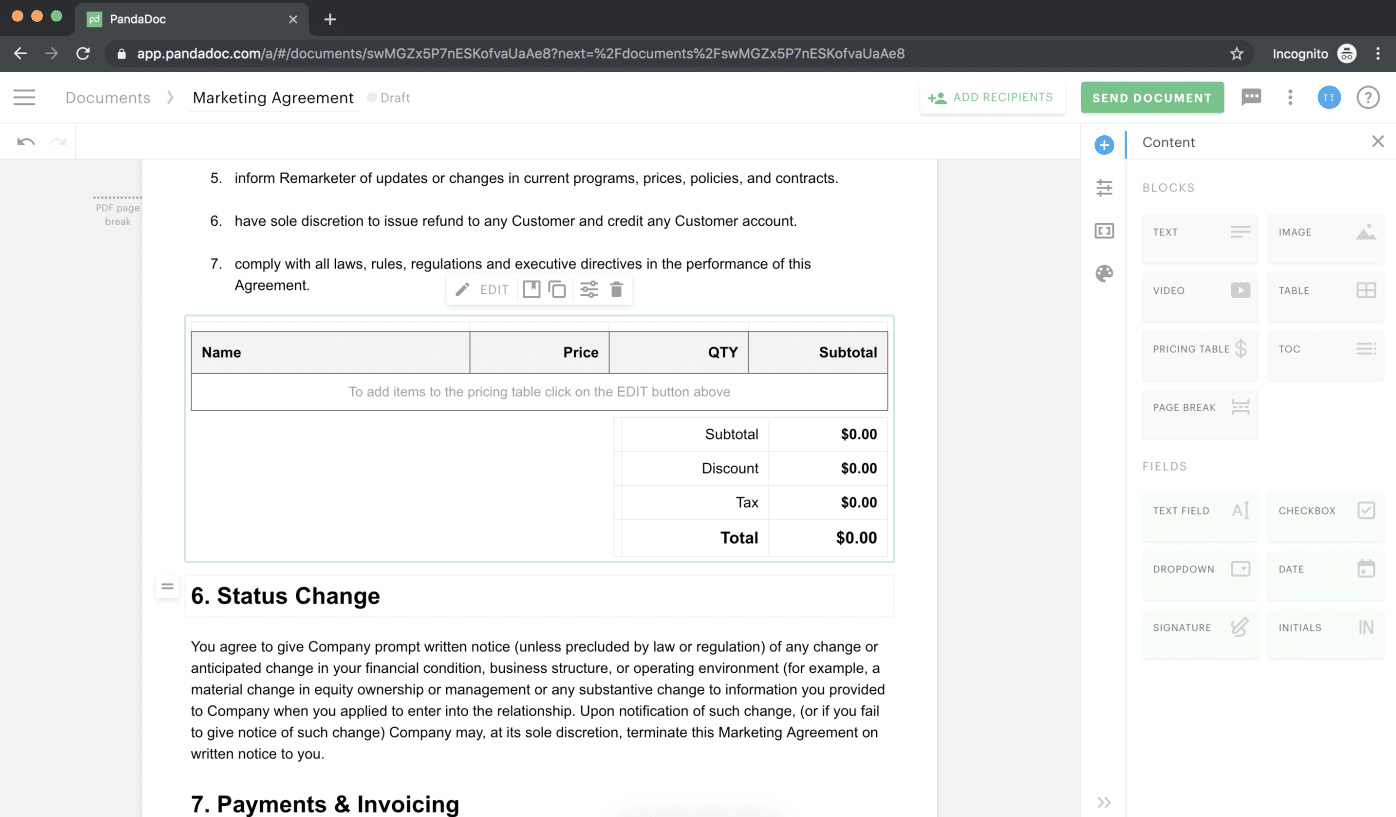
PandaDoc is a document automation platform for sales teams that need to create proposals, quotes and agreements quickly. It’s strongest before signature: branded proposals, pricing tables, product catalogs, Deal Rooms, approvals, tracking and built-in e-signature are all central to the product.
Teams can build polished sales documents from templates, send them for signature and track recipient engagement. PandaDoc also integrates with tools such as Salesforce, HubSpot and Pipedrive, making it useful for sales teams that want proposal and agreement workflows connected to the CRM.
It includes storage, search, reminders, audit trails and some automation, but it’s not as deep as full CLM platforms for obligation tracking, renewal governance, supplier workflows or portfolio-level contract intelligence.
For a deeper comparison, see PandaDoc alternatives and the best proposal management software.
Key features
- Proposal and document templates
- Drag-and-drop document editor
- Built-in e-signatures
- Pricing tables, product catalog and CPQ on higher tiers
- Approval workflows
- Deal Rooms
- Document engagement analytics
- Integrations with HubSpot, Salesforce and Pipedrive
Pricing
Free plan available. Paid plans start at $19/user/month for Starter and $49/user/month for Business when billed annually. Enterprise pricing is custom. A 14-day free trial is available.
Who should use PandaDoc
Sales teams that mainly need faster proposal creation, quote generation, buyer-facing document workflows and e-signature.
Who should not use PandaDoc
Teams that need full contract lifecycle management across legal, finance, procurement and HR, especially where post-sign obligations, renewals and contract data visibility matter.
Limitations
Post-sign contract management is lighter than dedicated CLM platforms. Advanced workflows, CPQ and some CRM capabilities depend on the plan. Reviews also mention editing limits, table formatting issues and pricing concerns as usage grows.
Quick verdict
PandaDoc is a strong sales document and proposal automation tool. It’s less suitable when the buying need is full lifecycle contract management across multiple departments.
4. Ironclad
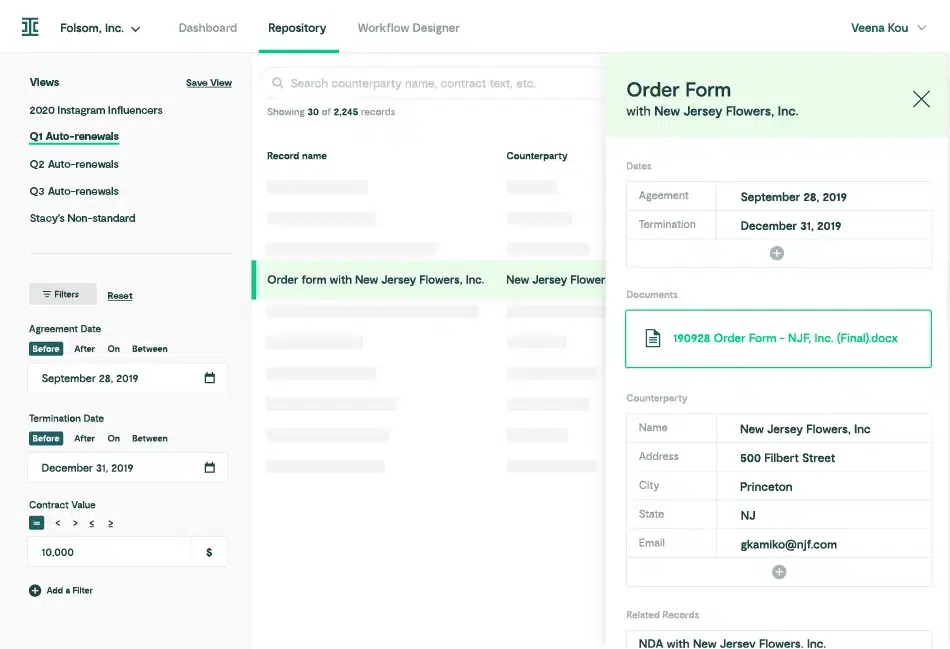
Ironclad is an enterprise CLM for teams with high contract volume, complex approvals and legal operations resources to configure the platform properly. Its strength is workflow automation: you can build conditional approval flows, manage contract requests and track work across complex processes.
The no-code Workflow Designer lets teams route agreements, automate approvals and keep stakeholders updated without developer support. Jurist AI supports drafting, review, redlining and research, while Ironclad’s repository gives teams search, reporting and visibility across large contract volumes.
Key features
- No-code Workflow Designer
- Contract templates and clause management
- Collaborative contract editor
- Jurist AI for drafting, review, redlining and legal research
- Repository with metadata, search and reporting
- Approval routing and audit trails
- Salesforce, Slack, Coupa, Ramp and other enterprise integrations
- Renewal dashboards and obligation visibility
Pricing
Custom. Vendr benchmark data puts mid-market deployments around $50,000–$120,000/year, with implementation often adding $10,000–$40,000+.
Who should use Ironclad
Legal teams with high contract volume, complex approval requirements and dedicated legal operations resources.
Who should not use Ironclad
Organizations that need fast self-serve adoption across sales, HR, finance and procurement without a heavy configuration process.
Limitations
Implementation can be complex. Reviewers mention learning curve, search limitations, workflow-editing friction, technical setup and occasional Word/PDF issues.
Quick verdict
Ironclad is strong for legal-led enterprise workflow automation. Not so great for teams whose main priority is quick, cross-functional adoption and contract review with minimal legal work necessary.
5. ContractSafe
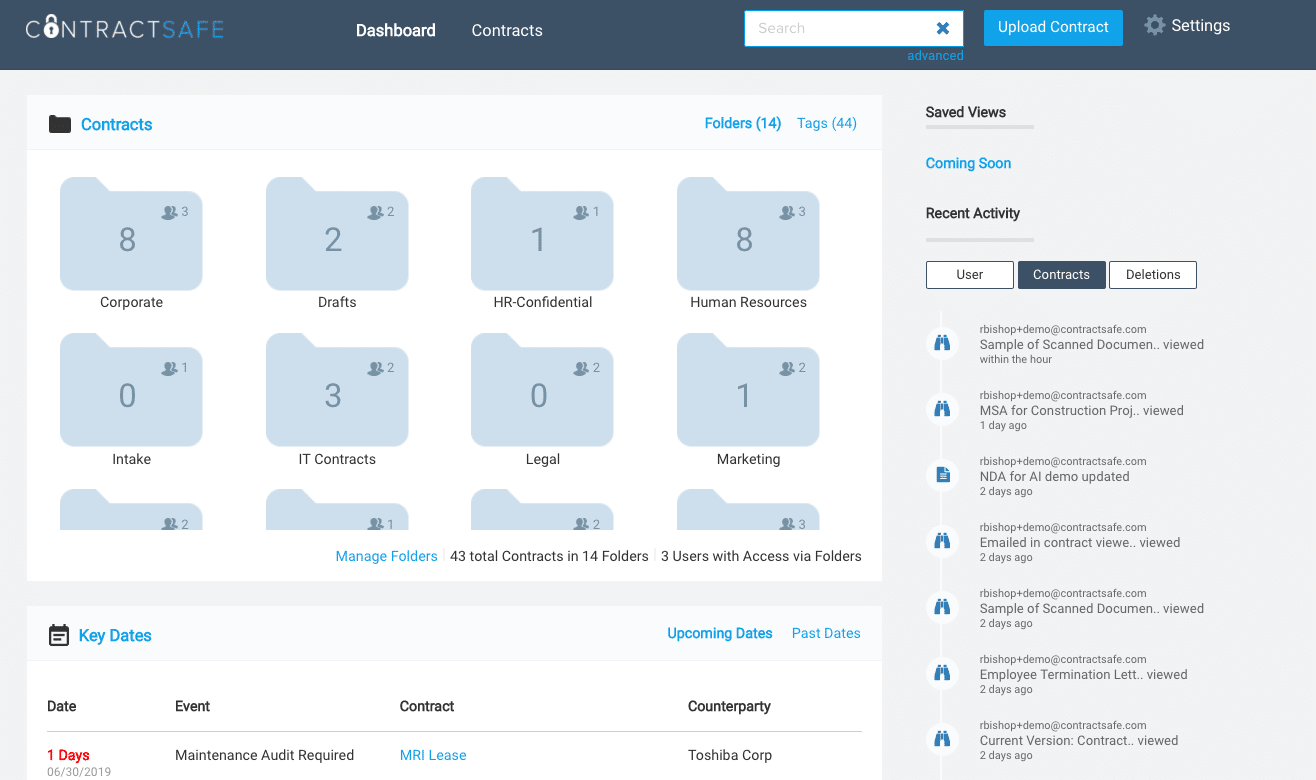
ContractSafe is for teams that need to get contracts out of shared drives, inboxes and spreadsheets without turning contract management into a long implementation project. Its strongest positioning is still ease of use, fast setup and practical contract visibility, but it now goes beyond a simple repository in its higher-tier plans.
For teams that need a searchable, structured contract repository rather than a full enterprise CLM rollout, ContractSafe works well. OCR search, AI-powered contract chat, automated reminders, custom fields, dashboards and role-based permissions cover the basics teams usually need first. ContractSafe also adds useful workflow features like approvals, e-signature, Word integration, templates, intake forms, lifecycle tracking and AI contract review depending on the plan. That makes it more capable than a basic storage system, but still simpler than heavier CLM platforms.
Key features
- Centralized contract repository
- OCR, full-text search and SmartSearch
- AI data extraction, contract chat and AI contract review
- Deadline reminders and contract calendar
- Custom fields, forms, dashboards and reports
- Role-based permissions
- Version tracking and amendment tracking
- Approvals, redlining, Word integration and e-signature on higher plans
- Integrations with Docusign, Salesforce, Zapier, Okta/SAML 2.0 and API access depending on plan
Pricing
From $450/month, prepaid annually, with unlimited users. Pricing is based on features and contract volume.
Who should use ContractSafe
Teams that want an easy contract management system with a strong contract repository, search, reminders, AI assistance and optional workflow features. It’s a good fit for organizations moving away from manual contract tracking and looking for clear pricing, fast onboarding and fewer administrative steps.
Who should not use ContractSafe
Teams that need a highly configurable enterprise CLM with complex cross-system automation, advanced reporting control or very granular workflow customization.
Limitations
AI extraction can still require manual checks. Some workflow, lifecycle and integration features are limited to higher-tier plans. It’s more capable than a repository, but may still feel light for teams with very complex CLM requirements.
Quick verdict
A practical, easy-to-adopt contract management platform with useful AI and lifecycle features. Best for teams that want more control without buying into a heavy enterprise CLM rollout.
6. Agiloft
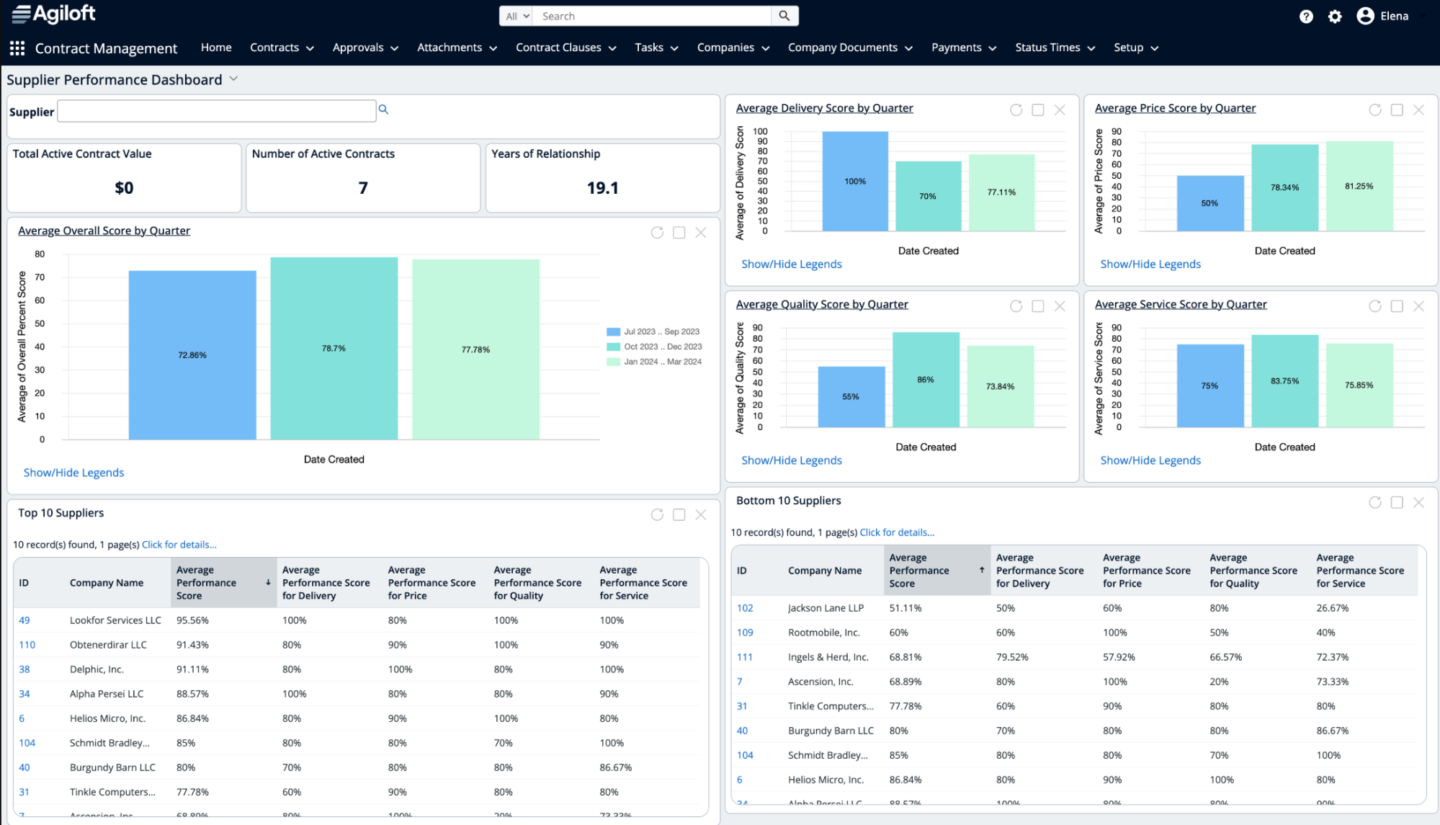
If configurability is your primary requirement, Agiloft is a strong option. Its no-code platform is built for teams that need to shape contract workflows around how the business actually works. Admins can configure workflows, permissions, dashboards, data fields and approval processes without traditional developer work—very useful for organizations with complex or highly specific contracting needs.
Agiloft can support the full contract lifecycle, from contract creation and AI-assisted review to approvals, obligations, renewals, reporting and integrations with business systems. But the more you customize it, the more important it becomes to have someone who understands the process, the data model and the long-term system design. Without that internal ownership, teams may not get the full value from the platform.
Key features
- No-code workflow configuration
- Contract templates and clause libraries
- Central repository with search and metadata
- AI review, redlining, extraction and contract analysis
- Renewal, obligation and compliance alerts
- Approval routing and audit trails
- Dashboards and reporting
- Drag-and-drop integrations with 1,000+ systems, including Salesforce, SAP, NetSuite, Docusign, Adobe Sign, Microsoft Teams and Slack
Pricing
Custom. Third-party pricing benchmarks suggest Agiloft is a mid-market-to-enterprise investment.
Who should use Agiloft
Mid-market and enterprise teams with complex contract workflows, cross-functional processes and the internal resources to configure and maintain the system properly.
Who should not use Agiloft
Teams that want a lightweight repository, a very simple rollout or a system that requires little ongoing administration.
Limitations
The flexibility can create a learning curve. Some users report implementation challenges, difficult customization work or the need for outside support to make changes. The interface is generally capable, but may feel heavier than newer, simpler CLM tools.
Quick verdict
A powerful, configurable CLM platform for teams with complex requirements. Best when there’s clear internal ownership and high process maturity to take full advantage of its flexibility.
7. Juro
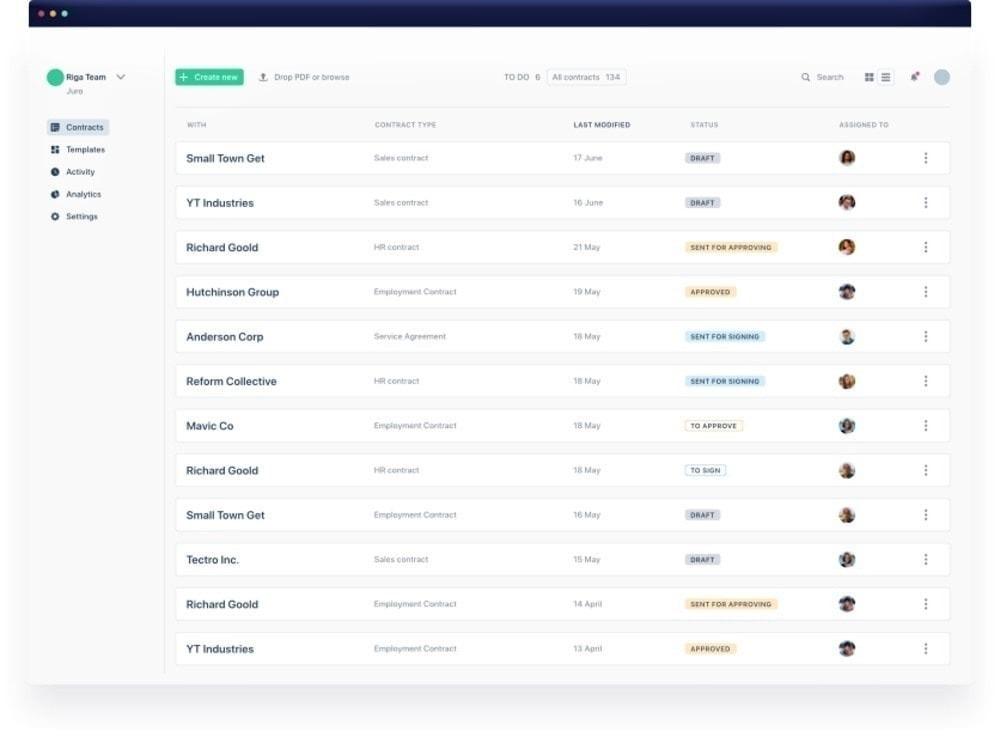
Juro is an AI-native CLM platform with a clean browser-based editor, strong usability for legal, sales, HR, finance and procurement. It helps teams create, review, approve, sign, store and track contracts in one workspace.
The platform is strongest where teams want modern contract collaboration without the feel of older enterprise CLM systems. Juro supports templates, approvals, in-platform negotiation, e-signature, repository management, AI review, AI extraction and natural-language contract querying. It also integrates with tools including Salesforce, HubSpot, Slack, Google Drive, Word, DocuSign, Greenhouse, Ashby, Zapier and API/webhooks depending on plan.
Key features
- Browser-based contract editor
- Template questionnaires and conditional logic
- Approval workflows
- In-platform negotiation, commenting and redlining
- E-signature
- Contract repository with tracking and reminders
- AI review, AI extraction and natural-language contract querying
- Integrations with Salesforce, HubSpot, Slack, Google Drive, Word and other systems
Pricing
Custom. Vendr’s 2026 analysis puts the median Juro contract at $32,832/year, with observed deals ranging from $11,964 to $132,339.
Who should use Juro
Legal, HR, sales and operations teams that want a modern CLM with strong usability, templates, collaboration features, AI functionality and broad business-team positioning.
Who should not use Juro
Teams with very complex multi-round negotiation workflows, highly specific reporting requirements, or integration needs that require deep validation before purchase.
Limitations
Reviewers mention redline-over-redline limitations, Word formatting issues, limited table customization, basic search or data extraction in some cases, reporting gaps and integration requirements that vary by workflow.
Quick verdict
Juro is strong on usability, collaboration and modern CLM adoption. Larger or more complex teams should test negotiation, reporting, AI extraction and integration depth before committing.
8. Conga Contracts
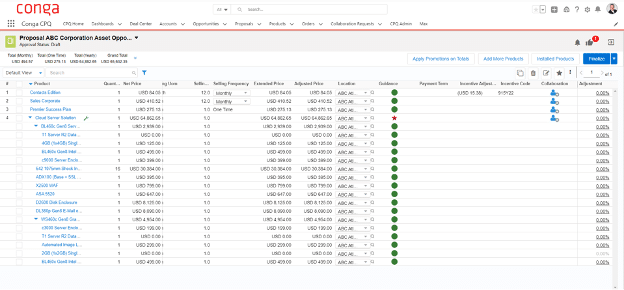
Conga’s strongest selling point is how well it connects contract work with revenue operations. Contract creation, document generation, approvals, e-signature and reporting can all sit close to the deal process with the Salesforce integration, which helps reduce handoffs and keeps contract data tied to commercial activity.
That said, Conga supports broader CRM and ERP integrations, along with APIs, document automation, CPQ and revenue management tools. The value is strongest when a company wants CLM to sit inside a larger quote-to-cash or revenue lifecycle setup, not just act as a legal repository. Its AI capabilities also add useful support for risk analysis, compliance questions, contract review and summarization.
Conga CLM can handle sophisticated workflows, but implementation and configuration often require experienced admins, consultants or partner support. It’s not a lightweight tool for teams that just need simple storage and reminders.
Key features
- Contract workflows connected to Salesforce and other CRM or ERP systems
- Contract templates and clause management
- AI contract analysis, risk flagging and compliance Q&A
- Approval workflows and obligation tracking
- Central repository with smart search
- Version control, redlining and collaboration tools
- Contract analytics and reporting
- Document automation, e-signature, CPQ and enterprise API integrations
Pricing
Custom. Third-party pricing data suggests costs vary widely by product mix, users, deployment model and services.
Who should use Conga Contracts
Large or scaling organizations that want CLM tied closely to revenue operations, document automation, Salesforce, CPQ or broader quote-to-cash workflows. It’s a better fit when there’s a budget and internal capacity for a proper implementation.
Who should not use Conga Contracts
Teams looking for a simple, fast-to-launch contract repository or organizations without the appetite for configuration, training and ongoing admin work.
Limitations
Setup can be complex and may require a consultant or advanced admin support. Some users report a steep learning curve, slower performance with large documents and a less intuitive experience for non-legal or occasional users. Cost-to-complexity can be hard to justify for smaller teams.
Quick verdict
The right call for large Salesforce-led organizations. For broader cross-functional CLM, the ecosystem dependency is a real constraint.
9. Contractbook
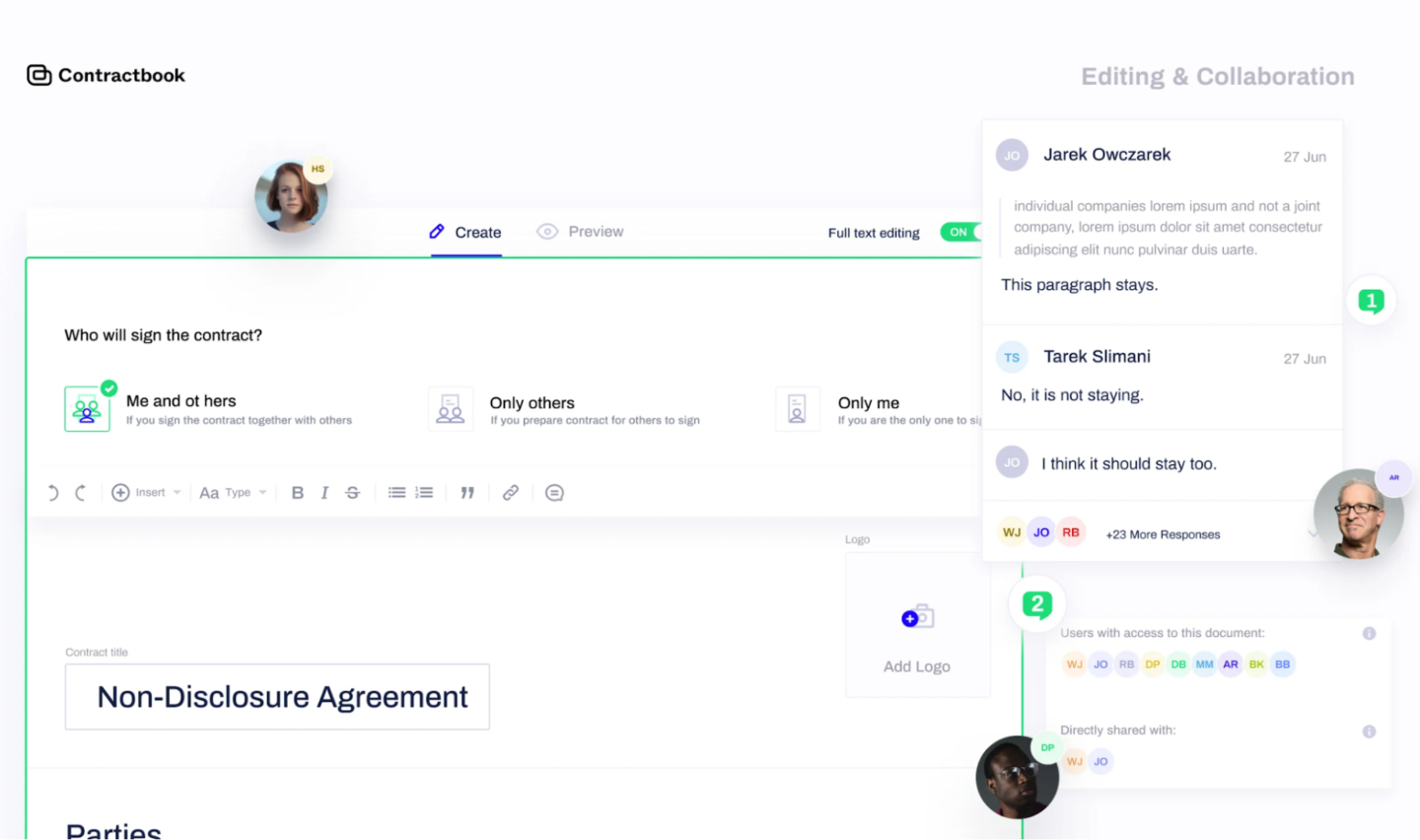
Contractbook is a contract management platform for teams that want structured contract creation, signing, storage and automation without enterprise CLM weight. It’s better for SMBs and mid-market teams that need contract organization, templates, reminders and AI-supported data extraction in place of old manual processes.
The platform includes smart templates, dynamic fields, e-signatures, collaboration, version history, reminders, AI Import, AI data extraction, a central repository and no-code automation. It also supports CRM-driven workflows through HubSpot, Pipedrive, Salesforce, Zapier, Make and API access, depending on plan.
Key features
- AI-powered contract import and data extraction
- Structured contract database
- Smart templates, dynamic fields and conditional logic
- Full-text search and filters
- Renewal reminders and tasks
- No-code automation for approvals and contract organization
- E-signatures
- HubSpot, Pipedrive, Salesforce, Zapier, Make and API access depending on plan
Pricing
Custom. A 14-day free trial is available.
Who should use Contractbook
SMBs and mid-market teams that need better contract organization, AI-assisted data extraction, templates and renewal tracking without a heavy enterprise rollout.
Who should not use Contractbook
Organizations with high-volume, multi-department workflows, advanced approval needs, complex quote-to-cash requirements or deep portfolio analytics requirements.
Limitations
Workflow automation and analytics are lighter than enterprise CLM platforms. Some integrations and advanced features depend on the plan. Reviews mention setup effort for non-standard workflows, limited role control, formatting issues, occasional bugs and renewal or billing frustrations.
Quick verdict
Contractbook is a practical option for teams getting serious about contract organization and automation. It’s not the right foundation for a complex enterprise CLM.
10. SAP Ariba Contracts
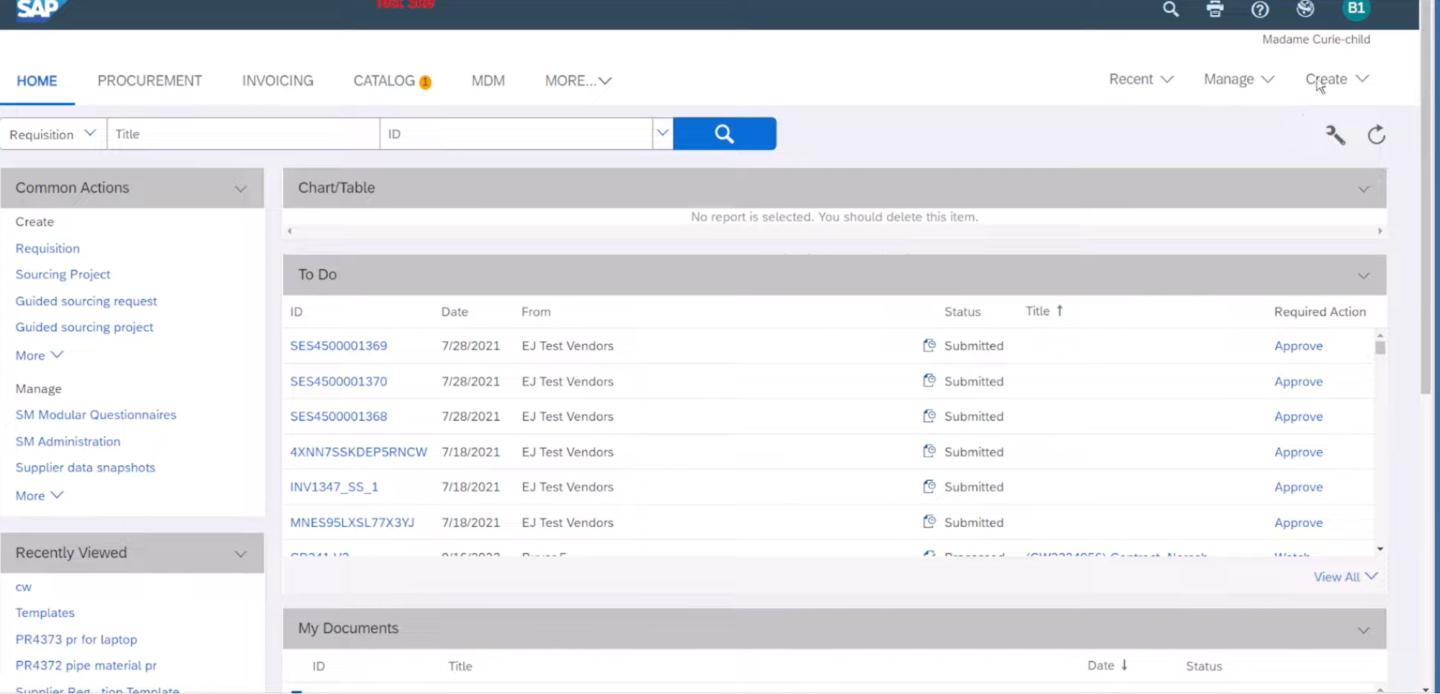
SAP Ariba Contracts is for large procurement-led organizations that operate inside SAP’s source-to-pay ecosystem and need contract data tied closely to supplier management, buying, spend visibility and compliance.
It centralizes contract workspaces, supplier agreements, approvals, documents, dates and spend-related contract data. There’s also AI-supported workflows through Joule, guidance through WalkMe, search and reporting, analytics and supplier collaboration.
Reviews point to a lower ease-of-use score than many newer CLM tools, plus a learning curve, slow search at times and a clunky interface for occasional users. It can be useful once configured and adopted, but it’s not the obvious choice for teams that want a fast, modern contract tool.
Key features
- Centralized contract repository and workspaces
- Supplier agreement management
- Clause assembly, authoring and redlining
- AI-supported contract creation, summaries and guidance
- Search, reporting and embedded analytics
- Spend and compliance monitoring
- Approval workflows, audit trails and notifications
- Integration across SAP sourcing, buying and supplier management processes
- Extensions, including SAP Ariba Contract Intelligence by Icertis and SAP Signature Management by DocuSign
Pricing
SAP lists pricing as per user per month, with the price available on request.
Who should use SAP Ariba Contracts
Large enterprises, especially procurement-heavy organizations that need contract management connected to sourcing, suppliers, spend and compliance.
Who should not use SAP Ariba Contracts
Teams looking for a simple, user-friendly CLM that can be adopted quickly by legal, sales, HR and finance. It’s also a tougher fit for organizations without a meaningful SAP investment.
Limitations
User ratings and reviews suggest usability is a real concern. Implementation and configuration can be complex, and non-regular users may need training to navigate it comfortably. It’s better suited to procurement and SAP-connected workflows than CRM-led revenue contracting.
Quick verdict
A logical fit for SAP-heavy procurement organizations. For most teams outside that ecosystem, simpler and more flexible CLM tools will usually be easier to adopt.
How to choose CLM solutions for your business team: 7 criteria before CLM implementation
- Who will use it? Map your actual users before looking at a single demo. A platform designed for the legal department will work completely differently from one built for sales, RevOps or HR. If the right CLM software for your organization needs to work across multiple departments, verify that it actually does—through user review data and a real pilot.
- Does it connect to your existing systems? Seamless integrations with the systems your teams already live in are a must-have. Two-way CRM sync separates a genuine CLM from just another document repository. One-way exports do not solve the problem.
- Are contracts static PDFs or live documents? Static PDFs create version-control nightmares the moment anyone needs to change a number, a term or a party name mid-negotiation. Dynamic contracts eliminate that category of manual effort. If your teams currently email Microsoft Word files back and forth and call it a contract process, look for tools that eliminate that back-and-forth by letting teams create, edit, negotiate and sign contracts in one live workflow.
- What happens after the signature? Renewal tracking, obligation management, metadata, audit trails and contract performance visibility are why CLM software matters beyond just storage.
- What do the AI features actually do? Can artificial intelligence review contract content against legal guidelines and flag risk? Extract metadata from legacy agreements at scale? Automate workflows for repetitive tasks like renewal notifications and approval routing? Provide advanced analytics across a contract portfolio? AI that only summarizes text has a narrow use case. AI that supports review, compliance and portfolio-level insight reduces risk.
- What does CLM implementation cost in time and resources? Data migration, template setup, approval workflow design, user training, CRM or ERP integration, admin resources and external partners all add up. A platform with a lower license price can cost more overall if it takes six months to get running.
- Will the platform scale with your business? Contract volume grows. So do contract types, business units, approval requirements and compliance obligations. The right CLM software should handle that growth without forcing a platform replacement in two years.
Turn contracts into business data
The right CLM software should make contracts easier to create, negotiate, sign and manage after signature. More importantly, it should make contract data useful across the business. If your team is still chasing PDFs, reconciling terms manually or switching between CRM, inboxes and shared drives, the cost is already showing up in slower deals, avoidable risk and revenue leakage.
Oneflow is built for teams that want contracts connected to real workflows, not buried in static documents. Book a demo to see how dynamic contracts, CRM sync, AI and post-sign management can work in your process.
FAQs
What is the best contract lifecycle management software in 2026?
The best CLM software depends on your use case. Oneflow is the strongest all-around option for mid-size and enterprise teams that want contract data connected to CRM, finance, HR and business workflows. It’s especially strong for dynamic contracts, two-way CRM sync, AI features, e-signatures, approval workflows and post-sign management.
Ironclad and Agiloft are stronger fits for legal-heavy enterprise workflows with dedicated legal operations resources. ContractSafe and Contractbook are better for simpler repository, tracking and reminder needs. SAP Ariba Contracts makes the most sense for SAP-heavy procurement teams.
What is contract lifecycle management software?
Contract lifecycle management refers to tools that help teams manage contracts from drafting through negotiation, approval, signing, storage, renewal, to risk and obligation tracking and reporting.
Modern CLM solutions connect contract data to CRM, ERP, HR and finance systems so the information inside agreements doesn’t stay trapped in static PDFs or shared folders, but flows seamlessly across the business.
What is an example of a CLM system?
Oneflow is an example of a CLM system. It supports pre-sign and post-sign workflows, integrates with major CRMs, includes electronic signatures, uses AI for contract tasks and keeps contract data connected to business systems throughout the contract process.
Other examples include Docusign CLM, Ironclad, Agiloft, Juro, Conga Contracts and SAP Ariba Contracts.
How is CLM software different from e-signature software?
E-signature software handles the signing step. CLM software manages the full contract process, including creation, negotiation, approvals, signing, renewal management, obligation tracking, storage and analytics.
Most businesses start with e-signatures and move to CLM when contract volume, complexity, or compliance needs become too difficult to manage manually.
.png?id=40edbc9ee25345a211152388fdcf1fd2)

.png?id=073897979970647cd034d6db96c145de)