Salesforce stopped selling its legacy Salesforce CPQ product to new customers in March 2025. Existing customers can keep using it, add licenses and renew, but new product development has moved to Revenue Cloud, now part of Agentforce Revenue Management.
That shift creates a broader decision than choosing another quote builder. Revenue leaders need to decide where product configuration and pricing should sit, as well as assess how approved commercial terms move into contracts, signatures and post-sign management.
This guide compares seven alternatives to Salesforce CPQ across the wider process of creation, negotiation, signing, and post-sign management of quotes; the solutions span from enterprise CPQ platforms to proposal and contract-focused tools. Continue reading to find which one best fits your business needs.
What Salesforce CPQ end of sale means for existing and potential buyers
Salesforce CPQ is currently in maintenance mode, with no announced end-of-life date or forced migration. Although some estimate that end of life could come around 2029-2030, Salesforce hasn’t confirmed this timeline. Existing customers therefore have time to plan their next move. However, as product investment shifts elsewhere, adapting Salesforce CPQ to new pricing models, usage components and approval rules may require more customization and ongoing administration. This gives customers a window to simplify existing logic, assess alternatives and prepare a phased migration before the legacy system starts limiting how the business sells.
New customers can choose Agentforce Revenue Management or a third-party platform based on their product, pricing and post-sale requirements. Existing Salesforce CPQ customers face a different process. Moving to Agentforce Revenue Management requires a reimplementation rather than a direct upgrade because the two products use different architectures and data models. Salesforce estimates that this typically takes three to six months, with longer timelines for complex catalogs and custom logic.
Did you need Salesforce CPQ in the first place?
Before choosing a replacement, reassess which parts of Salesforce CPQ your sales process actually depends on. This will help you decide whether you need another full CPQ platform or if a lighter quoting and contract workflow could be enough.
A full CPQ or revenue management platform is justified when you need it to validate complex product dependencies, calculate variable or usage-based prices and control layered discounts, amendments and renewals.
If you have more straightforward product and pricing catalogs, a narrower solution might suffice. PandaDoc, for example, focuses on quotes and proposals, while Oneflow integrates CRM data into a live agreement and supports negotiation, signature and post-sign management. Identifying whether deals slow down during configuration, proposal creation, negotiation, or post-sign management will help you choose the right type of solution and avoid unnecessary CPQ complexity.
How to find a Salesforce CPQ alternative for your business
The tools below cover different parts of the sales process. Some provide full CPQ and billing capabilities, while others concentrate on proposals, contracts and post-sign management. Before comparing them, define which problems the new platform needs to solve and where it should fit within your current systems.
Use these criteria to assess each option:
- Product and pricing complexity: List the dependencies, bundles, pricing rules, amendments and discount controls the platform must support.
- Process coverage: Decide whether you need configuration and quoting only, or also proposals, contracts, e-signature, billing handoffs and renewals.
- Salesforce connection and data ownership: Check which account, product, price and contract fields sync, whether updates move both ways and which system remains the source of truth.
- Implementation and administration: Estimate the work required to clean catalogs, migrate data, rebuild rules, connect systems and train sales reps and administrators.
- Total cost of ownership: Compare licenses, required Salesforce products, add-on modules, implementation, integrations and internal administration using the same user count and functional scope.
7 Salesforce CPQ alternatives compared
The table below gives you a high-level view of the key differences between our top choices: what each platform handles, how it connects with your CRM and where it is priced (where available). The detailed comparisons that follow explain which requirements each tool suits best and where its scope ends.
| Tool | Key features related to CPQ | Other notable features | Annual billing price | CRM connection |
|---|---|---|---|---|
| Oneflow | CRM-filled quotes, synced product tables, approvals, e-signature, creating contracts directly from Salesforce | Live contracts, negotiation, repository, lifecycle rules, contract AI | $58/user/month for teams starting with 5 users | Bi-directional connection with Salesforce, HubSpot, Dynamics 365, Pipedrive and more, plus a public API |
| Revenue Cloud | Catalog, configuration rules, pricing, quoting | Contracts, orders, assets and AI; consumption and invoicing (in the Advanced plan); separate Billing product | Growth $150/user, Advanced $200/user | Native Salesforce |
| DealHub | Rules-based quote configuration, adaptive pricebooks, bundles, parallel approvals | DealRoom, CLM, subscriptions, billing, revenue intelligence | Custom quote | Salesforce, HubSpot, Microsoft Dynamics 365 |
| Conga CPQ | Rules-based configuration, complex bundles, pricing controls, high-volume quotes | Document automation, CLM, billing and invoicing | Custom quote | Salesforce, SAP, NetSuite, HubSpot and APIs |
| PandaDoc | Quote builder, catalogs, product and pricing rules, bundles, approvals | Proposals, document tracking and e-signature | Business: $49/user/month; full CPQ is a custom-priced Enterprise add-on | HubSpot, Microsoft Dynamics 365, Pipedrive |
| Oracle CPQ | Product configuration, pricing, discounts and approvals | Documents, subscription changes, renewals and GenAI summaries | $240/user/month, 25-user minimum; Salesforce connector: $5/user/month | Oracle Sales, Salesforce, Microsoft Dynamics 365 and 20+ ERP systems |
| Nue.io | Product and pricing rules, hybrid pricing, approvals and amendments | Lifecycle management, usage, billing, collections and analytics | Custom quote | Native Salesforce |
Oneflow
Oneflow is a contract lifecycle management platform that turns agreements into structured, actionable business data, with features for contract creation, review, collaboration, approvals, e-signature, storage and post-sign management. Its searchable repository keeps terms, dates, clauses, changes and obligations available to Sales, Finance, RevOps, Legal, HR, Procurement and Operations. AI features support drafting, summarization, data extraction, contract review and portfolio-level analysis.
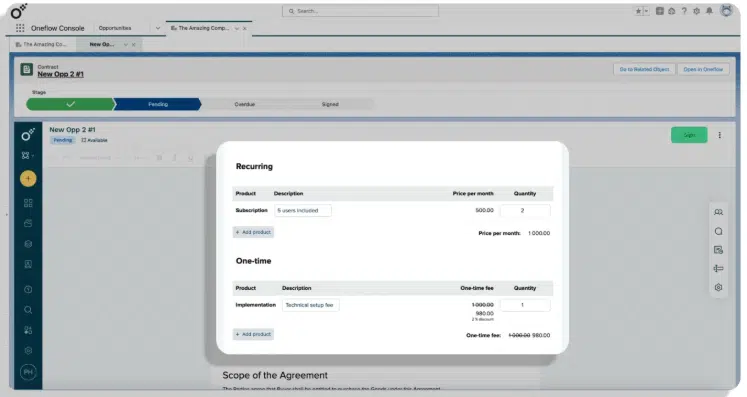
During the quote-to-cash process, Oneflow connects CRM data with the agreement that customers review and sign. Teams can create interactive contracts directly from Salesforce, with data from the relevant opportunity, account, contact and product records automatically populating the contract. The bi-directional sync makes sure that details like contract status and final terms are synced back to Salesforce. Oneflow also offers prebuilt integrations with HubSpot, Microsoft Dynamics 365 and Pipedrive, plus a public API for connecting contract data and workflows with other business systems.
Oneflow’s digital contracts remain editable after they’ve been sent. Sales teams and customers can comment, negotiate terms and update the agreement without emailing a new PDF each time. After signature, lifecycle rules, reminders, obligation tracking and contract analytics help teams act on the final agreed-upon data rather than locking it in archived documents.
Oneflow can complement Salesforce CPQ when a business needs its advanced configuration and pricing logic but wants a more connected contract workflow. Salesforce CPQ determines what can be sold and at what price, while Oneflow carries that approved data into a live agreement for negotiation, signature and post-sign management. This reduces manual data entry, keeps contract changes traceable and makes signed terms easier to manage after the deal closes.
It doesn’t replace a full CPQ tool. Still, it’s a solid choice for mid-size and large organizations that need to connect quotes with negotiation, signature and post-sign contract management while reducing manual handoffs between sales, finance and RevOps.
Key CPQ features
- Product tables populated with CRM data
- Two-way product synchronization with your Salesforce account
- Internal approvals and signing order
- Live editing after send with an audit trail
Once the approved Salesforce data populates the contract, teams can continue the process in Oneflow by negotiating terms, routing approvals and collecting e-signatures. After signing, the same workspace supports reminders, renewals and obligation tracking, keeping the contract connected from creation through post-sign management.
Pricing
The Business plan starts at $58/user/month for teams starting with 5 users. It includes approvals and lifecycle management, as well as AI writing and extraction. Enterprise is custom (minimum of 10 users) and includes AI Review, AI Insights, SSO and account audit logs.
Book a demo to see how Oneflow can simplify the handoff from Salesforce quotes to signed contracts and keep contract data usable after signature.
Revenue Cloud
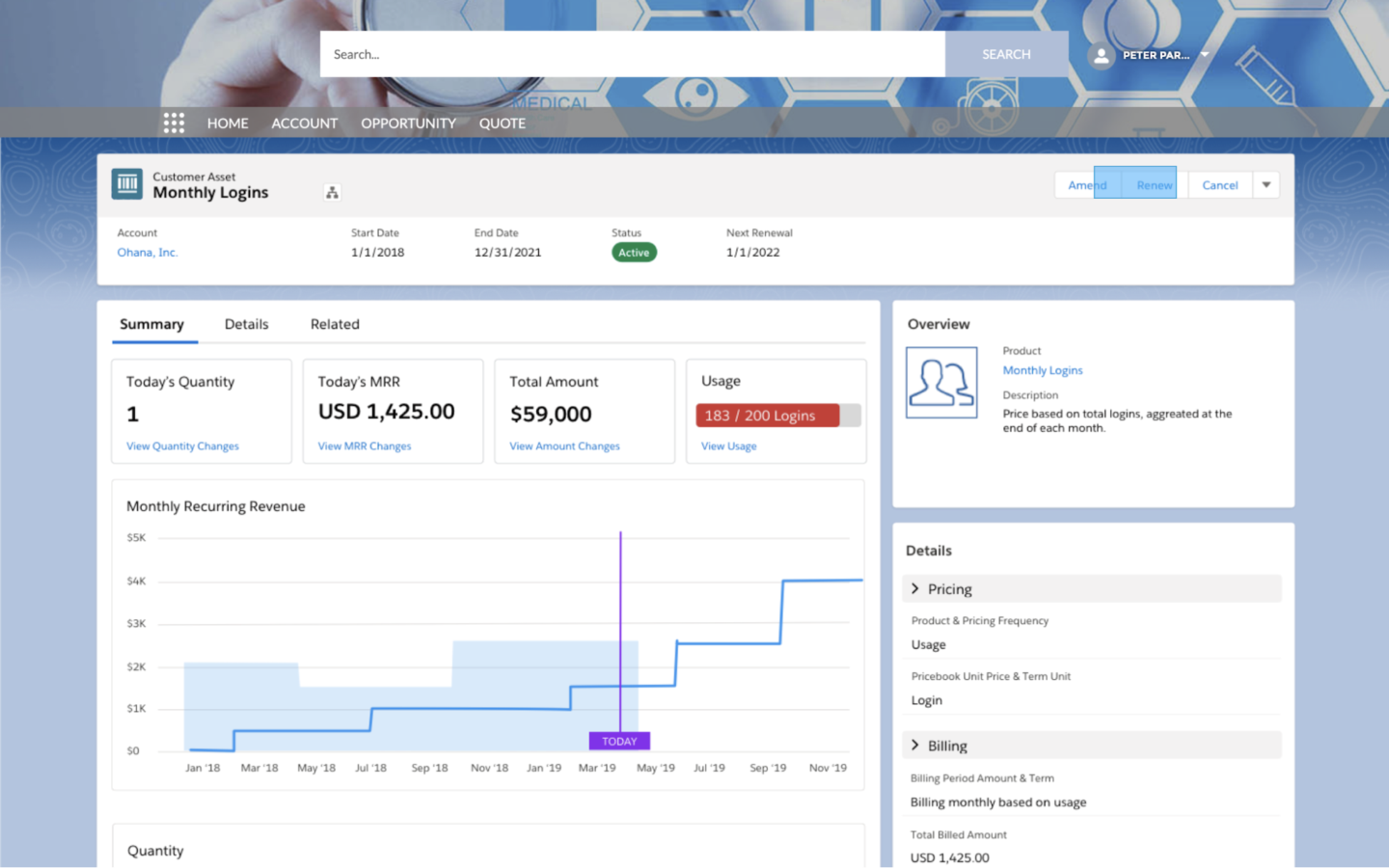
Revenue Cloud (Agentforce Revenue Management) includes product configuration, pricing, quoting, contracts, orders and post-sale management. Guided workflows and Agentforce help sales reps create and update quotes, while product bundling and pricing rules control which products can be sold together and how they’re priced.
Its wider revenue management capabilities include:
- Product catalog and price management
- Product configuration and quoting
- Contract creation, templates, clause libraries and redlining
- Order capture and fulfillment orchestration
- Subscription and asset lifecycle management
- Amendments, renewals and cancellations
- Pricing, subscription, order and billing analytics
Revenue workflows can run through Salesforce, partner portals, self-service channels or APIs.
There’s also Revenue Cloud Billing, a related product for more complex billing requirements.
Pricing
The Growth plan costs $150 per user per month, and Advanced is $200 per user per month, both billed annually. Both require an annual contract and a qualifying Sales Cloud, Service Cloud or CRM license.
DealHub
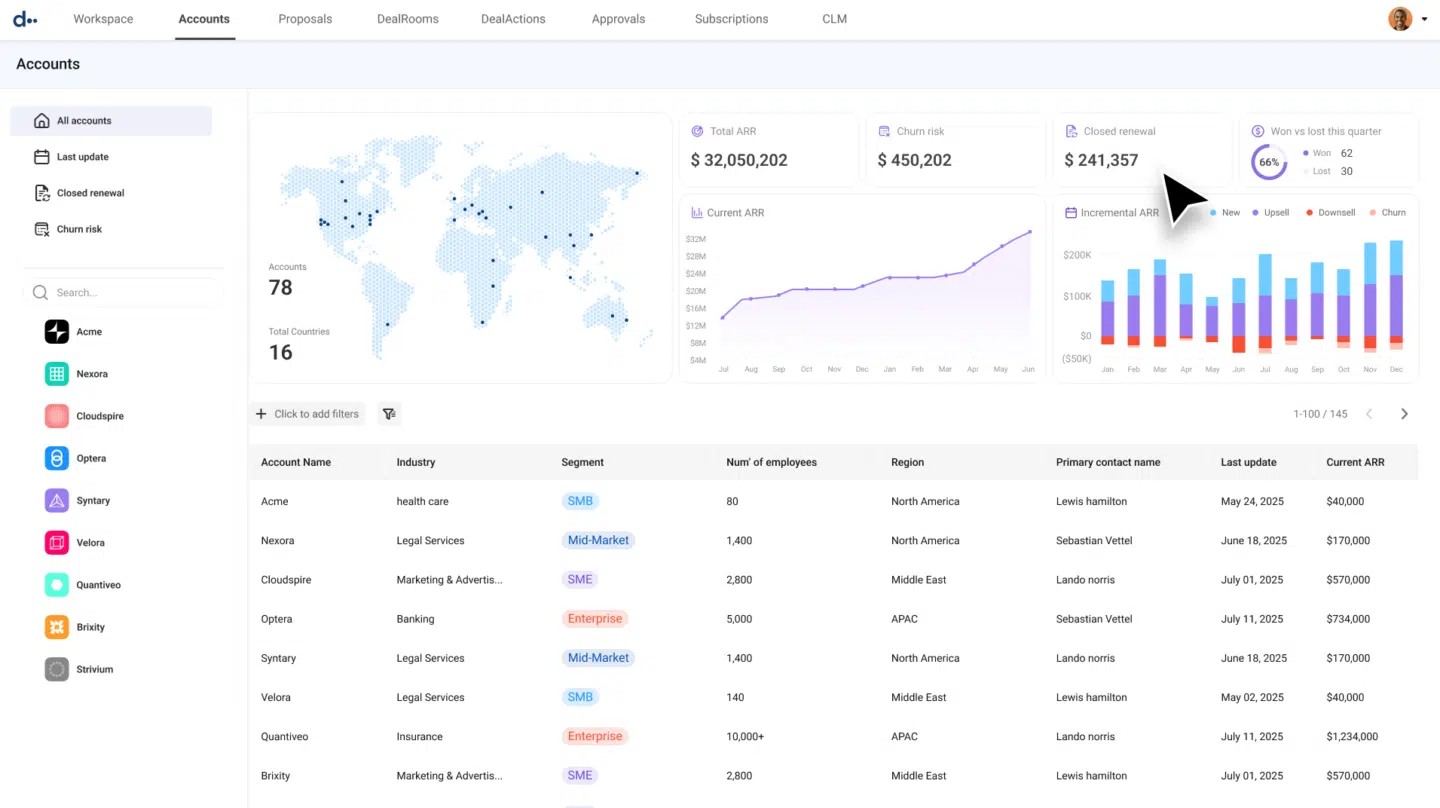
DealHub combines CPQ, contract management, DealRoom, subscriptions, billing and revenue intelligence in one quote-to-revenue platform. It integrates with Salesforce, HubSpot and Microsoft Dynamics 365, among other tools.
Its adaptive pricebook and configuration rules support fixed, tiered and usage-based pricing. Teams can control bundles, discounts and approvals in new sales, renewals, co-terms and amendments. DealHub also supports partner quoting and API-based quoting for e-commerce or self-service channels.
AI tools help with conversational quoting, pricing optimization and revenue analytics based on the rules configured in the platform.
Key CPQ features
- Guided quote configuration
- Flexible pricing and bundles
- Parallel approval workflows
- Renewals, co-terms and amendments
- Partner and API-based quoting
Pricing
DealHub offers custom pricing.
Conga CPQ
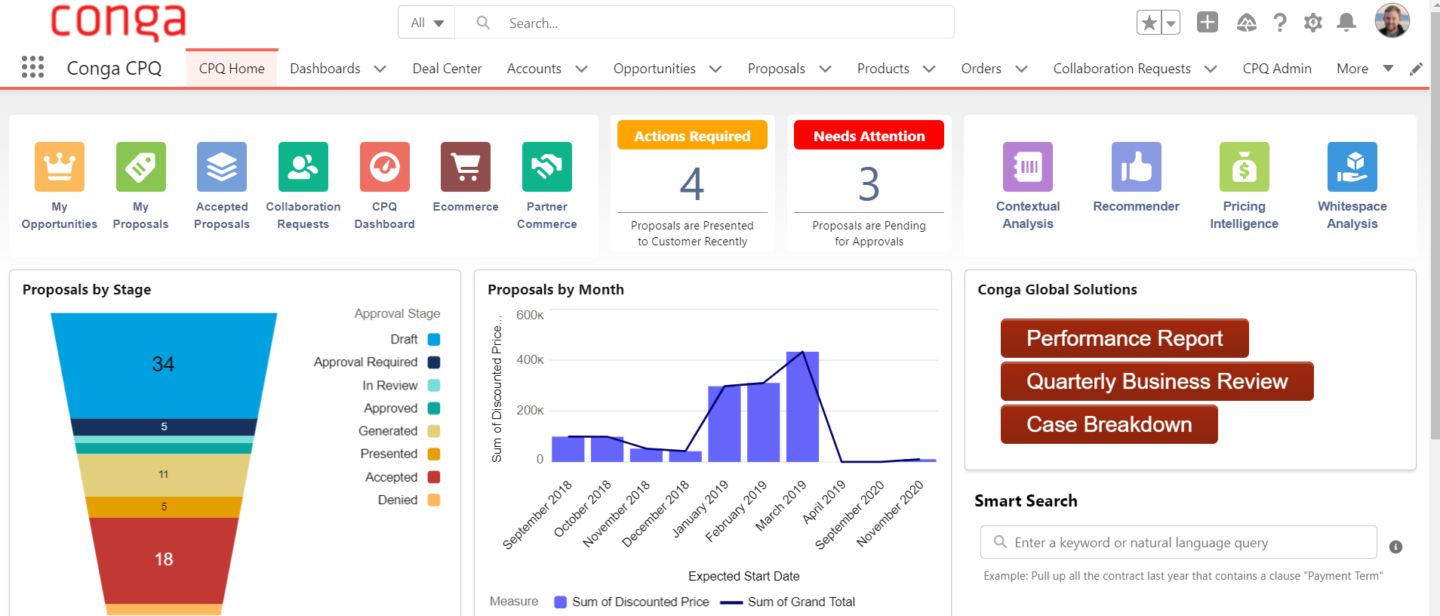
Conga has two CPQ products: Advantage CPQ handles rules-based configuration to quote physical products, services, subscriptions and usage-based offers from one catalog; Smart CPQ supports high-speed, high-volume configuration across different CRM environments, including quotes with thousands of line items.
Both products connect configuration with pricing and automated approvals. Conga can extend the workflow into document generation, contract management, billing and invoicing. Integrations cover Salesforce, SAP, NetSuite, HubSpot and custom systems through APIs.
This breadth suits enterprises with complex catalogs and wider quote-to-cash requirements. Implementation will depend on your product data, pricing rules, approval workflows and integrations.
Key CPQ features
- Rules-based product configuration
- Mixed-product and subscription quoting
- Pricing controls and automated approvals
- Subscription changes and renewals
- High-volume quote processing
Pricing
Conga doesn’t publish fixed prices.
PandaDoc
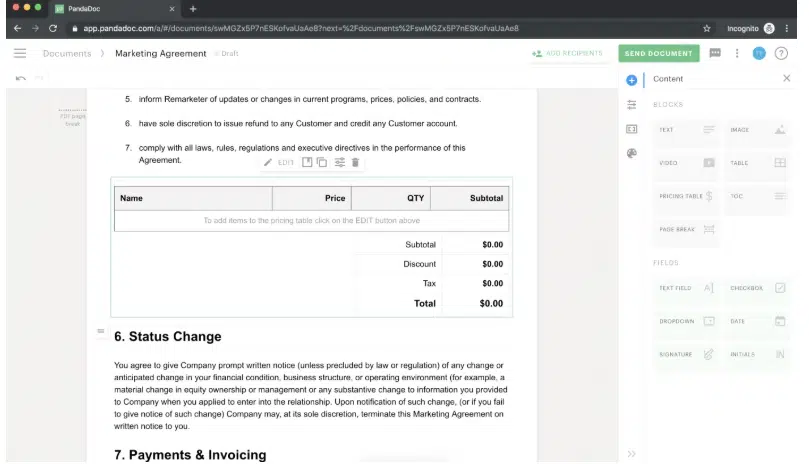
PandaDoc handles CPQ, proposal creation, document tracking and e-signature. Its CPQ tools guide reps through product selection, apply product and pricing rules, create bundles and route quotes for approval before generating the buyer-facing document.
The platform scope is more focused on proposals and agreement workflows than quote-to-revenue. Its CRM integrations include Salesforce, HubSpot, Pipedrive and Microsoft Dynamics.
Teams that also need subscription billing, invoicing or revenue recognition should compare PandaDoc with platforms covering more of the downstream revenue process.
See also: PandaDoc alternatives.
Key CPQ features
- Guided selling and product configuration
- Bundles and product dependency rules
- Customer-specific pricing and discounts
- Conditional approval workflows
- Proposal generation, tracking and e-signature
Pricing
PandaDoc Business costs $49 per seat per month when billed annually. It includes custom quotes and approval workflows, but full CPQ is a paid add-on for Enterprise plans with custom pricing. Confirm the separate costs of CPQ, workflow automation and implementation before signing up.
Oracle CPQ
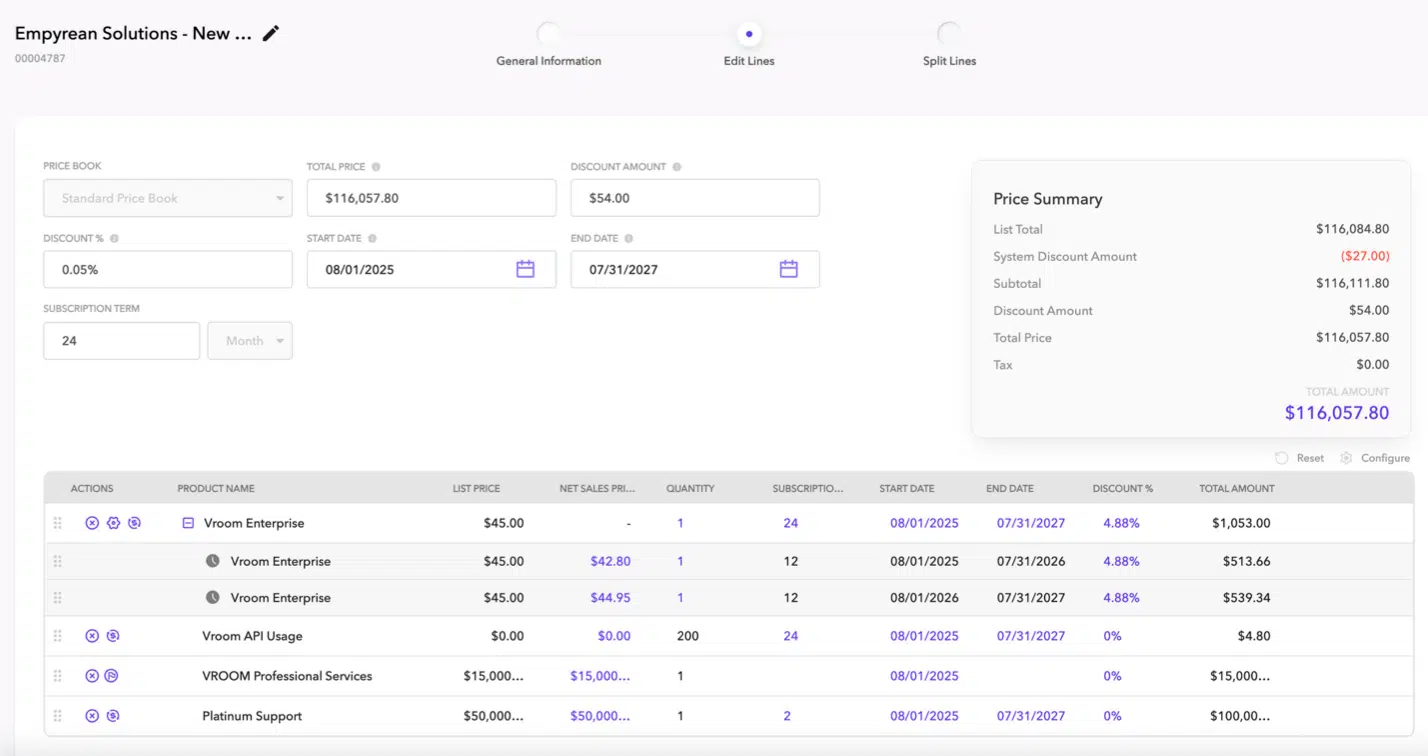
Oracle CPQ is for complex product, service and subscription configuration, pricing and quote generation. Guided workflows and reusable product models help sellers assemble their offers; centralized rules can be set up to manage price books, promotions, discounts and approvals. The platform’s AI features include deal scoring, discount recommendations, win probability and writing product descriptions and quote summaries.
Oracle CPQ integrates with Oracle Sales, Salesforce and Microsoft Dynamics 365, as well as over 20 ERP systems, including Oracle E-Business Suite, Oracle JD Edwards and SAP.
This breadth suits enterprises with complex catalogs, multiple sales channels or Oracle back-office systems. However, the license and implementation reflect this enterprise focus.
Key CPQ features
- Product, service and subscription configuration
- Central pricing, discount and promotion rules
- AI pricing recommendations and deal insights
- Automated approvals and document generation
- Subscription changes and renewals
Pricing
Oracle CPQ Cloud Service is priced at $240 per hosted named user per month. A 25-user minimum puts the list price at about $72,000 per year, with a minimum three-year contract required. The Salesforce connector is another $5 per hosted named user per month. There are multiple paid add-ons you need to factor in to experience the full scope.
Nue.io
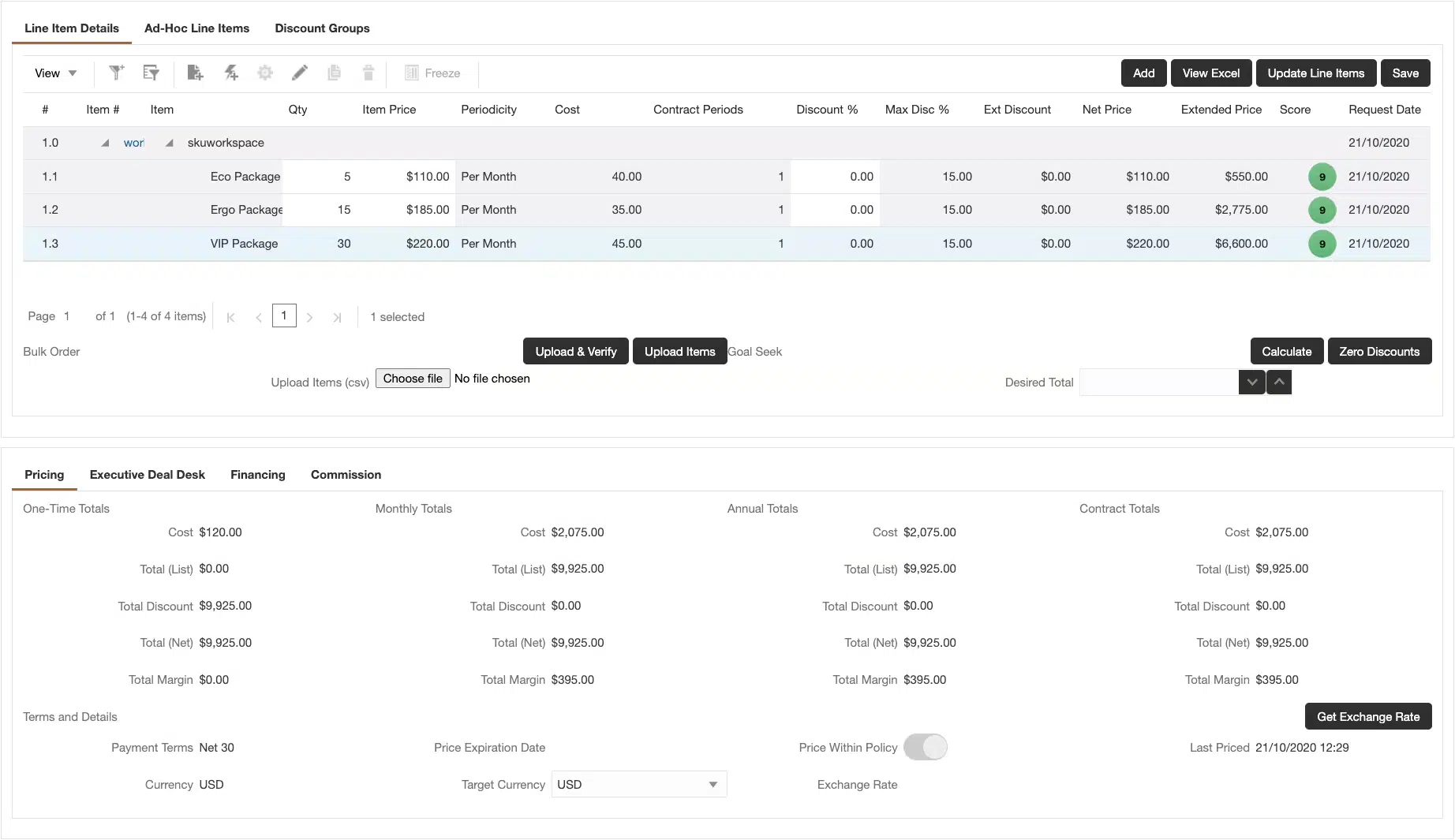
Nue is a quote-to-revenue platform for companies selling subscriptions, usage, credits, one-time products and hybrid offers. It connects product and pricing rules, CPQ, lifecycle management and billing via a shared transaction model. Quote terms can therefore flow into amendments, renewals and invoices without re-entering data into separate systems.
Sales reps can configure offers, apply discounts and route advanced approvals inside Salesforce. Lifecycle Manager handles upgrades, downgrades, swaps, prorations and co-terms, then generates renewals from the latest subscription version. Additional modules include credit management, invoicing, payments and collections. AI tools can create pricing rules from plain-language instructions, identify conflicts and guide quote execution within defined controls.
Prebuilt integrations include NetSuite, QuickBooks Online and Sage Intacct for accounting, plus NetSuite ARM and RightRev for revenue recognition.
Key CPQ features
- AI-assisted configuration and pricing
- Subscription, usage, credit and hybrid pricing
- Advanced approvals and margin controls
- Amendments, prorations, co-terms and renewals
- Connected billing, invoicing and collections
Pricing
Nue doesn’t publish pricing.
The future of your contract revenue management
The best way to make use of the Salesforce CPQ system’s end-of-sale is to reassess where the complexity in your revenue process actually lies. Replicating every rule in a new system may just preserve workarounds that accumulated over years. A clearer product catalog and approval model can reduce the scope and cost of the migration, while lowering the risk of delays, errors and disruption to sales.
If you need to manage complex bundles, usage pricing or prorations, compare the configuration depth and downstream finance coverage of Revenue Cloud, DealHub, Conga, Oracle and Nue. PandaDoc is better suited to proposal-led workflows. Oneflow is a good fit when your product catalog and pricing logic already sit in Salesforce, and you want to keep the CRM as your source of truth. It syncs that data into a live agreement, so you don’t have to rebuild and maintain a separate catalog, then supports negotiation, approvals, e-signature and post-sign contract management.
For teams dealing with repeated document versions, disconnected approvals or signed terms that disappear into PDFs, Oneflow can connect the CRM record to a live agreement and keep the final contract data usable after signature. Book a demo.
FAQs
What are the best alternatives to Salesforce CPQ in 2026?
The answer depends on your needs. For example, Oneflow handles CRM-connected contracts across the full lifecycle, from pricing negotiation to contract renewals; DealHub covers quote-to-revenue workflows; Conga and Oracle allow deeper product configuration.
Why is Salesforce CPQ being phased out?
Salesforce shifted product investment to Revenue Cloud (Agentforce Revenue Management). The newer product is based on Salesforce’s core platform and supports a broader revenue process. Legacy CPQ is still available for existing customers in maintenance mode.
What’s the difference between Salesforce CPQ and Salesforce Revenue Cloud?
Salesforce CPQ is the legacy managed package for seller-led product configuration, pricing and quoting. It also supports subscription amendments and renewals, but its architecture is centered on the quote.
Revenue Cloud (Agentforce Revenue Management) is Salesforce’s newer, Salesforce-native revenue platform. Revenue Cloud Growth covers quoting and configuration, order capture and subscriptions. Revenue Cloud Advanced expands that scope to include contracts, broader order management, consumption and invoicing and AI and analytics. There’s also Revenue Cloud Billing, a separate product for billing and financial operations.
Do existing Salesforce CPQ customers have to migrate to Revenue Cloud?
No immediate migration is required. Existing Salesforce CPQ customers can keep using the product and renew their licenses under current terms. They can also add users.
However, the product is now in maintenance mode, with new development moving to Revenue Cloud Advanced. Existing customers will therefore need a long-term replacement plan. Those staying within Salesforce should move to Agentforce Revenue Management. Moving to Revenue Cloud Advanced requires a reimplementation because it uses a different architecture and data model from Salesforce CPQ. Another option is a third-party CPQ.
Can I replace Salesforce CPQ without replacing Salesforce as my CRM?
Yes. For example, Oneflow and DealHub connect with Salesforce, and Nue runs within the Salesforce ecosystem. You can keep Salesforce as your CRM and use another platform for quoting or contracts.
How long does switching from Salesforce CPQ to a new platform usually take?
A quote-and-contract rollout may take several weeks. A full CPQ reimplementation could take several months. Salesforce estimates a typical Revenue Cloud migration takes 3 to 6 months, with more time needed for large catalogs or extensive custom logic.
.png?id=40edbc9ee25345a211152388fdcf1fd2)

.png?id=073897979970647cd034d6db96c145de)