World Commerce & Contracting identifies invoicing errors and missed entitlements among the key causes of contract value erosion, which the research estimates at 8.6% of contract value on average.
Those problems surface after signing, but managing contract risk begins with the draft. You need to check its wording against your approved playbook, then track the obligations and notice periods in the signed agreement. Contract risk management software can help your team do both.
This guide compares seven platforms by their strongest features for managing risk (and contracts in general) and the trade-offs you should be aware of before choosing one.
What is contract risk management software?
Contract risk management is everything connected to finding, assessing and addressing exposure in legal agreements. Contract lifecycle management software automates this with useful features like comparing contract language with your playbook and flagging missing or non-standard clauses. Moreover, it helps you track approval history and restrict unauthorized access to sensitive agreements.
Common contract risks include:
- Unfavorable liability clauses,
- Missed notice dates,
- Unclear responsibility for obligations,
- Differences between signed terms and business records,
- Revenue loss or unexpected costs caused by incorrect pricing, unapproved discounts, weak payment terms, service credits or costly termination provisions.
Contract risk management software compared
| Platform | Differentiating strength | Key risk management features | Main trade-off |
|---|---|---|---|
| Oneflow | Editable contracts with approvals, renewal management, easy search, AI review and contracts synced with business systems | AI review, protected contract sections, sequential approvals, renewal alerts, audit trails | Not a legal-first CLM; may lack advanced legal ops depth |
| Ironclad | Clause-change approvals during negotiation | AI review, suggested redlines, version history, obligation alerts | Complex workflow setup, limited repository search |
| Icertis | Contract review and obligations linked to ERP systems | Risk review, obligation tracking | Long implementation, high maintenance |
| Summize | Review and redlining inside Microsoft Word | Clause checks, AI redlines, guided requests, version records | Limited customization and language support |
| LinkSquares | Clause and deadline search across signed contracts | Clause extraction, renewal reminders | Limited customization, varied AI accuracy |
| Sirion | Supplier performance and invoice checks against contract terms | SLA monitoring, service-credit calculations, invoice checks | Complex implementation and onboarding |
| ContractSafe | Contract search and renewal deadline reminders | Access controls, cancellation reminders, playbook review | Search, performance and reporting limitations |
Oneflow
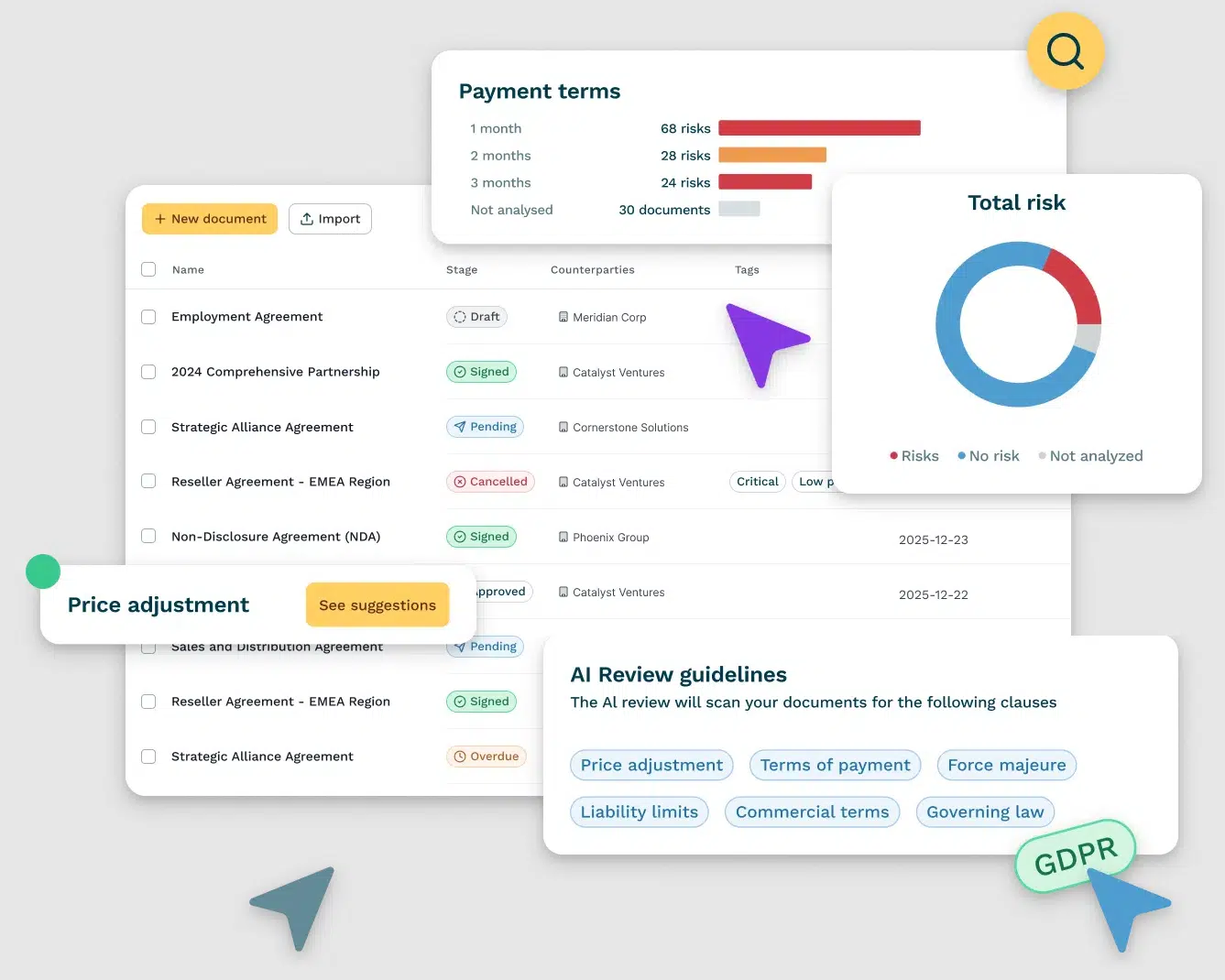
Oneflow is a contract lifecycle management platform that handles the entire contract process, from drafting to post-signature management. You can draft and revise the contract in Oneflow as negotiations progress, then route it for internal approval and signing. After signing, the agreement is stored in an easily searchable repository, with a clear audit trail. Supported integrations sync key data between the contract and its related CRM record or other systems.
Key features:
- Review contracts against your standards. Configure your review playbook for AI Review to work from. Oneflow flags relevant passages for your team to assess and suggests missing clauses. AI Insights helps you surface risks and patterns across the contract portfolio.
- Limit changes to approved language. Create contracts from approved templates and lock sections that team members should not edit. Workspace roles control who can access each workspace. Separate permissions determine who can unlock or change protected sections.
- Require approval before sending. Add internal approvers and choose the order in which they review the contract. Once everyone has approved it, you can send it for signing manually or automatically. The audit trail records changes, including who made them and when. If someone edits the content after any party signs, Oneflow warns them and resets the existing signatures.
- Manage renewals and amendments after signing. Set internal lifecycle reminders for notice periods and renewal dates. If you change the content while signing is in progress, signatures already collected are reset. Once everyone has signed, the original can’t be edited. If a renewal or amendment requires new terms, the Duplicate action creates an editable draft. After you collect new signatures, Document Links lets you connect the revised agreement to the original.
- Find terms and extract contract data. Use Content Search to find specific information in your contracts. When you import an already signed agreement, AI Extract can pull details such as participants, contract duration and signing date to make them easily searchable.
Limitations: Some cons reviewers mention are the lack of automated reminders set up for each document, no spell check and an initial learning curve.
One of our clients, Memira, says errors and missing documents affected nine out of ten cases in their former print-and-scan process. After switching to Oneflow, Memira uses signing status in Salesforce to prevent staff from registering a patient or starting a procedure until the required patient documentation is signed. Book a Oneflow demo to see how you can overcome risks linked to poor contract management in your business process.
Ironclad
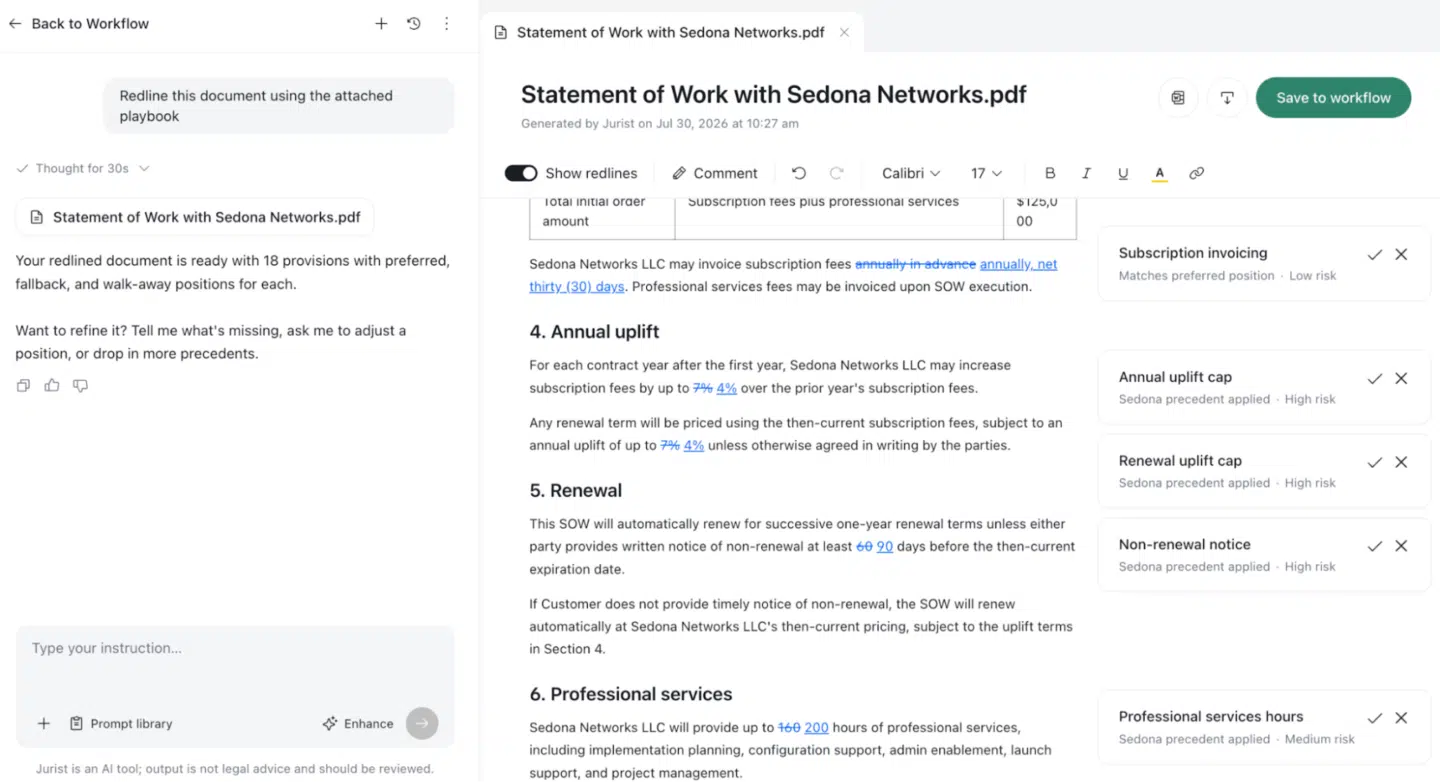
Ironclad is a contract creation and management system that legal and procurement teams use to improve efficiency and monitor risk in agreements before and after signature. You can compare draft language with approved company positions and send exceptions to the right approvers. Once the contract is signed, you can store it in the repository and track obligations or renewal dates.
Key features:
- Check draft terms against approved positions. AI Playbooks compare contract language with your uploaded preferred terms and flag potential risks. AI Assist and Jurist can suggest redlines, but a reviewer still needs to inspect each suggestion.
- Control changes during negotiation. Comments, tracked changes, and version history show how the contract wording changed, including edits made in Microsoft Word. If a counterparty changes a clause after your team approves it, you can easily spot the edit and review it again before signing.
- Track obligations after signing. View contractual obligations and set alerts for renewals or other deadlines. You can sync supplier or customer information to a procurement platform or CRM, so the team can work from current contract information, or send payment obligations to invoicing systems so finance has the latest pricing information. This reduces the risk of missing a deadline or paying for something that does not match the agreement.
Limitations: Reviewers say complex workflows are difficult to build without programming skills, although everyday use becomes easier with familiarity. Others also mention the search functionality is hard to use with years of data and may return irrelevant results.
See also: Ironclad alternatives.
Icertis
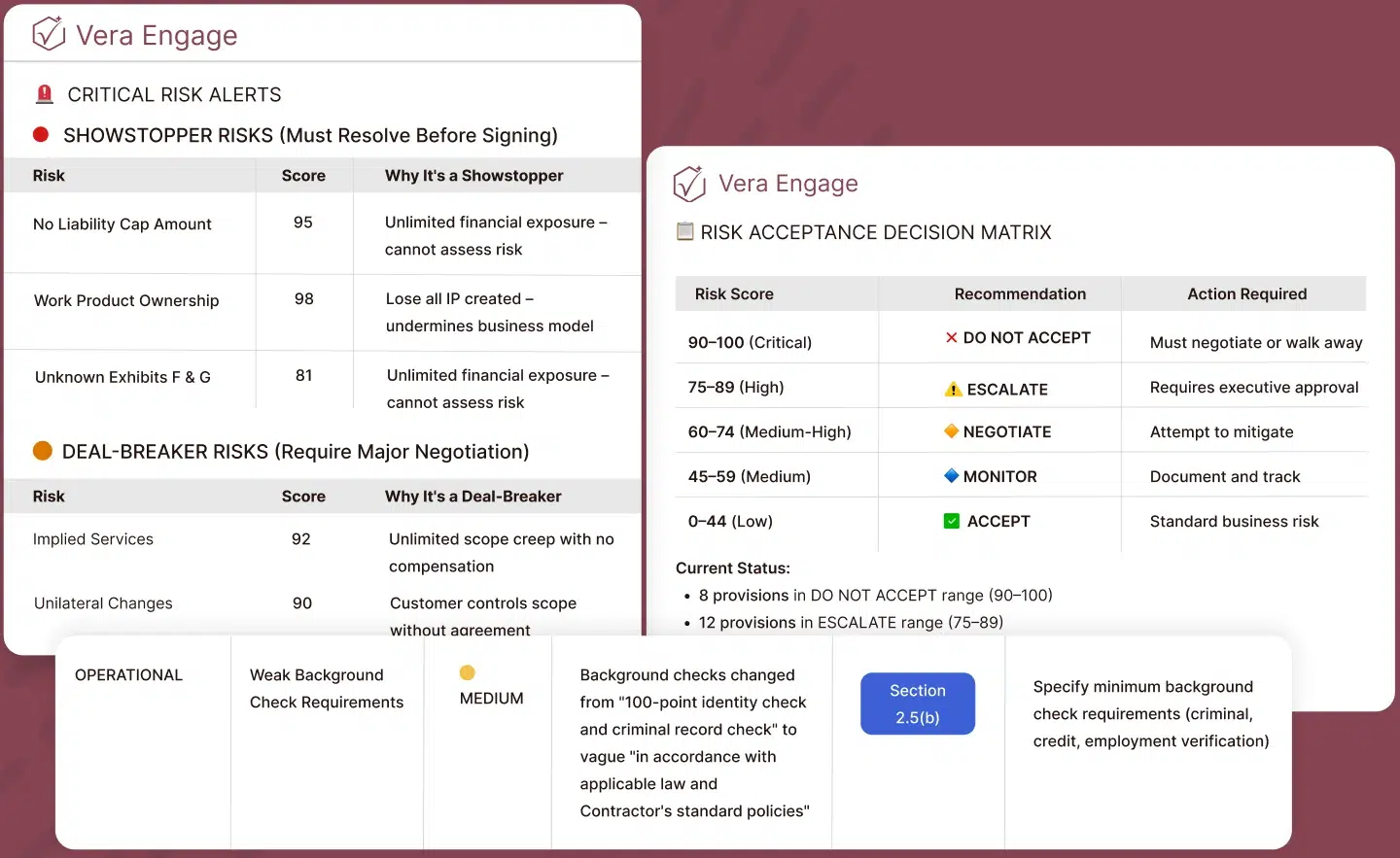
Icertis can be a solid choice for large organizations that handle high volumes of customer and supplier agreements. The platform lets you review contract terms before signing, then store completed agreements and track related actions and dates. Icertis can also sync contract data with procurement and finance systems.
Key features:
- Find risky or non-standard wording. Vera Risk Review compares agreements written in Microsoft Word with your playbook. If you do not have one, it can use previous agreements as context. It marks different types of issues in red, amber or green and can propose changes as tracked edits. A reviewer still needs to check the redlines and proposed wording.
- Assign and document obligations. Vera Obligations can identify commitments in signed contracts and assign them to an owner. Alerts warn the owner about approaching deadlines. Fulfillment records show whether the work was completed.
- Prevent gaps between contract and business records. Integrations connect Icertis with systems such as SAP Ariba, SAP S/4HANA, Microsoft Dynamics 365 Finance & Operations and Workday Financial. Depending on the connector, you can sync contract or supplier records.
Limitations: Users report lengthy implementation and customization that is difficult to maintain after upgrades. It can be confusing and cluttered to use, making it difficult to find what you’re looking for. Additionally, the software can be slow, unresponsive, and not always working well with other systems.
See also: Icertis alternatives.
Summize
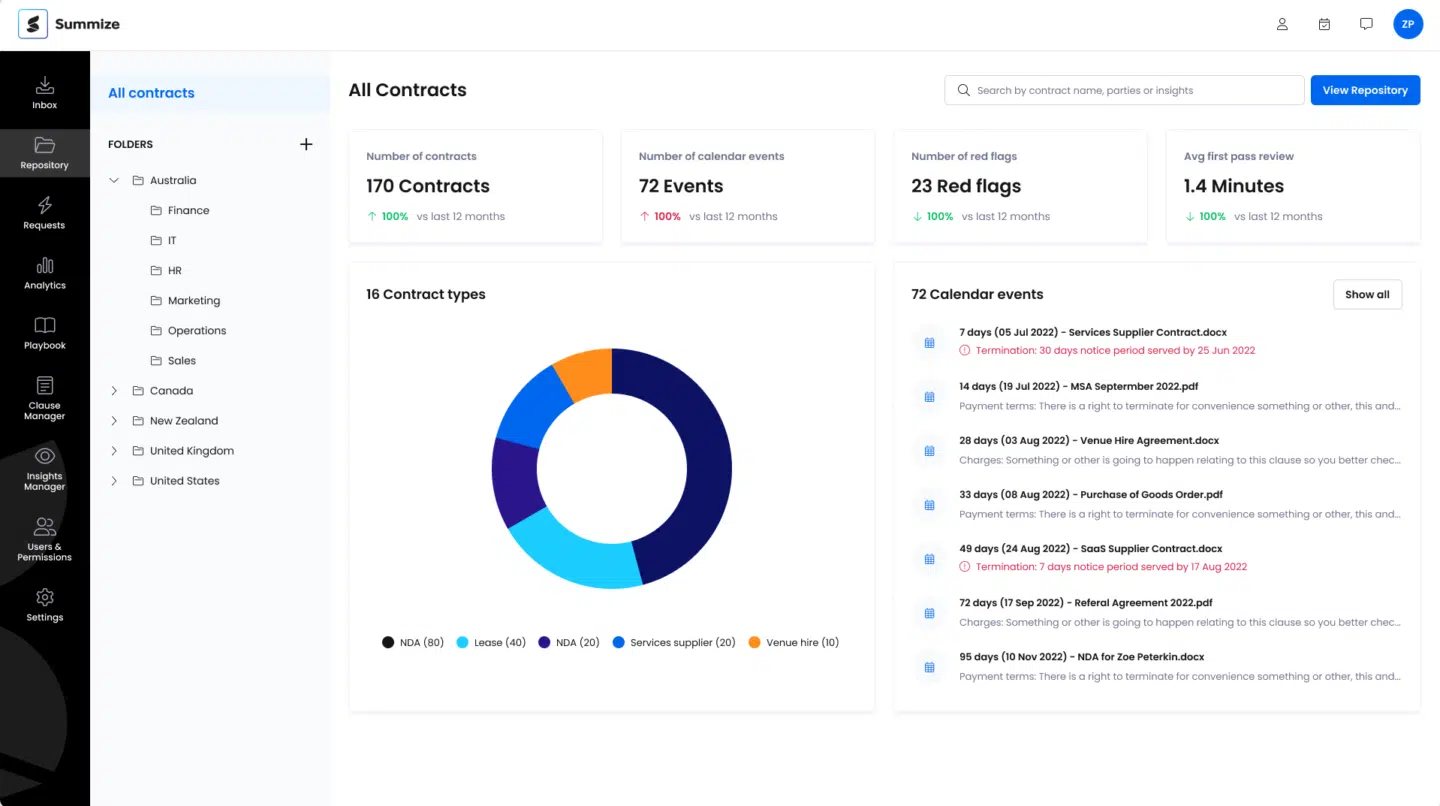
Summize manages contracts from the initial request to the stored agreement. Users can generate a contract from a template. If another party sends the contract, they can submit it for review. Your legal team reviews and redlines the document through Summize’s Microsoft Word add-in. Outside Word, Summize tracks the request’s status and keeps the contract in a searchable repository.
Key features:
- Find missing or non-standard clauses. Compare the agreement with your configured legal standards. Summize flags clauses that are missing or differ from approved wording. It then recommends edits, which you can accept, change or reject.
- Speed up review with AI. Summize can rephrase a clause, suggest a redline or generate a summary of the contract. A reviewer should verify any suggested wording before accepting it.
- Collect the information legal needs for approvals. Business users can create contracts from approved templates or request legal review through Teams or Outlook. Guided questions collect the information attached to the request.
- Keep document versions clear. Summize records contract versions and shows when and how a document was edited. It also sends notifications after changes have been made. This helps reviewers avoid editing separate copies or sending an outdated draft for approval.
Limitations: Customers mention wanting more control over clause summaries, better support for different languages and priority status assignments. Limited customization options are also a frequent complaint.
LinkSquares
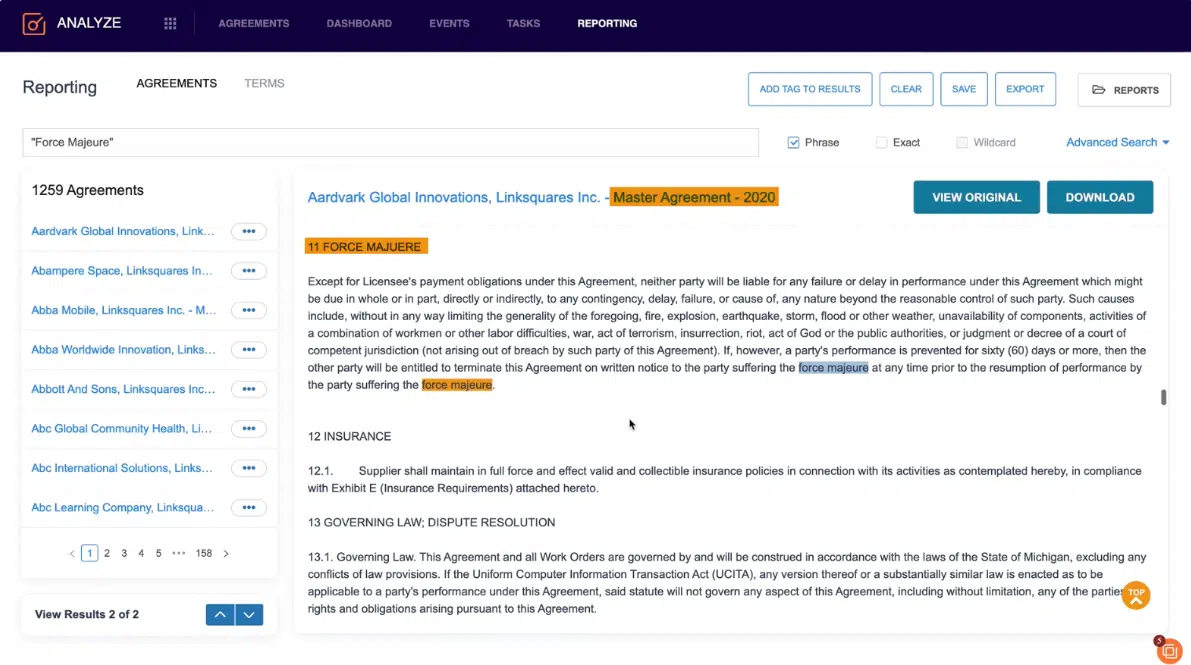
LinkSquares is contract lifecycle management (CLM) software for creating agreements and monitoring them after signing. If you already have a large collection of contracts, you can upload them to the central repository and search the extracted clauses and dates. The insights help locate possible risks included in contracts or upcoming deadlines and monitor compliance.
Key features:
- Extract terms from signed agreements. LinkSquares extracts contract clauses and key dates from uploaded agreements, then stores the results as searchable fields.
- Search across your contracts. You can ask LinkSquares questions in plain language or filter the repository by extracted fields.
- Track renewal and notice deadlines. LinkSquares displays renewal and termination dates, including opt-out deadlines, in calendar and dashboard views. You can send reminders to selected recipients at intervals you set.
Limitations: There are frequently repeated comments about limited customization. The platform also lacks automatic agreement tagging. AI accuracy could also be improved.
Sirion
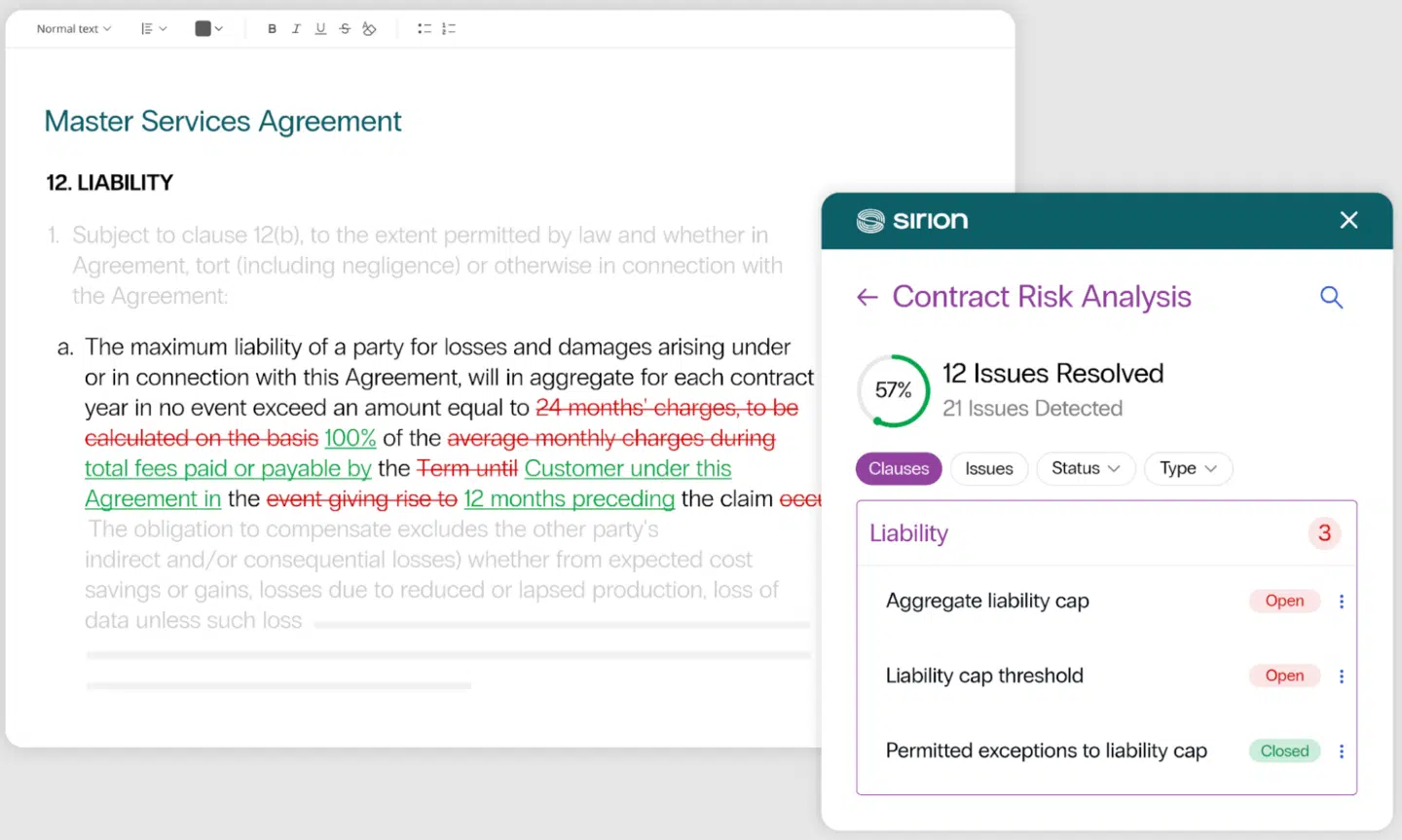
Sirion helps large organizations check whether supplier performance and billing match signed contracts. This contract lifecycle management software supports contract creation, storage, ongoing monitoring of contract performance and assessing compliance failures. It links contract terms to records such as uptime reports or invoices. Sirion can then compare what was promised with what was delivered or charged. Your team remains responsible for configuring the rules and checking for deviations.
Key features:
- Identify missed service levels and calculate credits. Sirion can import service records, such as system uptime or support response times, and compare them with contract targets. If the supplier misses a target, the system can calculate the service credit, such as a reduction on the next invoice, using rules your team has configured. It can also calculate how much of that credit the supplier may recover if its performance later improves and the contract allows this.
- Track commitments after signing. Sirion extracts commitments from a signed contract, and records them for tracking. You can assign each commitment to a person and send them reminders before it is due. The dashboard shows overdue items, with links to the original clause so you can check the exact wording.
- Check invoices against agreed terms. The platform compares invoice line items with contract terms and connected performance data. It can identify payment adjustments and match them to the relevant line item.
Limitations: Initial configuration and implementation can be complex, and the user experience in certain modules isn’t particularly intuitive. There is definitely a learning curve for new users.
ContractSafe
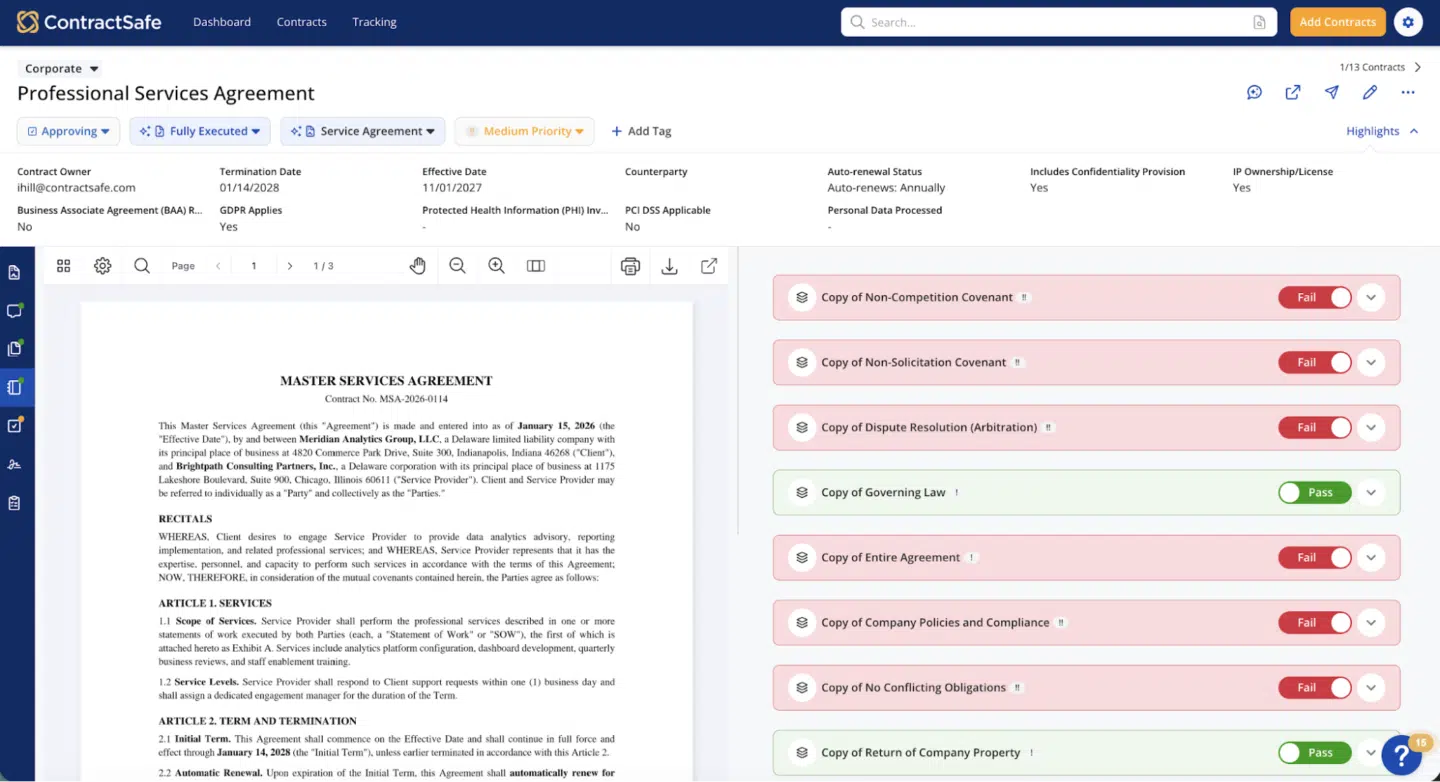
ContractSafe gives you a searchable repository for storing agreements and tracking contract-related dates. When you upload a contract, AI can extract fields and dates for you to confirm. You can limit access to each agreement and send reminders before a renewal decision is due. Higher plans include features for approval workflows and AI review that checks incoming contracts against your playbook.
Key features:
- Find the right agreement and control access. ContractSafe makes the uploaded files, including scanned documents, searchable. You can filter agreements by standard or custom fields and use those fields for contract tracking. Roles and permissions control who can open or change each contract.
- Avoid missed cancellation deadlines. ContractSafe can identify a contract’s renewal date and the notice period for canceling it. For example, an agreement that renews on 31 December may require notice by 31 October. You confirm or correct both dates, then choose who receives the reminder and how early it arrives. If the agreement renews, ContractSafe moves the dates forward and resets the reminder for the next term.
- Identify risky clauses before signing. AI Contract Review compares an incoming agreement with the rules in your playbook. ContractSafe shows whether the agreement meets each rule and links to the relevant clause. If it fails a check, you get an explanation and suggested wording. The software does not edit the document without human oversight.
Limitations: Reviewers often mention poor search functionality, slow performance, ineffective AI features and some access limitations. Users want more granular tracking and reporting, plus more customization options for notifications and dashboards.
Contract risk doesn’t stop at signature
Clause review catches only one part of contract risk. You also need to know who approved an exception and which version was signed. After signing, you need to track obligations and the dates tied to them. Finance and billing records must also reflect the agreed terms.
Oneflow keeps these controls within the same platform. Your team negotiates in an editable contract and routes exceptions for approval. The audit trail records the changes and the version that was signed. After signing, lifecycle notifications help you keep track of key dates, while integrations keep commercial data aligned with the deal record and business tools your teams use, preventing data silos.
Book a Oneflow demo to see how easy it is to automate repetitive tasks in contract management and effectively surface and reduce contract risk.
FAQs
What types of contract risk mitigation can CLM software handle?
Depending on the product and setup, CLM software can flag missing or risky clauses, deviations from approved wording, renewal windows, financial exposure and overdue commitments in your contract repository.
How does artificial intelligence help manage contract review and risk mitigation?
AI-powered contract review can locate relevant language and compare it with a pre-configured playbook, rule or previous agreements. It usually shows you highlighted passages, explanations and suggested edits. The quality of the result depends on the contract risk management tool you use, your document and review criteria.
Does contract risk management software replace legal review?
No, a legal reviewer still assesses the agreement as a whole, including proposed redlines and missing protections, and decides which risks to accept or address. They also need to check the software’s findings for missed issues and incorrect flags. After signing, the business owner remains responsible for fulfilling the contract’s obligations and any related regulatory requirements.
Can contract lifecycle management software help with third-party risk management?
Only the part recorded in the contract, as there is no way for it to know your third-party relationships. CLM software can track supplier commitments and notice deadlines. It cannot determine whether a supplier has the financial capacity to keep delivering or whether its security controls work without evidence from other sources.
Which contract risk management process risks should I compare first?
Start with the cause of your most recent contract problem. If it involved a risky clause, check whether the software flags the wording and records approval of any exception. For a missed deadline, test whether you can assign an owner and send reminders. If contract data must reach a CRM or another business system, verify which fields sync and with which systems.
.png?id=40edbc9ee25345a211152388fdcf1fd2)

.png?id=073897979970647cd034d6db96c145de)