Your sales rep just spent three hours building a quote in a spreadsheet. By the time it reaches the prospect, two competitors have already submitted their bids.
Manual quoting is costing you real money: deals lost to faster competitors, pricing errors that eat into margins and sales teams spending valuable time on admin rather than selling.
In this guide, you’ll find detailed comparisons of the 10 best quoting software tools for 2026, complete with pricing, features and real user feedback. Our top choices include:
- Oneflow
- PandaDoc
- Proposify
- QuoteWerks
- Qwilr
- Quoter (by ScalePad)
- QuoteCloud
- Scoro
- Quotient
- Conga CPQ
Why do you need sales quote software in 2026?
If you’re still using Word docs or spreadsheets for your sales quoting process, you’re working harder than you need to. Here’s why quoting software solutions have become table stakes for winning deals:
- Sales tax automation eliminates compliance nightmares: Tax rates change constantly across states and counties. Manual calculations mean you’re either overcharging customers or eating costs yourself. Many modern quote management software handles this automatically with automated calculations, keeping you compliant without the headache and reducing manual errors.
- Remote and hybrid selling demands digital-first tools: Your sales team isn’t always in the office, and your buyers definitely aren’t. They’re reviewing quotes and proposals on phones during lunch breaks and signing contracts from coffee shops. Static PDFs don’t cut it anymore. You need interactive sales documents that work on any device.
- Buyers expect instant, accurate quotes: Sales teams using automated quoting software solutions respond faster to quote requests. When potential clients contact multiple vendors, the first to respond is 50% more likely to win.
- Complex tech stacks require seamless integration: Your CRM holds customer data. Your ERP manages pricing information. Your accounting software tracks revenue. When these systems don’t talk to each other, you’re copying data manually, and probably making mistakes that affect pricing accuracy. Good quotation software bridges these gaps across your sales cycle.
- Scaling sales teams need process standardization: Every rep has their own quoting style? That’s a problem for brand identity. New hires take weeks to learn your pricing structure? Even worse. Standardized customizable templates and approval workflows mean consistent branded quotes, faster onboarding, and better brand representation with your brand’s colors and messaging.
How to choose the right sales quote management software?
Choosing software that fits your business needs requires understanding what features matter most to your sales process. Here’s what to prioritize when you’re comparing options:
- Quote template customization: You need templates that match your brand and your products. Can you add your logo, adjust layouts and create different templates for different customer types? The more flexible the customization options, the less time you spend formatting and the more time you save on document creation. Pick an option that lets you create your own quote templates with multimedia elements to make one and use it fast later.
- CRM integration: Your proposal software solution should pull data directly from your CRM. No more copying customer info, deal details or product configurations. Look for native integrations with Salesforce, HubSpot or whatever system you’re using.
- E-signature capabilities: Buyers want to sign without friction. If they have to print, sign, scan and email back your quote, you’re adding friction. Built-in electronic signatures with legally binding digital signatures mean deals close faster, and you can send sales quotes that convert. Bonus points if the signed quote automatically turns into a live, editable contract.
- Mobile accessibility: Can your prospects view, review and sign quotes on their phones? Can your reps create professional quotes on tablets during client meetings? Mobile-friendly isn’t optional anymore for exceptional customer experiences.
- Multi-currency support: If you sell internationally, you need accurate currency conversion and the ability to present customized quotes in your customer’s preferred currency. Exchange rates should update automatically to keep pricing information current.
- Approval workflows: Your quote system should route quotes through the right people automatically with workflow automation tools.
- Analytics: Good analytics provide actionable insights to help you spot problems and optimize your quote creation process for better conversion rates. Track engagement, visits, opens and KPIs.
- Contract generation capabilities: The best tools don’t just create quotes—they turn accepted quotes into contracts automatically. This is where contract management software shines, handling the entire quote-to-contract journey and reducing time between proposal, signed agreement and revenue.
- AI tools: Modern tools let you generate quote text with a simple prompt and verify details to catch errors and risks.
- Think beyond today’s needs: Pick software that can scale with your business and support volume discounts or tiered pricing as you grow.
Best sales quote software tools: Comparison table
Here’s a quick overview of the top ten tools.
| Tool | Monthly pricing | Best for | Rating (Capterra) | Key features |
|---|---|---|---|---|
| Oneflow | Free trial; Business plan from $58/user/month (min 5 users) | Companies needing quote-to-revenue automation | 4.6 | AI-powered writing and review, dynamic documents, two-way CRM sync, edit-after-send |
| PandaDoc | Free plan + trial; Starter from $35 | SMBs wanting document automation | 4.5 | CPQ for HubSpot, payment processing, analytics dashboard |
| Proposify | Free trial, then from $29 | Agencies creating design-heavy proposals | 4.4 | Interactive pricing tables, content library, engagement tracking |
| QuoteWerks | Free trial, then $50 | Distributors and VARs | 4.6 | Many integrations, vendor pricing lookup, product configurator |
| Qwilr | Free trial, then from $39 | Teams wanting web-based interactive quotes | 4.6 | Mobile-optimized pages, video embedding, live analytics |
| Quoter | From $149 | MSPs and service providers | 4.6 | Unlimited users, distributor integrations, PSA connectors |
| QuoteCloud | Free trial, then from $39 | Small businesses | 4.2 | Product catalog, image integration, price tables |
| Scoro | Free trial, then from $23.90 | Professional services firms | 4.6 | All-in-one business management, project tracking, time tracking |
| Quotient | Free, then from $28 | Small businesses with simple needs | 4.8 | Easy setup, in-quote communication |
| Conga CPQ | N/A | Enterprise users | 4.2 | Complex configuration, guided selling, subscription management |
Top 10 sales quote software: detailed comparison
Let’s explore these options in more detail.
Oneflow

Capterra rating: 4.6/5
Oneflow isn’t just another e-signature tool. It’s a full-featured proposal and contract management platform built specifically for modern quote-to-cash workflows. While other quotation software forces you to work with static PDFs, Oneflow uses dynamic HTML contracts that stay connected to your CRM, making it easier to create professional, up-to-date documents that reduce errors throughout the sales process. You even get post-sign visibility with full audit trails, contract linking and searchable documents, with your data always secure.
Best for: Mid to larger companies that want to eliminate the gaps between quoting, contracting and invoicing. Particularly strong for businesses using Salesforce, HubSpot, or Microsoft Dynamics who need real-time data synchronization and want to boost revenue through faster quote generation and frictionless handoff.
Key features
- AI-powered contract writing: AI assist and review capabilities analyze contracts for inconsistencies and risks before you send them. It can also help you draft, edit, summarize and translate documents, providing exceptional customer experiences with faster writing and sending.
- Dynamic, editable contracts: Unlike PDF-based tools, you can edit digital contracts even after sending them. Negotiations happen inside the document with contract tracking, not through endless email chains.
- Two-way CRM integration: Product details, pricing information and customer data sync automatically between Oneflow and your CRM. Change something in Salesforce, it updates in the contract. Change it in the contract, it updates in Salesforce, maintaining up-to-date pricing accuracy across your sales pipeline.
- Visual product configurations: Add images, videos and interactive product catalogs directly into sales proposals.
- Approval workflows: Route quotes through multiple approvers with customizable rules based on discount levels, deal size or product type, reducing manual errors and maintaining accuracy.
- Contract analytics: Track how long quotes stay open, which sections customers view most and where deals get stuck. These actionable insights help you optimize your sales quoting process.
Pricing
- Free 14-day trial: Try it out here.
- Business: $58/user/month (min 5 users)—digital contracts, customizable templates, e-signatures, approvals, lifecycle management, advanced workflows, and more
- Enterprise: Custom pricing for large organizations with specific compliance needs and contract risk management requirements
User review
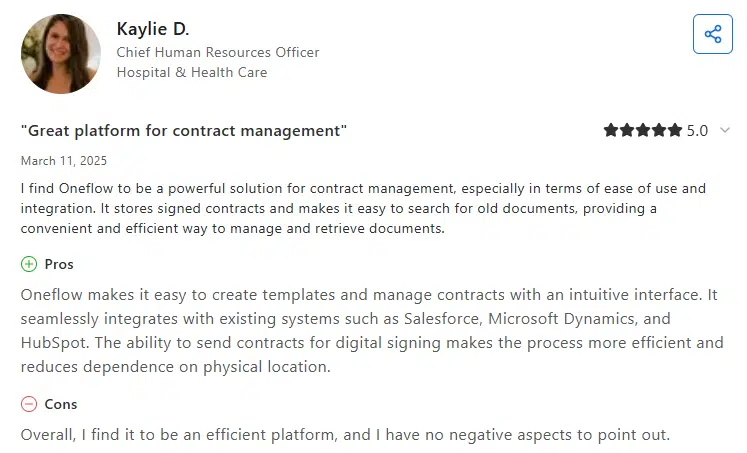
Briab, Sweden’s leading experts in fire, risk, and safety, used Oneflow to drastically shorten their quote-to-signing time. Before Oneflow, they lacked the flexibility, integrations with CRM and support to manage complex quoting, proposals and contract processes.
“We put the system to the test and looked at several alternatives. But what we liked most was Oneflow’s view of flow – that the system should always move you forward, that you should never have to click back or get stuck in technical steps. That was completely in line with how we wanted to work. Being able to update the proposal with the client in real time has been a game-changer. It was clear, easy to work with, and we received great support from Oneflow.”, says Daniel Friberg, Business Manager at Briab.
Ready to see how Oneflow can transform your quote creation process? Try Oneflow with a 14-day free trial and experience the difference that dynamic, AI-powered contracts can make for winning deals.
PandaDoc
Capterra rating: 4.5/5
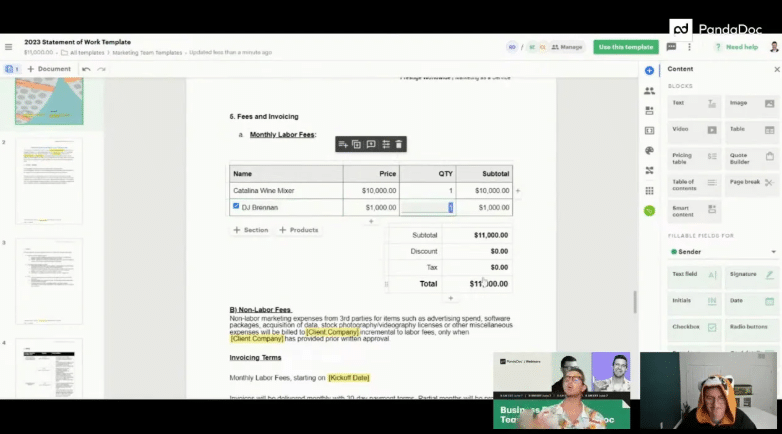
PandaDoc brings document automation and quoting together in one platform. It integrates with HubSpot and Salesforce, includes no-code editing, e-signing and payment collection capabilities with real-time tracking.
Best for: Small to mid-sized businesses that need an all-in-one tool for quotes, proposals and contracts without the complexity of enterprise CPQ systems.
Key features
- Native CPQ for HubSpot with two-way sync for automating contracts
- Drag-and-drop document editor with content blocks for easy document creation
- Payment processing
- Document analytics showing engagement and view times
- Approval workflows and team collaboration tools
- Mobile app for creating and signing on the go
See also: Top 20 PandaDoc Alternatives and Competitors
Pricing
- Free plan: Unlimited electronic signatures
- Starter: $35/user/month—document templates, analytics, editor
- Business: $65/user/month—workflow automation, CRM integrations, advanced collaboration
- Enterprise: Custom pricing—includes CPQ capabilities, API access, notary support
There is a 14-day free trial for the paid plans.
User review
Proposify
Capterra rating: 4.4/5
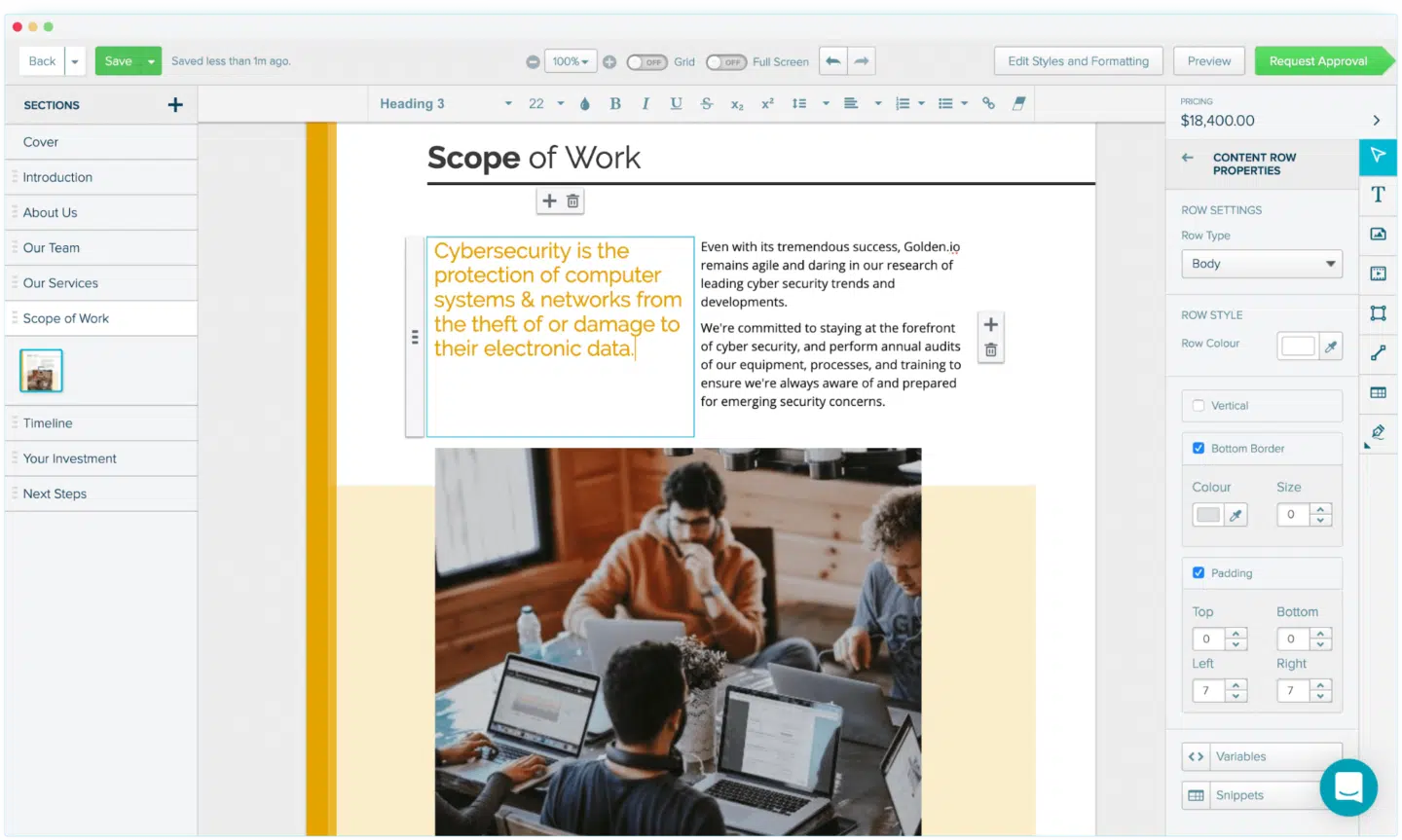
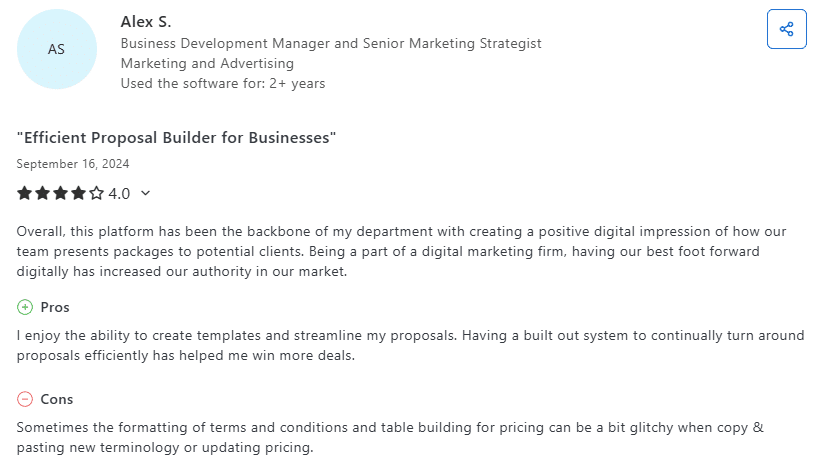
Proposify focuses on creating design-forward sales proposals for agencies and consultants. If visual presentation matters to your brand identity, this proposal automation tool delivers branded proposals that stand out. The software also focuses on security and advanced analytics with tracking.
Best for: Creative agencies, marketing firms and consultants who need design-heavy proposals with strong visual editing and quotes featuring their brand’s colors.
See also: PandaDoc vs Proposify comparison
Key features
- Design-focused templates with extensive customization options
- Content library for reusable proposal sections
- Interactive pricing tables with optional items and volume discounts
- Proposal analytics and engagement tracking for conversion rates
- Team collaboration with comments and reviews
- Native integrations with CRMs and project management software
Pricing
- Basic: $29/two users/month—includes basic features, templates and e-signing
- Team: $49/month—adds custom fields, integrations, auto-reminders
- Business: $65/month—approval workflows, single sign-on, user roles and permissions
Free 14-day trial available.
User review
QuoteWerks
Capterra rating: 4.6/5
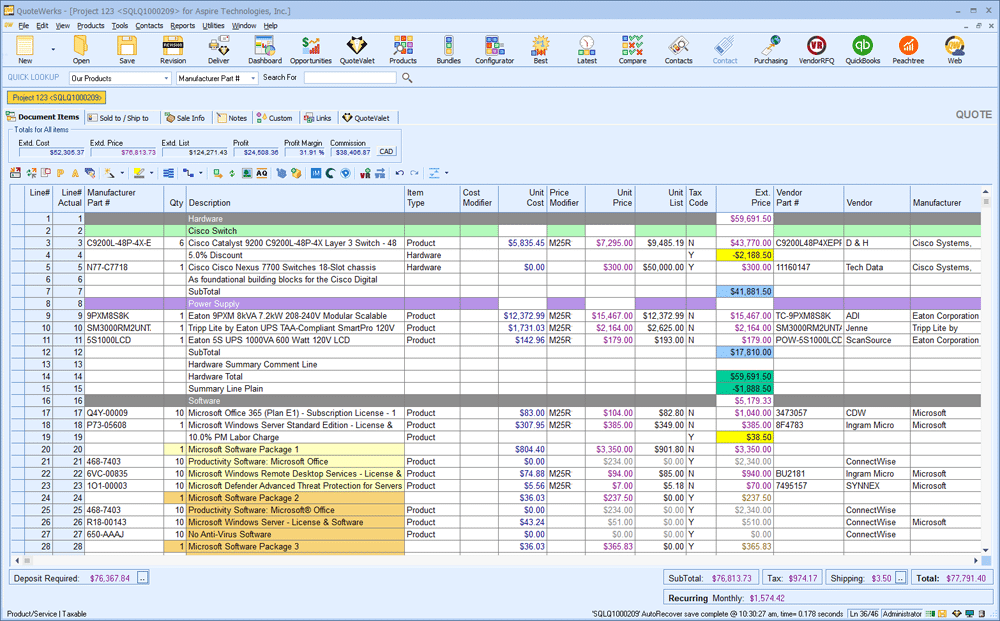
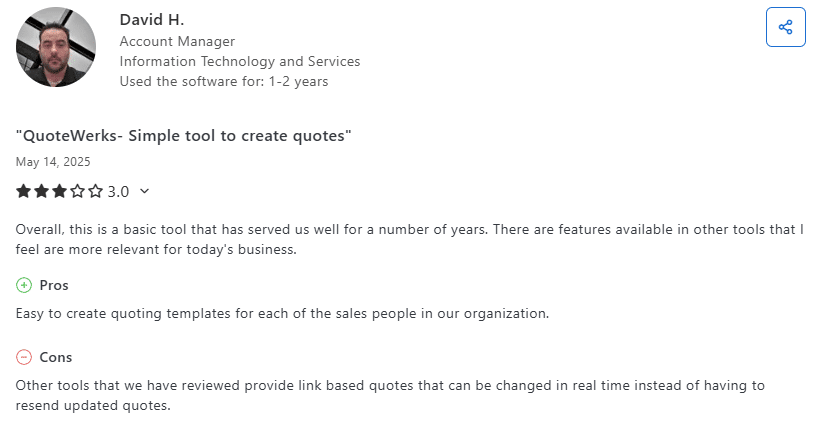
QuoteWerks includes multiple connections to CRMs, accounting systems and distributor databases. It bridges the gap between sales and operations throughout the entire sales process. However, it’s not as visually appealing as some competitors, with a more spreadsheet-like interface.
Best for: Technology resellers, VARs, managed service providers and distributors who need extensive integration options and real-time pricing information.
Key features
- Many integrations, including major CRMs and accounting systems
- Sales pipeline transparency
- Product configurator for complex bundles and customized quotes
- Electronic signing and acceptance
- Viewing notifications
Pricing
- Free trial
- Essential: $50/month with unlimited quotes and users
- Balanced: $78/month with online acceptance and e-signature
- Pinnacle: $102/month with auto sales tax rates (USA) and real-time vendor pricing
User review
Qwilr
Capterra rating: 4.6/5
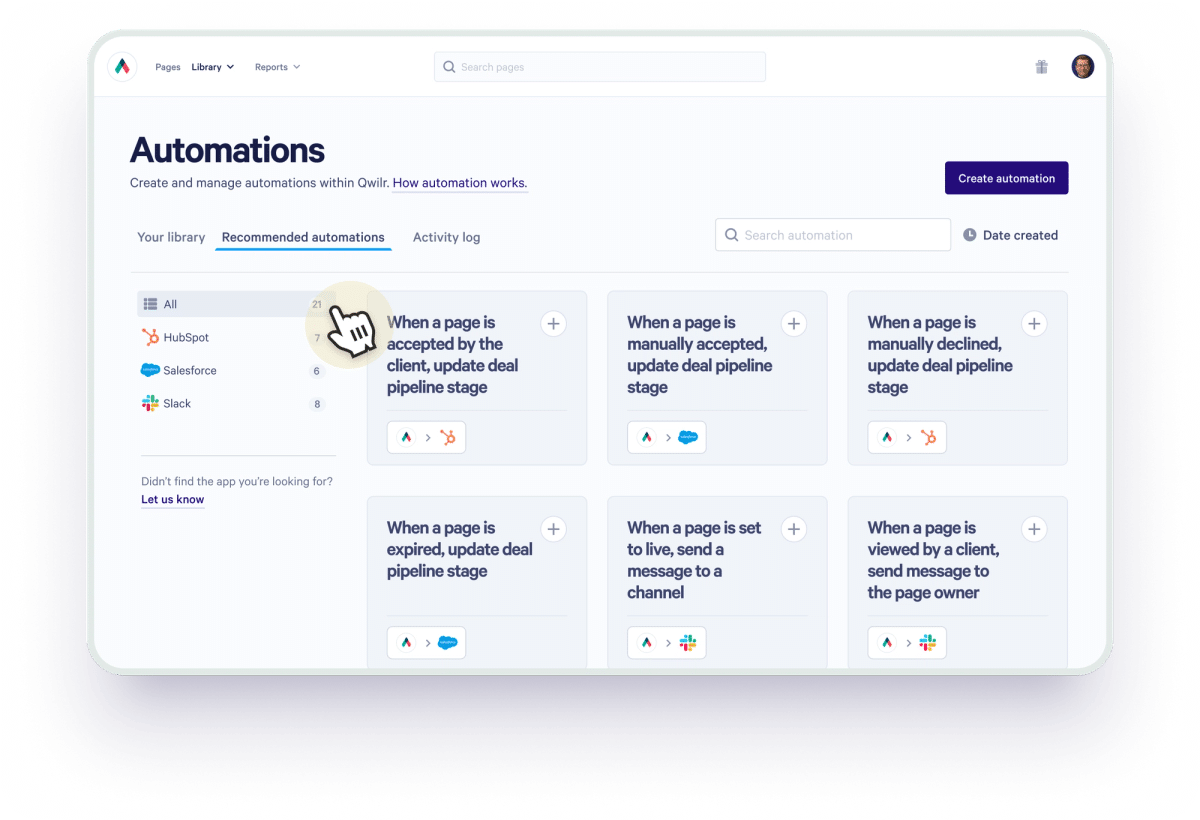
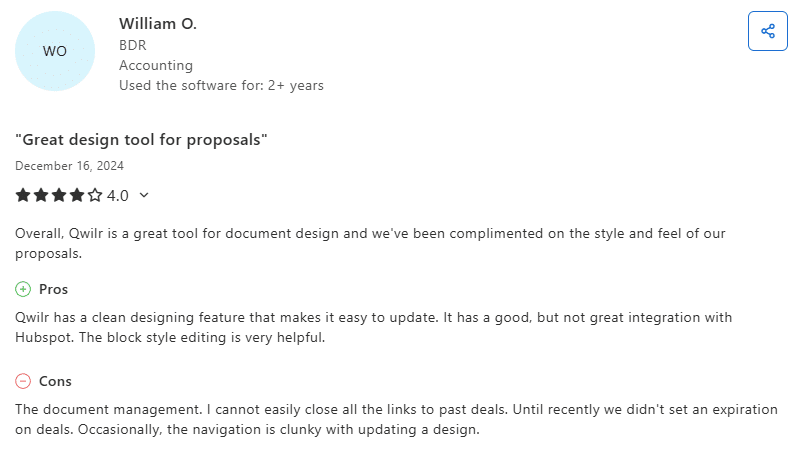
Qwilr transforms quotes into interactive web pages. Your prospects get a mobile-optimized experience where users can accept terms, choose options and pay, all on one page.
Best for: Modern sales teams selling to tech-savvy buyers who expect consumer-grade experiences and interactive sales documents.
Key features
- Web-based interactive quotes (not PDFs) for better engagement
- Embedded videos and dynamic pricing tables
- Document analytics on quote engagement for actionable insights
- E-signatures and payment collection on the same page
- Mobile-optimized responsive design
- CRM data integration
Pricing
- Business: $39/user/month—content editor, Qwirl pay, pricing"es
- Enterprise: $59/user/month—team permissions, account manager, identity verification
There’s also a free 14-day trial and paid add-ons.
User review
Quoter (by ScalePad)
Capterra rating: 4.6/5
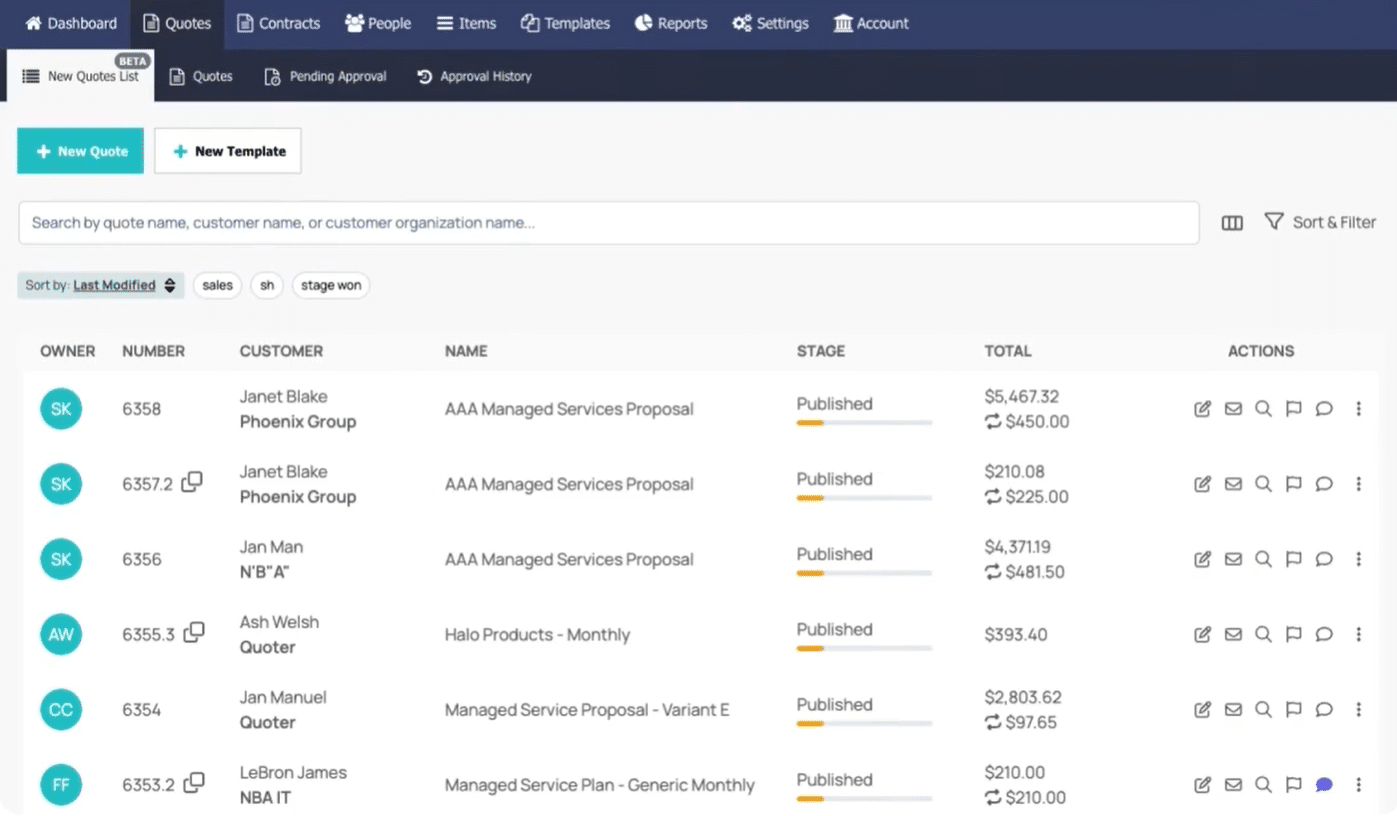
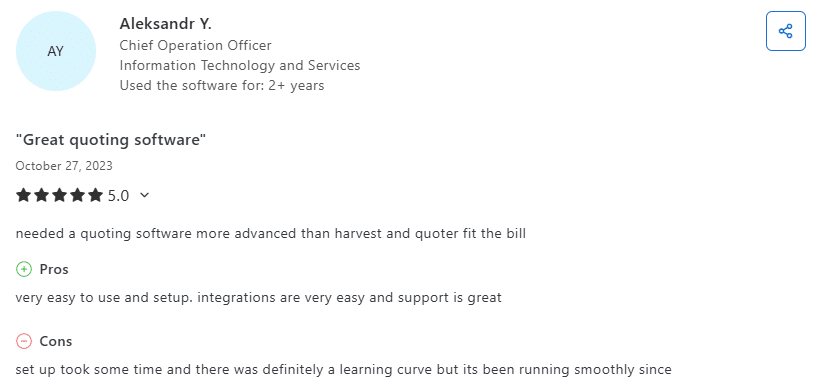
Quoter is a quote-to-cash automation for managed service providers and service businesses. It understands recurring services, technology stack recommendations and the complexity of MSP pricing models—helping teams close more deals.
Best for: MSPs and IT service providers who need specialized features for their industry and want to reduce errors in complex quote generation.
Key features
- Integrations with PSA, CRM and distributor tools
- Automated distributor pricing and availability checks for up-to-date information
- Complex line-item configurations with recurring pricing and volume discounts
- Quote approval alerts and oversight tools
- Templates for common service bundles to save time
Pricing
- Basic: $149/month for up to 35 quotes
- Standard: $289/month for up to 75 quotes
- Pro: $429/month for up to 150 quotes
- Enterprise: $569/month for up to 200 quotes
- Custom pricing for 200+ quotes/month
All plans include unlimited users. There is also an activation fee.
User review
QuoteCloud
Capterra rating: 4.2/5
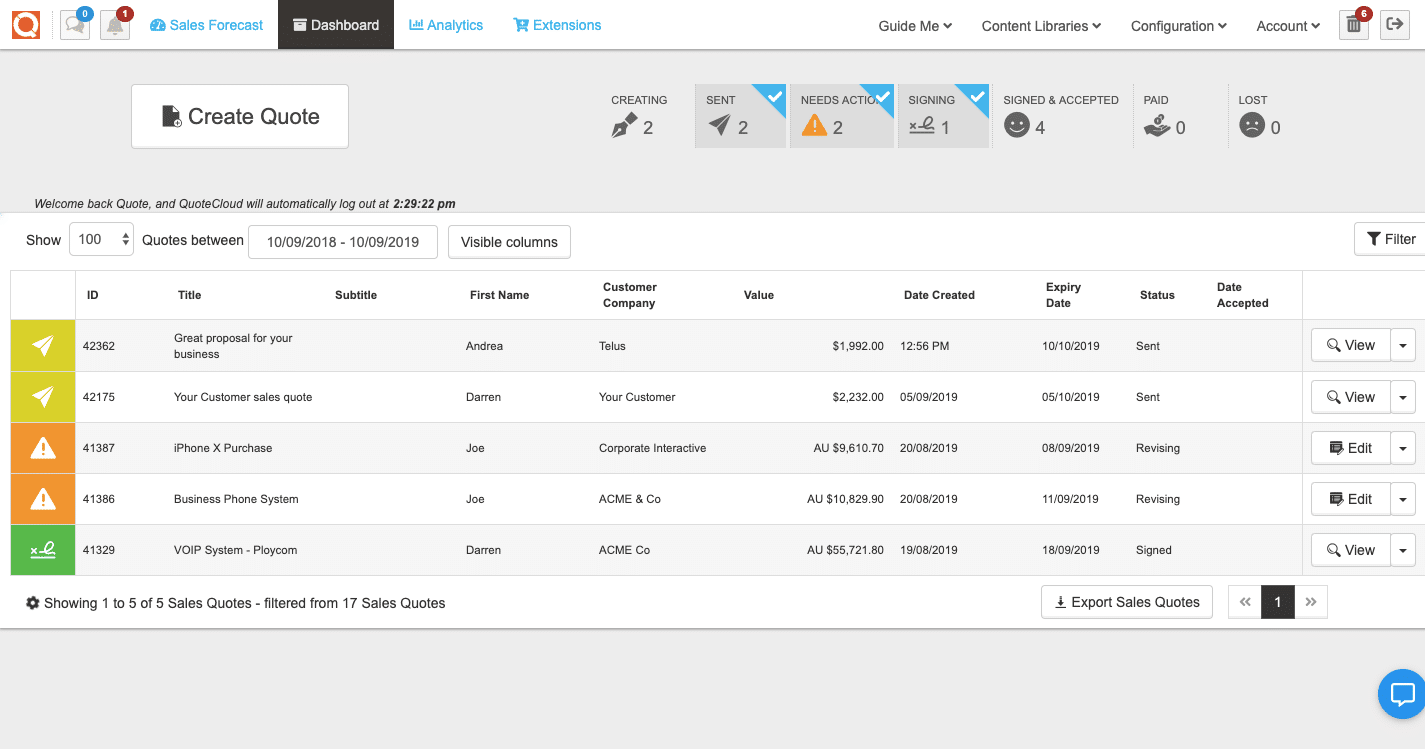
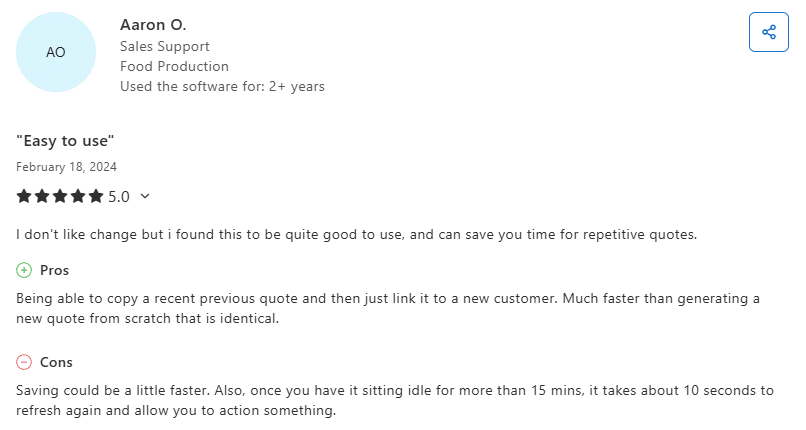
QuoteCloud is a straightforward quoting solution without overwhelming complexity. It’s cloud-based, mobile-friendly and gets the job done for businesses that need professional quotes without enterprise-level bells and whistles.
Best for: Small to medium businesses across various industries looking for an affordable, easy-to-implement software solution.
Key features
- Product catalog with images and categories
- AI coworker that assists in crafting proposals
- E-signatures
- Real-time quote tracking and alerts
- Price table features
- Integration with accounting and CRM systems
Pricing
- 14-day free trial
- Essentials: $39/user/month with unlimited documents and e-signatures, plus standard price quote templates
- Business: $59/user/month with an advanced configurable price quote
- Enterprise: Custom pricing with single sign-on and custom user reports
User review
Scoro
Capterra rating: 4.6/5
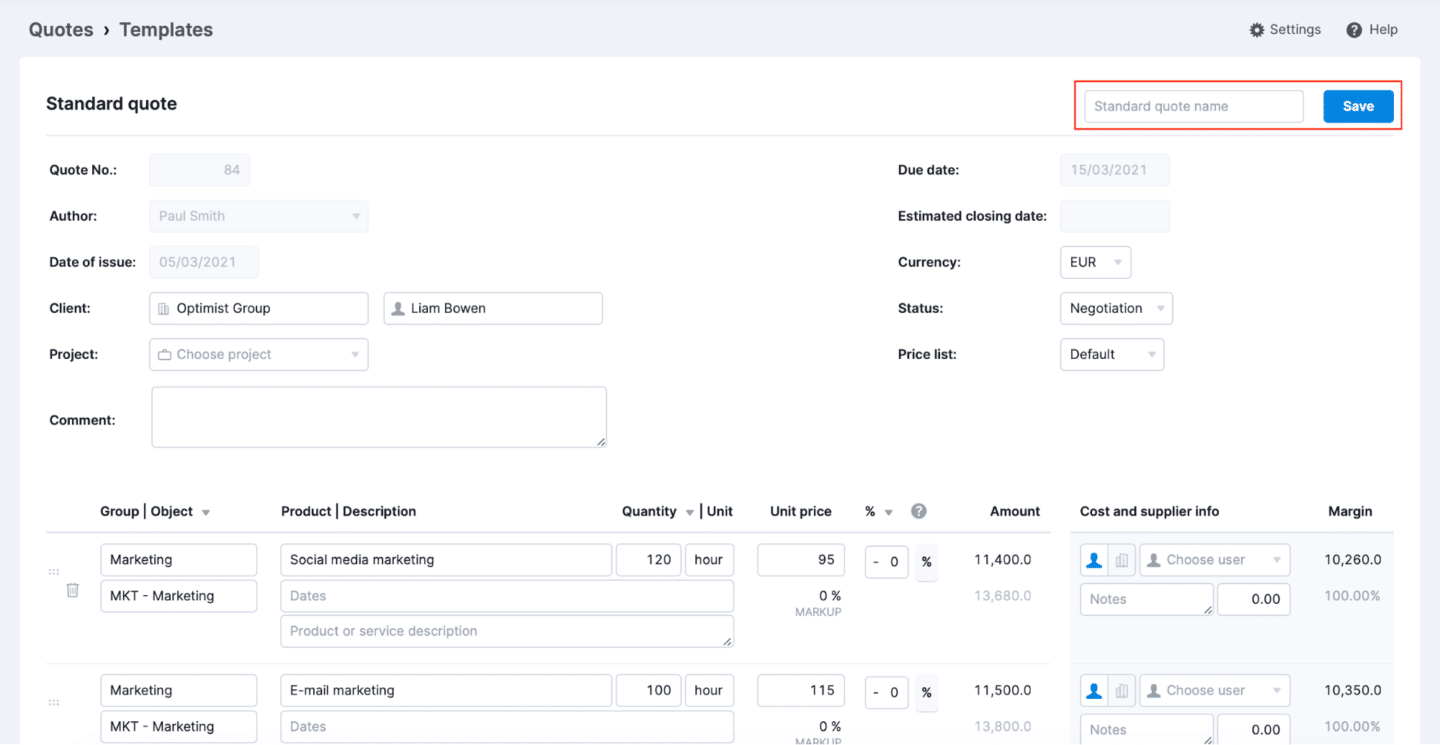
Scoro is a professional services automation platform that includes quoting capabilities. If you’re running an agency, consultancy or professional services firm, Scoro combines project management, time tracking, billing and quote generation in one system.
Best for: Professional services companies, agencies and consultancies that want an all-in-one business management platform with built-in functionality for the entire sales process.
Key features
- Integrated quoting and project management for managing deliverables deadlines
- Time tracking and utilization forecasting
- Financial management and invoicing
- Resource planning and capacity management
- Real-time dashboards and reporting with actionable insights
- CRM and pipeline management to track potential clients
Pricing
- 14-day free trial
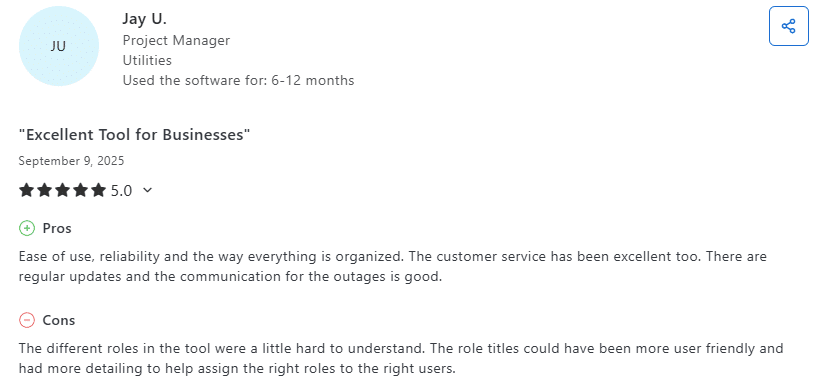
- Core: $23.90/user/month with basic quotes
- Growth: $38.90/user/month with quoted vs actual table and multiple currencies
- Performance: $59.90/user/month with quote estimation matrix and price lists
- Enterprise: Custom pricing with approval flows
User review
Quotient
Capterra rating: 4.8/5
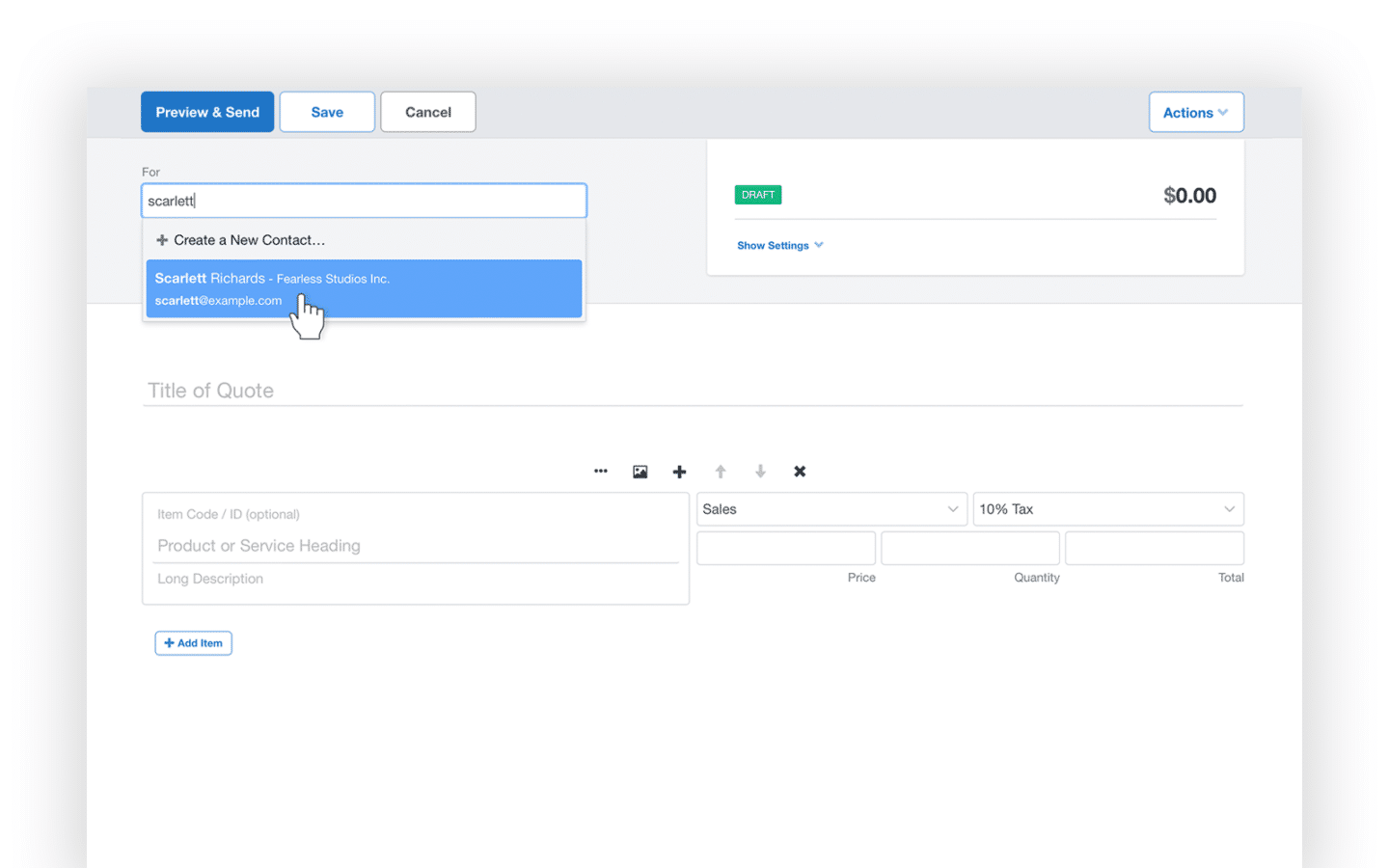
Quotient keeps things simple. It’s designed for small businesses that want professional-looking quotes without complexity or steep learning curves. The interface is clean, setup is fast, and customers can accept quotes with a single click—delivering time savings from day one.
Best for: Small businesses and sole proprietors who need a straightforward quote creation process.
Key features
- Simple, intuitive quote creation to save time
- Quotes sent to email with personalized links
- Images, files and links in quotes
- Optional or multiple choice items
- Communication in quotes
- Single click acceptance
- E-signatures
- Templates creation and dashboard overview
Pricing
- Solo: $28/month for one team member
- Team: $48/month for 2-5 users
Free 14-day trial available.
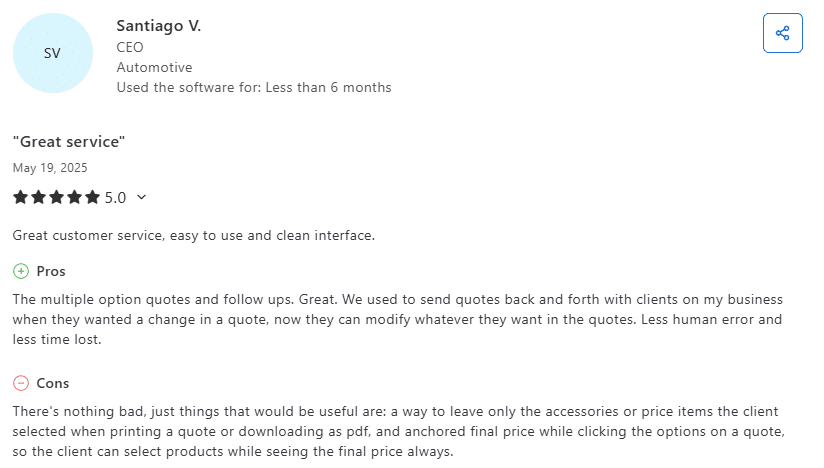
User review
Conga CPQ
Capterra rating: 4.3/5
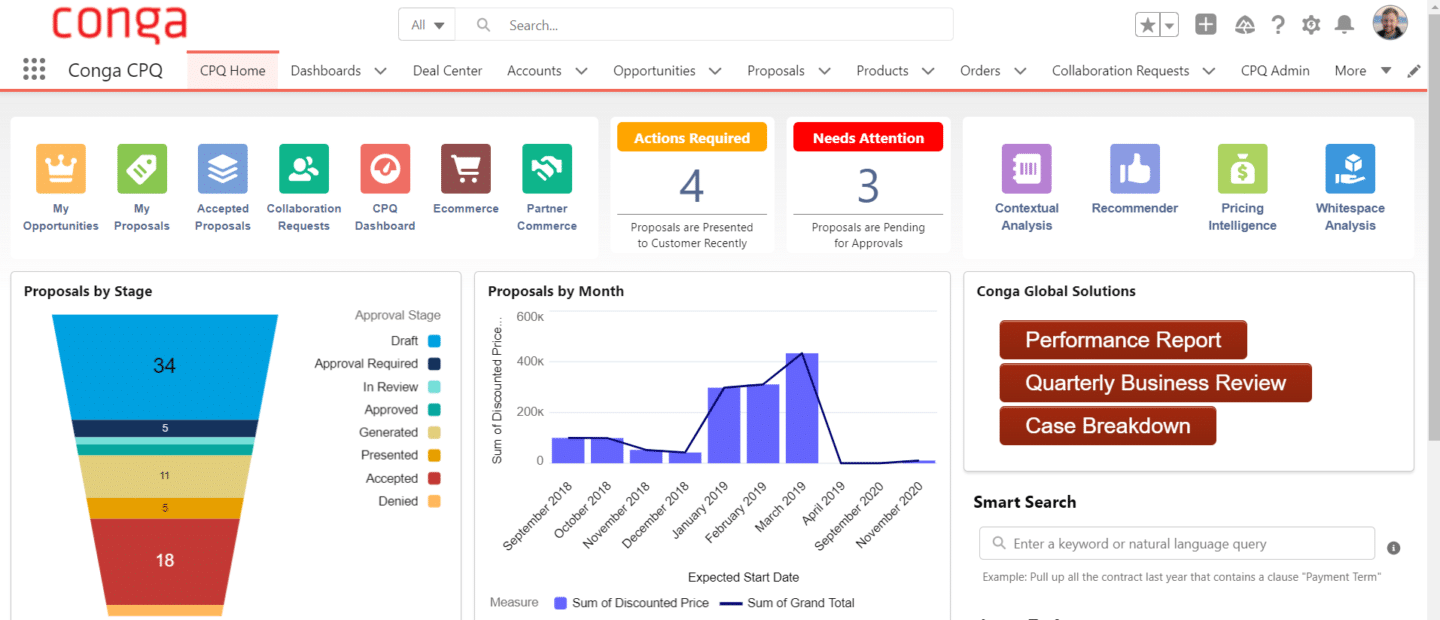
Conga CPQ is an enterprise-grade configure-price-quote solution connected to Salesforce. If you’re managing complex product configurations, subscription services and multi-tier pricing, Conga handles it—though it comes with enterprise-level complexity and cost.
Best for: Large enterprises and Salesforce users with complex quoting requirements and multiple approval layers in their sales process.
Key features
- Native Salesforce integration for contract management for sales
- Guided selling workflows
- Complex product and service configurations
- Dynamic pricing with approval rules to maintain pricing accuracy
- Subscription management and renewals
- Document generation and e-signatures
Pricing
Available upon request.
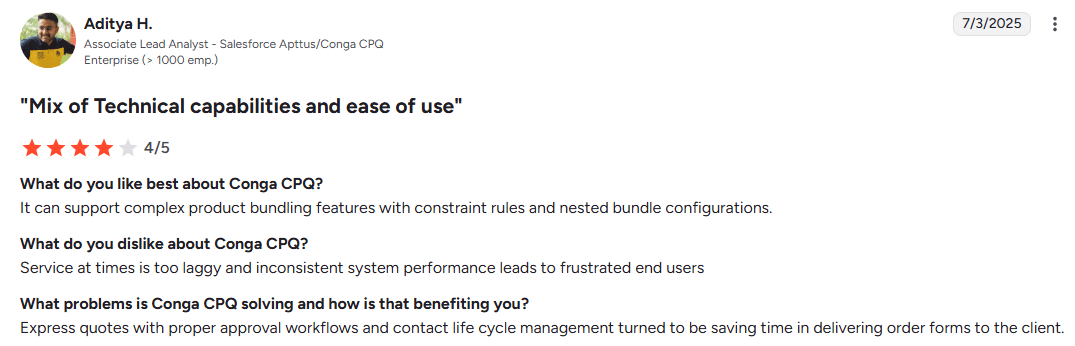
User review
Stop wasting time on manual quotes—choose smarter software
Manual quoting costs you more than valuable time. You’re losing deals to faster competitors, watching margins shrink from pricing errors and human error, and paying sales reps to do data entry instead of selling.
The right software meets your business needs by fixing this. It connects your systems, eliminates repetitive tasks, reduces manual errors, and gets accurate quotes to potential clients in minutes instead of days.
Oneflow stands out because it doesn’t just generate quotes—it manages the entire quote-to-cash journey from proposal to signed contract to revenue and beyond. With AI-powered review, dynamic documents that sync with your CRM, and the flexibility to edit even after sending, it’s built for how modern businesses actually sell.
Ready to stop losing deals to manual processes and start winning deals faster? Book a demo to test it out and see how much time you can save while delivering exceptional customer experiences with professional, branded proposals.
Disclaimer:
All information on this page is derived from publicly available sources such as G2, Capterra, and other software listing sites. Oneflow does not verify the accuracy, completeness, or currentness of this information. Accordingly, Oneflow assumes no responsibility or liability for any inaccuracies, errors, or omissions in the content, nor for any actions taken in reliance on such information. Users are advised to independently verify any information before making decisions based on it.
FAQs
What is sales quote software?
Sales quote software automates the creation, delivery and management of price quotes for products or services. It pulls data from your CRM and product catalog, applies pricing rules with automated calculations, calculates taxes and generates professional-looking sales documents that customers can review and accept electronically. The best quote management software also handles electronic signatures, approval workflows, and conversion to legally binding contracts—delivering time savings throughout the entire sales process.
How long does it take to implement sales quote software?
Implementation time varies by tool complexity and your business requirements. Simple cloud-based solutions up and running in a few days—just configure customizable templates and connect your CRM. More sophisticated platforms might take 2-4 weeks for full implementation, including custom templates, approval workflows and integration with multiple systems to reduce errors. Most vendors offer onboarding support to accelerate the process.
What features should I prioritize in sales quote software?
Start with CRM integration and template customization. Prioritize based on your pain points: if you sell internationally, multi-currency support matters. If you have complex approval chains, workflow automation is key. If deals drag on, e-signature capabilities will accelerate closings and help you send sales quotes faster. For growing teams, look for scalability and analytics to track performance and boost revenue through actionable insights.
How does sales quote software improve win rates?
Speed and pricing accuracy are the main drivers of winning deals. According to research, the first company to respond to a quote request wins 50% more often. Quote management software helps you respond faster with fewer errors through automated calculations. It also creates more professional, interactive sales documents that build buyer confidence. Analytics show you where prospects spend time and what questions they have, so you can follow up strategically. Win rate spikes with modern quoting tools, thanks to reduced manual errors and faster quote generation that helps close more deals.
.png?id=40edbc9ee25345a211152388fdcf1fd2)

.png?id=073897979970647cd034d6db96c145de)