You’ve found the perfect candidate. The interviews went brilliantly. The hiring manager is excited. The candidate is ready to join.
There’s just one problem.
The contract.
Suddenly, what should be the easiest part of recruitment turns into a frustrating obstacle course. Someone needs to draft the agreement. Someone else needs to approve it. The candidate’s details need to be copied from one system into another. Then come the PDFs, emails, corrections, follow-ups, and the inevitable question: “Has the contract been signed yet?”
Sound familiar?
Here’s the thing: Finding the right candidate is hard enough. Hiring them shouldn’t be.
Yet for many HR and recruitment teams, the final steps of the hiring process remain unnecessarily complicated. While sourcing, interviewing, and candidate management have become increasingly digital, employment contracts can still involve manual work that slows everything down.
That’s where the integration between Oneflow and Teamtailor changes the game.
By connecting Teamtailor’s applicant tracking system (ATS) with Oneflow’s digital contract management platform, recruitment teams can create, send, track, and sign employment contracts through a connected workflow.
No more copying candidate information between disconnected tools. No more chasing signatures through endless email threads. And no more wondering where an offer stands.
Let’s explore what makes these two platforms powerful individually, why they’re even better together, and how their integration can transform your recruitment process from the first application to the final signature.
The hidden hiring bottleneck nobody talks about
Recruitment teams invest significant time and resources in attracting talent.
They optimize job advertisements, build employer brands, manage applications, conduct interviews, and coordinate hiring decisions. But when it’s finally time to make an offer, the process can grind to a halt.
Why?
Because the contract process often operates separately from recruitment.
Consider a typical manual hiring workflow:
- A recruiter selects the successful candidate in the ATS.
- Candidate information is copied into a separate document.
- An employment contract is created using a Word template.
- The contract is sent to HR or legal for approval.
- A PDF is emailed to the candidate.
- The candidate requests a correction or clarification.
- A revised document is created and sent again.
- The recruiter follows up to collect signatures.
- The signed agreement is downloaded, uploaded, and stored.
That’s a lot of administrative work for something that should be straightforward.
And every additional step creates an opportunity for delays, errors, and miscommunication.
According to Oneflow’s HR contract management guide, fragmented contract processes can create bottlenecks that affect hiring speed, compliance, and the candidate experience.
The solution isn’t necessarily to work harder or hire more administrators.
It’s to connect the systems that already support your recruitment process.

Meet Teamtailor: The recruitment platform that puts candidates first
Before exploring the integration, let’s look at what each platform brings to the table.
Teamtailor is a recruitment platform that combines applicant tracking, employer branding, and candidate relationship management.
Its purpose is simple: help companies attract, engage, and hire the right people while delivering a better recruitment experience.
Instead of managing candidates through disconnected spreadsheets, inboxes, and recruitment tools, hiring teams can organize their activities within a centralized platform.
Attract better candidates before they even apply
Recruitment doesn’t begin with an interview. It begins with the impression your company makes on potential candidates.
Teamtailor helps organizations create branded career sites that showcase their culture, values, people, and available opportunities.
This matters because candidates aren’t simply evaluating job descriptions. They’re evaluating potential employers.
With customizable career pages, job advertisements, and employer branding features, companies can create a more compelling introduction to their workplace.
Teamtailor also provides SEO-related functionality for career sites and job advertisements, helping organizations improve how their opportunities appear in search results.
Explore the full range of Teamtailor features.
Stop drowning in applications and start managing talent
A growing candidate pipeline is great news.
Until your recruiters have to manage it manually.
Teamtailor’s ATS provides a central place to organize applications, candidate profiles, hiring stages, and recruitment activities.
Recruiters can move candidates through customized workflows, keep track of progress, and coordinate activities with hiring managers.
Rather than searching through email conversations to find the latest update, teams can work from shared recruitment information.
The result? Better visibility, clearer responsibilities, and less time spent on administration.
Make hiring a team sport, not an email marathon
Recruitment rarely involves just one person.
Hiring managers, recruiters, department heads, and HR professionals all contribute to the decision-making process.
Teamtailor supports this collaboration with features such as candidate evaluations, scorecards, interview scheduling, and customizable recruitment workflows.
Teams can collect feedback and organize hiring decisions without relying entirely on disconnected conversations.
That makes Teamtailor particularly useful for growing businesses, recruitment agencies, and organizations where multiple stakeholders participate in hiring.
Put repetitive recruitment tasks on autopilot
Recruiters shouldn’t have to spend their days manually updating candidate statuses or sending the same messages repeatedly.
Teamtailor provides triggers and automation capabilities that help teams manage recurring recruitment activities.
For example, organizations can configure actions linked to particular recruitment stages, such as sending messages or initiating connected workflows.
These capabilities are especially valuable when recruitment volumes increase.
And when Teamtailor is connected to Oneflow, automation can extend into the employment contract process.
Meet Oneflow: The contract platform that makes paperwork feel like a thing of the past
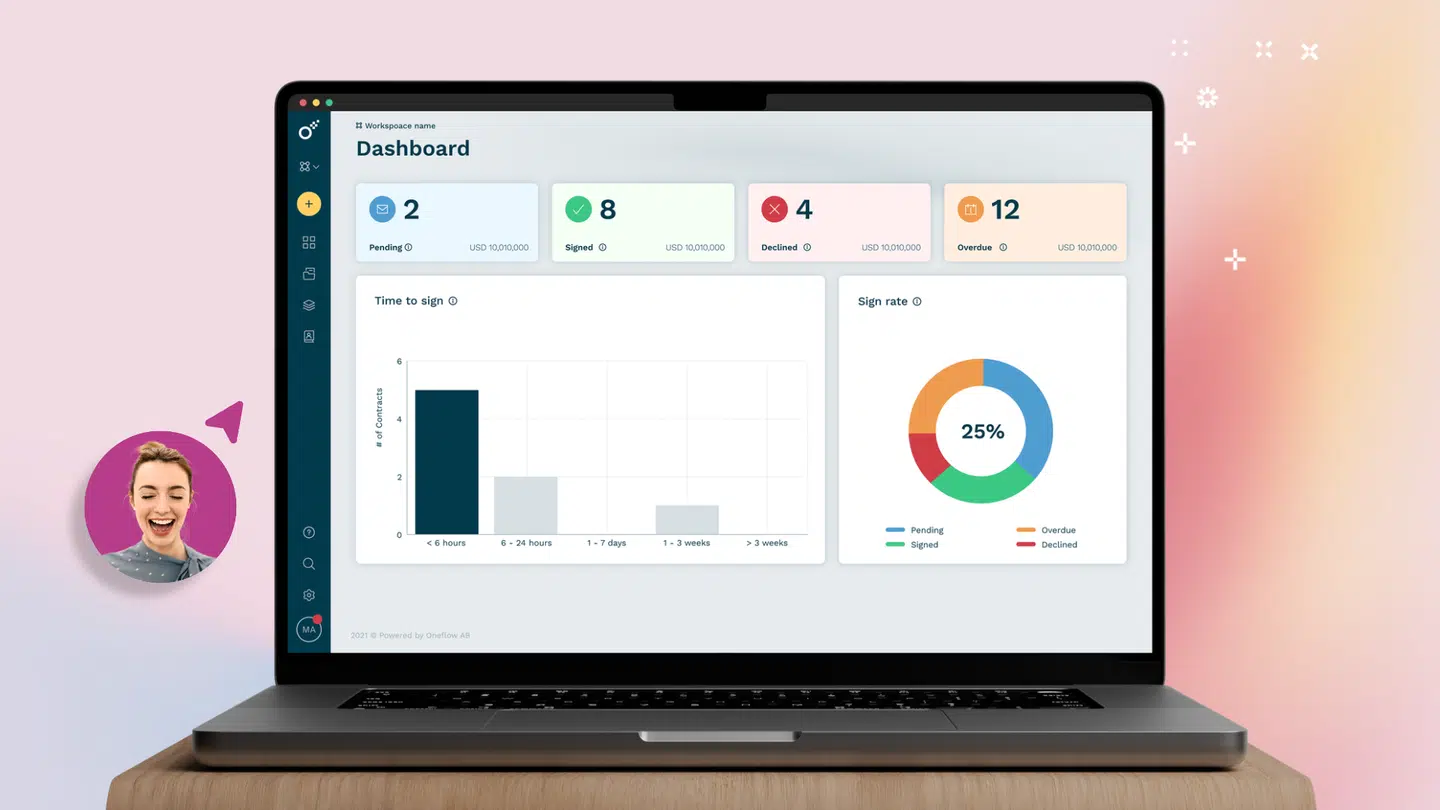
Now imagine you’ve selected your ideal candidate.
What happens next?
This is where Oneflow comes in.
Oneflow is a digital contract management platform that helps businesses manage agreements throughout their lifecycle, from creation and collaboration to signing, storage, and ongoing management.
For HR and recruitment teams, that means bringing employment contracts, offer letters, and other employee-related agreements into a more connected digital process.
Create employment contracts without starting from scratch
Creating an employment contract shouldn’t mean opening an old Word document, replacing names, updating salary information, and hoping nothing important gets overlooked.
Oneflow lets HR teams build reusable contract templates containing standardized terms, predefined clauses, and dynamic data fields.
Instead of repeatedly creating agreements manually, recruiters can work from approved templates that reflect their organization’s requirements.
For companies hiring across different departments, employment types, or countries, standardized templates can help maintain consistency while accommodating relevant variations.
And when Oneflow is integrated with a recruitment platform such as Teamtailor, candidate information can populate corresponding contract fields automatically.
Make contract collaboration a conversation, not a document nightmare
Here’s a familiar scenario.
You send an employment contract to a candidate.
They reply asking whether the start date can be changed.
You update the document, export another PDF, and send it again.
Then the hiring manager requests another adjustment.
Another version. Another email. Another delay.
Oneflow replaces much of this back-and-forth with dynamic digital contracts that support editing and commenting within the agreement.
Authorized participants can collaborate on contract details without continuously exchanging new document versions.
That helps everyone work with the same information and makes it easier to resolve questions before signing.
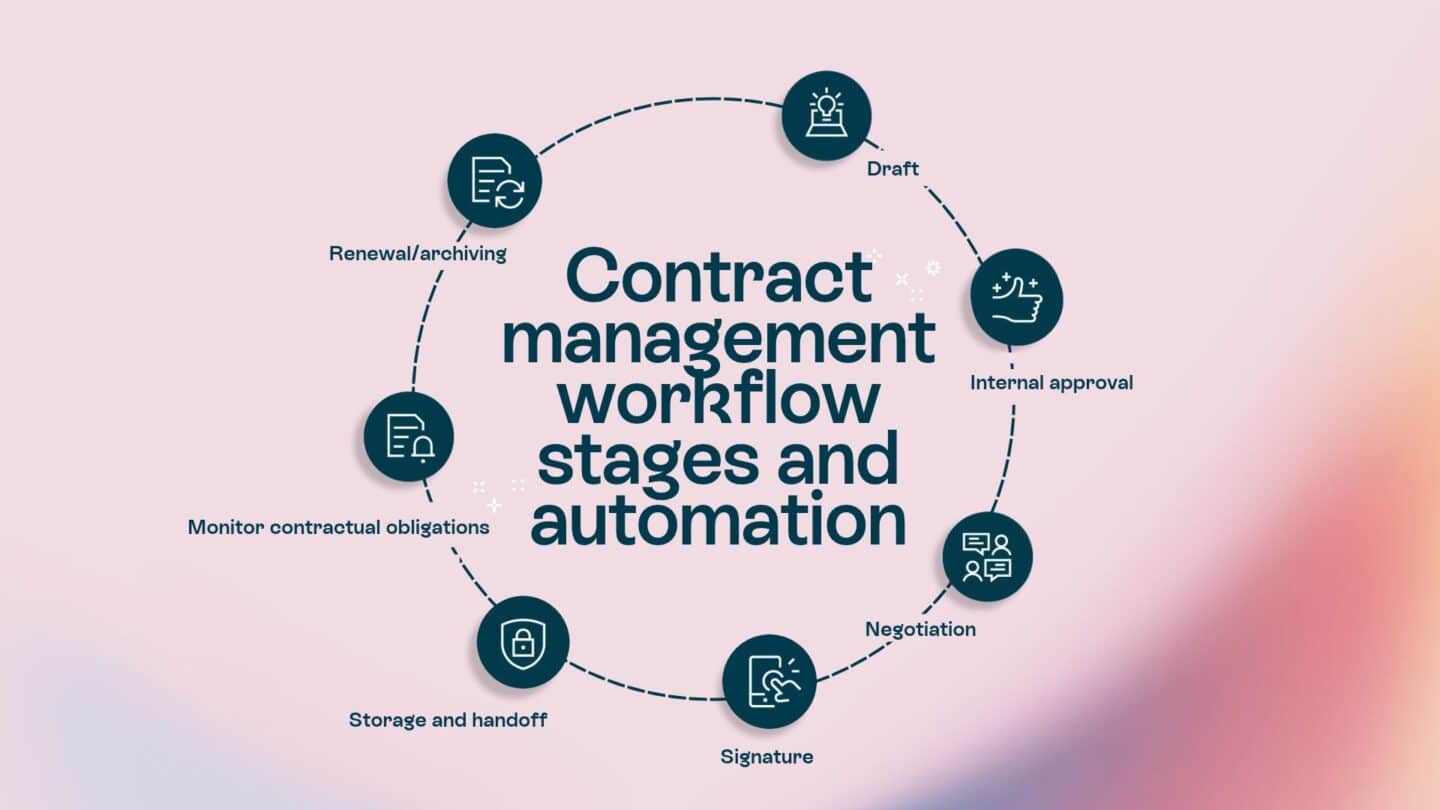
Learn more about the stages of an effective contract management workflow.
Make signing the easiest part of the hiring process
Once an employment offer is ready, the last thing you want is to make signing difficult.
Oneflow supports electronic signatures, allowing candidates to review and sign agreements digitally from supported devices.
No printer. No scanner. No unnecessary paperwork.
Depending on the agreement and applicable requirements, Oneflow also supports different signing methods and identity verification options.
This flexibility helps organizations choose an appropriate signing experience for different types of employment agreements.
Know exactly where every contract stands
Has the candidate opened the agreement?
Are they reviewing the terms?
Has everyone signed?
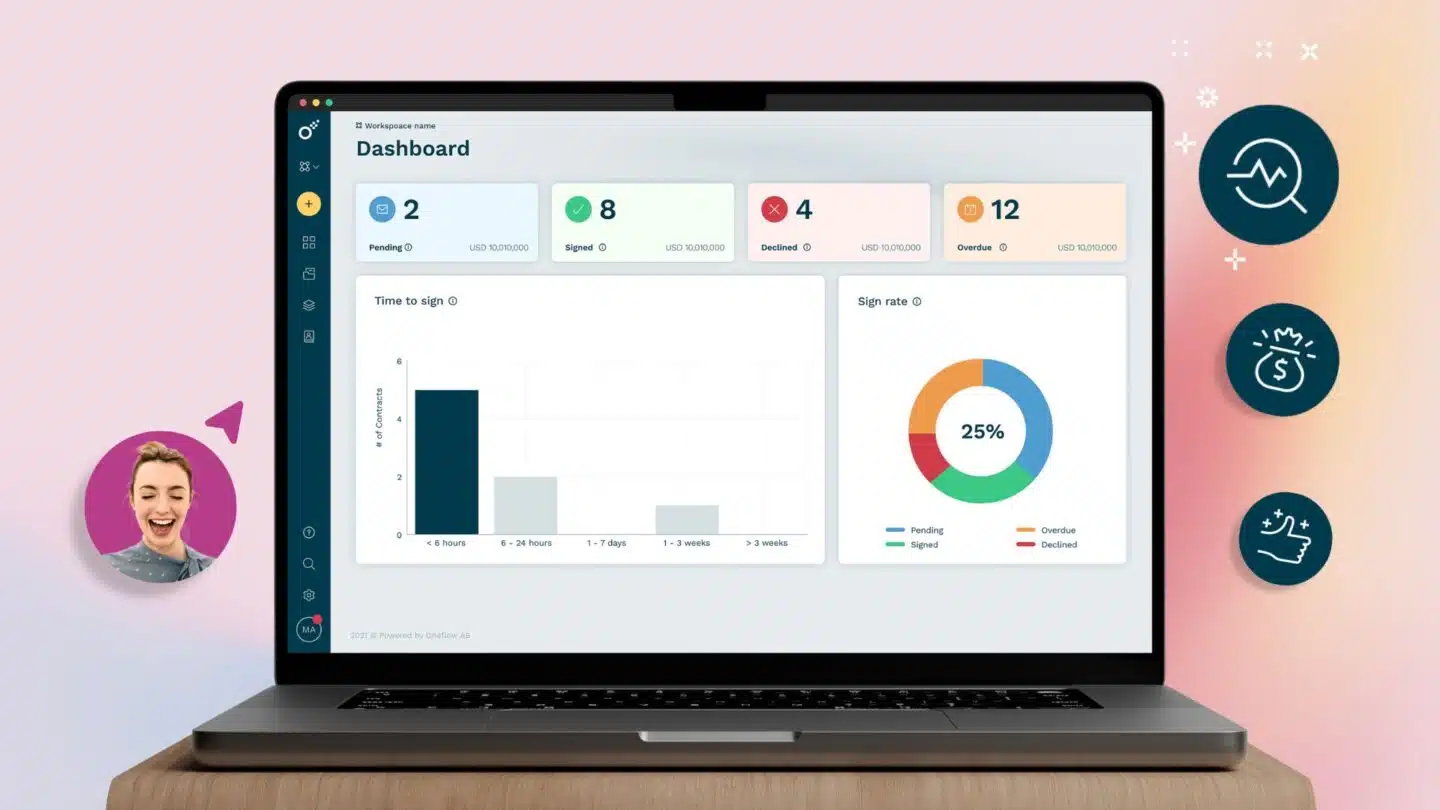
With Oneflow, teams can monitor contract activity and signing status rather than relying solely on manual follow-ups.
Automated reminders can also help keep agreements moving.
And once contracts are signed, they can be stored in Oneflow’s searchable archive, with access controls and lifecycle management functionality.
For HR teams, that means employment agreements don’t disappear into email folders after the signature is collected.
They remain accessible to authorized users when needed.
Explore Oneflow for HR teams to see how digital contract workflows can support the employee lifecycle.
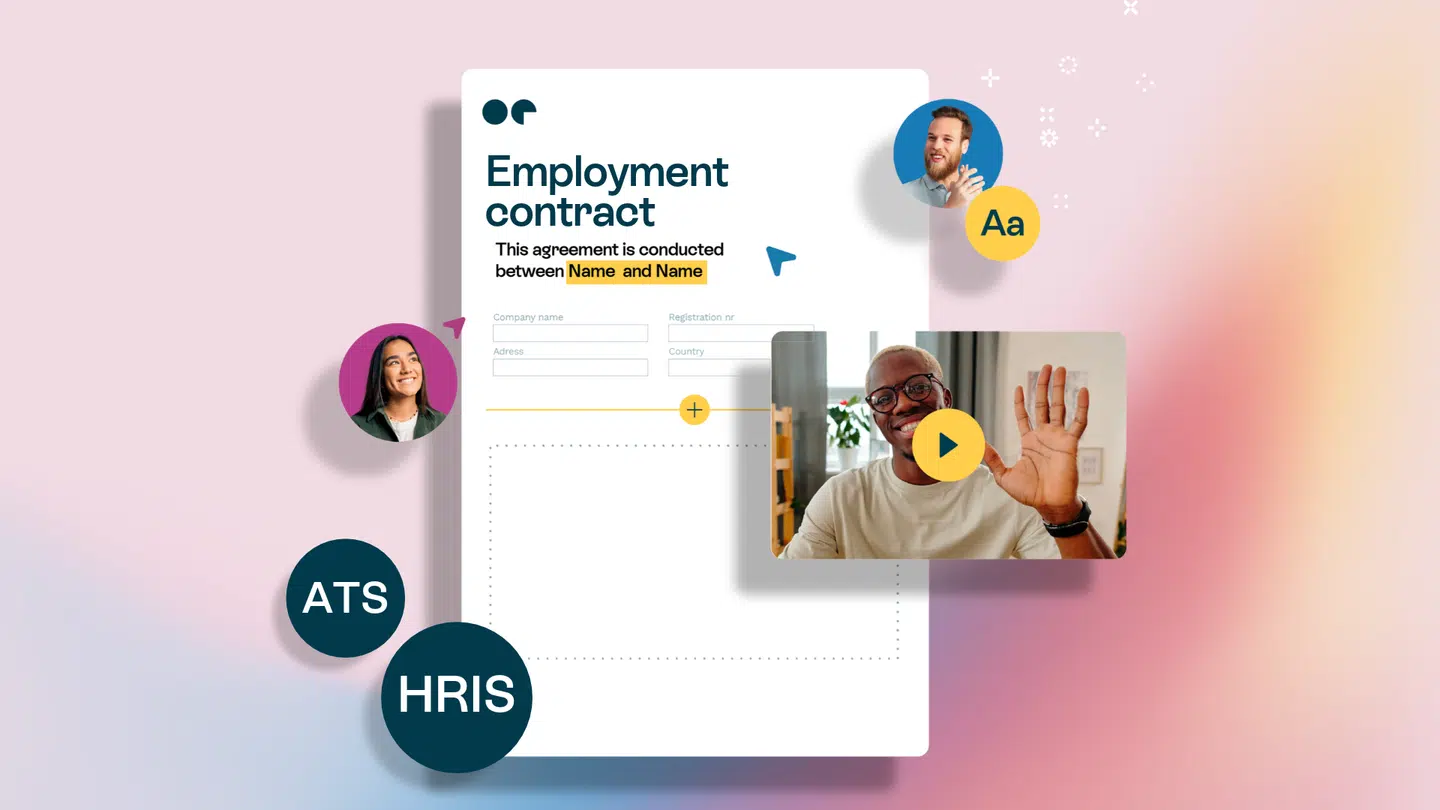
Oneflow + Teamtailor: The recruitment power couple your HR team has been waiting for
Teamtailor helps you find, evaluate, and select the right candidate.
Oneflow helps you turn that hiring decision into a signed agreement.
Together, they connect two important parts of recruitment that too often operate separately.
The Oneflow integration in Teamtailor’s marketplace enables recruitment teams to create, send, track, manage, and electronically sign contracts within a connected Teamtailor workflow.
And the benefits go beyond simply adding an e-signature tool to your ATS.
1. Your dream candidate is ready. Why isn’t your contract?
When a candidate reaches the offer stage, momentum matters.
The hiring manager wants to confirm the appointment. The candidate wants clarity about the next steps. And the recruiter wants to finalize the process without unnecessary delays.
With Oneflow and Teamtailor, recruiters can initiate contract creation from the recruitment workflow using predefined Oneflow templates.
Candidate information can be transferred into corresponding contract fields, reducing the need to enter the same details manually.
For example, a recruiter can move a candidate into a designated offer stage in Teamtailor and use a configured Oneflow trigger to generate a contract draft.
The agreement can then be reviewed, completed, and sent for signature.
Instead of starting the contract process from scratch, the recruiter begins with a prepared agreement.
The benefit: Less administrative preparation between selecting a candidate and sending an offer.
2. Goodbye copy-paste. Hello connected candidate data.
One of the most frustrating parts of recruitment administration is entering information that already exists somewhere else.
A candidate’s name, email address, job details, and other relevant information may already be recorded in Teamtailor.
Why should recruiters have to enter it all again?
The integration supports data synchronization between Teamtailor and Oneflow through configured fields.
Information from Teamtailor can populate Oneflow contracts, while supported changes made in Oneflow can also be synchronized back to Teamtailor.
This is particularly useful when information is missing or needs to be updated during the contract process.
For example, a candidate may be asked to complete an editable field in their contract. With the appropriate field mapping and synchronization configured, that information can be reflected in Teamtailor.
The benefit: Less repetitive data entry, fewer opportunities for transcription errors, and more consistent information across systems.
Teamtailor explains this functionality in its Oneflow data synchronization guide.
3. Stop chasing signatures like it’s your second job
Sending an employment offer should be exciting.
But for recruiters, it can quickly turn into a follow-up marathon.
Did the candidate receive the agreement? Have they reviewed it? Do they have questions? Are they ready to sign?
The Oneflow and Teamtailor integration provides visibility into contract progress from the recruitment workflow.
Recruiters can monitor the status of agreements associated with candidate profiles, while Oneflow supports contract activity tracking and signing reminders.
This helps hiring teams identify which agreements are progressing and which may need attention.
Instead of sending generic follow-up emails to every candidate, recruiters can focus on the agreements that actually require action.
The benefit: Better visibility into offer progress and less time spent checking contract statuses manually.
4. Make your employment offer feel like a welcome, not a legal formality
Think about the final impression your recruitment process makes.
Your candidate has spent time learning about your company, meeting future colleagues, and imagining themselves in the role.
Then they receive a poorly formatted PDF and a generic email asking them to print, sign, and return it.
Not exactly a memorable welcome.
With Oneflow, organizations can create interactive digital offers that feel more modern and personal.
For example, Oneflow supports adding video content to contracts, allowing recruiters or hiring managers to include a personalized greeting or explanation of the offer.
Candidates can review the agreement, ask questions, and sign digitally.
Combined with Teamtailor’s candidate-focused recruitment experience, this creates a more consistent journey from the first interaction to the final agreement.
The benefit: A professional, accessible, and more engaging offer experience that reflects the care you’ve put into recruitment.
5. Let automation handle the handoffs
One of the most valuable features of the integration is the ability to connect contract-related actions with recruitment stages.
Instead of treating the employment agreement as an entirely separate process, organizations can incorporate it into their existing hiring workflow.
For example:
- A candidate reaches the offer stage in Teamtailor.
- A configured trigger initiates a Oneflow contract draft.
- Candidate information populates the contract template.
- The recruiter reviews and sends the agreement.
- The candidate signs digitally.
- The signed contract becomes available on the candidate profile, and configured workflow actions can continue.
This helps reduce the manual coordination between recruitment and contract administration.
The benefit: A more connected process from offer to hire, with fewer unnecessary handoffs.
6. Keep HR, hiring managers, and recruiters on the same page
Hiring decisions often involve several stakeholders.
Recruiters manage the candidate relationship. Hiring managers confirm role details. HR checks employment terms. Legal may review agreements that require additional attention.
When contract information is scattered across different systems, it becomes harder to coordinate these responsibilities.
Teamtailor provides visibility into the recruitment process, while Oneflow supports contract approvals, collaboration, signing, and lifecycle management.
Together, they make it easier for relevant stakeholders to understand where an agreement stands.
Oneflow’s approval functionality can also support organizations that need internal authorization before certain agreements are sent.
The benefit: Clearer responsibilities, improved oversight, and fewer delays caused by missing information or approvals.
7. The contract is signed. Now what?
A signed employment contract isn’t the end of the employee journey.
It’s the beginning.
HR teams still need to organize onboarding, maintain employee documentation, and manage future contractual changes.
With Oneflow, signed contracts can be stored in a searchable archive, where authorized users can access agreements and manage relevant lifecycle dates.
The Teamtailor integration also supports making signed contracts available in the candidate record.
And where a compatible downstream HRM integration is configured, signed contract information or attachments may support subsequent employee administration.
The benefit: A smoother transition from recruitment to employee administration, without relying entirely on manual document transfers.
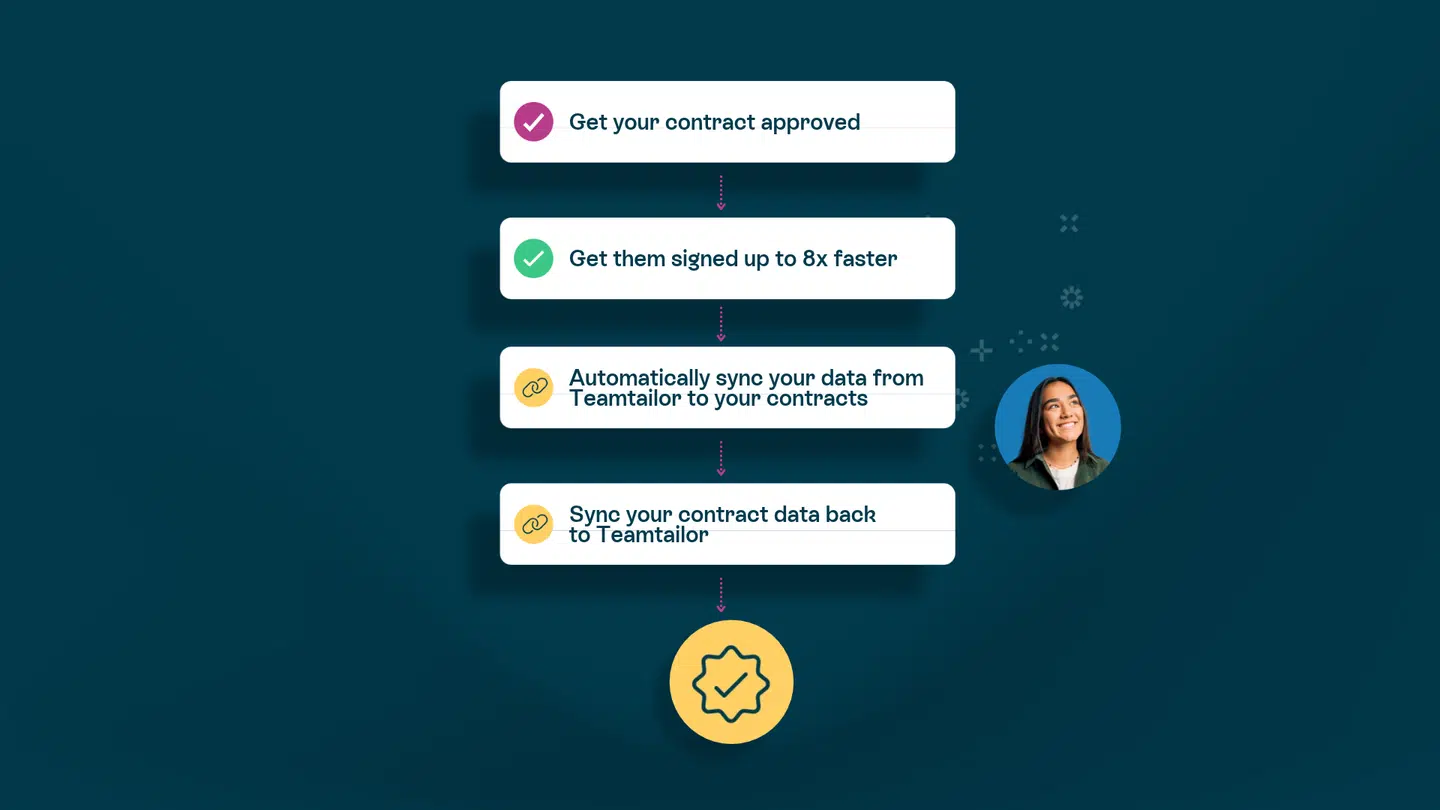
From first application to final signature: How the integration works
- Attract and engage candidates in Teamtailor
Publish vacancies, manage applications, and communicate with potential hires. - Evaluate and select your preferred candidate
Coordinate interviews, collect feedback, and move the successful candidate to the offer stage. - Generate a contract with Oneflow
Use a configured trigger or contract action to create a draft from an approved template and mapped candidate data. - Review and personalize the offer
Confirm employment terms, obtain any required internal approvals, and add a personal touch. - Send, collaborate, and sign digitally
Let the candidate review the agreement, request changes where permitted, and complete the signing process. - Track completion and prepare for onboarding
Monitor contract status in Teamtailor, access the signed agreement, and initiate the next steps in your configured HR workflow.
The important difference is that recruiters no longer need to manually coordinate every transition between recruitment and contract administration.
Teamtailor remains the central recruitment workspace, while Oneflow provides the specialized contract functionality needed to finalize the hire.
The exact automation, data fields, and downstream actions depend on how the integration is configured.
Five real-world hiring scenarios where Oneflow and Teamtailor shine
Different organizations face different recruitment challenges.
A startup hiring its first employees won’t have the same processes as a multinational company recruiting across several countries.
But both can benefit from reducing friction between candidate selection and contract signing.
Use case 1: High-volume recruitment without high-volume admin
Imagine a company recruiting dozens of employees every month.
Each new hire requires an employment agreement, and many of those agreements contain similar terms.
Without automation, recruiters may spend significant time preparing individual contracts, checking candidate details, and following up on signatures.
With Teamtailor and Oneflow, the organization can use standardized contract templates and automatically populate mapped candidate information.
Recruiters can then focus on exceptions rather than rebuilding every agreement manually.
This approach is particularly useful for retail, hospitality, logistics, recruitment agencies, and other organizations with recurring hiring needs.
Use case 2: Hiring across different countries and employment types
International recruitment introduces additional complexity.
Employment terms, notice periods, required clauses, and signing requirements can vary between jurisdictions.
Oneflow’s template and workflow capabilities can help organizations standardize agreements while accounting for different employment arrangements.
Combined with Teamtailor’s customizable recruitment workflows, HR teams can create more consistent processes for permanent employees, temporary staff, and other hiring scenarios.
However, templates still need to be reviewed against applicable employment laws and organizational policies.
The integration supports better process control; it doesn’t replace legal expertise.
Use case 3: Remote hiring without the paperwork headache
Your ideal candidate lives in another city. Or another country.
They’ve completed every interview remotely and are excited to join.
Why should the contract require a printer or physical meeting?
With Oneflow’s electronic signing functionality, candidates can review and sign agreements remotely.
Teamtailor keeps the recruitment process organized, while Oneflow supports the final contract steps.
For distributed teams, this can make remote hiring more practical and reduce unnecessary logistical delays.
Use case 4: Recruitment agencies managing multiple placements
Recruitment agencies depend on efficient processes.
They need to manage candidate pipelines, coordinate with clients, and finalize placements without unnecessary delays.
Teamtailor helps organize candidate-related activities, while Oneflow can support standardized agreements, electronic signing, and contract management.
For agencies handling recurring placements, the combination can help reduce administrative work around candidate agreements.
Oneflow can also manage other types of agreements separately, including client contracts, where the organization’s workflow requires them.
Use case 5: Growing companies that need structure without slowing down
Growth is exciting.
But rapid recruitment can expose weaknesses in processes that worked perfectly well when a company had ten employees.
Suddenly, more managers are involved, employment terms become more varied, and HR needs stronger oversight.
Teamtailor provides structure for managing recruitment activities.
Oneflow adds standardized contract templates, configurable approvals, and centralized agreement management.
Together, they can help growing organizations scale their hiring processes without relying on an equally large increase in manual administration.
Real results, real impact: How companies are transforming recruitment with Oneflow
It’s one thing to talk about automation.
It’s another to see what happens when companies actually put it to work.
Here are two examples showing how connected contract workflows can improve recruitment operations.
Renta: Making employment contracts easier to get right
As equipment rental company Renta expanded across multiple locations, its HR administration became increasingly complex.
More employees meant more employment contracts, and manual Word templates created opportunities for errors.
The company introduced Oneflow’s dynamic contract templates to standardize its processes and give hiring managers clearer guidance.
Renta also integrated Oneflow with Teamtailor.
Now, when a candidate reaches the offer stage in Teamtailor, an employment contract is automatically generated in Oneflow. The integration reduces manual data transfers and supports synchronization between the two systems.
Renta has also connected its HR contract workflow with payroll notifications, helping relevant teams take action once an agreement is signed.
The result is a more structured process that supports the company’s continued growth.
Read the full Renta customer story.
PTSG: From three days to under three minutes
Premier Technical Services Group (PTSG) faced a familiar problem: employment contracts required too many disconnected steps.
Its previous process involved Microsoft Forms, Excel, mail merges, and a separate signing tool, without an integrated connection to Teamtailor.
After implementing Oneflow with an integrated ATS workflow, the company dramatically reduced contract preparation time.
PTSG reported that contracts could be created in under three minutes, compared with a previous KPI of three days. It also reported being able to onboard 100 people in the time previously needed for 50.
These are PTSG’s reported results, not guaranteed outcomes for every organization. But they demonstrate what can happen when contract creation, templates, and recruitment data work together.
Read the PTSG customer story.
Ready to connect the dots? How to integrate Oneflow with Teamtailor
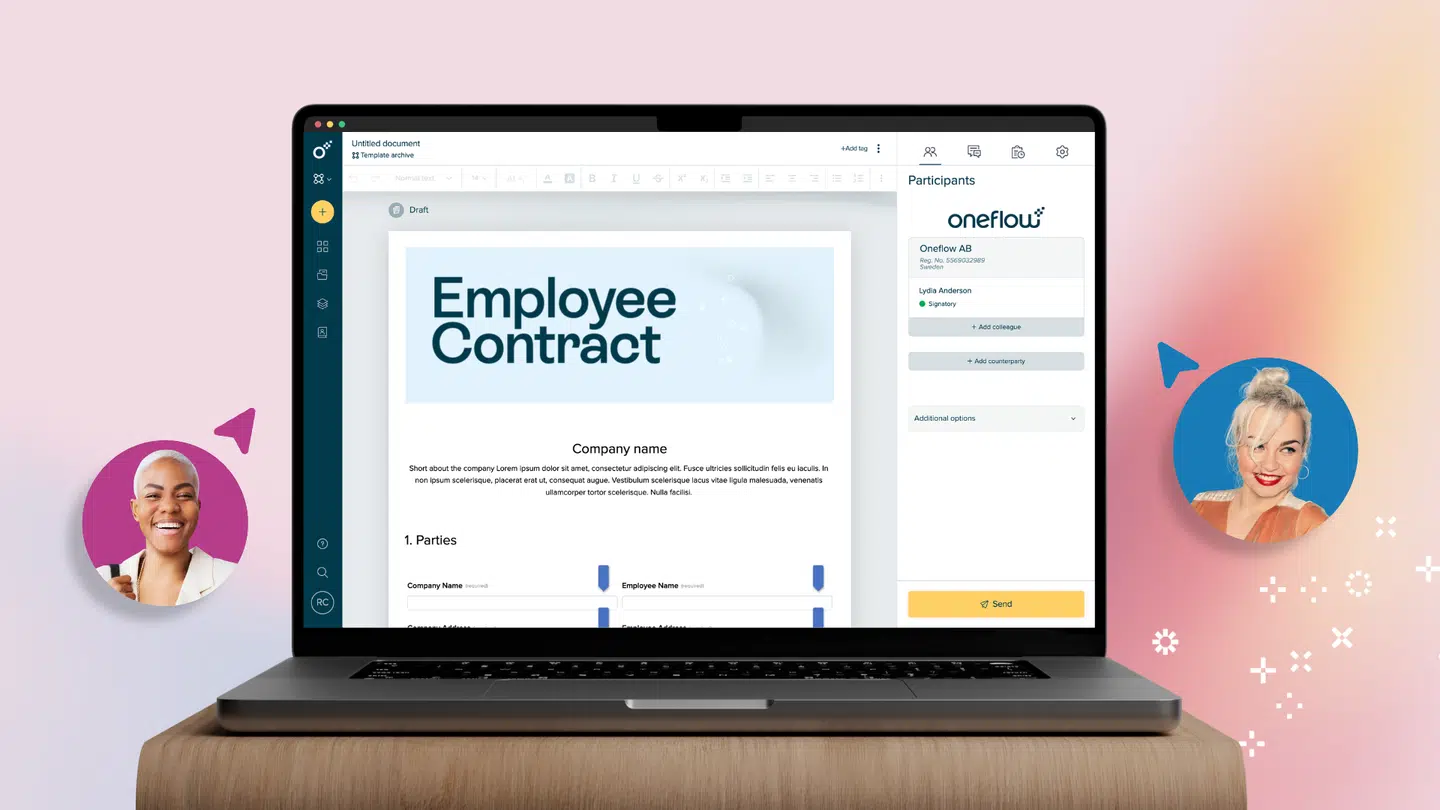
Getting started with the integration involves connecting both platforms, configuring access, and preparing your contract templates.
Here’s an overview of the setup process.
Step 1: Enable the Teamtailor integration in Oneflow
Sign in to Oneflow with an administrator account and open the Marketplace.
Find Teamtailor and enable the integration.
Oneflow generates an API token that you’ll need during the connection process. Store this securely, as the token is displayed only once.
Step 2: Activate Oneflow in Teamtailor
Open the Teamtailor Marketplace, locate Oneflow, and activate the integration.
Then navigate to the integration settings.
Step 3: Configure authentication and data access
Create the required Teamtailor API key with the appropriate administrator permissions.
In Teamtailor’s integration settings, provide the Oneflow API token, administrator email, and Teamtailor API key.
For bidirectional candidate-data synchronization, additional read/write permissions and webhook configuration are required.
Step 4: Prepare your Oneflow contract templates
Create the employment contract templates your recruitment team will use.
Configure the appropriate Teamtailor template group and map relevant candidate information to contract fields.
This is also a good opportunity to review which employment terms should be standardized and which fields recruiters or candidates can edit.
Step 5: Configure triggers and test the workflow
Once the integration is connected, configure how contracts should be initiated during recruitment.
Test the process using a suitable candidate record.
Check that the correct template is selected, information is populated accurately, the contract can be sent and signed, and the expected updates appear in Teamtailor.
For complete technical instructions, refer to the Oneflow setup guide and Teamtailor synchronization documentation.
How do you know if your recruitment automation is actually working?
Connecting two platforms is a great start.
But the real value comes from improving your recruitment process.
To understand whether the Oneflow and Teamtailor integration is delivering results, consider monitoring a few practical metrics.
| Metric | What it tells you |
| Time from offer decision to contract sent | How quickly recruiters prepare offers |
| Time from contract sent to signed | How efficiently agreements are finalized |
| Contract correction rate | How often agreements require administrative rework |
| Manual touchpoints per hire | How much repetitive work remains |
| Offer acceptance rate | How often candidates accept your offers |
| Recruiter administrative time | How much capacity automation frees up |
For example, if contracts previously required several manual steps, measure how many of those steps remain after introducing the integration.
Similarly, compare the time required to prepare and finalize offers before and after implementation.
Not every improvement will be caused by the integration alone. Candidate availability, internal approval requirements, and employment terms can also affect hiring speed.
But these metrics can help identify where automation makes the biggest difference.
The future of recruitment isn’t just faster. It’s more connected.
Recruitment technology has come a long way.
Companies can attract candidates through digital career sites, organize applications in an ATS, schedule interviews online, and collaborate across locations.
Yet too many organizations still treat employment contracts as a separate administrative task.
That disconnect creates unnecessary work at precisely the moment when recruitment should be moving toward a successful conclusion.
The Oneflow and Teamtailor integration offers a different approach.
Teamtailor supports the journey from attracting candidates to making hiring decisions.
Oneflow supports the journey from creating an offer to managing the signed agreement.
Together, they help organizations connect recruitment and contract management, reducing manual work while improving visibility and consistency.
And perhaps most importantly, they give HR professionals more time for the work that actually requires a human touch.
Building relationships. Supporting hiring managers. Improving candidate experiences. And helping new employees feel welcome.
Because the best recruitment technology doesn’t replace the human side of hiring.
It gives people more time to focus on it.
Stop letting paperwork stand between you and your next great hire
Your recruitment process shouldn’t lose momentum when it’s time to send an employment contract.
With Oneflow and Teamtailor, you can connect candidate information, contract creation, collaboration, and electronic signing in one streamlined workflow.
That means fewer repetitive tasks, better contract visibility, and a smoother experience for both recruiters and candidates.
Whether you’re managing a handful of hires or scaling recruitment across multiple teams, connecting your ATS with digital contract management can help you build a process that’s ready to grow.
Ready to see how it works?
Explore the Oneflow and Teamtailor integration or book a personalized Oneflow demo to discover how connected contract workflows can support your recruitment team.
FAQs
What is the Oneflow and Teamtailor integration?
The Oneflow and Teamtailor integration connects Teamtailor’s applicant tracking system with Oneflow’s digital contract management platform. It enables recruitment teams to create, send, track, and electronically sign employment contracts through a connected workflow, reducing manual administration between recruitment and contract management.
Can you send employment contracts directly from Teamtailor?
Yes. With the integration configured, recruiters can initiate Oneflow contracts from Teamtailor using predefined templates. Candidate information can populate mapped contract fields, allowing recruiters to prepare and send agreements without manually recreating the candidate record in another system.
Can Oneflow automatically create contracts when candidates reach a certain recruitment stage?
Yes. Teamtailor supports recruitment-stage triggers that can initiate Oneflow contract drafts. For example, moving a candidate to an offer stage can automatically generate a contract using a selected Oneflow template. The workflow must be configured in advance.
Does Oneflow synchronize candidate information with Teamtailor?
Yes. The integration supports bidirectional synchronization of configured candidate and contract fields. Information stored in Teamtailor can populate Oneflow agreements, while supported changes made in Oneflow can update corresponding Teamtailor fields. This requires the appropriate permissions, field mapping, and synchronization configuration.
Can candidates sign Oneflow contracts on mobile devices?
Yes. Oneflow supports mobile-friendly digital contracts and electronic signing, allowing candidates to review and sign agreements from supported smartphones, tablets, and computers.
Can Oneflow and Teamtailor help reduce time-to-hire?
They can help reduce the administrative time between selecting a candidate and finalizing their employment agreement. Automated contract generation, synchronized candidate information, electronic signatures, and signing reminders can remove unnecessary steps. Actual time savings depend on the organization’s recruitment processes and implementation.
How do I get started with the Oneflow and Teamtailor integration?
Start by enabling the integration in both platforms, configuring the required API credentials, and preparing your Oneflow contract templates. Then configure the recruitment workflow and test contract creation, signing, and synchronization. You can find instructions in the Oneflow Help Center or explore the Teamtailor integration marketplace.
.png?id=40edbc9ee25345a211152388fdcf1fd2)

.png?id=073897979970647cd034d6db96c145de)