If you need more than just electronic signatures—think document generation software, CRM sync, real-time collaboration and post-sign contract tracking—Docusign can still be a strong option when purchased as IAM (Intelligent Agreement Management). But many of the capabilities teams expect (intake, approvals, redlining, conditional routing, advanced sends, and some AI-assisted review features) are tier-dependent, and certain sending methods can carry allowances or add-ons.
This guide covers everything from enterprise contract management software to lightweight electronic signature solutions so you can find the right fit for your organization’s needs and budget.
Quick comparison: Docusign alternatives at a glance
| Tool | Best for | Free trial | Key differentiator | AI capabilities | CLM depth |
|---|---|---|---|---|---|
| Docusign CLM | Governed agreement workflows across creation, execution and renewal | Demo only | Modular lifecycle tooling via Maestro (automation) + Navigator (repository) | AI extraction and agreement search (all IAM tiers); AI-assisted review (enterprise only) | Full |
| Oneflow | CRM-connected quote-to-cash contracting with live agreements | 14 days | Browser-native contracts with two-way CRM sync that update pricing and contract data automatically | AI drafting, clause analysis, automated data extraction | Full |
| Ironclad | Multi-step internal approvals and governed negotiation workflows | Demo only | Conditional approval routing and contract playbook enforcement | AI analytics and redlining | Full |
| Juro | Browser-based contract creation and negotiation | Demo only | Template-driven contract generation in a shared workspace | AI drafting, review and summarization | Full |
| Contractbook | Template-driven automation with renewal tracking | 14 days | CRM-connected contract metadata and workflow triggers | AI legacy contract data extraction | Mid |
| PandaDoc | Proposal workflows with engagement tracking and payments | 14 days | Proposal analytics and embedded payment collection | AI document creation | Mid |
| GetAccept | Pre-signature deal collaboration in digital sales rooms | 14 days | Buyer engagement tracking across proposal workflows | AI-assisted content | Mid |
| Concord | Real-time contract collaboration and version control | 14 days | In-browser co-editing with approval workflows | Limited | Mid |
| Conga CLM | Salesforce-native contract lifecycle automation | Demo only | Contract generation and obligation tracking within Salesforce | AI extraction and analytics | Full |
| Docue | Guided contract creation using jurisdiction-specific templates | Yes* | Pre-vetted legal content with eIDAS signing | Limited | Basic–Mid |
| ContractSafe | Repository-led contract visibility and renewal alerts | 7 days | AI-powered search across stored agreements | AI metadata extraction and search | Mid |
| ContractpodAi | AI-assisted contract review and obligation tracking | Demo only | Automated playbook application across lifecycle workflows | AI risk scoring and extraction | Full |
| Icertis | Multi-jurisdiction compliance and obligation analytics | Demo only | Enterprise governance across global contract portfolios: | AI risk and obligation analytics | Full |
| Sirion | Performance-linked obligation monitoring | Demo only | SLA monitoring tied to negotiated commitments | AI drafting, redlining and analytics | Full |
| Tomorro | AI-assisted drafting, review and renewal tracking | Demo only | Oro assistant for clause analysis and collaboration | AI review, extraction and content generation | Mid |
| Adobe Acrobat Sign | PDF preparation and execution workflows | 30 days | Native PDF editing before signature collection | Limited | Basic |
| Xodo Sign | Unlimited e-signatures with built-in PDF editing | Free plan (3 docs/month) | Combined document editing and signing | AI summarization | Basic |
| Dropbox Sign | Document preparation, signing and storage | 30 days | Automatic save-back of signed agreements | No | Basic |
| SignNow | Bulk document execution with templates | 7 days | Drag-and-drop document preparation | No | Basic |
| Zoho Sign | Automated signing workflows with identity verification | 14 days | QES support and blockchain timestamping | No | Basic |
| SimpleSign | Unified drafting, approval and monitoring | Demo only | Integrated creation, collaboration and monitoring | AI lifecycle assistance | Mid |
| House of Control | Financial oversight of contractual liabilities | Demo only | IFRS 16 tracking and regulatory reporting | Limited | Mid |
*No information on length available
How we evaluated these Docusign alternatives
What Docusign users say is missing
Before recommending alternatives, it’s worth understanding exactly where Docusign falls short. Based on verified user reviews, the most common complaints include:
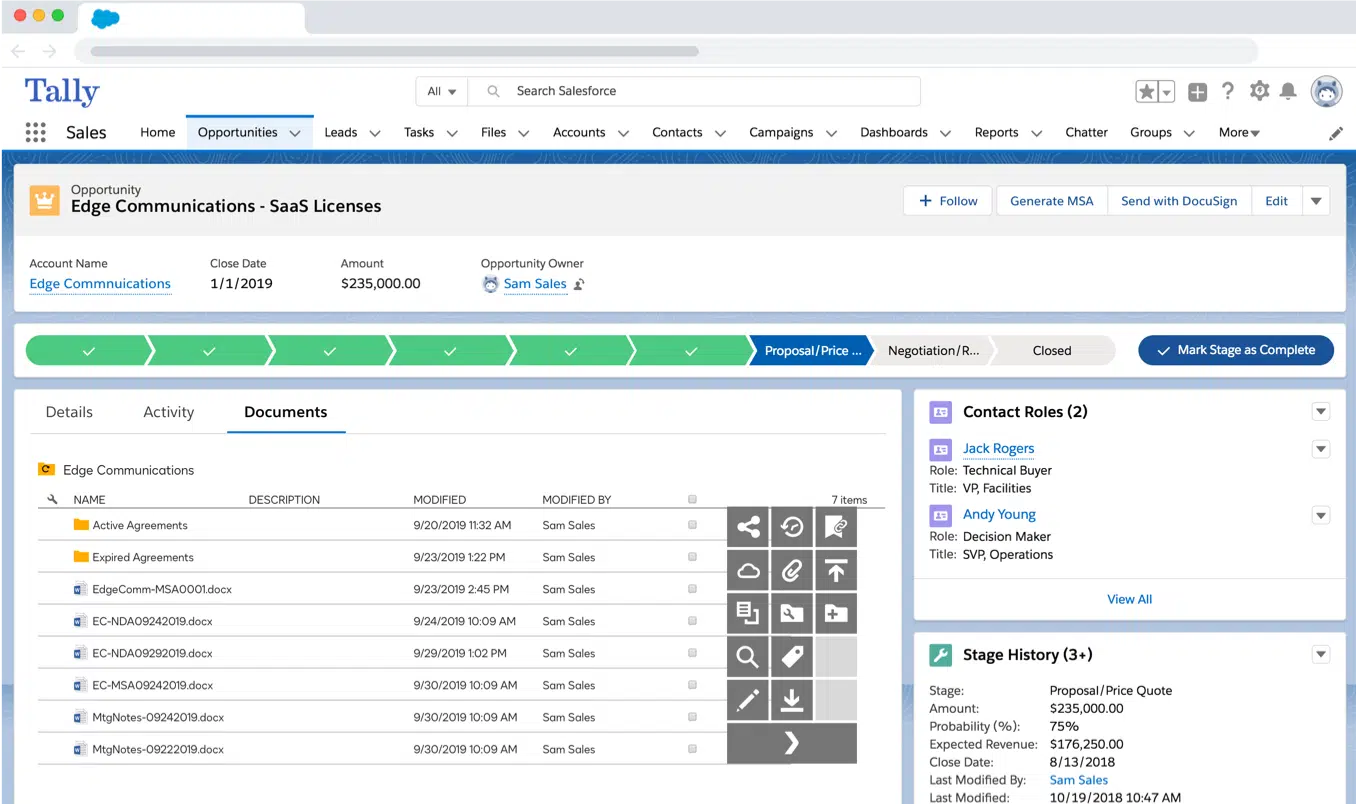
- Advanced intake, approval routing and redlining capabilities are tier-dependent. While agreement creation, AI-powered data extraction, centralized storage and renewal management are included across IAM plans, more advanced lifecycle functionality, such as request intake dashboards, approvals, conditional routing and redlining, is only available in higher tiers.
- Workflow flexibility increases with the plan level. IAM plans include Maestro no-code workflow automation, but the number of automated workflows and availability of some features vary by tier. Organizations with complex multi-step approval or negotiation processes may need higher plans to support governed lifecycle workflows.
- Some agreement automation features are packaged separately. Capabilities such as bulk sending, advanced web forms, multi-channel delivery or document generation for Salesforce may require IAM Professional plans or enterprise licensing.
- AI-assisted review and advanced lifecycle tools are not universally included. While AI-powered agreement search, extraction and analytics are available across IAM tiers via Navigator, additional functionality such as AI-assisted review for contract redlining or Agreement Desk intake workflows is only included in enterprise-level offerings.
- Integration depth requires enterprise configuration. IAM supports integrations with systems such as Salesforce, Microsoft Dynamics and NetSuite, but enabling document generation, request intake or approval routing within those environments may require enterprise plan access or implementation planning.
- Automation-based sending allowances still apply in some scenarios. Although IAM Standard and Professional plans include unlimited envelopes sent through the web application, sending agreements through web forms, bulk send or API-based automation may be subject to automation send allowances depending on the billing cycle and integration method.
For a detailed breakdown of Docusign’s strengths and limitations, see our Docusign review.
Our evaluation criteria
Each tool on this list was assessed against the following:
- CLM depth: Do the capabilities span across the entire contract lifecycle—creation, negotiation, signing, storage and post-sign tracking—or just execution? Can teams create agreements, generate them from templates, and manage business documents through every stage?
- AI capabilities: What specific AI features are available? Can the tool assist with document creation, contract risk management, or automated data extraction? Are these features accessible on mid-tier plans or locked behind enterprise pricing?
- CRM and business tool integration: Can it sync data bidirectionally with Salesforce, HubSpot or Microsoft Dynamics? Does it connect with other business apps, document management systems, and cloud storage platforms?
- Post-sign visibility: Does it provide renewal alerts and searchable contract repositories so that signed documents don’t disappear into a black hole? Understanding what happens to contracts when they expire is a critical part of this evaluation.
- Compliance: Does it support eIDAS, ESIGN, UETA and regional e-signature legal standards? Is it suitable as digital signature software?
Sources consulted include software review sites, forums and each vendor’s own published documentation and pricing pages accessed in early 2026.
Docusign alternatives with full CLM + e-sign capabilities
These tools go beyond the document signing process to cover the entire contract management lifecycle. If your organization manages a significant volume of online contracts across teams—sales, legal, HR, procurement—this is where to start. Each platform below offers both electronic signature functionality and contract lifecycle management software, making them comprehensive Docusign alternatives for teams that need more than just a way to sign documents.
1. Oneflow: Best for dynamic contracts and quote-to-cash workflows
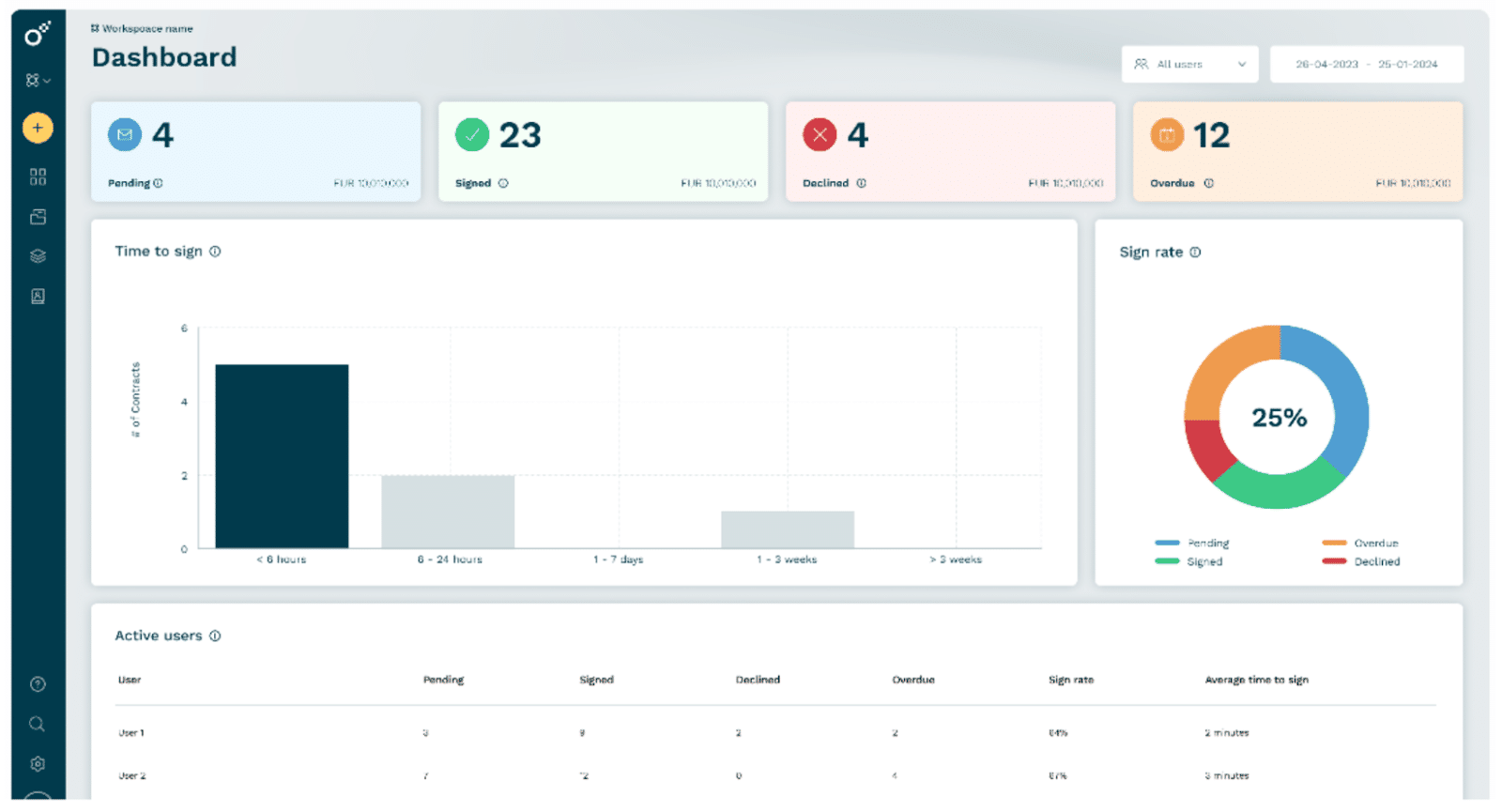
Oneflow takes a fundamentally different approach to contracts, creating fully interactive, live electronic contracts that remain editable throughout the negotiation process and sync bidirectionally with your CRM. It’s a contract automation platform for sales teams, legal departments and HR organizations alike.
With Docusign, once a quote is sent, any change to pricing, scope or terms means resending. With Oneflow’s proposal software, counterparties can negotiate directly within the contract, and you can even automatically add counterparty data from your CRM. Changes are tracked in real time, and your CRM automatically reflects the latest agreed-upon terms. This makes Oneflow a purpose-built solution for the quote-to-cash process: the contract becomes the single source of truth for everything downstream, including invoicing, renewals and handoffs between sales and finance.
Why teams switch from Docusign to Oneflow
Docusign manages negotiation in editable formats (such as Word-based templates) prior to sending agreements for execution, with workflow automation and lifecycle controls configured through Maestro. Oneflow uses browser-native, HTML-based contracts that remain editable throughout negotiation, allowing internal teams and counterparties to collaborate directly within the agreement interface without switching between document versions or external tools.
Docusign includes AI-powered agreement search, data extraction and lifecycle insights through its Navigator repository, along with CRM-connected workflows that can read and write contract data between systems such as Salesforce or Microsoft Dynamics. Enabling governed lifecycle processes across these integrations may require enterprise-tier configuration or implementation support.
Oneflow provides AI-assisted contract drafting, clause analysis and automated data extraction within a unified workspace designed for cross-functional business users. Its CRM integrations are designed to keep product, pricing, and contract data aligned across agreements and systems of record, ensuring that updates made during negotiation are automatically reflected in downstream invoicing and renewal workflows. Oneflow also lets you sign, track and send unlimited documents (PDFs) in the free plan.
Teams seeking faster deployment, business-user-led workflow adaptation and CRM-connected quote-to-cash contracting find Oneflow’s approach better suited to sales-led agreement processes.
Key features
- AI-powered contract creation and review. Oneflow’s AI can draft contracts from digital contract templates, flag risky clauses and summarize complex digital documents.
- Electronic signatures (SES and AdES). Oneflow supports both standard electronic signatures and advanced electronic signatures, including integrations with BankID for high-trust scenarios. Signatures are fully eIDAS-compliant and produce legally binding electronic signatures.
- Real-time collaboration and negotiation. All stakeholders can comment, suggest changes and negotiate directly within the contract, even after it’s been sent.
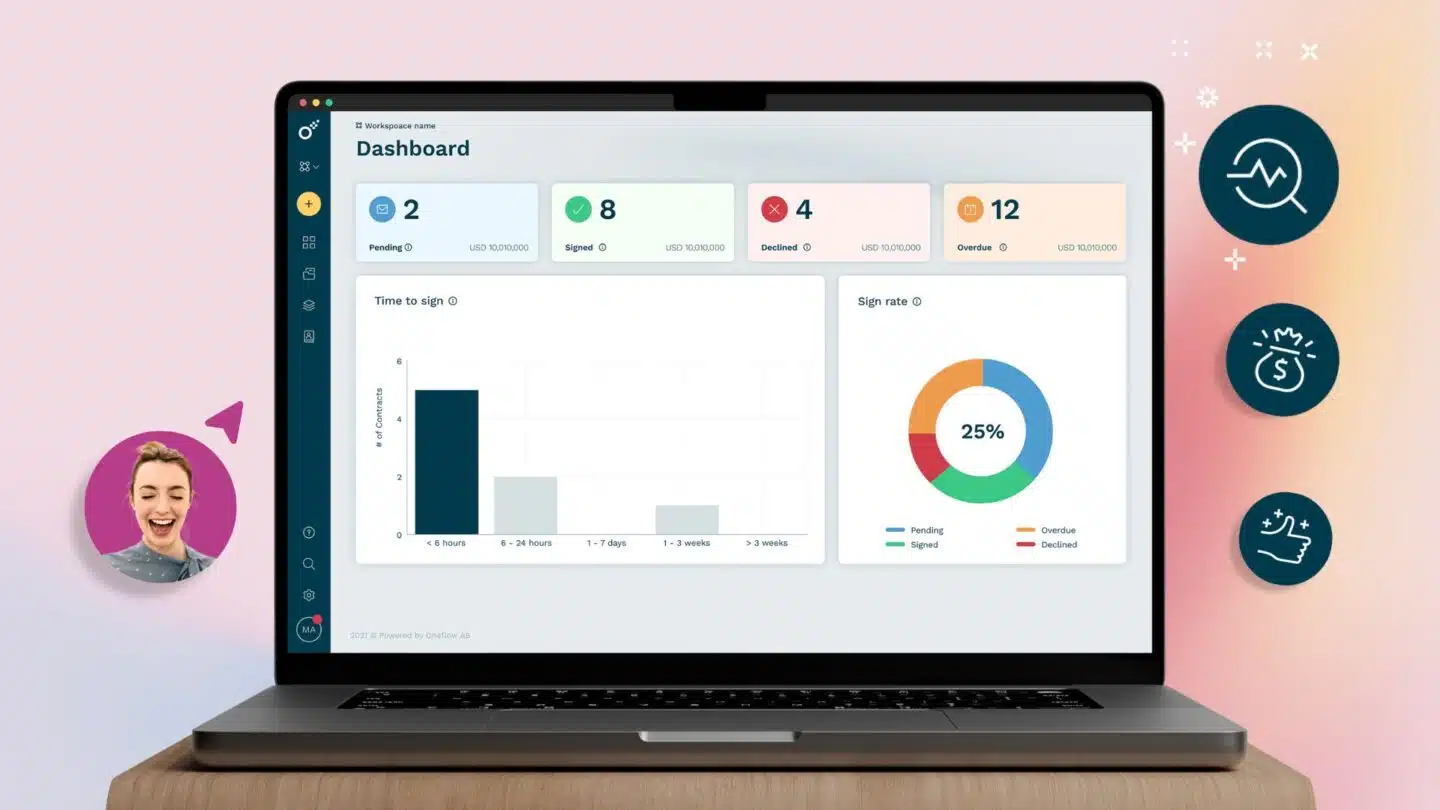
- Post-sign visibility and obligation tracking. Once a contract is signed, you get full digital audit trails, renewal reminders, searchable contract repositories and real-time dashboards. Having clarity on the contract effective date, key milestones and every lifecycle contract event ensures nothing slips through the cracks.
- Deep CRM integrations. Native two-way sync with Salesforce, HubSpot, Microsoft Dynamics 365 and Pipedrive means contract data stays accurate across your tech stack. You can read more about automating contracts for HubSpot and electronic signatures for HubSpot in Oneflow’s guides.
- Quote-to-cash workflow support. Oneflow is built for the full Q2C cycle, enabling finance teams to receive structured, accurate data automatically. CROs get faster time-to-sign, CFOs get reliable invoicing data, and RevOps gets a standardized, scalable process. Learn more in Oneflow’s guides to AI quoting software and AI proposal generators.
- Template and reusable template libraries. Teams can build a library of reusable templates with conditional logic and pre-approved clauses, so documents go out consistently irrespective of who creates them. Oneflow’s contract management software for sales use cases is particularly strong here, with template-driven workflows that reduce errors and speed up turnaround. Equally, teams running HR workflow automation will find ready-to-go templates for employment agreements, NDAs, and contractor documents. If you want to go further, Oneflow’s guide to how to automate HR contracts walks through the process step by step.
- Security features. Oneflow provides SOC 2 certified security, encrypted data handling, and document storage safety and security that meet enterprise requirements. Every contract maintains a comprehensive digital audit trail throughout its lifecycle.
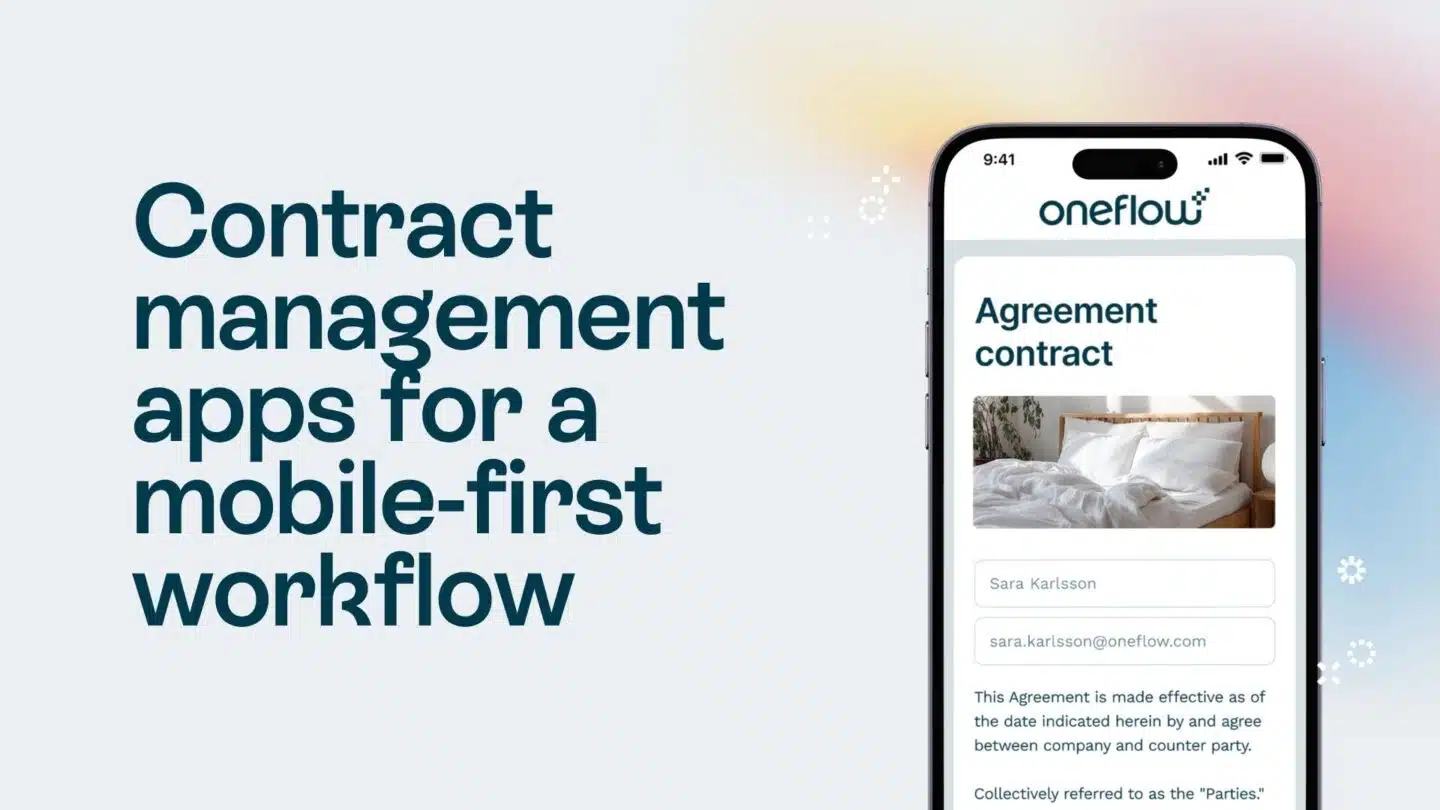
- Mobile devices. Contracts can be created, reviewed and signed on any device.
Main drawbacks
For teams that genuinely only need simple electronic signature software with no interest in contract management, Oneflow’s full feature set may feel like more than they need. The free plan is limited to static PDF contracts; dynamic templates and AI features require a paid plan. Some users note that complex approval workflows have a learning curve. However, for any team dealing with real contract workflows across multiple users, the added capability pays off quickly.
2. Ironclad: Complex approval workflows
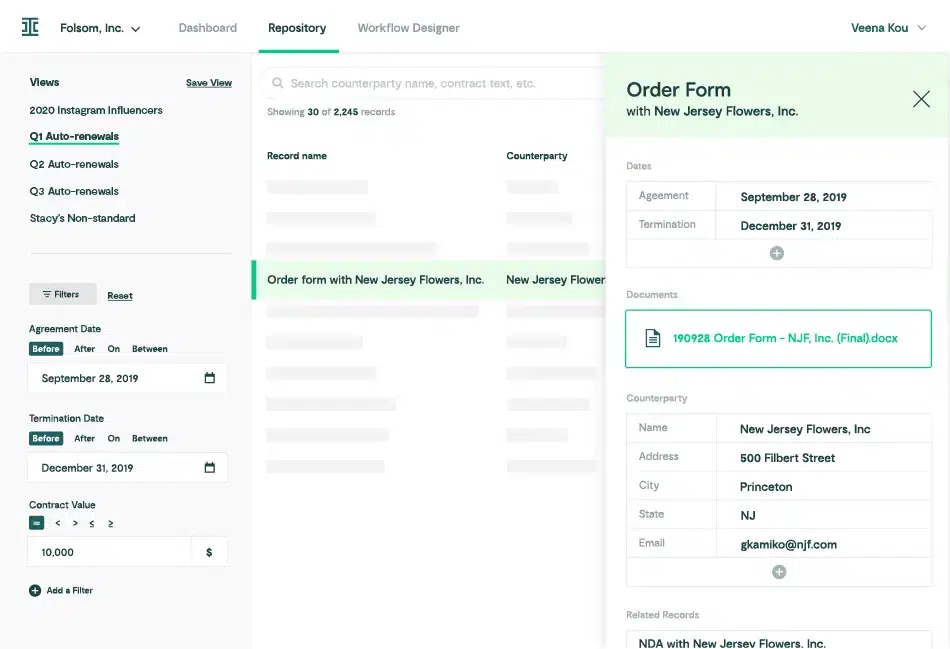
Ironclad offers contract management services for legal teams managing high volumes of complex agreements. It handles the full contract workflow from document creation via a Word-based template system, through multi-party negotiation with redlining, configurable contract playbook application and e-signature execution to post-sign repository management.
Key features
- Workflow designer for conditional approval routing
- AI-powered contract analytics and redlining
- Salesforce integration
- Native DOCX editing in browser
- Comprehensive audit trails
- Contract database with metadata tagging
- Compliance with ESIGN, UETA and SOC 2 standards
Compared to Docusign
Ironclad’s primary advantage is workflow configurability. Docusign can’t match it when it comes to managing complex multi-departmental approval processes for legal, procurement, HR and finance. For organizations managing legally binding contracts at enterprise scale, Ironclad provides the governance layer that Docusign’s current IAM tiers don’t fully address. Ironclad supports ESIGN and UETA compliance, and a robust contracts dashboard gives leadership real-time visibility across the entire portfolio.
Main drawbacks
Ironclad is expensive. Users frequently flag that AI features, integrations and dedicated support all come as costly add-ons. The platform has a steep learning curve for teams without dedicated legal ops support, and there’s no free trial or plan.
3. Juro: Scaling CLM without the complexity
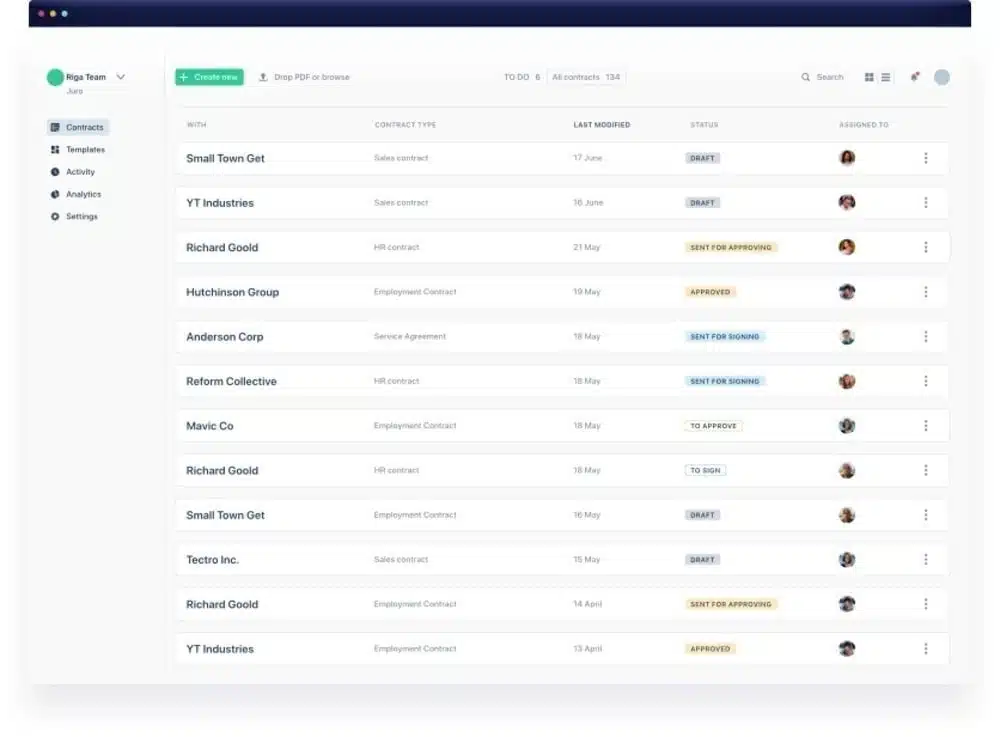
Juro intelligent contracting earned a strong reputation among growing companies for ease of use, fast implementation and responsive support. It manages the contract lifecycle in a browser-native workspace, making it easy to build a digital document ecosystem that works for everyone from sales to legal. Business teams can self-serve on document creation using pre-approved templates and conditional logic, legal retains oversight through guardrails and approval flows, with everyone working in the same space.
Key features
- AI assistant for drafting, reviewing and summarizing contracts
- Automated template builder
- Browser-native negotiation and redlining
- Bulk approval and digital signing actions
- Dynamic contract repository with real-time reporting
- Integrations with Salesforce, HubSpot, Pipedrive, Greenhouse, Slack and Google Drive
- ESIGN, UETA and eIDAS-compliant electronic signature
Compared to Docusign
Both Juro and Docusign CLM support contract creation, approval workflows, e-signatures and centralized storage. Juro stands out with its browser-native drafting environment and template-driven self-serve workflows, allowing teams to generate and negotiate contracts directly in one workspace. Docusign CLM offers similar lifecycle capabilities, but with more configuration and tier-based feature access.
Main drawbacks
Pricing is custom and not publicly disclosed, which makes budget planning harder. Some users note that heavily negotiated contracts can feel slow in the browser editor, and granular access controls, while improving, aren’t yet as fine-grained as some enterprise buyers need.
4. Contractbook: Automating sales and vendor contracts
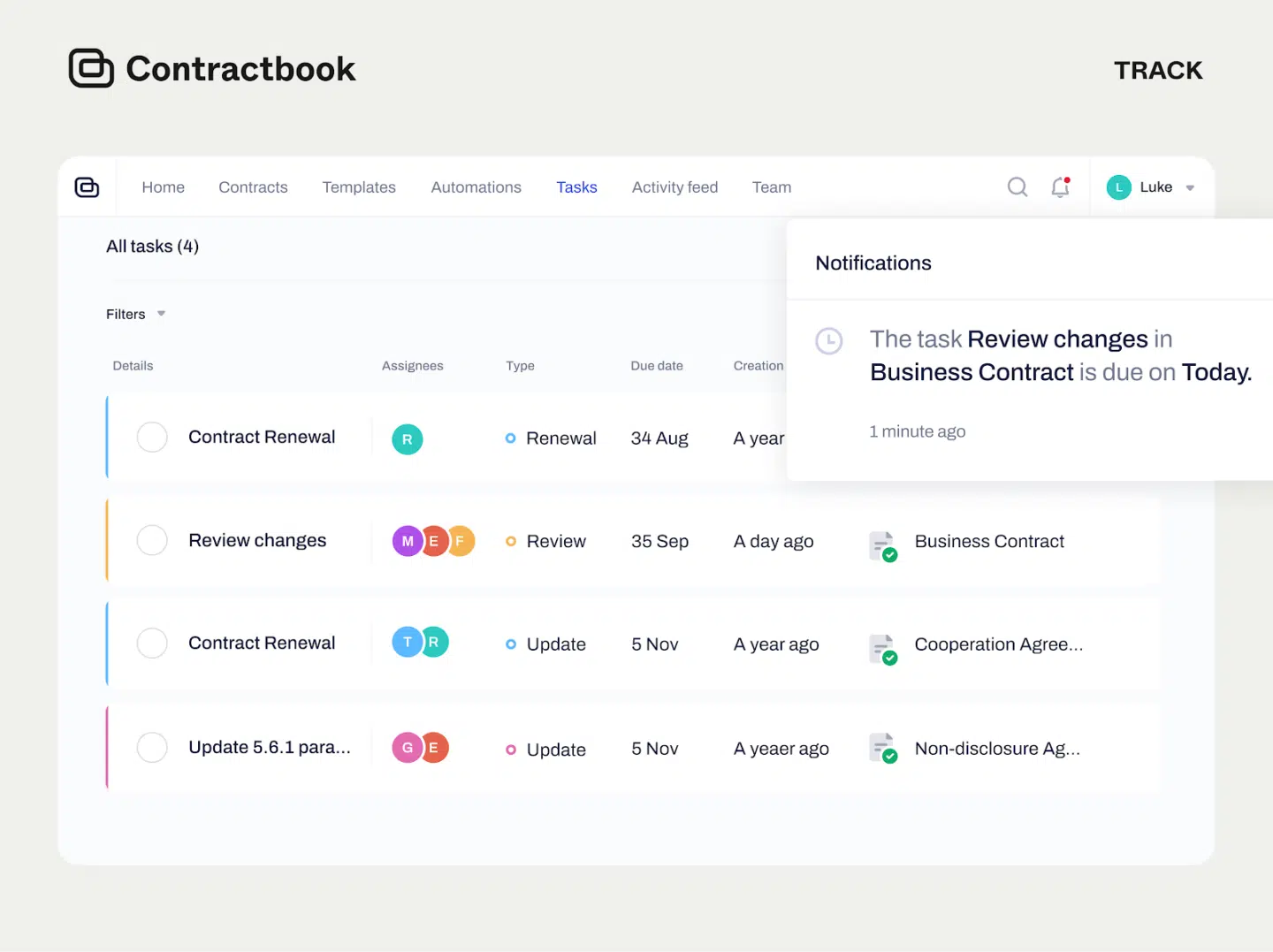
Contractbook is a CLM platform for SMBs and mid-market teams that want automation without enterprise complexity. Its core strength is turning contract data into actionable insights—even for legacy contracts imported into the platform. Teams managing contracts via Salesforce, HubSpot or sales CRMs like Membrain will find integration options that keep data synchronized.
Contractbook gives teams a centralized repository with metadata, renewal reminders and workflow automation tools.
Key features
- AI-powered data extraction for legacy contracts
- Customizable document templates
- HubSpot and Salesforce integrations
- Automated workflow triggers
- Renewal reminders
- Legally binding e-signatures
- SOC 2 certified security
- Clean contract repository
Compared to Docusign
Contractbook handles both document creation and the signing process, while Docusign has no native contract drafting or post-sign tracking. Contractbook’s free plan also lets smaller teams get started without any commitment.
Contractbook overlaps with many of the lifecycle capabilities Docusign CLM offers—templates, automation, storage and renewal reminders—but packages them in a lighter-weight, SMB-friendly product with a free plan and faster day-one usability. Docusign is more tiered and requires more configuration to fully operationalize across teams.
Main drawbacks
Some users find external sharing with non-Contractbook users less intuitive. User role granularity could be more refined, with admins noting that regular users get access to more functionality than ideal. Advanced customization for document formatting and templates would also be welcome.
5. PandaDoc: Proposals + signing
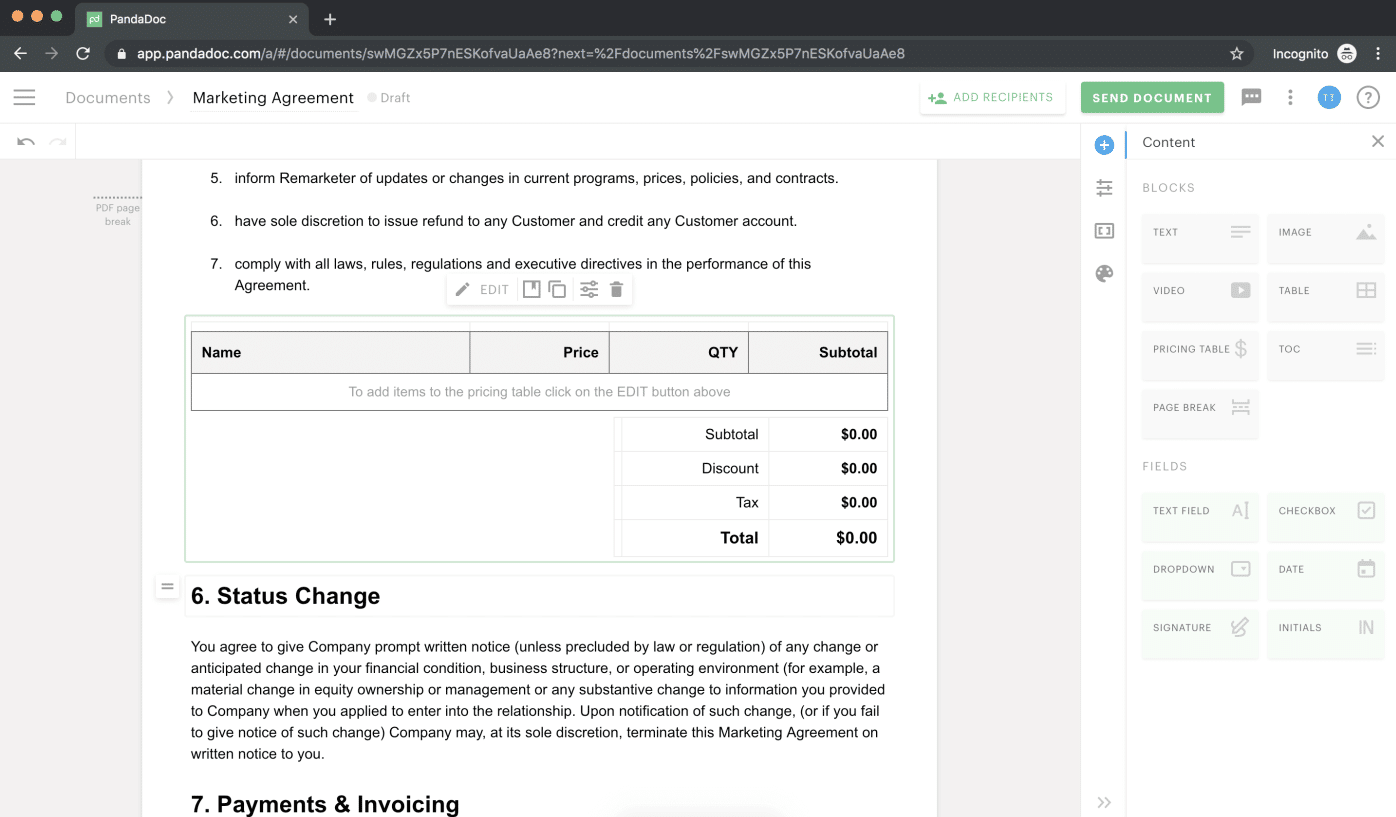
PandaDoc is a document automation platform designed primarily for revenue teams managing proposals, quotes and sales agreements. It combines document creation, analytics, electronic signatures and payment collection in a single workspace.
The drag-and-drop editor, content library and pre-built templates enable sales teams to create polished documents quickly, while built-in engagement analytics provide visibility into how prospects interact with proposals throughout the buying process.
See also: PandaDoc vs Docusign
Key features
- AI-powered document creation
- Drag-and-drop template editor
- Document engagement analytics
- E-signatures with ESIGN/UETA/HIPAA compliance
- CRM integrations with HubSpot and Salesforce
- Payment collection
- Approval workflows
- Online forms that can be embedded in proposals
Compared to Docusign
PandaDoc and Docusign both support agreement creation, approval workflows, electronic signatures and CRM-connected document generation. With IAM, Docusign also provides centralized agreement storage, AI-powered contract data extraction and renewal tracking.
PandaDoc’s primary strength lies in sales-focused document workflows—particularly proposals, quotes and transactional agreements that benefit from engagement analytics and embedded payment collection. For revenue teams prioritizing proposal quality, document engagement insights, and faster quote-to-cash execution, PandaDoc may offer a more sales-oriented document workflow experience.
Main drawbacks
Post-sign capabilities are limited compared to dedicated CLM tools. There’s no two-way CRM data sync, meaning contract data flows into documents, but doesn’t flow back automatically. Pricing also scales quickly for larger teams.
See also: PandaDoc alternatives
6. GetAccept: Revenue teams using digital sales rooms
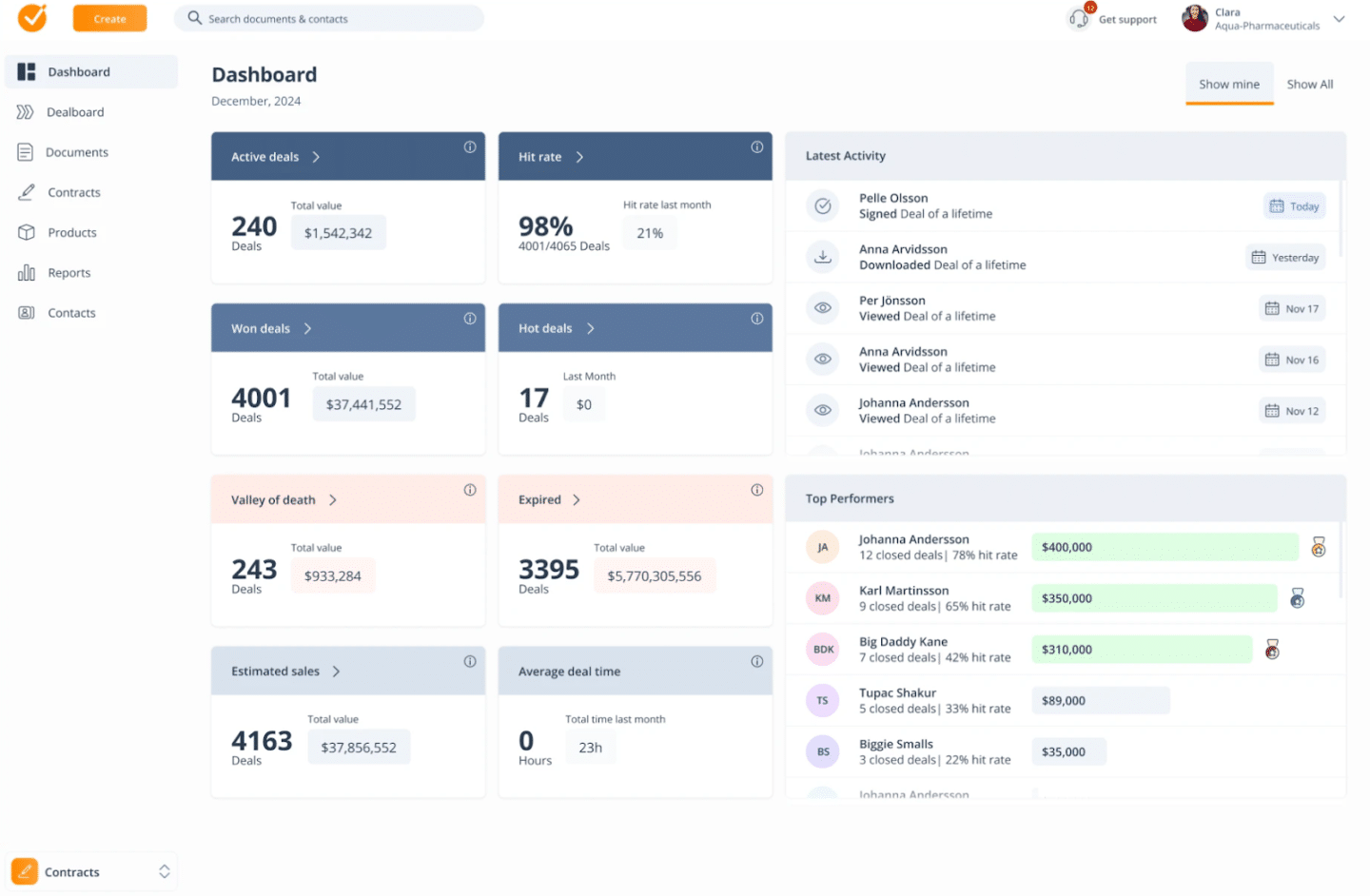
GetAccept is a digital sales enablement platform with strong e-signature and contract management features. Its standout capability is the digital sales room—a shared space where sales teams and buyers can collaborate, track engagement, exchange documents and sign deals.
The video introduction feature, which lets sales reps attach personalized video messages to proposals, is also unique. Real-time engagement tracking shows reps exactly which pages a prospect spent time on, enabling smarter follow-ups. For teams struggling with situations where prospects aren’t signing, this visibility into deal engagement can make a difference.
Key features
- Digital sales rooms
- AI-assisted content
- Video introductions for proposals
- Real-time document tracking and engagement insights
- Automated reminders via email and SMS
- Legally binding electronic signatures
- CRM integration with Salesforce and Microsoft Dynamics 365
- Contract management module for organizing signed documents
Compared to Docusign
GetAccept covers the full pre-signature sales experience, while Docusign comes in only at execution. For sales engagement and deal acceleration, GetAccept is considerably more capable as a contract management software for sales teams. However, Docusign handles post-sign management more comprehensively.
Main drawbacks
Post-signature CLM capabilities are limited; it’s not a comprehensive contract repository or compliance tool. The range of features can also create unnecessary complexity for simpler use cases.
7. Concord: Teams prioritizing real-time contract collaboration
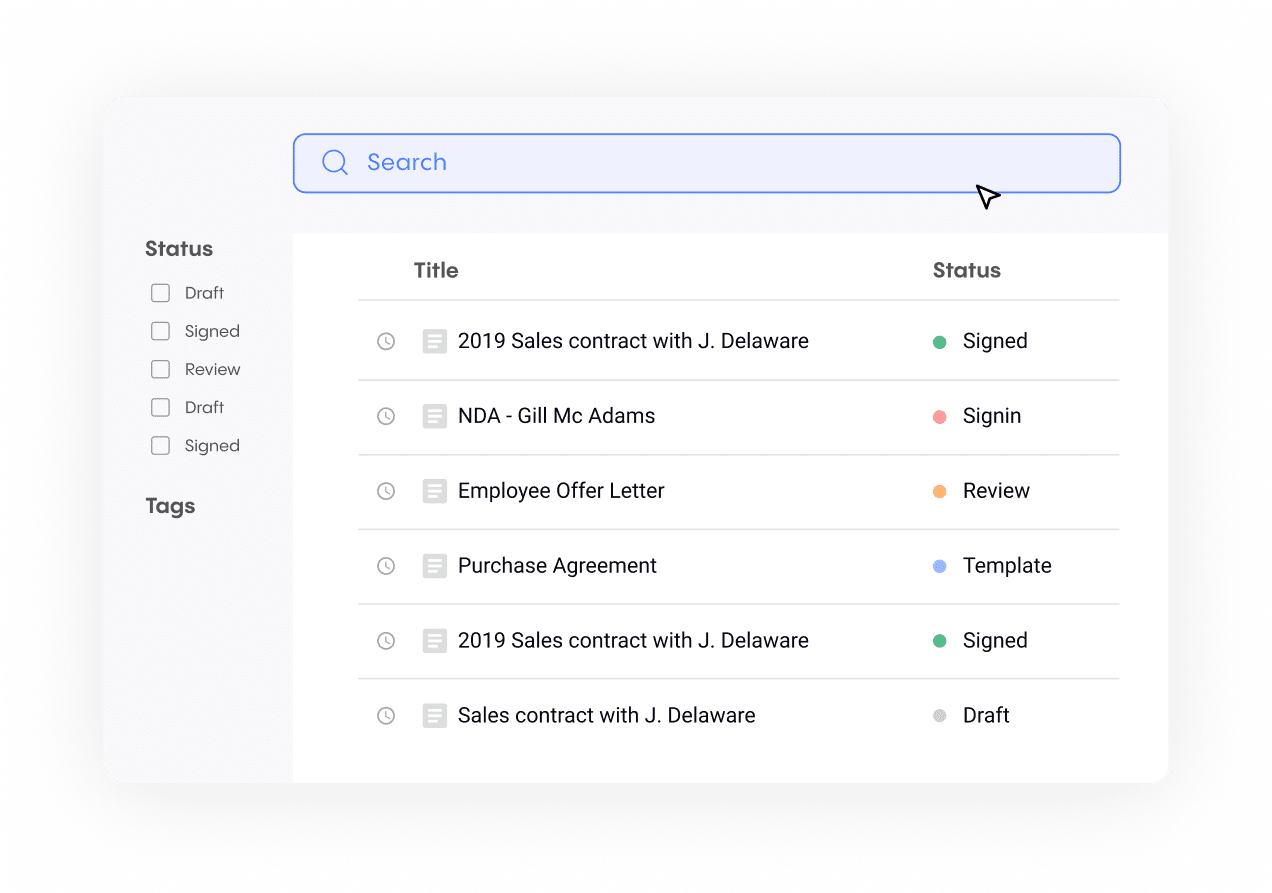
Concord is built for collaboration at every stage of the contract lifecycle. Its core strength is letting multiple (both internal and external) users co-edit, comment on and negotiate electronic contracts in real time, without the version control chaos.
It has contract creation and negotiation capabilities alongside e-signatures. It also includes audit trails and compliance tracking that make it useful for regulated industries, including contract management in healthcare, where a clear digital trail is non-negotiable.
Key features
- Real-time co-editing
- Version history and audit trails
- Approval workflows
- Template management
- Ability to track changes in a PDF document or in an in-browser editor
- Electronic signatures
- Compliance tracking
- Unlimited document storage
- Integrations with Google Workspace and Microsoft 365
Compared to Docusign
Concord is more capable as a collaboration tool and offers better post-signature tracking. Docusign CLM also supports collaborative negotiation with redlining and version control, but at a higher cost and implementation complexity. Concord makes negotiation more collaborative and accessible. It’s less recognized globally, which occasionally creates hesitancy from unfamiliar counterparties.
Main drawbacks
AI capabilities are limited compared to some tools. The interface, while functional, doesn’t feel as modern as Juro or Oneflow. Advanced workflow automation requires higher-tier plans.
8. Conga CLM: Enterprise revenue lifecycle platform
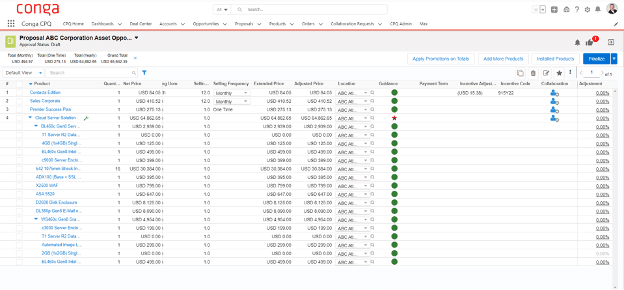
Conga CLM is an enterprise CLM solution on the market, built natively on the Salesforce platform. Contract data flows directly within Salesforce objects, keeping legal, sales and finance teams aligned without data silos. It’s an enterprise contract management tool with features for negotiation, approval routing, e-signature execution and post-execution document management.
Key features
- Salesforce-native CLM
- AI-powered contract extraction and analytics
- Complex workflow automation
- Approval routing
- Clause library management
- Obligation tracking
- Document creation and generation directly from Salesforce data
Compared to Docusign
Conga and Docusign both offer deep Salesforce integration, but Conga’s Salesforce-native architecture means it doesn’t require switching between platforms. Docusign’s advantage is its connection to the Docusign eSignature ecosystem, while Conga’s strength is its end-to-end revenue lifecycle coverage within Salesforce.
Main drawbacks
Implementation typically requires consulting support. Pricing is enterprise-tier and not publicly disclosed. Teams without dedicated Salesforce admins will struggle with configuration. No free trial or free account.
9. Docue: Contract templates for SMBs
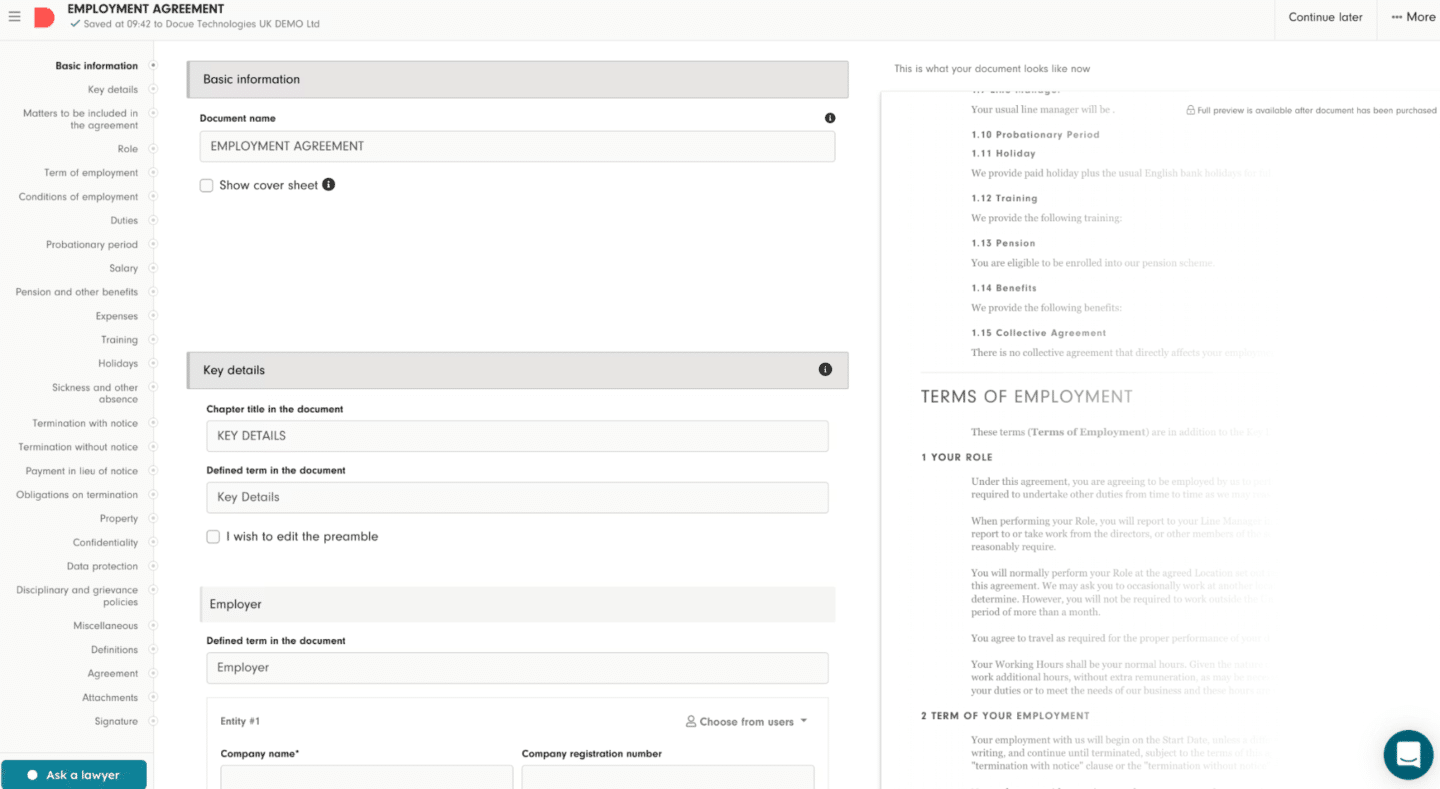
Docue is a contract platform that makes it straightforward for smaller businesses to create legally binding contracts without involving a lawyer every time. Its library of pre-vetted templates is its standout feature. For teams thinking about document digitization across their contract processes, Docue offers a low-friction entry point.
Docue is more of a guided document creation tool than an electronic signature solution or full-fledged CLM.
Key features
- Legal template library
- Guided contract creation for business users
- eIDAS-compliant electronic signatures
- GDPR-ready data handling
- Free basic document storage options across all plans
Compared to Docusign
Docue is purpose-built for European legal compliance and accessible for non-legal users. Docusign’s plans don’t offer jurisdiction-specific legal content. Docusign CLM does offer clause libraries and template management, but at an enterprise cost and complexity that’s disproportionate for SMBs.
Main drawbacks
Not well-suited for enterprise teams managing complex multi-party negotiations. Analytics and post-sign tracking are basic, and e-signatures are paid per document, not included in the plans.
10. Contractsafe: Contract repository and AI search
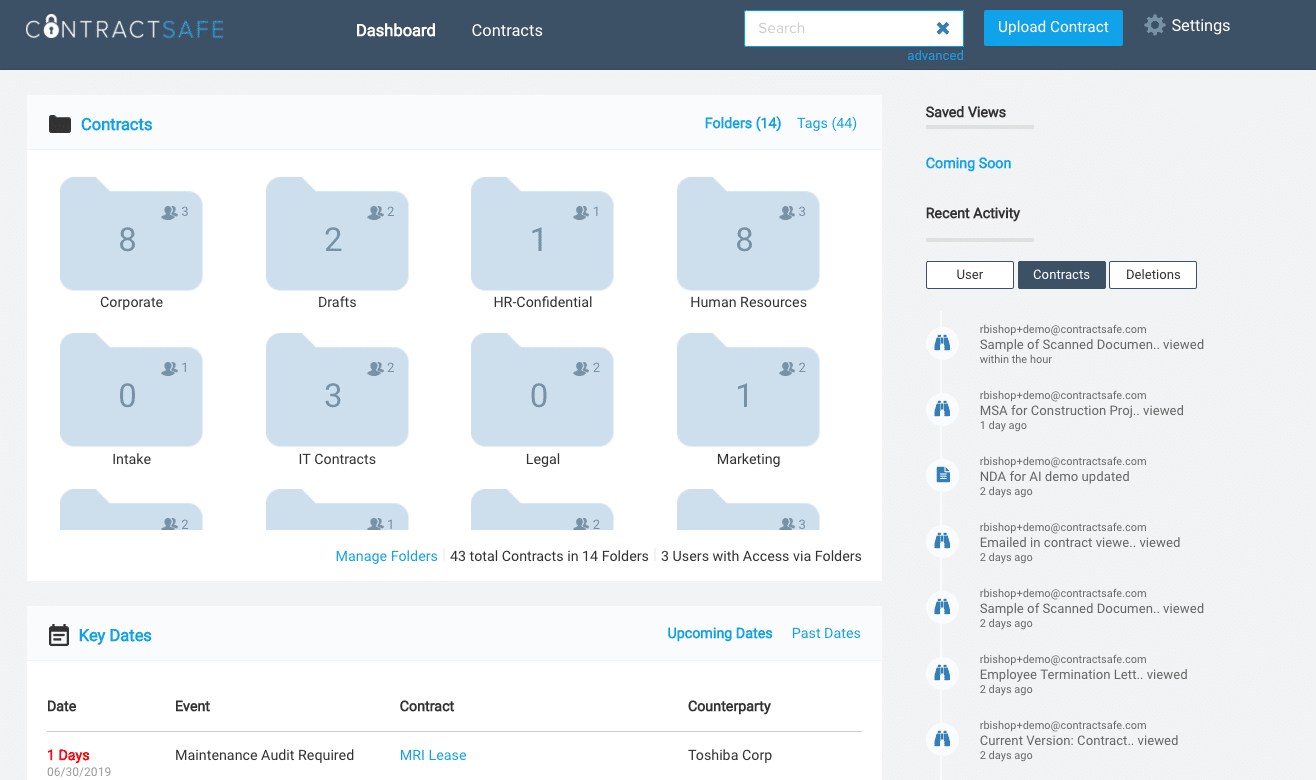
ContractSafe is a contract repository with strong AI-powered search, obligation management tools and automated alerts. If you need to find signed documents, track key dates and get notified before renewals, Contractsafe addresses that specifically.
This tool lets you import files, upload documents, organize existing contracts, extract key metadata using AI, and stay on top of deadlines. You can build an effective contracts dashboard with real-time visibility across their entire portfolio.
Key features
- AI-powered contract search and metadata extraction
- Automated renewal and obligation alerts
- Secure cloud storage
- User permission controls
- Clean dashboard for contract overview
- Digital audit trail for compliance tracking
Compared to Docusign
Docusign’s plans include centralized storage, Navigator AI and renewal management, so it covers core post-sign management needs. However, Contractsafe’s dedicated focus on repository management, obligation tracking and AI-powered search provides deeper post-sign visibility than Docusign.
Main drawbacks
Contractsafe doesn’t cover pre-signature document workflows; it’s not a drafting or negotiation tool. Teams needing an end-to-end solution will need to pair it with a separate signing tool. Lastly, without any native CRM integrations, contract data must be managed separately.
11. ContractpodAi: AI-driven operations at enterprise scale
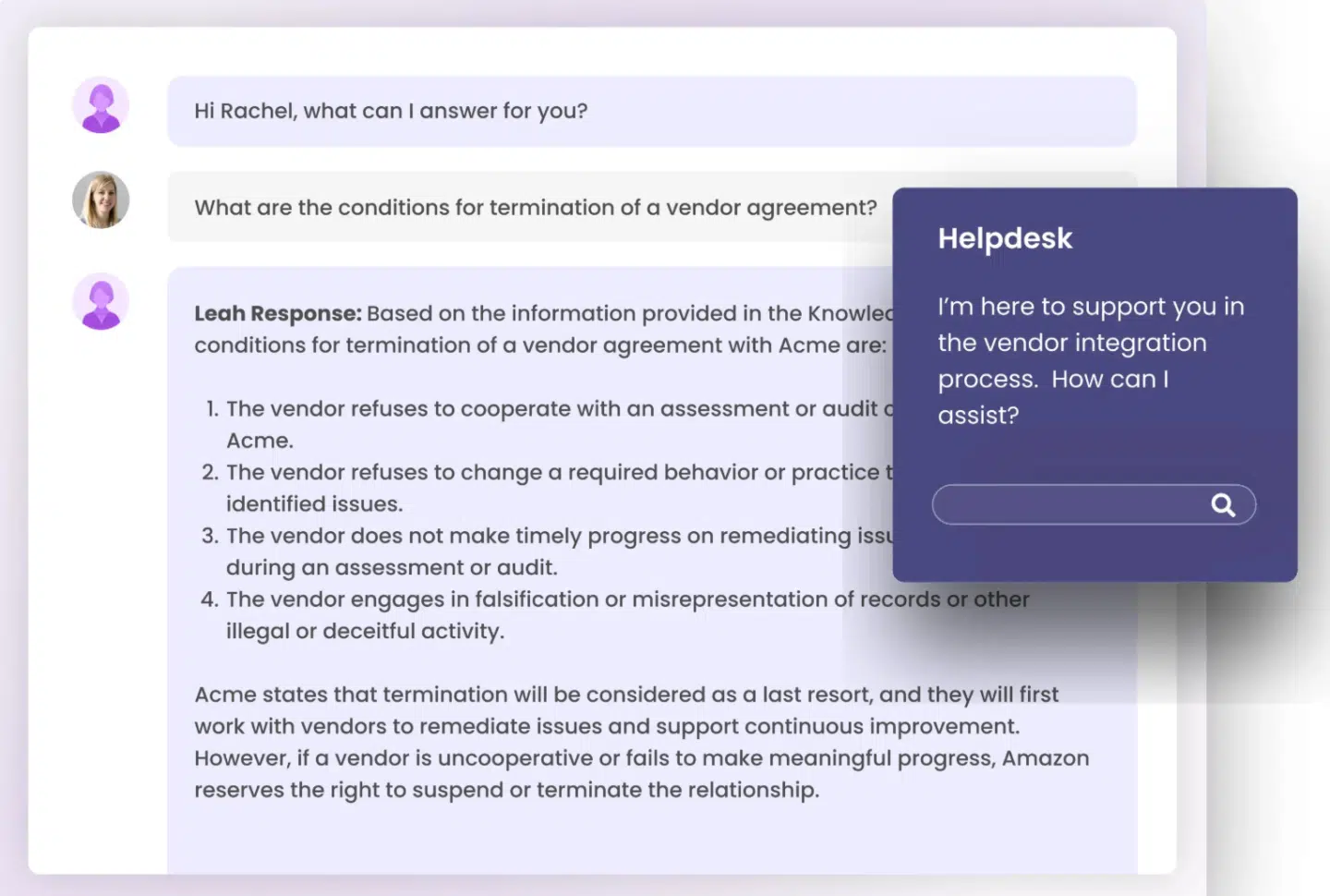
ContractpodAi is an enterprise contract lifecycle management platform designed for in-house legal teams. Its AI engine, Leah, supports tasks such as contract review, risk analysis, obligation extraction, and automated playbook application, helping organizations standardize negotiation and track contractual commitments across the lifecycle.
Key features
- AI contract review and risk scoring
- Automated playbook application
- Obligation management
- Clause library
- Approval workflows
- E-signatures
- Contract repository
- Advanced analytics
- Support for ESIGN, UETA and eIDAS compliance standards
- Integrations with Salesforce, SAP and other enterprise platforms via API
Compared to Docusign
ContractpodAi’s AI capabilities are more advanced than Docusign’s. Docusign CLM is better for workflow automation and repository management, but ContractpodAi leads in AI depth.
Main drawbacks
Implementation takes time and requires internal resources. Pricing is enterprise-tier with custom quotes and no publicly available rates. Not appropriate for teams without dedicated legal operations support. No free trial or free plan.
12. Icertis: Global enterprise contract governance
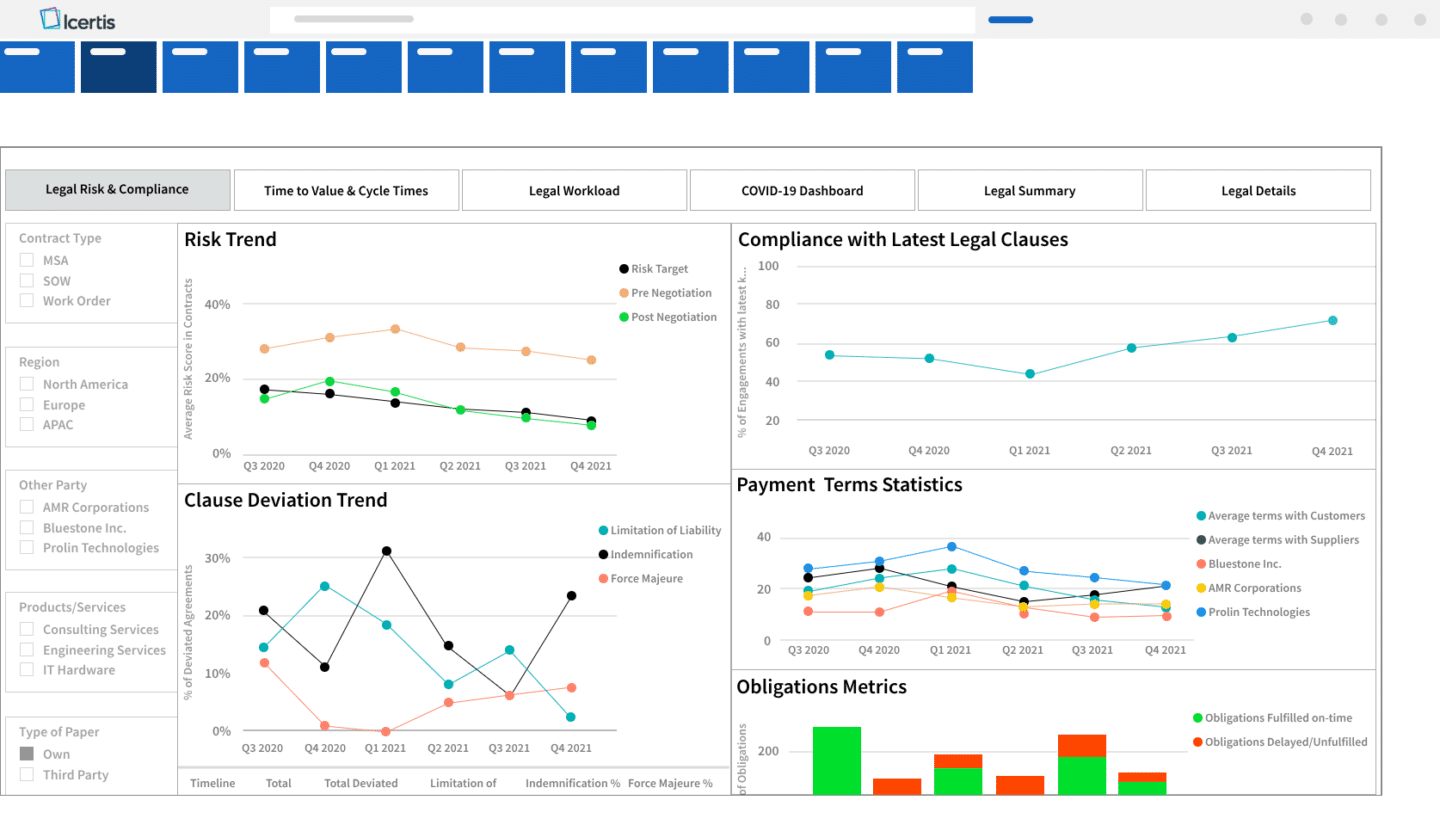
Icertis is a CLM platform for global enterprises, with capabilities for procurement, sales and legal contract management. Its strength lies in enterprise-grade compliance, obligations management and advanced analytics—making it a go-to in highly regulated industries like pharma, manufacturing and financial services.
It handles multi-language, multi-jurisdiction contracts, with AI-driven analytics that surface risk, obligation and opportunity data from contract portfolios.
Key features
- Enterprise CLM across all contract types
- AI-powered risk and obligation analytics
- Multi-language and multi-jurisdiction support
- Deep ERP and CRM integrations (SAP, Salesforce, Microsoft)
- Compliance frameworks
Compared to Docusign
Both Icertis and Docusign CLM serve large enterprises, but Icertis offers deeper multi-jurisdiction compliance, more advanced analytics, and stronger ERP integration (particularly with SAP). Docusign CLM’s advantage is its connection to the Docusign eSignature ecosystem and its Salesforce integration depth. For enterprises managing thousands of contracts across global operations, Icertis’s governance and analytics capabilities are more comprehensive.
Main drawbacks
Significant implementation cost and complexity. Not suitable for SMBs. No public pricing, no free trial, and no free account.
13. Sirion: Multi-party contract performance management
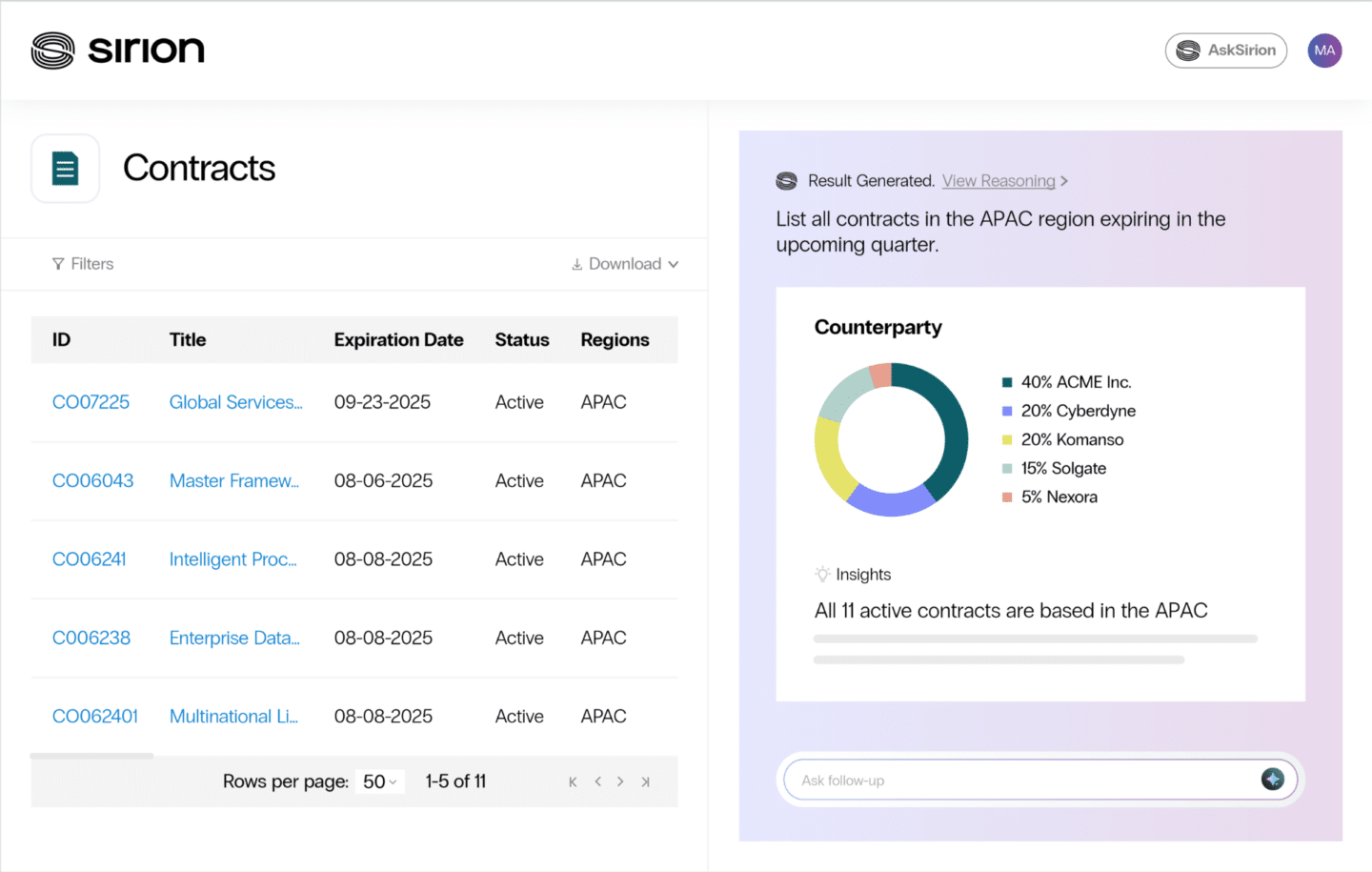
Sirion is an enterprise contract lifecycle management platform that supports end-to-end contracting across legal, procurement, sales and finance teams. Its Agentic CLM platform combines contract creation, negotiation, approval workflows, signing, repository management and post-sign obligation tracking.
Sirion places particular emphasis on performance-driven contracting. AI agents can assemble first drafts from playbooks, identify risks in third-party documents, suggest redlines during negotiation and extract contractual obligations after execution. This enables organizations to monitor whether supplier or counterparty commitments are actually being fulfilled.
Key features
- AI-assisted contract drafting and redlining
- Automated obligation extraction
- SLA and performance monitoring
- Contract analytics and risk scoring
- Approval workflows and collaboration
- Centralized repository with governance controls
- Integration with ERP and CRM platforms, including SAP and Salesforce
- Compliance with ESIGN, UETA, and regional e-signature standards
Compared to Docusign
Both Sirion and Docusign support full contract lifecycle management. Docusign provides workflow automation and agreement intelligence. Sirion emphasises performance-oriented lifecycle management—linking negotiated obligations to operational outcomes such as supplier delivery, service level or financial commitments. Organizations managing vendor contracts, outsourcing agreements or procurement-led relationships may find Sirion’s performance monitoring capabilities better suited for post-execution governance.
Main drawbacks
Sirion is an enterprise-grade platform with complex implementation requirements and custom pricing. Deploying governed lifecycle workflows across departments may require configuration support and onboarding for non-legal business users.
14. Tomorro: Legal teams wanting a clean CLM experience
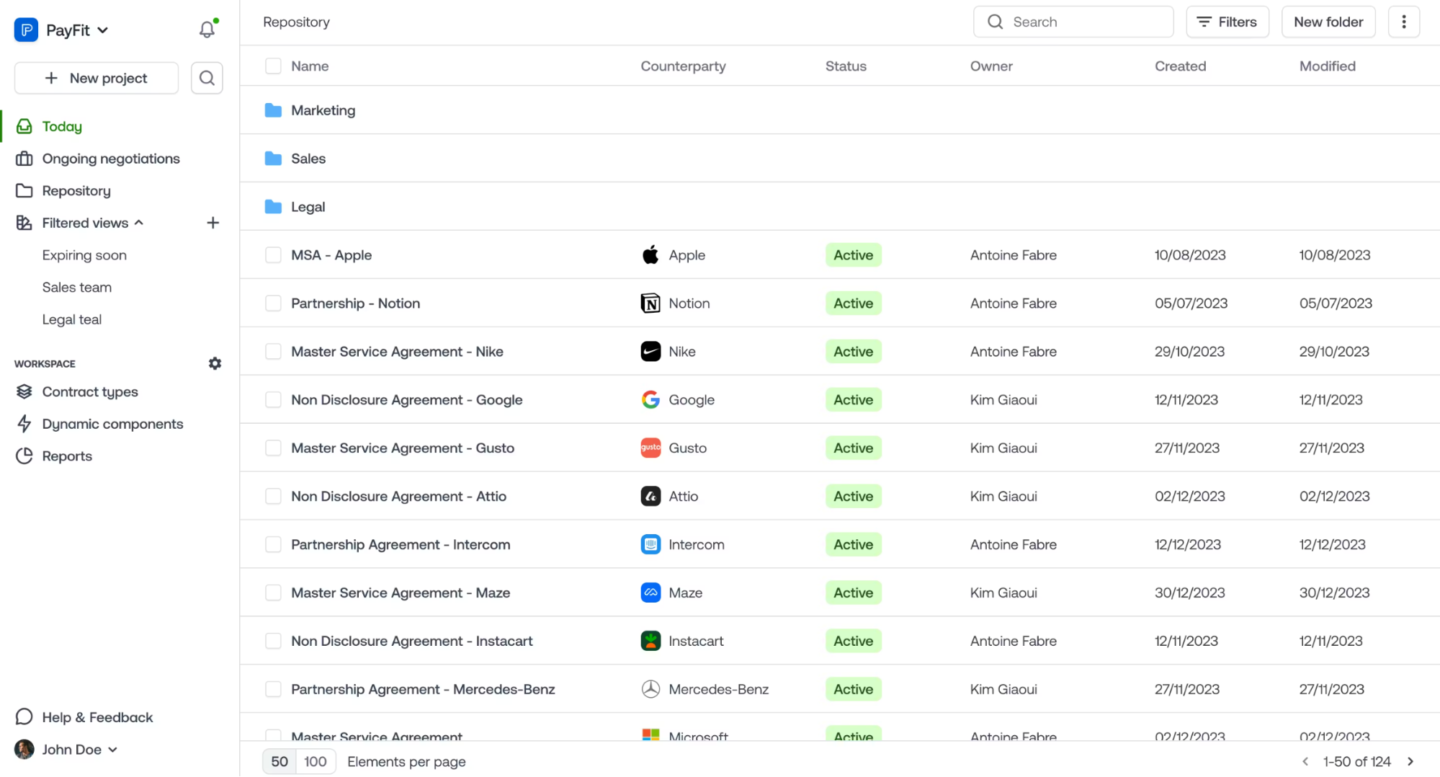
Tomorro is a contract lifecycle management platform that supports end-to-end contract management across drafting, negotiation, approval, signing, storage and renewal tracking, with embedded AI assistance through its Oro engine.
Oro can assist with document review, data extraction, clause recommendations based on contractual policy, content generation, translation and conversational search—helping teams analyze agreements and accelerate negotiations directly within the platform.
Key features
- Contract creation with dynamic templates
- AI-assisted contract review and analysis
- Automated approval workflows
- Native electronic signature
- Contract repository with access rules
- Renewal and termination reminders
- AI-powered data extraction and search
- Multilingual support
- GDPR-compliant data hosting in Europe
- ISO 27001 certification
Compared to Docusign
Both Tomorro and Docusign support contract creation, approval workflows, signing, centralized storage and post-sign tracking across the agreement lifecycle.
Tomorro differs with its embedded AI assistant and browser-native drafting environment, which allows legal and business teams to generate, review, translate and analyze contracts. Organizations prioritizing ease of adoption and AI-assisted collaboration across drafting and negotiation workflows may find Tomorro’s approach more accessible for cross-functional contracting.
Main drawbacks
Tomorro has less global brand recognition than larger CLM platforms, which may occasionally create hesitation. Organizations requiring highly customized enterprise governance workflows may also need to assess configuration capabilities during implementation.
Other tools to consider if you only need e-signatures
If your requirements are more in the realm of getting documents signed and you do not need contract drafting, negotiation, post-sign tracking or CRM integration, the tools below are worth considering. They’re simpler, more affordable electronic signature software options that are easier to set up than full CLM platforms.
That said, many teams start here and quickly find they need more. When that happens, migrating to a full CLM becomes an extra project. If you anticipate growth, it may be worth investing in a more capable platform from the start.
Adobe Acrobat Sign
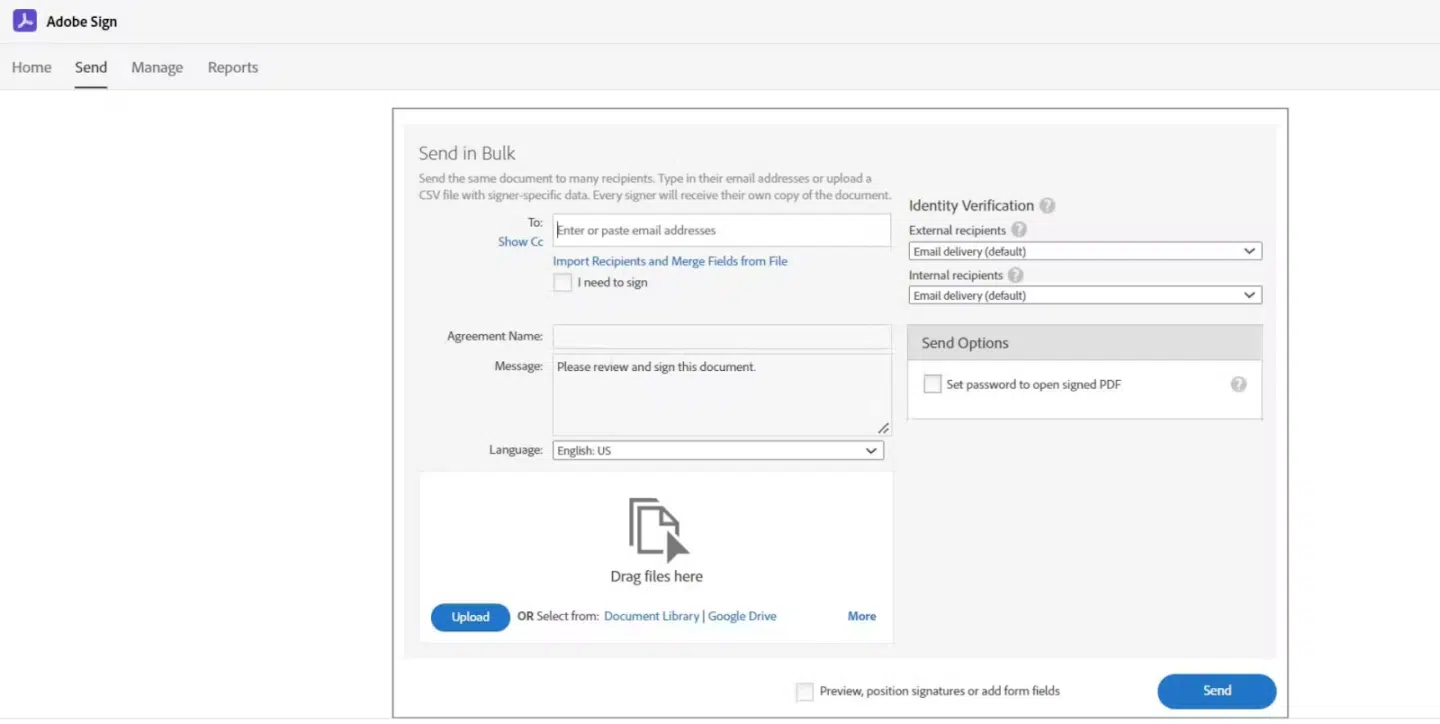
Adobe Acrobat Sign (Adobe Sign) is an electronic signature platform that supports legally binding signatures across global standards, including ESIGN, UETA, eIDAS, HIPAA and FERPA. As part of Adobe Document Cloud, it lets you prepare, edit, send and track agreements directly within PDF-based workflows.
The platform includes native document editing and annotation within PDFs, allowing teams to make changes to agreements before requesting signatures. Bulk sending, real-time tracking and mobile signing capabilities support high-volume execution use cases.
Key features
- Multiple e-signature types for legally binding signatures
- ESIGN, UETA, eIDAS, HIPAA and FERPA compliance
- Native PDF editing and annotation
- Bulk send with personalization
- Real-time status tracking
- Mobile signing
Compared to Docusign
Both Adobe Acrobat Sign and DocuSign eSignature support legally binding electronic signatures, bulk sending, audit trails and global compliance standards. Adobe’s advantage is its native PDF editing and annotation capabilities within Acrobat workflows, allowing teams to prepare and modify documents directly inside the same environment before sending.
Main drawbacks
Advanced workflow customization and integration flexibility may require higher-tier Adobe plans or additional Adobe products.
Xodo Sign
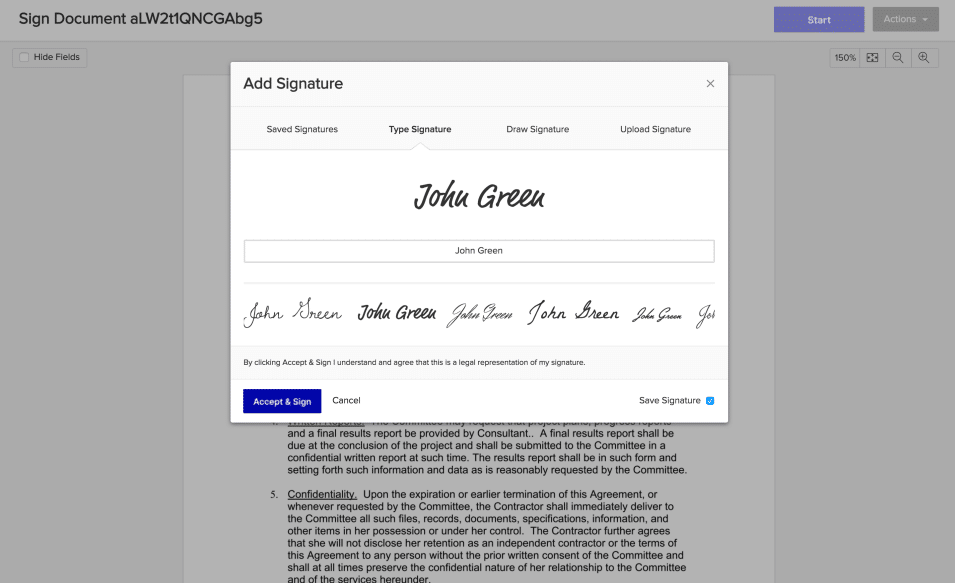
Xodo Sign (formerly Eversign) combines electronic signatures with built-in PDF editing, letting teams prepare and send documents for signature. It’s an execution-focused e-signature product with unlimited e-signatures, audit trails and team controls for roles, permissions and document access.
Beyond the web app, Xodo Sign also offers an eSignature API for custom workflows, including embedded signing and embedded signature requesting inside your own product or portal. For teams that want lighter automation, it supports no-code integrations through tools like Zapier and Relay.app to connect signature workflows with CRMs and cloud storage.
Key features
- Unlimited e-signatures
- PDF editing: add/edit text, annotate, redact and reorganize pages
- Drag-and-drop fields to prepare documents for signing
- Complete, timestamped audit trails
- Team roles, permissions and access management
- eSignature API for custom workflows
- Embedded signing and embedded requesting
- No-code integrations
- Compliance: SOC 2, GDPR, eIDAS, UETA
- AI summarization
Compared to Docusign
Xodo Sign has built-in PDF editing and unlimited e-signatures on some plans, combining preparation and signing in one interface. DocuSign, however, offers broader integration ecosystems and more advanced workflow automation options.
Main drawbacks
Custom branding is limited on lower-tier plans. Advanced features like bulk send require higher-tier subscriptions.
Dropbox Sign (Formerly HelloSign)
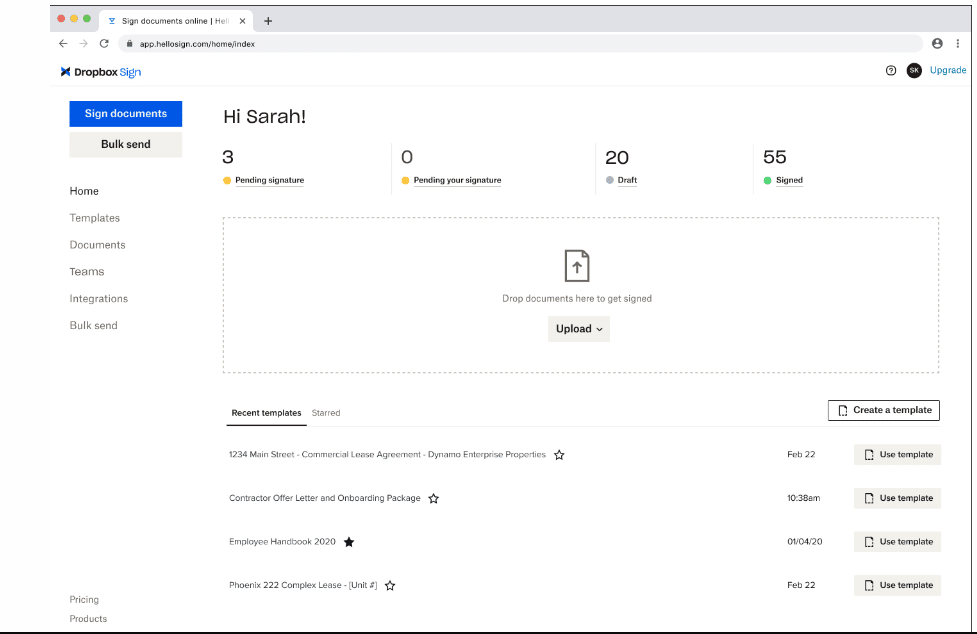
Dropbox Sign is an electronic signature solution that lets teams prepare, send, sign and store agreements. Signature requests can be created directly from stored files, with drag-and-drop fields used to assign signer inputs such as names, dates or signatures.
Signed agreements are automatically saved back into designated folders, allowing teams to track document status from request through execution without managing files across multiple tools. Reusable templates for documents such as NDAs, offer letters, SOWs or contracts help standardize signature workflows across departments.
Key features
- Legally binding electronic signatures
- Drag-and-drop signature field placement
- Reusable document templates
- Automatic save-back of signed documents
- Document status tracking and notifications
- Personalized branding for signature requests
- Mobile signing
Compared to Docusign
Both Dropbox Sign and Docusign eSignature enable document preparation, drag-and-drop field placement and legally binding signatures with audit trails. Dropbox Sign is tightly integrated into a document storage workflow, with automatic saving of signed files. Docusign offers more extensive workflow configuration, identity verification options and enterprise-grade integration flexibility.
Main drawbacks
Advanced approval workflows and conditional routing options are more limited compared to Docusign. Integration depth beyond the core ecosystem may require additional setup.
SignNow
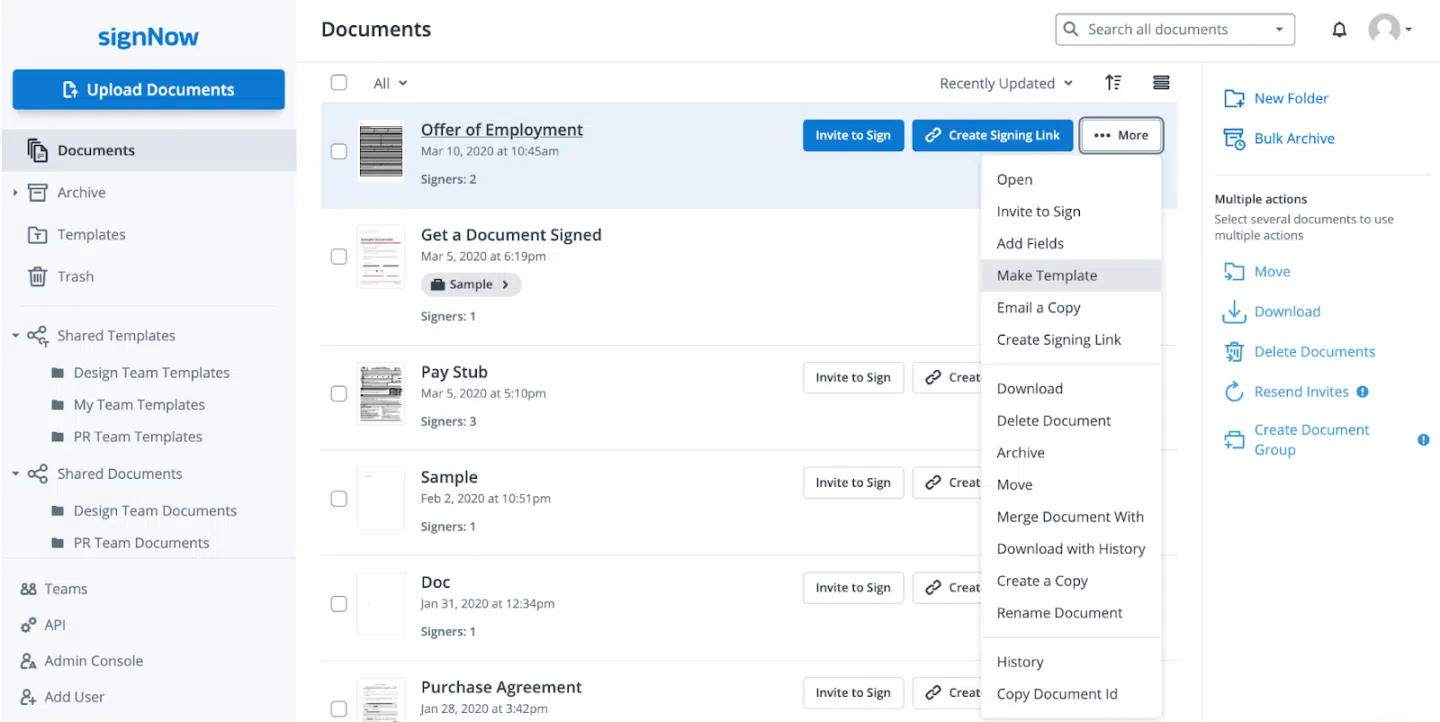
SignNow is a cost-effective e-signature tool with a drag-and-drop interface, mobile signing and solid security features. It supports reusable templates, bulk sending and integrations with business tools like Google Drive and Salesforce.
Key features
- Electronic signatures with ESIGN/UETA compliance
- Drag-and-drop tool for signature field placement
- Reusable templates
- Mobile app
- Team collaboration
- Bulk sending
- Integrations with Google Drive, Salesforce and other business apps
Compared to Docusign
If you opt for annual billing, SignNow is significantly cheaper for comparable e-signature functionality to Docusign’s eSignature essentials. It supports unlimited users on all plans, with pricing based on feature access rather than seats.
Main drawbacks
Limited workflow automation on lower tiers. No free plan, only a trial.
Zoho Sign
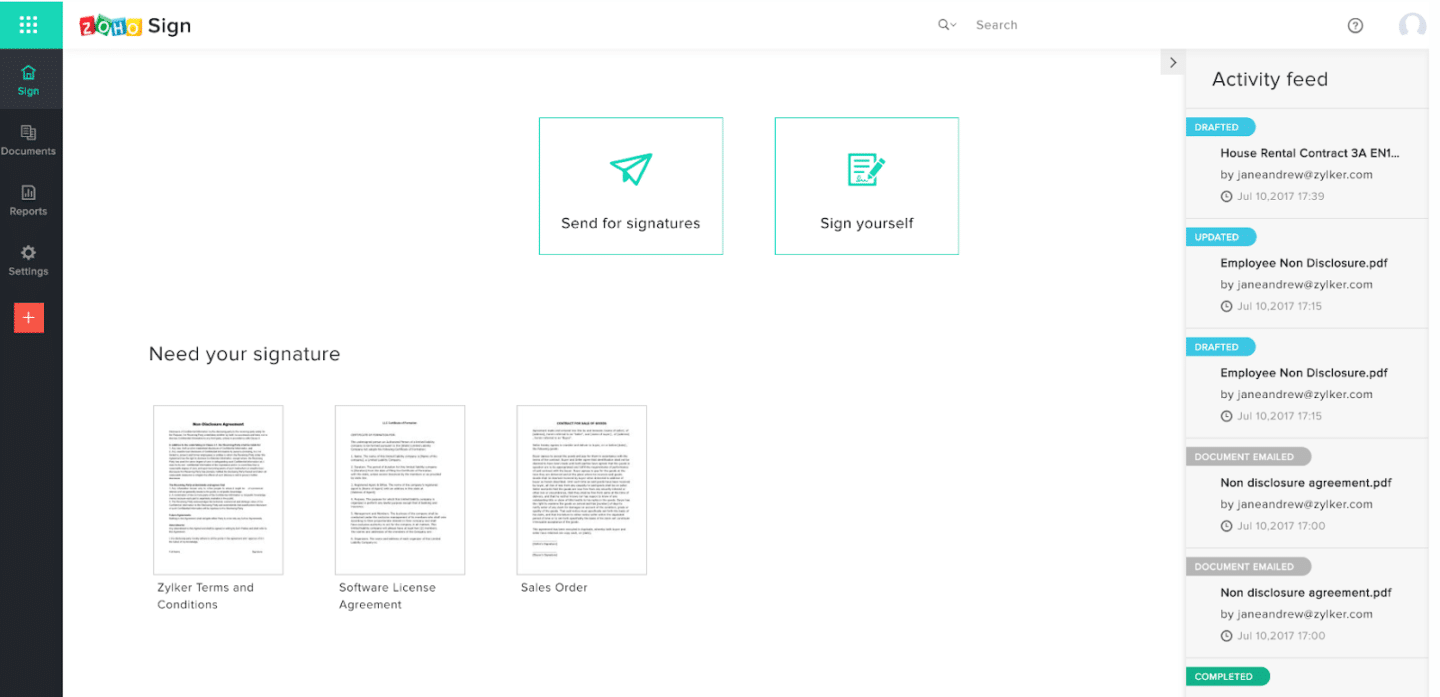
Zoho Sign is an electronic signature platform that supports document preparation, approval workflows, identity verification and signature collection across digital agreements. In addition to collecting signatures, it lets teams define signing order, automate repeated document workflows, and track agreement status.
The platform also supports qualified electronic signatures (QES) through qualified trust service providers for high-compliance use cases, along with additional capabilities such as bulk sending, reusable templates, signer identity verification, payment collection and blockchain timestamping for document integrity.
Key features
- Legally binding electronic and digital signatures
- Signing workflows with configurable recipient order
- Reusable document templates
- Bulk send
- Identity verification
- Qualified electronic signatures (QES) via QTSPs
- Blockchain timestamping
- Payment collection
- Real-time document status tracking
- Audit trail
- API access for automated signing workflows
- Compliance certifications, including GDPR, HIPAA, ISO 27001
Compared to Docusign
Zoho Sign has blockchain timestamping and a free option. Docusign offers broader global infrastructure and deeper integration coverage across enterprise systems.
Main drawbacks
Some advanced workflow configurations and integrations are strongest within the broader Zoho ecosystem. Organizations operating across diverse tech stacks may require additional configuration.
SimpleSign
SimpleSign is a Scandinavian e-signature platform built around simplicity and strong compliance with Nordic electronic signature standards. It’s eIDAS compliant and supports BankID identification for Swedish users, making it a natural choice for teams operating primarily in the Nordic market.
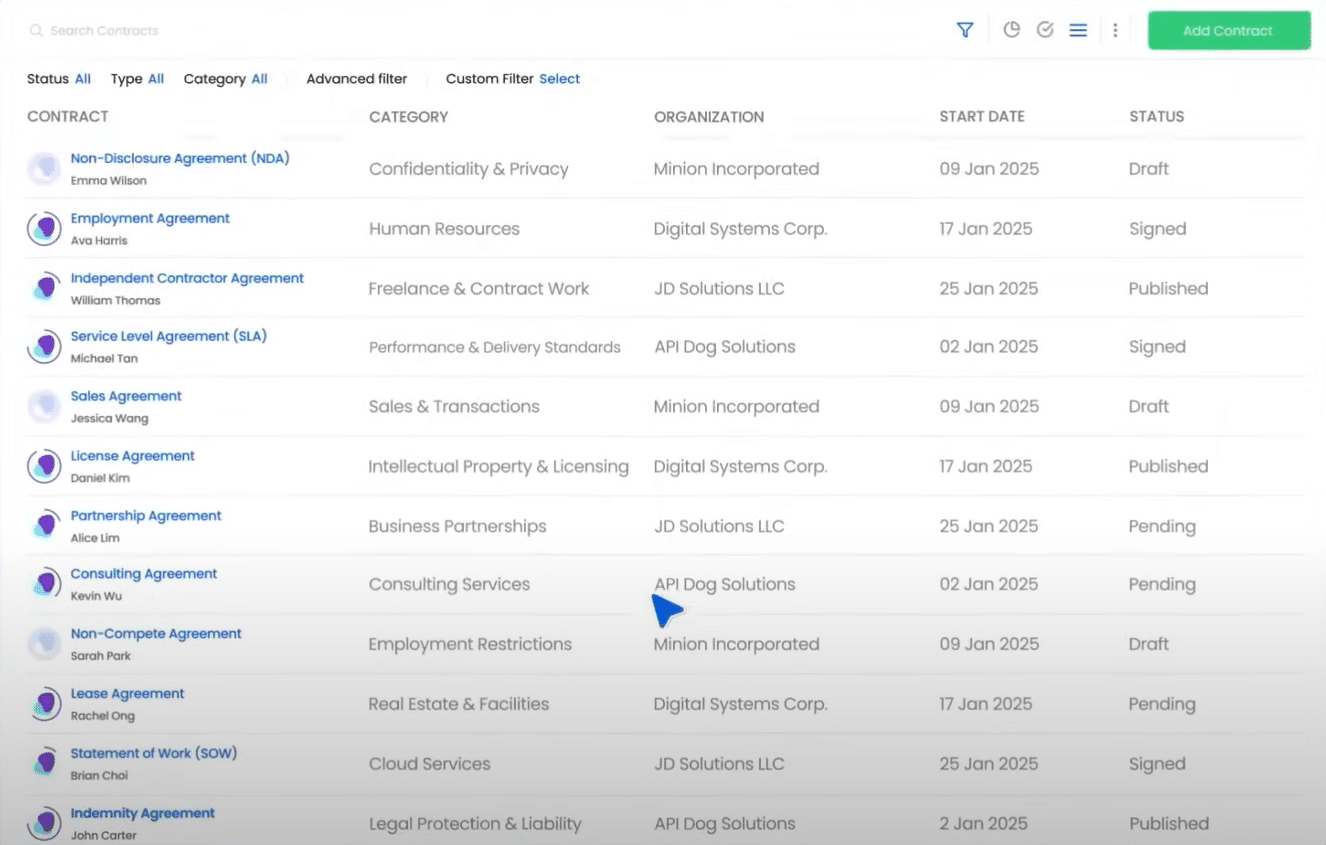
SimpleSign combines agreement creation, collaboration, approval workflows, signing, storage and monitoring. In addition to collecting legally binding electronic signatures, it enables teams to draft contracts using templates and smart fields, collaborate on edits, automate internal approvals, and manage agreements.
Key features
- Contract creation with templates and smart fields
- Collaboration and in-platform editing
- Automated approvals and internal reviews
- Centralized contract repository
- Playbooks for contract review
- Contract monitoring and tracking
- AI-assisted lifecycle management
- Integration with trusted eID providers
- ISO 27001-aligned EU data hosting
Compared to Docusign
Docusign provides configurable lifecycle governance through modular components such as Maestro (workflow automation) and Navigator (agreement intelligence). SimpleSign takes a more unified workspace approach, bringing drafting, collaboration, approval, execution and monitoring into a single environment.
Main drawbacks
Organizations requiring highly customized enterprise-scale governance workflows may need to evaluate implementation and configuration capabilities during deployment.
House of Control
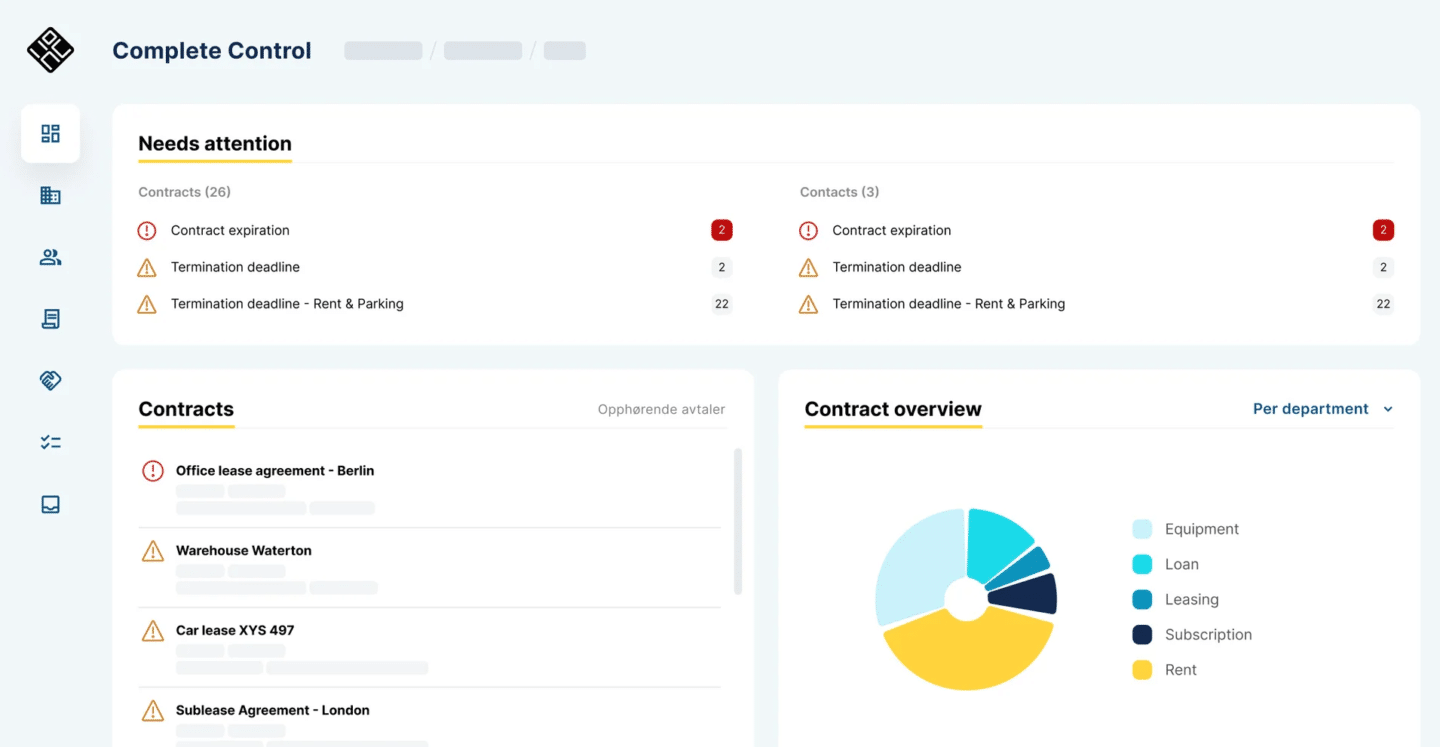
House of Control is a contract management platform focused on financial governance, risk and regulatory compliance across signed agreements. It helps organizations track supplier commitments, contractual obligations, lease liabilities and regulatory exposure under frameworks such as IFRS 16, CSDDD,and DORA.
The platform gives finance, procurement and legal teams visibility into contractual assets, liabilities and renewal timelines, supporting improved compliance reporting and risk oversight.
Key features
- Centralized contract repository
- Supplier and vendor management
- Risk and compliance tracking
- IFRS 16 lease obligation tracking
- Regulatory oversight (e.g., CSDDD / DORA)
- Automated alerts for key dates
- Financial overview of contractual commitments
- Portfolio-level reporting
Compared to Docusign
DocuSign IAM provides lifecycle governance across agreement creation, approval workflows, execution and renewal tracking. House of Control places greater emphasis on financial reporting, compliance oversight and contractual liability management after agreements have been executed.
Main drawbacks
House of Control does not provide native contract drafting or execution capabilities. Organizations seeking integrated creation, negotiation and signing workflows may need to combine it with an agreement execution platform.
How to choose the right Docusign alternative
If your contract process ends at “get it signed,” a lightweight e-sign tool is fine. But if contracts touch revenue—pricing, scope, renewals, invoicing, handoffs—signing is the easy part. The real work is before and after the signature: version chaos, approval bottlenecks, CRM mismatches and missed renewals.
That’s why Oneflow is the strongest Docusign alternative for most growing teams. It combines full CLM capabilities with live, collaborative contracts and true CRM two-way sync, so the agreements stay accurate from negotiation through invoicing and renewal, without heavy enterprise setup.
If you want contracts to run your quote-to-cash process (instead of slowing it down), book a demo.
FAQs
What is the best Docusign alternative?
If you want full CLM + e-signing without stitching together tools, Oneflow is one of the strongest alternatives—especially for teams that want to streamline quote-to-cash workflows and keep CRM data accurate with two-way sync.
If you’re a legal ops team buying for enterprise-wide governance, tools like Ironclad, Icertis, Sirion or ContractpodAi may be better fits. However, those typically involve heavier implementation and enterprise pricing models.
Leaner, e-signature software options include House of Control, Adobe Sign or SignNow.
Does Google have an equivalent to Docusign?
Google Workspace includes an eSignature feature for Google Docs and PDFs, available to specific Workspace tiers (and Workspace Individual), depending on admin settings. It’s useful for basic signature requests inside Google’s environment, but it’s not a full CLM platform.
What’s the difference between an e-signature tool and a CLM?
An e-signature tool handles just the signing process. It allows you to upload documents, request signatures and get documents signed. A contract lifecycle management platform covers the entire journey from drafting, through negotiation, approval and signing, to storage, obligation tracking and renewal. Most growing businesses eventually need CLM, even if they start with a simple electronic signature solution.
Is Docusign eIDAS compliant?
DocuSign offers capabilities aligned to eIDAS signature types (including Advanced and Qualified e-signature offerings). Whether a specific workflow is eIDAS-compliant in practice depends on how it’s configured (identity verification method, certificate/trust service setup, signing type used, etc.).
.png?id=40edbc9ee25345a211152388fdcf1fd2)

.png?id=073897979970647cd034d6db96c145de)